ToolMage
Sign in

Best 1 Software Development AI tools for Artificial Intelligence

Popular Software Development AI tools in Artificial Intelligence include Devin, helping you work more efficiently.

Devin
Paid

Devin

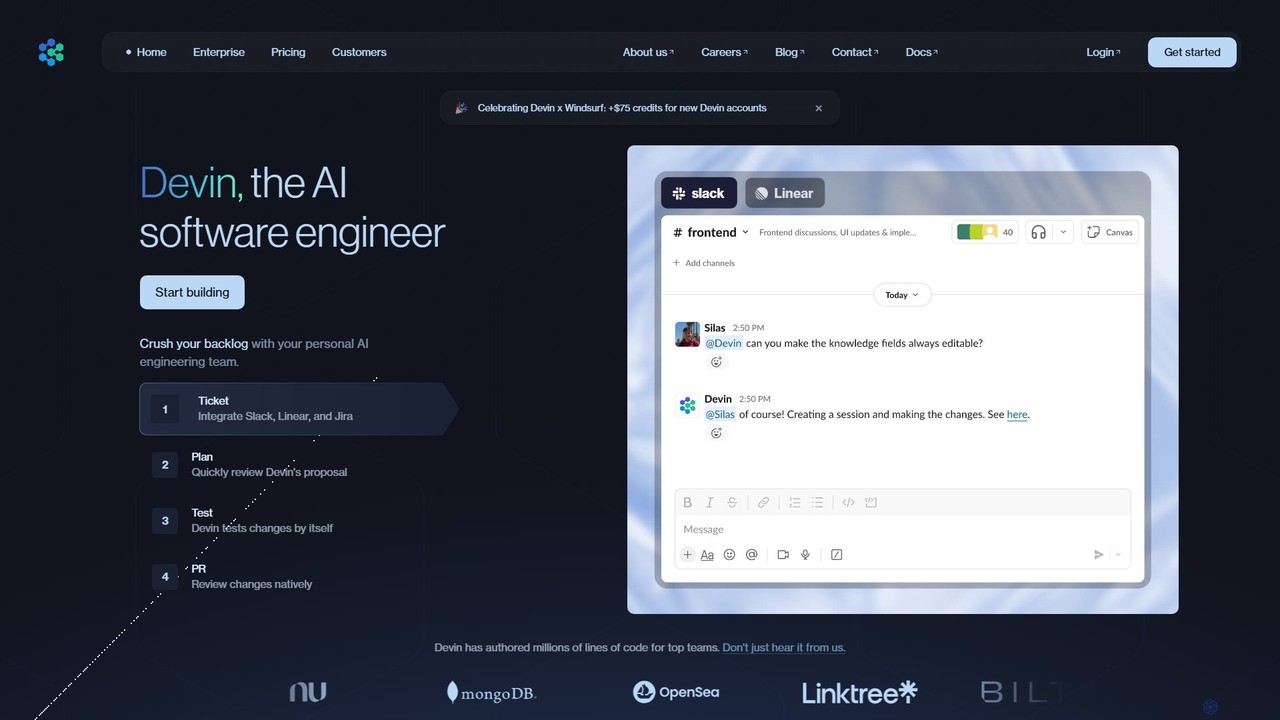
Devin is the world's first AI software engineer, designed by Cognition to autonomously handle complex engineering tasks. It can plan and execute entire software development projects, from writing code and fixing bugs to large-scale migrations, significantly boosting team productivity and reducing development costs.

Software Development
Visits 1.6MFavorites 69Likes 87

About Software Development

AI Software Development tools are a class of intelligent applications designed to assist, automate, and optimize various stages of the software development lifecycle (SDLC). These tools leverage machine learning models and large language models (LLMs) to understand code context, generate syntax, detect bugs, and suggest improvements. Their primary value lies in accelerating development cycles, enhancing code quality, and freeing up developers from repetitive tasks to focus on complex problem-solving and architectural design. They act as powerful assistants, integrated directly into the developer's workflow.

Core Features

  • AI Code Generation & Completion: Generates code snippets, functions, or even entire applications from natural language prompts and provides context-aware autocompletion.
  • Automated Bug Detection & Fixing: Scans code in real-time to identify potential errors, security vulnerabilities, and performance bottlenecks, often suggesting one-click fixes.
  • Intelligent Code Review: Analyzes pull requests or code commits for adherence to best practices, style guides, and potential logic flaws.
  • Automated Test Generation: Creates unit tests, integration tests, and other test cases automatically based on the existing codebase to improve coverage.
  • Code Refactoring & Optimization: Suggests improvements to existing code to enhance readability, maintainability, and performance without changing its external behavior.

Use Cases

These tools are widely used by individual developers, DevOps engineers, quality assurance teams, and large enterprise development organizations. They are applied in areas such as rapid prototyping, where developers can quickly generate boilerplate code, and in maintaining legacy systems by helping to refactor and understand complex old code. They are also integral to modern CI/CD pipelines for automated security and quality checks.

How to Choose

When selecting an AI Software Development tool, consider its integration capabilities with your existing IDEs and toolchains (e.g., VS Code, JetBrains, GitHub). Evaluate the breadth and accuracy of its supported programming languages and frameworks. Assess the specific features you need most, whether it's code generation, testing, or security analysis. Finally, consider the tool's performance, pricing model, and data privacy policies, especially for enterprise use.

Featured tool rankings

Software Development use cases

1

Accelerate API Endpoint Development

A backend developer is tasked with creating a new set of RESTful API endpoints for a user management module. Instead of writing all the boilerplate code manually, they use an AI code assistant integrated into their IDE. By writing a comment like 'create a POST endpoint to register a new user with email and password', the tool generates the complete function structure, including request validation, database interaction logic, and response handling. This reduces development time for a single endpoint from 30 minutes to under 5, allowing the developer to focus on more complex business logic and security implementations.

2

Automate Unit Test Generation for CI Pipelines

A Quality Assurance (QA) team needs to increase test coverage for a critical financial calculation service. Manually writing tests for every edge case is time-consuming. They use an AI test generation tool that analyzes the service's source code. The tool automatically generates a comprehensive suite of unit tests in Jest, covering not only the main logic paths but also null inputs, large number calculations, and potential error states. These generated tests are then integrated into the CI/CD pipeline, ensuring that any new code changes are automatically validated against a robust test suite, improving code reliability and reducing the risk of regressions.

3

Refactor Legacy Code for Modernization

A software architect is tasked with modernizing a ten-year-old monolithic Java application. The code is complex and poorly documented. They use an AI-powered refactoring tool to analyze the codebase. The tool identifies 'code smells' like overly long methods and tightly coupled classes. It then suggests specific refactoring actions, such as 'Extract Method' to break down large functions or 'Introduce Interface' to decouple components. The architect can review these suggestions, understand the potential impact, and apply them with a single click. This process significantly de-risks the modernization project and makes the legacy code more modular, testable, and maintainable for future development.

4

Translate Natural Language to SQL Queries

A business analyst needs to pull a specific dataset for a quarterly report but is not an expert in writing complex SQL joins. Using an AI-powered data tool, they can type a query in plain English, such as 'Show me the total sales for each product category in the West region for Q2 2023'. The AI tool translates this request into an optimized SQL query, complete with the correct table joins, filtering conditions, and aggregations. The analyst can then run this query directly against the database, retrieving the necessary data in minutes instead of hours, without needing to consult a database administrator.

5

Proactive Security Scanning in CI/CD

A DevOps team wants to shift security left, catching vulnerabilities before they reach production. They integrate an AI-powered security scanning tool into their GitHub Actions workflow. Every time a developer pushes new code, the tool automatically scans for common vulnerabilities like SQL injection, cross-site scripting (XSS), and insecure library dependencies. The AI model is trained on millions of known exploits, allowing it to detect not just exact matches but also novel variations of attacks. If a vulnerability is found, the build is automatically failed, and a detailed report is sent to the developer, enabling them to fix the issue immediately, thus securing the application development lifecycle.

6

Intelligent Debugging Assistance

A junior developer encounters a cryptic 'NullPointerException' in a complex part of the application they didn't write. After spending an hour trying to trace the error, they turn to an AI debugging assistant. They paste the code snippet and the full error stack trace into the tool. The AI analyzes the code flow, identifies the exact line where the object is null, and explains why it's happening in that specific execution path. It then suggests several ways to fix it, such as adding a null check or initializing the object earlier. This turns a multi-hour debugging session into a 15-minute learning experience, improving both productivity and the developer's skills.

Software Development FAQ

What are AI Software Development tools?

AI Software Development tools are applications that use artificial intelligence to assist human developers throughout the software creation process. They are not meant to replace developers, but to act as powerful assistants or 'copilots'. These tools can automate repetitive tasks like writing boilerplate code, find complex bugs, generate test cases, and even suggest code optimizations. By handling these tasks, they allow developers to focus on higher-level activities like system architecture, user experience, and creative problem-solving, ultimately leading to faster development cycles and higher-quality software.

How do I choose the right AI Software Development tool?

Choosing the right tool depends on your specific needs and workflow. Consider the following factors:

  • IDE and Toolchain Integration: Ensure the tool integrates smoothly with your preferred Integrated Development Environment (IDE) like VS Code or JetBrains, and your version control system like GitHub.
  • Language and Framework Support: Check if the tool excels in the programming languages (e.g., Python, Java, JavaScript) and frameworks you use daily.
  • Core Functionality: Determine your primary need. Are you looking for code generation, automated testing, security scanning, or debugging assistance? Choose a tool that specializes in that area.
  • Team Collaboration: If you work in a team, look for features that support shared configurations, collaborative reviews, and consistent standards across the team.
  • Performance and Privacy: Evaluate the tool's speed and resource consumption. For proprietary code, carefully review the data privacy policy to understand how your code is handled.
Can AI tools replace human developers?

No, AI tools are not designed to replace human developers but to augment their capabilities. They excel at handling logical, repetitive, and data-intensive tasks, which frees up developers' time and cognitive load. However, software development requires creativity, critical thinking, complex problem-solving, and a deep understanding of user needs and business context—skills where humans still far surpass AI. The future of software development is likely a collaborative model where developers use AI as a powerful partner to write better code faster, similar to how architects use CAD software to design buildings.

What's the difference between an AI code assistant and a traditional linter?

A traditional linter and an AI code assistant both help improve code quality, but they operate at different levels of intelligence. A linter is a rule-based static analysis tool. It checks code against a predefined set of rules for style, formatting, and simple potential errors (e.g., unused variables). It cannot understand the code's intent or logic. In contrast, an AI code assistant uses machine learning models to understand the context and semantics of the code. It can generate new code, find complex logical bugs, explain what code does, and suggest refactoring based on a deeper understanding of the program's behavior, going far beyond the capabilities of a rule-based linter.

What are the main benefits of using AI in software development?

Integrating AI into the software development lifecycle offers several key benefits:

  • Increased Productivity: AI automates time-consuming tasks like writing boilerplate code, generating tests, and finding bugs, allowing developers to build features faster.
  • Improved Code Quality: AI tools can identify subtle bugs, security vulnerabilities, and performance issues that human reviewers might miss, leading to more robust and reliable software.
  • Faster Onboarding and Learning: AI assistants can explain complex codebases to new developers and provide instant answers to programming questions, accelerating their learning curve.
  • Enhanced Consistency: By enforcing coding standards and best practices automatically, AI helps maintain a consistent and maintainable codebase across large teams.