ToolMage
Sign in

Best 1 Graphics AI tools for Assets

Popular Graphics AI tools in Assets include Creative Fabrica, helping you work more efficiently.

Creative Fabrica
Freemium

Creative Fabrica

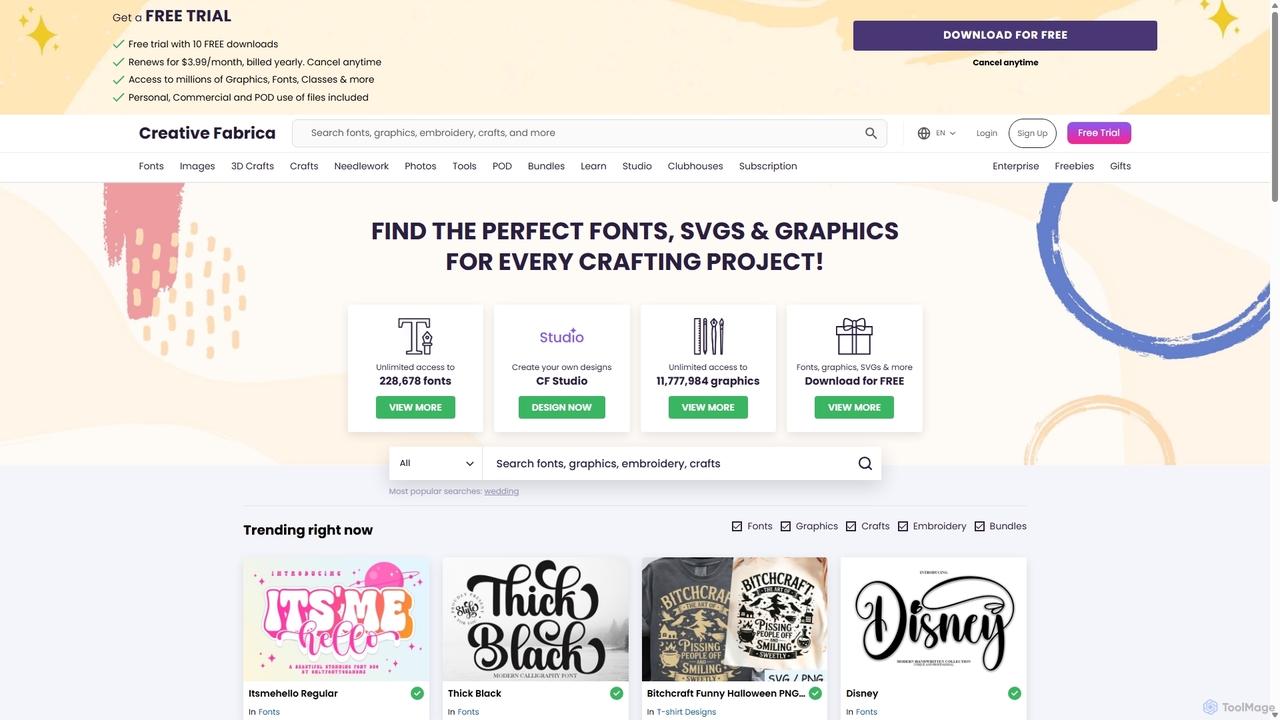
A comprehensive platform for creatives, offering millions of digital assets like fonts, graphics, and SVGs, alongside a powerful suite of online design tools (CF Studio) featuring numerous AI-powered capabilities for image editing, content creation, and design.

Fonts
Visits 10.1MFavorites 116Likes 119

About Graphics

AI Graphics tools are a category within AI Assets that leverage artificial intelligence to create, enhance, and manipulate visual content. These tools utilize advanced algorithms like generative adversarial networks (GANs) and diffusion models to automate complex design tasks. They empower users to produce high-quality images, illustrations, and 3D assets efficiently, transforming creative workflows across various industries.

Core Features

  • Image Generation: Create novel images from text prompts or existing visual inputs.
  • Style Transfer: Apply artistic styles from one image to another, maintaining content.
  • Image Upscaling & Enhancement: Improve resolution, clarity, and detail of low-quality graphics.
  • Object Removal/Inpainting: Seamlessly remove unwanted elements or fill missing parts in images.
  • 3D Asset Creation: Generate 3D models, textures, or environments from 2D inputs or descriptions.

Applicable Scenarios

Content creators use AI graphics tools to quickly generate unique visuals for social media, blogs, and marketing campaigns, reducing reliance on stock photos. Game developers leverage these tools for rapid prototyping of game assets, characters, and environmental textures, accelerating the design iteration process. E-commerce businesses utilize AI for product image enhancement, background removal, and generating lifestyle shots, improving visual appeal and conversion rates.

How to Choose

Consider the primary output type: Are you generating images, 3D models, or enhancing existing graphics? Evaluate the level of creative control and customization offered, ensuring it aligns with your artistic vision. Assess integration capabilities with existing design software and workflows for seamless adoption. Compare pricing models and the quality of generated outputs against your budget and professional standards.

Featured tool rankings

Graphics use cases

1

Generate Unique Marketing Visuals

Marketing professionals can input text descriptions to create diverse, eye-catching images for ad campaigns, social media posts, and website banners, significantly reducing design time and costs.

2

Rapid Prototyping for Game Assets

Game designers and artists use AI graphics tools to quickly generate multiple variations of character concepts, environmental elements, and textures, accelerating the initial design and iteration phases of game development.

3

Automated Product Image Enhancement

E-commerce businesses can leverage AI to automatically remove backgrounds, adjust lighting, and enhance details for hundreds of product photos, ensuring consistent, high-quality visuals across their online stores.

4

Personalized Illustration Creation

Content creators and illustrators can use AI to generate unique illustrations based on specific themes or styles, providing bespoke visuals for articles, books, or personalized gifts without extensive manual drawing.

5

Architectural Visualization & Design

Architects and interior designers can input basic sketches or floor plans to generate realistic 3D renderings of buildings, rooms, and landscapes, aiding in client presentations and design exploration.

6

Creative Art & Digital Painting

Digital artists can utilize AI graphics tools to explore new artistic styles, generate abstract compositions, or assist in filling in complex details, expanding their creative boundaries and accelerating the painting process.

Graphics FAQ

What are AI Graphics tools?

AI Graphics tools are applications that use artificial intelligence to create, modify, or enhance visual content, ranging from 2D images and illustrations to 3D models and animations. They automate complex design processes, allowing users to generate high-quality visual assets with minimal manual effort.

How do AI Graphics tools differ from traditional graphic design software?

Traditional graphic design software relies on manual input and skilled manipulation by a designer. AI Graphics tools, conversely, use algorithms to generate or transform visuals based on prompts or existing data, automating many creative tasks and offering capabilities like generative art or intelligent upscaling that traditional software lacks.

What are the main applications of AI Graphics in professional settings?

In professional settings, AI Graphics tools are widely used for marketing content creation, game development asset generation, e-commerce product visualization, architectural rendering, and personalized content production. They streamline workflows, reduce production costs, and enable rapid iteration of visual concepts.

What factors should I consider when choosing an AI Graphics tool?

When selecting an AI Graphics tool, consider the specific type of visual content you need to create (e.g., images, 3D models), the desired level of creative control, the quality and style of the output, ease of integration with your existing workflow, and the pricing structure. User interface and community support are also important.

Can AI Graphics tools create original artwork?

Yes, AI Graphics tools, particularly those based on generative models, can create entirely original artwork from text prompts or conceptual inputs. While they learn from vast datasets, the output is a unique synthesis, allowing artists and designers to explore novel visual concepts and styles that might not have existed before.