Claio
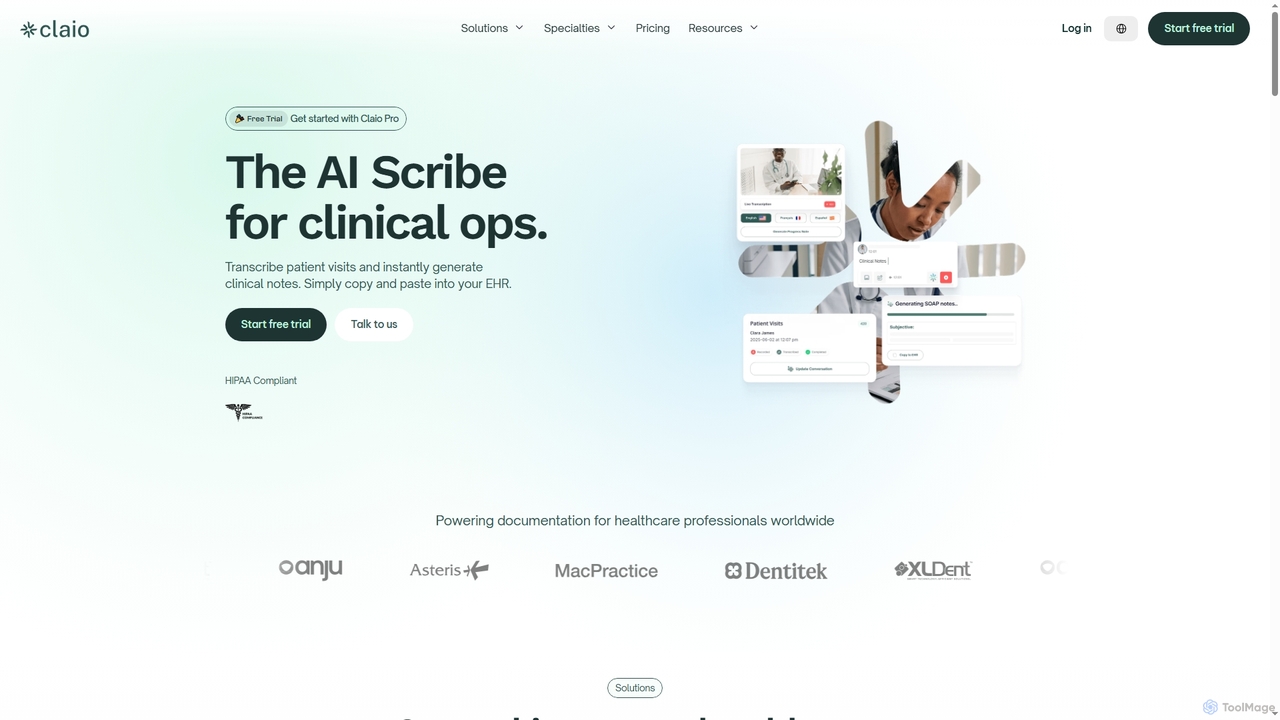
Claio is an AI-powered scribe designed for healthcare professionals to streamline clinical documentation. It transcribes patient visits in …
Claio is an AI-powered scribe designed for healthcare professionals to streamline clinical documentation. It transcribes patient visits in real-time, generates accurate clinical notes and billing codes, and integrates seamlessly with existing EHRs via copy-paste, ensuring HIPAA compliance and reducing administrative burden.
Mavex
Mavex is an AI executive assistant, Mavy, that automates meeting scheduling directly from your email. Simply CC Mavy, …
Mavex is an AI executive assistant, Mavy, that automates meeting scheduling directly from your email. Simply CC Mavy, and it handles all the back-and-forth communication, finds suitable times based on your calendar, and sends out invites. It integrates seamlessly with Google and Microsoft calendars, saving time and eliminating scheduling friction for professionals, sales teams, and recruiters.
About Assistant
AI Assistants are intelligent, AI-powered tools designed to help users with a wide range of tasks, from automating routine operations to providing instant information and enhancing overall productivity. Leveraging advanced natural language processing (NLP), machine learning, and sometimes computer vision, these tools can understand user requests, learn from interactions, and execute complex commands. They serve as digital companions, streamlining workflows, freeing up time for more strategic activities, and offering personalized support across various professional and personal domains.
Core Features
- Task Automation: Automates repetitive digital tasks like scheduling, email drafting, and data entry.
- Information Retrieval: Quickly searches, summarizes, and presents relevant information from vast datasets or the web.
- Content Generation: Assists in brainstorming ideas, drafting text, or generating outlines for various content types.
- Personalized Support: Adapts to individual user preferences and learning styles, offering tailored recommendations and guidance.
- Workflow Integration: Seamlessly connects with other applications and platforms to enhance existing work processes.
Use Cases
AI Assistants are widely adopted across industries and roles. In customer service, they power chatbots to handle routine inquiries and provide 24/7 support. For professionals, they can manage calendars, draft communications, and summarize documents, significantly boosting personal efficiency. Content creators leverage them for idea generation and initial draft creation, accelerating the creative process.
How to Choose
When selecting an AI Assistant, consider its core functionalities and whether they align with your primary needs (e.g., task automation, information access, content support). Evaluate its integration capabilities with your existing software ecosystem to ensure seamless workflow. Assess the level of customization and personalization offered, as well as the vendor's commitment to data security and privacy. Finally, compare pricing models and user reviews to find a solution that offers the best value and reliability.

AssistantUse Cases
Automating Customer Service Inquiries
For businesses, AI Assistants act as frontline support, handling common customer questions, providing instant answers, and guiding users through processes. This frees human agents to focus on complex issues, improving response times and customer satisfaction. For example, an e-commerce site uses an AI assistant to answer questions about order status, shipping, and returns 24/7, reducing call center volume.
Drafting Professional Emails and Reports
Professionals across various fields utilize AI Assistants to quickly compose emails, generate meeting summaries, or draft initial versions of reports. By providing a few keywords or a brief outline, the assistant can generate coherent and grammatically correct text, significantly reducing writing time and ensuring consistent communication quality. This is particularly useful for busy managers or marketing specialists.
Personalized Learning and Skill Development
Students and lifelong learners can leverage AI Assistants for personalized tutoring, explaining complex concepts, or generating practice questions. The assistant adapts to the user's learning pace and style, offering tailored resources and feedback. For instance, a student preparing for an exam can ask the AI assistant to explain a difficult topic in simpler terms and then quiz them on it.
Content Brainstorming and Outline Generation
Content creators, marketers, and writers use AI Assistants to overcome creative blocks and accelerate the content creation process. By inputting a topic or a few keywords, the assistant can generate a multitude of ideas, suggest relevant sub-topics, and even create detailed outlines for articles, blog posts, or video scripts, providing a strong foundation for creative work.
Efficient Schedule Management and Reminders
Individuals and teams rely on AI Assistants to manage their daily schedules, set reminders, and organize appointments. These tools can integrate with calendars, send proactive notifications, and even suggest optimal times for meetings based on participants' availability. This helps busy professionals stay organized, avoid missed deadlines, and allocate their time more effectively.
Summarizing Large Documents and Research Papers
Researchers, analysts, and business professionals frequently use AI Assistants to quickly digest vast amounts of information. By feeding in lengthy documents, reports, or academic papers, the assistant can generate concise summaries, extract key insights, and identify critical data points, saving hours of manual reading and analysis. This is invaluable for literature reviews or market research.