Jeeliz
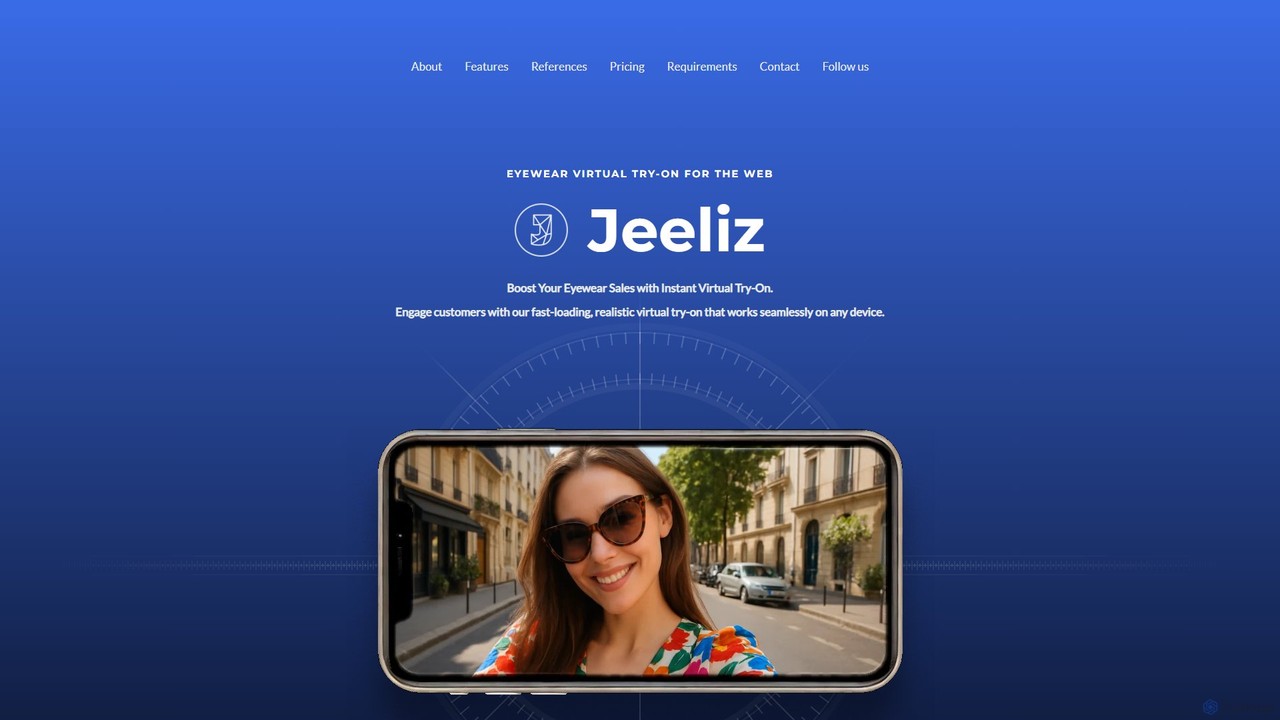
Jeeliz is a generative AI-powered virtual try-on (VTO) solution for eyewear e-commerce. It enables customers to realistically try …
Jeeliz is a generative AI-powered virtual try-on (VTO) solution for eyewear e-commerce. It enables customers to realistically try on glasses via the web on any device. Featuring seamless one-snippet integration, ultra-fast loading, and high-fidelity 3D rendering, it helps brands boost engagement, increase conversions, and reduce returns.
About Augmented Reality
Augmented Reality (AR) tools are a class of AI-powered applications that overlay digital information, such as images, 3D models, and text, onto the real-world environment. These tools utilize computer vision, object recognition, and spatial tracking to understand a user's surroundings and place virtual objects contextually. This technology transforms how users interact with their physical space, enabling applications from interactive product visualization and virtual try-ons to immersive training simulations. Unlike virtual reality, AR enhances the existing environment rather than replacing it, creating a blended, interactive experience accessible through common devices like smartphones and tablets.
Core Features
- Real-time Object Recognition: Identifies and tracks objects, surfaces, and images in the physical world to anchor digital content.
- 3D Model Overlay: Places and manipulates virtual 3D models onto real-world views with accurate scale and perspective.
- Spatial Mapping & Tracking: Understands the geometry of a space to allow digital objects to interact realistically with real surfaces.
- Interactive Content Triggering: Launches digital experiences when the camera points at a specific marker, image, or location.
- Gesture & Face Tracking: Recognizes user movements and facial features to enable interactive controls and virtual try-on effects.
Use Cases
AR tools are widely adopted across various sectors. In retail and e-commerce, they power virtual try-on features for apparel and cosmetics, and allow customers to visualize furniture in their homes. In manufacturing and engineering, they provide remote assistance and guided instructions for complex assembly or maintenance tasks. Educators and museums use AR to create interactive exhibits and bring static learning materials to life.
How to Choose
When selecting an AR tool, first consider platform compatibility—whether you need support for iOS (ARKit), Android (ARCore), web (WebAR), or specialized AR hardware. Evaluate the development complexity; choose between no-code platforms for marketers and sophisticated SDKs for developers. Assess the tracking capabilities, ensuring the tool's precision meets your project's needs. Finally, check the content management system for ease of uploading and updating 3D assets.

Augmented RealityUse Cases
Interactive Product Visualization for E-commerce
An e-commerce manager for a furniture brand uses an AR tool to create a 'View in Your Room' feature. This allows customers to use their smartphone camera to place a true-to-scale 3D model of a sofa or table directly in their living room. They can walk around the virtual object, check its dimensions against their physical space, and switch between different colors and fabrics. This interactive experience helps customers make confident purchasing decisions, significantly reducing product return rates and increasing conversion by bridging the gap between online browsing and real-world context.
Remote Assistance for Field Technicians
A senior engineer uses an AR remote assistance tool to guide a junior technician repairing complex machinery on-site. The technician shares their real-time view through a tablet or AR glasses. The remote expert can then draw annotations, place arrows, and overlay technical diagrams directly onto the technician's field of view. This allows for precise, step-by-step guidance without the expert needing to travel. The process minimizes equipment downtime, reduces travel costs, and improves first-time fix rates by providing expert knowledge exactly when and where it is needed.
Virtual Try-On for Cosmetics and Accessories
A cosmetics brand integrates a WebAR virtual try-on tool into its product pages. Using a customer's front-facing camera, the tool employs advanced face tracking to accurately apply different shades of lipstick, eyeshadow, or foundation to their real-time video feed. Similarly, an eyewear company allows users to try on various sunglass models. This removes the uncertainty of online shopping for personal items, creating an engaging and personalized experience that boosts sales and reduces the likelihood of returns due to mismatched colors or styles.
Immersive Educational Content Creation
A museum curator or educator uses a no-code AR platform to enhance an exhibit. They link a physical artifact, like a dinosaur fossil, to a digital AR experience. When visitors scan the fossil with a museum-provided tablet, a fully animated, life-sized 3D model of the dinosaur appears in the room. The experience can include informational pop-ups and audio narration. This transforms a static display into an interactive and memorable learning tool, significantly boosting visitor engagement and making complex subjects more accessible and exciting for all ages.
AR-Enhanced Marketing Campaigns
A marketing team for a beverage company creates an AR experience linked to their product packaging. Using a WebAR tool, they enable customers to scan a QR code on the can with their smartphone. This action launches an interactive mini-game or an animated story that appears to unfold on the surface of the can. This 'packaged AR' approach turns a simple product into an entertainment medium, driving brand engagement, encouraging social media sharing, and creating a memorable interaction that differentiates the product on a crowded shelf.
Architectural and Construction Visualization
An architect uses an AR application on a tablet at a construction site. By pointing the tablet's camera at the foundations, they can overlay a full-scale 3D model of the proposed building onto the real-world view. This allows clients, engineers, and construction managers to walk through the virtual structure on-site, check for potential clashes between structural and mechanical systems, and make informed decisions before costly construction begins. It improves communication among stakeholders and helps visualize the final project with unparalleled accuracy.