
ToolMage
Sign in

Best 1 Financial Automation AI tools for Automation

Popular Financial Automation AI tools in Automation include Well, helping you work more efficiently.

Well
Paid

Well

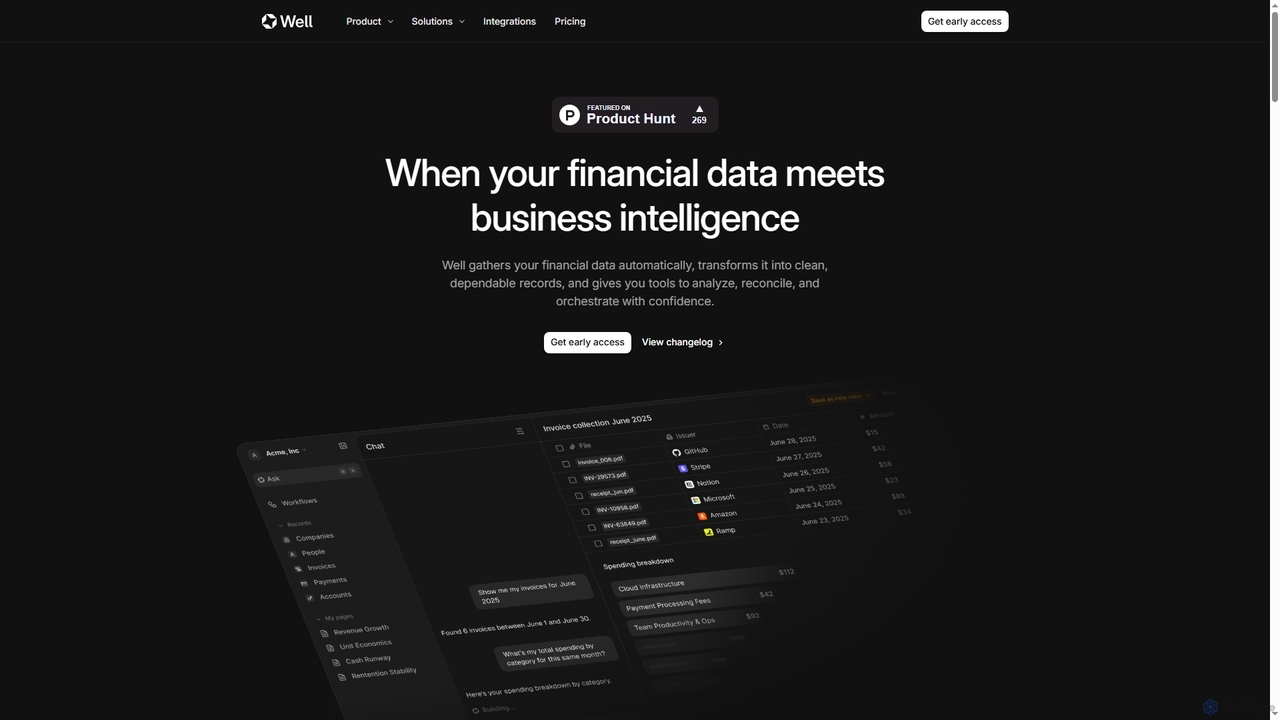
Well is an AI-native business intelligence platform designed for SMBs, automating financial data gathering, transformation, and analysis. It unifies scattered financial information from various sources, turning it into clean, dependable records and actionable insights. With natural language queries, users can generate reports, track spending, and manage cash flow effortlessly, significantly reducing manual administrative work.

Financial Automation
Visits 10.2KFavorites 152Likes 137

About Financial Automation

Financial Automation tools are a specialized category of software that uses AI and machine learning to streamline and manage financial processes. These platforms automate repetitive tasks like data entry, transaction reconciliation, and invoice processing, significantly reducing manual effort. By doing so, they enhance accuracy, accelerate financial closing cycles, and provide real-time insights for better decision-making. This focus on financial workflows distinguishes them from general-purpose automation tools.

Core Features

  • Intelligent Invoice Processing: Automatically extracts data from invoices and receipts using OCR and categorizes expenses.
  • Automated Reconciliation: Matches transactions across bank statements, payment gateways, and accounting ledgers.
  • Expense Management Workflow: Simplifies expense reporting, enforces spending policies, and automates reimbursement approvals.
  • Real-time Financial Reporting: Generates dynamic dashboards and reports on cash flow, profitability, and budget variance.
  • Compliance Monitoring: Continuously checks transactions against internal policies and external regulations to flag risks.

Use Cases

These tools are invaluable for finance departments in businesses of all sizes, from startups seeking to manage cash flow efficiently to large enterprises automating their accounts payable (AP) and accounts receivable (AR) processes. Accounting firms also leverage them to manage multiple clients' books with greater speed and accuracy.

How to Choose

When selecting a tool, prioritize its integration capabilities with your existing accounting software (e.g., Xero, QuickBooks) and ERP systems. Evaluate the accuracy of its data extraction (OCR) technology and the flexibility of its workflow automation rules. Also, consider its security protocols and compliance certifications to ensure your sensitive financial data is protected.

Financial Automation use cases

1

Automating Accounts Payable for Small Businesses

A small business owner struggles with manually entering dozens of supplier invoices each week. Using a financial automation tool, they can simply forward PDF invoices to a dedicated email address. The tool's AI uses OCR to extract key details like vendor name, amount, and due date, creating a draft bill in their accounting software. This reduces data entry time by over 90% and helps prevent late payment fees by scheduling payments automatically.

2

Streamlining Employee Expense Reporting

A growing company's HR and finance teams spend hours chasing employees for receipts and manually verifying expense reports against company policy. With a financial automation app, employees snap photos of receipts on their phones. The app automatically creates an expense entry, checks it against spending limits, and submits it for approval. This accelerates reimbursement cycles from weeks to days and ensures consistent policy enforcement across the organization.

3

Accelerating Month-End Close for Accountants

An accounting team traditionally spends the first week of every month manually reconciling thousands of bank transactions with entries in the general ledger. A financial automation platform connects directly to bank feeds and the accounting system, automatically matching over 95% of transactions based on rules and historical data. The team only needs to review the few exceptions, cutting the month-end closing process from days to mere hours and freeing them up for more strategic analysis.

4

Real-time Cash Flow Forecasting for Startups

A startup founder needs a clear, up-to-the-minute view of their cash position to make critical decisions. Instead of relying on static spreadsheets updated weekly, they use a financial automation tool that integrates with their bank accounts, invoicing, and payroll systems. The tool provides a real-time dashboard and projects future cash flow based on current payables and receivables, helping to proactively manage runway and prevent unexpected cash shortages.

5

Managing Multi-Platform E-commerce Sales

An online retailer sells products on their website, Amazon, and eBay, receiving payments through Stripe and PayPal. Reconciling sales data with payouts from these different platforms is a complex and error-prone task. A financial automation tool automatically pulls data from all sales channels and payment gateways, matching transactions and calculating net revenue and fees for each platform accurately. This provides a clear profitability analysis per channel without hours of manual spreadsheet work.

6

Ensuring Compliance in Financial Services

A wealth management firm must adhere to strict anti-money laundering (AML) regulations. They use a financial automation tool to monitor client transactions in real-time. The system's AI is trained to detect unusual patterns, such as large, unexpected transfers or transactions with high-risk jurisdictions, automatically flagging them for review by a compliance officer. This strengthens their risk management framework and provides a clear audit trail for regulators.

Financial Automation FAQ

What is Financial Automation?

Financial Automation refers to using technology, particularly AI and machine learning, to perform financial tasks that traditionally require manual effort. Its primary goals are to reduce data entry, minimize human error, and speed up financial processes like invoicing, expense management, and reconciliation. Unlike general automation, it is specifically designed with financial controls, compliance, and accounting principles in mind.

How do I choose the right Financial Automation tool?

To choose the right tool, first assess your primary need: is it accounts payable, expense management, or financial reporting? Then, verify its integration capabilities with your core systems like accounting software (Xero, QuickBooks) and bank accounts. Also, evaluate its security features and data accuracy (e.g., OCR performance). Finally, consider the user interface and whether it's intuitive for your team to adopt.

What's the difference between Financial Automation and general accounting software?

General accounting software (like QuickBooks) is a system of record for all financial transactions. Financial Automation tools are specialized applications that sit on top of or integrate with accounting software to automate specific workflows. For example, an automation tool might scan an invoice and push the data into QuickBooks, whereas QuickBooks itself is used to manage the overall chart of accounts and generate final financial statements.

What key tasks can Financial Automation tools handle?

These tools excel at a range of tasks, including:

  • Invoice Processing: Automatically reading and entering data from supplier invoices.
  • Expense Reimbursement: Capturing receipts and managing employee expense claims.
  • Bank Reconciliation: Matching transactions between your bank and your books.
  • Financial Reporting: Creating real-time dashboards for key metrics like cash flow.
  • Accounts Receivable Management: Sending automated payment reminders to clients.
Who benefits most from using Financial Automation tools?

A wide range of users benefit. Small business owners can save significant time on bookkeeping. Corporate finance departments can scale their operations without increasing headcount. Accountants and bookkeepers can manage more clients efficiently and offer higher-value advisory services. Essentially, anyone involved in repetitive financial administration can leverage these tools to improve accuracy and focus on more strategic work.