UnifiedStacks
UnifiedStacks is an intuitive no-code platform that allows users to build and deploy production-ready AI applications instantly. Using …
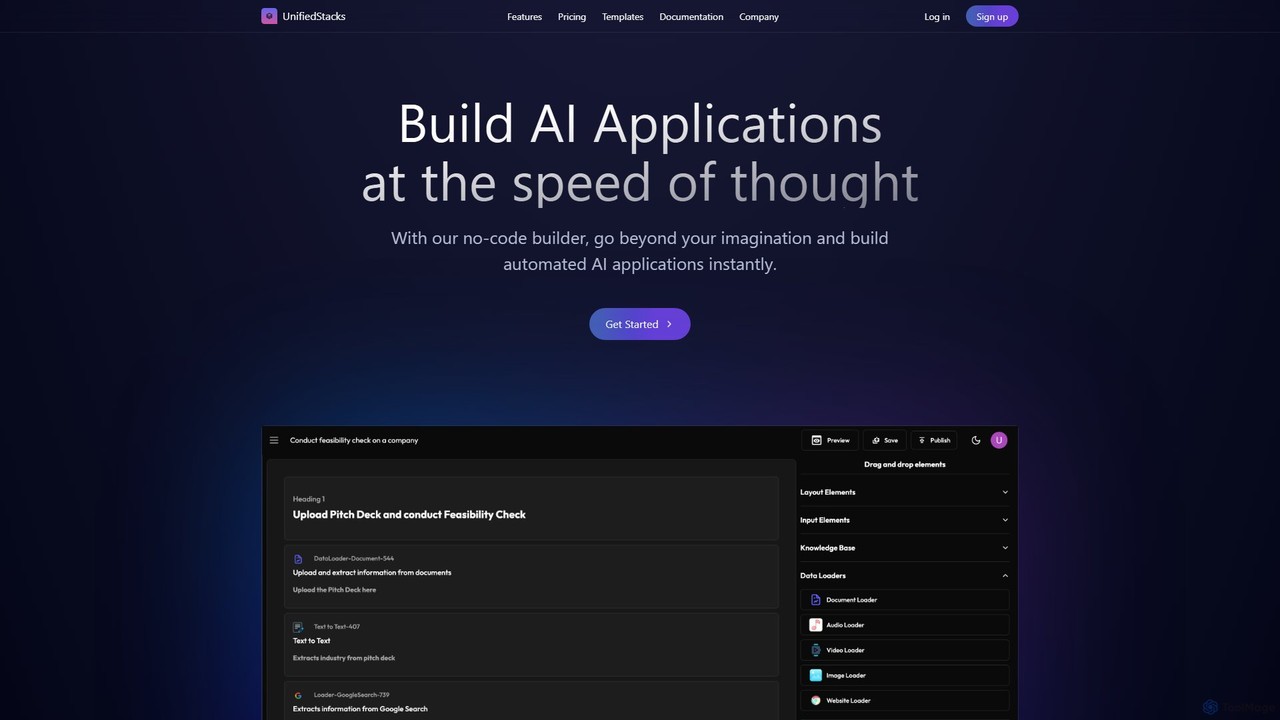
UnifiedStacks is an intuitive no-code platform that allows users to build and deploy production-ready AI applications instantly. Using a drag-and-drop builder, you can connect to internal data, access state-of-the-art AI models, and automate complex workflows across various business functions without writing a single line of code.
About Ai App Builder
AI App Builders are platforms that enable users to create and deploy AI-powered applications with minimal to no coding. These tools typically provide a visual, drag-and-drop interface, pre-built AI models for tasks like natural language processing or image recognition, and integrations with various data sources. This allows entrepreneurs, developers, and businesses to rapidly prototype and launch custom AI solutions, such as intelligent chatbots, data analysis tools, or automated workflow systems. By abstracting away the complexity of machine learning infrastructure, these builders significantly reduce development time and technical barriers.
Core Features
- Visual Workflow Editor: Design application logic and user interfaces using drag-and-drop components without writing code.
- Pre-built AI Models: Access a library of ready-to-use models for tasks like text classification, sentiment analysis, and object detection.
- Data Source Integration: Seamlessly connect to databases, APIs, spreadsheets, and cloud storage to feed data into your application.
- One-Click Deployment: Instantly publish the created application as a web app, mobile app, or API endpoint for others to use.
- Custom Model Training: Advanced platforms allow users to train custom AI models on their own datasets for specialized tasks.
Use Cases
AI App Builders are widely used by startups to create Minimum Viable Products (MVPs), by business analysts to build internal data analysis tools, and by marketing teams to develop interactive lead qualification bots. They are also ideal for operations departments seeking to automate document processing and other repetitive workflows without extensive IT resources.
How to Choose
When selecting an AI App Builder, consider the range of available AI models and whether they fit your needs. Evaluate the platform's ease of use, data integration capabilities, and scalability options. Also, compare the pricing models (e.g., per user, per API call) and determine if a no-code or low-code approach is better suited for your team's technical skills.
Ai App BuilderUse Cases
Build a Custom Customer Support Chatbot
A customer support manager at a small e-commerce company needs to automate responses to frequently asked questions like 'Where is my order?' or 'What is your return policy?'. Using an AI App Builder, they can upload their existing FAQ document as a knowledge base. They then use a visual editor to design conversation flows and integrate a pre-trained Natural Language Processing (NLP) model to understand user queries. The chatbot is deployed on their website in under a day, handling 40% of incoming queries and freeing up human agents to focus on more complex issues.
Create an Internal Data Analysis Tool
A business analyst needs to analyze thousands of customer reviews from a spreadsheet to identify common themes and sentiment. Instead of manual analysis, they use a low-code AI App Builder to create a simple web application. They connect the app to their Google Sheet, apply a pre-built sentiment analysis model, and add a topic modeling function. The app processes the reviews and generates a dashboard showing the percentage of positive/negative feedback and the top 5 most mentioned product features or issues. This automates a weekly task, saving 8 hours of manual work each month.
Prototype an AI-Powered App Idea (MVP)
A startup founder has an idea for an app that suggests recipes based on ingredients a user has at home. To validate the idea and show it to investors without a large budget, they use a no-code AI App Builder. They create a simple interface where users can input ingredients. This input is sent to a large language model (LLM) via an API integrated into the builder, with a prompt to generate recipes. The builder then displays the formatted recipe back to the user. A functional Minimum Viable Product (MVP) is built in a weekend, allowing for rapid user testing and investor demos.
Automate Document Information Extraction
An accounting firm processes hundreds of invoices each month, requiring manual data entry of fields like invoice number, date, and total amount into their system. An operations manager uses an AI App Builder to create an automation workflow. The app monitors a specific email inbox for new invoice attachments. When a PDF arrives, it uses a pre-built Optical Character Recognition (OCR) model to extract all text, then an information extraction model to identify and pull the specific required fields. This structured data is then automatically sent to their accounting software via an API, eliminating manual entry and reducing errors.
Develop a Personalized Recommendation Engine
An e-commerce manager wants to increase sales by showing personalized product recommendations. Using a low-code AI App Builder, they connect to their product catalog database and user browsing history data. They configure a pre-built recommendation algorithm module within the builder, choosing a 'users who viewed this also viewed' model. The builder processes the data and generates an API endpoint. The web development team then calls this API on product pages to display a dynamic list of recommended items, leading to a 15% increase in average order value.
Build a Lead Scoring and Qualification Tool
A marketing team wants to prioritize sales leads more effectively. They use a no-code AI App Builder to create a lead scoring tool. The app connects to their CRM via a native integration. They build a simple rule-based logic: leads from larger companies get +10 points, a 'Director' title gets +5 points, and visiting the pricing page gets +15 points. The app runs automatically on every new lead, updates a 'Lead Score' field in the CRM, and sends a notification to the sales team for any lead scoring above 25. This helps the sales team focus on the most promising prospects first.