ToolMage
Sign in

Best 1 Management AI tools for Calendar

Popular Management AI tools in Calendar include qoop, helping you work more efficiently.

qoop

qoop

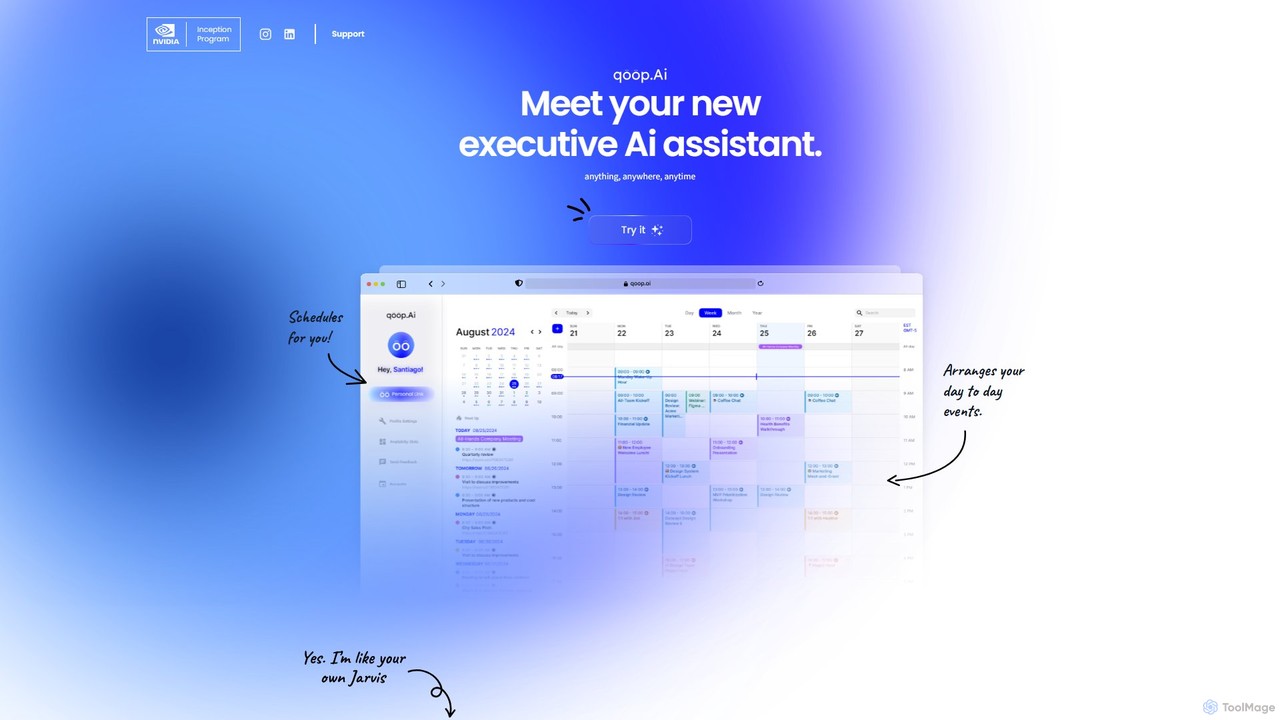
qoop is an AI-powered executive assistant designed to automate and streamline your daily administrative tasks. It intelligently manages your schedule, handles communications, and facilitates bookings and payments by integrating seamlessly with your existing tools. By learning your preferences, qoop efficiently arranges your day-to-day events, saving you time and eliminating the hassle of manual coordination.

Scheduling
Visits 4.5KFavorites 128Likes 114

About Management

AI Calendar Management tools are a specialized category of calendar applications that use artificial intelligence to automate and optimize scheduling. These tools leverage machine learning and natural language processing to understand user preferences, analyze availability across multiple participants, and intelligently propose the best meeting times. Their primary value lies in eliminating the time-consuming back-and-forth of coordinating schedules, preventing double bookings, and providing insights into time management. This allows professionals to focus on their core tasks rather than logistical administration.

Core Features

  • Intelligent Scheduling: Automatically finds optimal meeting times by analyzing the calendars, time zones, and stated preferences of all attendees.
  • Natural Language Processing (NLP): Allows users to create events by typing or speaking commands in plain language, such as "Schedule a call with Jane for next Tuesday afternoon".
  • Automated Conflict Resolution: Proactively identifies scheduling conflicts and suggests alternative slots or resolutions without manual intervention.
  • Smart Reminders & Follow-ups: Sends context-aware reminders and can automate the process of sending follow-up emails or agendas.
  • Meeting Analytics: Provides data-driven insights into how time is spent, meeting frequency, and attendance patterns to help optimize schedules.

Use Cases

These tools are ideal for professionals with heavy meeting loads, such as executives, sales teams, project managers, and recruiters. They are particularly effective in environments requiring coordination across different departments, companies, or time zones, significantly reducing administrative overhead for teams and individuals.

How to Choose

When selecting an AI Calendar Management tool, consider its integration capabilities with your existing calendar (e.g., Google Calendar, Outlook 365). Evaluate the sophistication of its AI scheduling algorithm and the accuracy of its natural language understanding. Also, assess its privacy policy for handling sensitive data and choose a user interface that simplifies, rather than complicates, your workflow.

Featured tool rankings

Management use cases

1

Automating Executive Meeting Coordination

An executive assistant supporting a C-level leader uses an AI Calendar Management tool to handle a high volume of complex meeting requests. Instead of manually cross-referencing multiple calendars and time zones, the assistant simply forwards email requests to the AI or uses a natural language command. The AI analyzes the executive's preferences (e.g., no meetings on Friday afternoons, preference for morning calls) and the availability of all attendees, then automatically proposes optimal time slots. This reduces the time spent on scheduling by over 70% and eliminates human error, ensuring the executive's calendar is managed efficiently and strategically.

2

Streamlining Sales Team Client Bookings

A sales representative needs to schedule product demos with multiple prospects across different time zones. Instead of engaging in back-and-forth emails to find a suitable time, they use an AI Calendar Management tool to generate a smart booking link. This link shows the rep's real-time availability, filtered by their working hours and pre-set buffer times between meetings. Prospects can then self-select a time that works for them, and the event is automatically added to both parties' calendars, along with a video conferencing link. This accelerates the sales cycle and presents a more professional, modern experience for the client.

3

Coordinating Cross-Functional Project Meetings

A project manager is tasked with scheduling a critical kick-off meeting for a new project involving team members from engineering, marketing, and design. Manually finding a time that works for over ten people is a significant challenge. Using an AI Calendar Management tool, the manager inputs the list of required attendees and the meeting duration. The AI scans everyone's integrated calendars, identifies the top three time slots with the highest attendance, and sends out a poll for the final decision. This automates a process that could take days of manual coordination, ensuring projects start on time.

4

Efficient Interview Scheduling for Recruiters

A recruiter needs to schedule a series of interviews for a job candidate with three different hiring managers. Each manager has a dynamic and busy schedule. The recruiter uses an AI tool to create a shared scheduling page. They input the candidate's availability and the interviewers' names. The AI cross-references all calendars and presents only the slots where the candidate and at least one interviewer are free. The candidate can then pick a time, and the system automatically books the corresponding interviewer. This eliminates the frustrating email chains and reduces the time-to-hire by streamlining a key logistical bottleneck.

5

Managing Personal Appointments and Work-Life Balance

A busy professional uses an AI Calendar Management tool to maintain a healthy work-life balance. They set rules within the tool, such as blocking out personal time for gym sessions or family dinners. When a work-related meeting request comes in that conflicts with this personal time, the AI automatically declines or proposes an alternative time that respects the user's boundaries. The tool can also analyze their calendar to provide insights, such as 'You've had meetings for 70% of your working hours this week,' prompting them to protect their focus time more effectively.

6

Optimizing Resource Booking for Shared Spaces

A company's office manager uses an AI Calendar Management tool to handle bookings for shared resources like conference rooms and project equipment. Employees can make requests using natural language, such as 'Book the main conference room for a 2-hour client presentation next Wednesday morning.' The AI checks the room's availability, considers any setup/cleanup buffer times, and confirms the booking automatically. It can also suggest alternative rooms or times if the primary choice is unavailable, preventing booking conflicts and ensuring efficient use of company resources without constant manual oversight.

Management FAQ

What are AI Calendar Management tools?

AI Calendar Management tools are intelligent software applications that automate the process of scheduling meetings and managing appointments. Unlike standard digital calendars that require manual input, these tools use artificial intelligence, such as natural language processing and machine learning, to understand requests, analyze attendees' availability, and find the optimal time to meet. They act as a virtual scheduling assistant, handling the back-and-forth communication to save time and reduce conflicts.

How do AI Calendar Management tools differ from standard calendar apps?

The key difference lies in automation and intelligence. Standard calendar apps (like Google Calendar or Outlook Calendar) are passive tools; you must manually find available times and create events. AI Calendar Management tools are proactive. They integrate with your standard calendar and act as an intelligent layer on top, automating the scheduling process. They can understand commands like "Find a 30-minute slot for me and Sarah next week," analyze both calendars, and propose times, a task that would require manual coordination with a standard app.

How do I choose the right AI Calendar Management tool?

To choose the right tool, consider these factors:

  • Integration: Ensure it seamlessly connects with your primary calendar (Google, Outlook, etc.) and other essential tools like video conferencing apps (Zoom, Teams) or CRMs.
  • AI Capabilities: Evaluate how well it understands natural language and how intelligently it prioritizes meetings or resolves conflicts. Some tools are better at handling complex, multi-person scheduling than others.
  • User Experience: The tool should be intuitive and save you time, not create a new learning curve. Look for features like customizable booking links or simple email commands.
  • Privacy and Security: Since the tool will access your calendar data, verify its security protocols and privacy policy to ensure your information is protected.
Who benefits most from AI Calendar Management tools?

While anyone looking to save time on scheduling can benefit, these tools are particularly valuable for:

  • Executives and Leaders: Who have packed, complex schedules and rely on assistants to manage their time.
  • Sales Teams: Who need to quickly book demos and meetings with prospects without losing momentum.
  • Project Managers: Who constantly coordinate meetings with cross-functional teams and stakeholders.
  • Recruiters: Who manage high volumes of interviews between candidates and hiring managers.
  • Consultants and Freelancers: Who need an efficient way for clients to book their time without manual intervention.
Is my data safe with AI Calendar Management tools?

Reputable AI Calendar Management providers prioritize data security and privacy. They typically use end-to-end encryption to protect your data both in transit and at rest. Most tools operate on a 'read-only' basis for your calendar, meaning they can see your availability but cannot edit or delete existing events unless you explicitly grant permission. However, it is always crucial to review the privacy policy and security certifications (like SOC 2 or GDPR compliance) of any tool before granting it access to your calendar and contact information.