Automation Best in category 1 results Scheduling AI Tool

Popular AI tools in the Scheduling field of Automation include qoop, etc., helping you quickly improve efficiency.

qoop

qoop

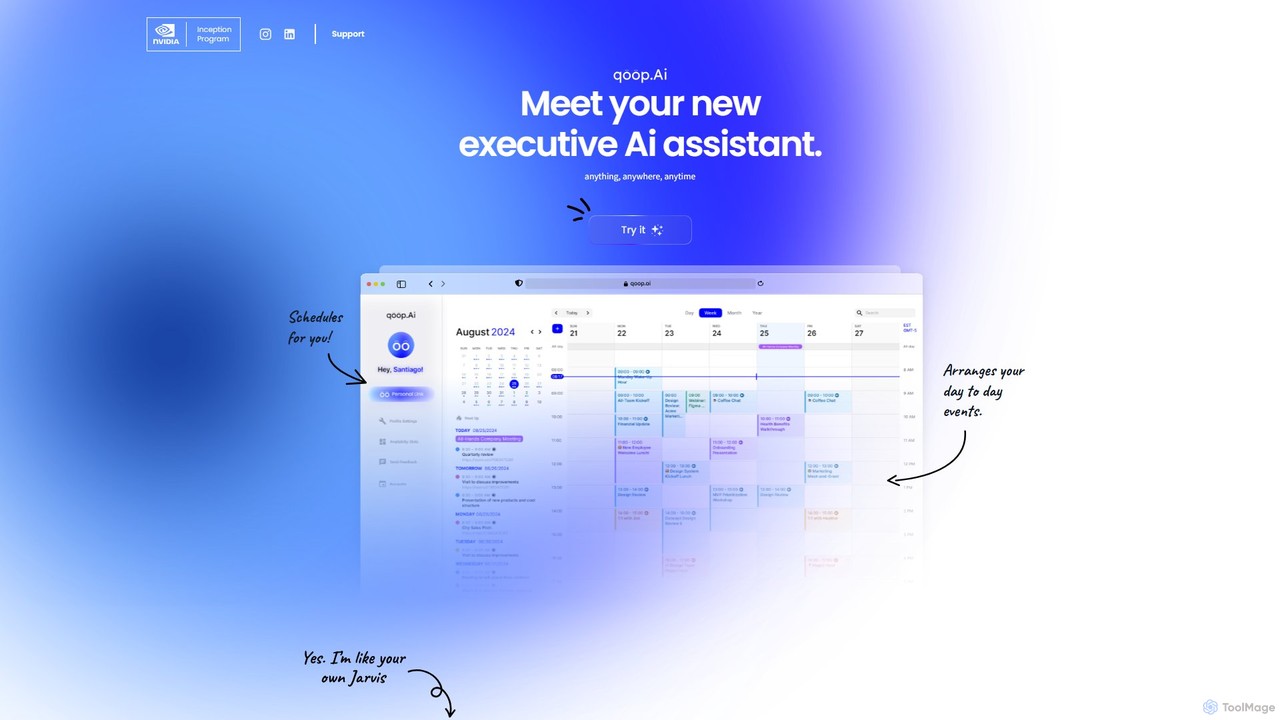
qoop is an AI-powered executive assistant designed to automate and streamline your daily administrative tasks. It intelligently manages …

2.6K

About Scheduling

AI Scheduling tools are a specialized form of automation software designed to intelligently manage and optimize appointments, meetings, and tasks. They utilize machine learning and natural language processing (NLP) to understand availability, priorities, and context from calendars and user requests. This automates the complex process of finding suitable times for multiple participants, significantly reducing administrative work and preventing scheduling conflicts. Unlike basic calendar plugins, AI schedulers can learn user preferences and proactively suggest the most effective meeting times.

Core Features

  • Intelligent Time Slot Analysis: Automatically scans all participant calendars to identify and suggest optimal meeting times that minimize conflicts.
  • Natural Language Booking: Allows users to schedule events using simple text commands, such as "Book a 30-minute call with Jane next week."
  • Automated Reminders & Follow-ups: Sends customized notifications to all attendees to reduce no-shows and can handle rescheduling requests automatically.
  • Time Zone Coordination: Seamlessly manages scheduling across different global time zones, eliminating manual calculation errors.
  • Priority-Based Task Scheduling: Organizes and blocks time for tasks in a calendar based on their urgency, deadlines, and importance.

Use Cases

These tools are widely used by sales teams for booking demos, recruiters for coordinating interviews, consultants for client appointments, and executive assistants for managing complex executive schedules. They are invaluable in any role that involves frequent coordination with multiple internal or external stakeholders.

How to Choose

When selecting an AI Scheduling tool, consider its integration capabilities with your existing calendar, CRM, and video conferencing software. Evaluate the sophistication of its natural language processing for ease of use. Also, assess its level of customization for booking pages and reminders, and ensure its scalability matches your needs, from individual use to enterprise-wide deployment.

SchedulingUse Cases

1

Automated Client Appointment Booking

A consultant or therapist can embed their AI scheduling link on their website. When a potential client clicks the link, the AI tool displays only the professional's available time slots, synced in real-time with their personal and work calendars. The client selects a time, fills in their details, and can even process payment if integrated. The tool then automatically sends a confirmation email to both parties and adds the event to their calendars, eliminating all back-and-forth communication and reducing administrative time by up to 90%.

2

Streamlining HR Interview Coordination

A recruiter needs to schedule a multi-stage interview involving the candidate, a hiring manager, and a panel of three team members. Instead of manually checking five different calendars, the recruiter uses an AI scheduler. They input the participants and interview duration. The AI scans all calendars via integration, finds the few available slots that work for everyone, and presents them to the recruiter. The recruiter then sends a booking link to the candidate, who picks the most convenient time, automatically confirming the event for all involved.

3

Optimizing Sales Team Demo Scheduling

A sales development representative (SDR) qualifies a lead and needs to book a demo with an account executive (AE). The AI scheduling tool can be configured with rules, such as round-robin assignment or territory-based routing. The SDR simply sends the qualified lead a single booking link. The AI automatically routes the lead to the correct AE's calendar, shows available demo slots, and allows the lead to book instantly. This reduces lead drop-off, accelerates the sales cycle, and ensures fair distribution of opportunities among the sales team.

4

Internal Team Meeting Management via Chat

A project manager needs to find a 45-minute slot for a critical sync-up with five team members across three different time zones. Instead of creating a poll or email thread, they type into their team's chat application (like Slack or Microsoft Teams): "@Scheduler find 45 minutes for me, Alex, Maria, Chen, and David next week for a project update." The integrated AI bot parses this natural language request, checks everyone's calendar availability, and replies in the chat with a few optimal time slots. The manager clicks one to confirm, and the meeting is booked for everyone instantly.

5

Managing Shared Resource and Room Bookings

An office manager oversees the booking of five conference rooms and shared equipment like projectors. Using an AI scheduling tool, employees can request a resource by specifying their needs (e.g., "Book a room for 10 people with a whiteboard tomorrow morning"). The AI identifies all rooms that meet the criteria, checks their availability, and suggests the best options. This prevents double-bookings, provides analytics on resource utilization, and simplifies the process for employees, who no longer need to manually check multiple room calendars.

6

Personal Task and Time Blocking

A freelancer or knowledge worker wants to protect their deep work time. They use an AI scheduler to analyze their to-do list from a connected task management app. Based on task priorities and estimated completion times, the AI automatically blocks out appropriate "Focus Time" slots in their calendar. When others try to book meetings during these protected times using the freelancer's public booking link, those slots are shown as unavailable. This automates the discipline of time blocking, ensuring critical tasks get the dedicated attention they require.

SchedulingFrequently Asked Questions