
ToolMage
Sign in

Best 1 Registry AI tools for Cloud Computing

Popular Registry AI tools in Cloud Computing include hiphops, helping you work more efficiently.

hiphops
Freemium

hiphops

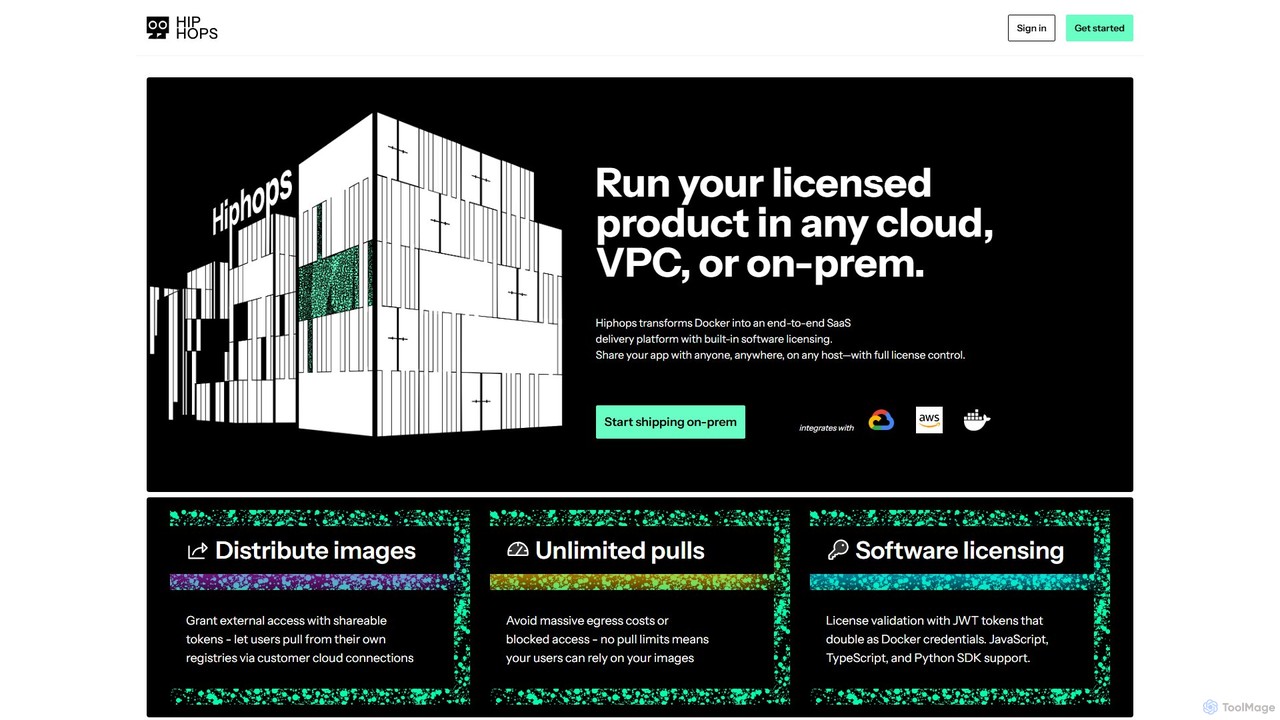
Hiphops is a private container registry platform with built-in software licensing. It transforms Docker into an end-to-end SaaS delivery platform, enabling developers to securely distribute, manage, and license containerized applications to any customer, on any cloud or on-premise environment, without pull limits.

Registry
Visits 9.2KFavorites 130Likes 139

About Registry

A Registry in cloud computing is a centralized storage and management service for software artifacts, primarily container images. These tools provide a secure and scalable repository to store, version, and distribute application components. They are fundamental to modern DevOps and CI/CD pipelines, enabling automated and reliable application deployments. Key features often include vulnerability scanning, granular access control, and deep integration with container orchestration platforms like Kubernetes.

Core Features

  • Artifact Storage & Versioning: Securely store and manage multiple versions of container images, Helm charts, and other packages.
  • Access Control & IAM Integration: Define granular permissions to control who can push, pull, or manage artifacts.
  • Automated Vulnerability Scanning: Scan images for known security vulnerabilities to enhance software supply chain security.
  • Geo-Replication: Replicate artifacts across multiple geographic regions for lower latency pulls and higher availability.
  • CI/CD Integration: Seamlessly connect with build and deployment pipelines using webhooks and APIs to automate workflows.

Use Cases

Registries are essential for organizations practicing DevOps and cloud-native development. They are used by software development teams to manage application builds, by operations teams to deploy services to Kubernetes or serverless platforms, and by security teams to enforce policies on software artifacts before deployment.

How to Choose

When selecting a registry, consider its integration with your cloud provider and CI/CD tools, its security features like vulnerability scanning and private networking, its performance and availability SLAs, and its pricing model, which is often based on storage and data transfer costs.

Registry use cases

1

Automating CI/CD Pipelines

A DevOps engineer configures their CI/CD system, such as Jenkins or GitLab CI, to automatically build a container image upon a code commit. The image is then tagged with a version and pushed to a private registry. Triggered by this new image, the continuous delivery system pulls the specific version from the registry and deploys it to a staging environment for testing, ensuring a consistent and repeatable build-to-deploy workflow.

2

Managing Kubernetes Deployments

A platform engineering team manages a Kubernetes cluster for microservices. Each microservice's deployment manifest specifies the container image to use, pointing to a path in their cloud registry (e.g., `ecr.aws/my-repo/my-app:v1.2`). When a deployment is updated, Kubernetes automatically pulls the specified image version from the registry to create new pods, enabling seamless application updates and rollbacks.

3

Securing the Software Supply Chain

A security team enables automated vulnerability scanning within their container registry. Before any new image can be deployed to production, it is scanned against a database of known vulnerabilities. The registry integrates with the deployment pipeline to automatically block any image that fails the security check, preventing vulnerable code from reaching users and helping to enforce compliance policies across the organization.

4

Distributing Proprietary Software

An enterprise software company packages its applications as container images. They use a private registry to securely store these images and provide controlled access to their customers. Each customer is given unique credentials to pull the licensed software images into their own environments. This approach ensures secure and auditable distribution, simplifying the installation and update process for end-users compared to traditional software delivery methods.

5

Accelerating Global Deployments

A company with a global user base runs application instances in multiple cloud regions (e.g., US, Europe, Asia). They configure their registry for geo-replication. When a new image is pushed to the primary registry, it is automatically copied to replicas in other regions. This ensures that deployment systems in each region can pull the image from a local source, significantly reducing latency and improving deployment speed and reliability across the globe.

6

Developing Serverless Applications

A developer builds a function for a serverless platform like Google Cloud Run or AWS Fargate. They package the function and its dependencies into a lightweight container image, which is then pushed to a registry. When the serverless service is invoked, the platform quickly pulls this image from the registry to spin up an instance. This method combines the portability and dependency management of containers with the auto-scaling and pay-per-use benefits of serverless computing.

Registry FAQ

What is a Cloud Registry?

A Cloud Registry is a service for storing, managing, and distributing software artifacts, most commonly container images, within a cloud ecosystem. It acts as a central, version-controlled repository that integrates with development and deployment workflows. Key functions include providing secure storage, managing access permissions, and often, scanning artifacts for security vulnerabilities.

How do I choose the right Cloud Registry?

When choosing a registry, evaluate these factors:

  • Ecosystem Integration: How well does it integrate with your cloud provider (e.g., AWS ECR, Google Artifact Registry) and CI/CD tools?
  • Security Features: Does it offer vulnerability scanning, private endpoints, and granular access control?
  • Performance & Availability: Does it provide geo-replication for low-latency pulls and a high uptime Service Level Agreement (SLA)?
  • Cost: Understand the pricing model, which is typically based on storage consumed and network data transfer.
What is the difference between a public and a private registry?

A public registry, like Docker Hub, allows anyone to pull images and is primarily used for open-source and community software. In contrast, a private registry restricts access to authenticated and authorized users. Private registries are essential for businesses to store proprietary application images, sensitive data, and internal tools, ensuring security and control over their software assets.

What are the key features of a container registry?

Core features of a modern container registry include:

  • Secure Storage: A reliable and scalable repository for container images with version tagging.
  • Access Control: Role-based access control (RBAC) and integration with identity providers (IAM) to manage permissions.
  • Vulnerability Scanning: Automated security scans to identify known vulnerabilities in images.
  • Automation Hooks: Webhooks and API access to trigger CI/CD pipelines when new images are pushed.
  • Geo-Replication: The ability to replicate images across regions for faster, more reliable access globally.
Why is a registry essential for DevOps and Kubernetes?

A registry is a cornerstone of DevOps because it decouples the application build process from the deployment process. It provides a single, versioned source of truth for application artifacts, enabling automated, reliable, and consistent deployments. For Kubernetes, the registry is the authoritative source from which it pulls container images to run applications. Without a reliable registry, Kubernetes cannot function, making it a critical component of the entire container orchestration workflow.