ToolMage
Sign in

Best 1 Container Management AI tools for Developer Tools

Popular Container Management AI tools in Developer Tools include hiphops, helping you work more efficiently.

hiphops
Freemium

hiphops

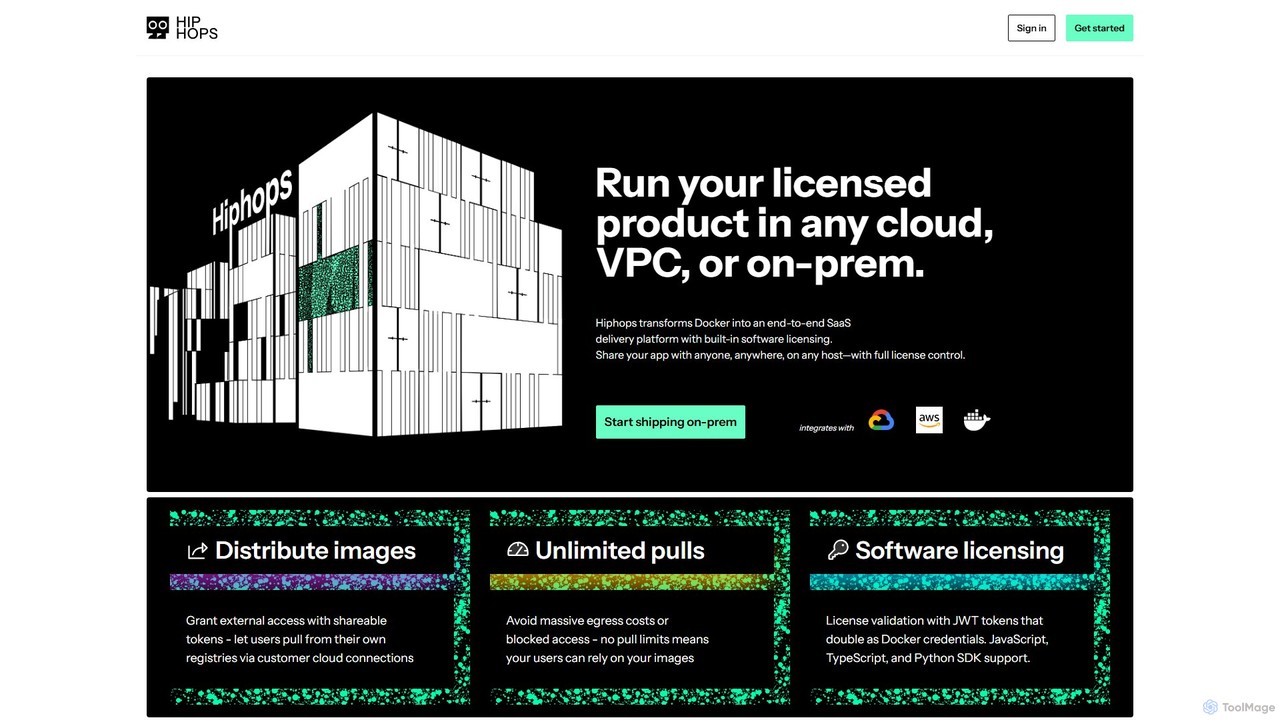
Hiphops is a private container registry platform with built-in software licensing. It transforms Docker into an end-to-end SaaS delivery platform, enabling developers to securely distribute, manage, and license containerized applications to any customer, on any cloud or on-premise environment, without pull limits.

Registry
Visits 12.8KFavorites 172Likes 166

About Container Management

Container Management tools are specialized AI-powered solutions designed to automate the deployment, scaling, networking, and lifecycle management of containerized applications. As a crucial part of developer tools, they streamline complex microservices architectures, ensuring high availability and efficient resource utilization. These platforms enhance operational efficiency and accelerate software delivery by providing robust orchestration capabilities.

Core Features

  • Container Orchestration: Automates the deployment, scaling, and management of containerized workloads across clusters.
  • Resource Scheduling: Efficiently allocates computing resources (CPU, memory) to containers based on defined policies.
  • Service Discovery & Load Balancing: Enables containers to find and communicate with each other, distributing network traffic evenly.
  • Automated Rollouts & Rollbacks: Facilitates seamless updates and quick reversion to previous versions in case of issues.
  • Monitoring & Logging: Provides insights into container performance, health, and application logs for troubleshooting.

Applicable Scenarios

Organizations adopting microservices architectures leverage container management tools to deploy and scale hundreds or thousands of independent services. Development teams use them for consistent application environments across development, testing, and production. DevOps engineers rely on these platforms to automate CI/CD pipelines, ensuring rapid and reliable software releases.

How to Choose

When selecting a container management tool, consider its orchestration capabilities (e.g., Kubernetes, Docker Swarm), ecosystem integration with existing CI/CD tools and cloud providers, scalability features for handling varying workloads, and security measures for container isolation and vulnerability scanning. Ease of use, community support, and cost-effectiveness are also vital factors.

Container Management use cases

1

Automating Microservices Deployment

For software development teams building complex applications with microservices, container management tools automate the deployment of each service into isolated containers. This ensures consistent environments, simplifies dependency management, and allows for independent scaling of individual services, significantly reducing deployment time and error rates.

2

Scaling Web Applications Dynamically

E-commerce platforms or high-traffic web services use container management to automatically scale their applications up or down based on real-time user demand. During peak seasons, the system provisions more container instances to handle increased load, and scales down during off-peak hours, optimizing resource consumption and ensuring continuous performance without manual intervention.

3

Managing CI/CD Pipelines for Containerized Apps

DevOps engineers integrate container management platforms into their continuous integration/continuous delivery (CI/CD) pipelines. This enables automated building of container images, testing within containerized environments, and seamless deployment to production clusters, accelerating release cycles and improving software quality through consistent, repeatable processes.

4

Ensuring High Availability and Disaster Recovery

Enterprises running mission-critical applications utilize container management tools to distribute containerized workloads across multiple nodes and data centers. In case of a node failure, the orchestration system automatically restarts affected containers on healthy nodes, ensuring application uptime and providing robust disaster recovery capabilities with minimal downtime.

5

Standardizing Development and Production Environments

Development teams often face "it works on my machine" issues. Container management tools allow developers to define application environments (dependencies, configurations) within containers, ensuring that the exact same environment runs in development, testing, and production. This eliminates environment-related bugs and fosters collaboration.

6

Optimizing Resource Utilization in Cloud Environments

Cloud architects and operations teams use container management to maximize the efficiency of their cloud infrastructure. By packing multiple containerized applications onto fewer virtual machines or bare-metal servers, these tools reduce idle resources, lower infrastructure costs, and provide granular control over resource allocation for different workloads.

Container Management FAQ

What are Container Management tools?

Container Management tools are software platforms designed to automate the deployment, scaling, networking, and overall lifecycle management of containerized applications, typically using technologies like Docker and Kubernetes. They provide orchestration capabilities to efficiently run and manage applications across clusters of machines, ensuring high availability and resource optimization.

How do Container Management tools differ from Virtual Machines (VMs)?

Container Management tools manage containers, which share the host OS kernel and are lightweight, starting quickly and consuming fewer resources. VMs, on the other hand, run a full guest operating system on top of a hypervisor, making them heavier and slower to start. Containers offer greater portability and efficiency for microservices, while VMs provide stronger isolation and are suitable for running diverse operating systems.

What are the key benefits of using Container Management tools?

Key benefits include enhanced application portability across different environments, improved resource utilization by efficiently packing workloads, faster deployment and scaling of applications, and increased resilience through automated self-healing capabilities. They also simplify complex microservices architectures and streamline CI/CD pipelines.

Who benefits most from Container Management tools?

DevOps engineers, software developers, cloud architects, and IT operations teams benefit significantly. Developers gain consistent environments, DevOps teams achieve faster and more reliable releases, and operations teams ensure application uptime and efficient infrastructure management, especially in cloud-native and microservices-based environments.

What should I consider when choosing a Container Management solution?

When choosing, evaluate the tool's orchestration capabilities (e.g., Kubernetes features, extensibility), its integration with your existing cloud infrastructure and CI/CD tools, the level of community support and documentation, security features for container isolation and vulnerability management, and its scalability to meet future demands. Cost, ease of use, and management overhead are also crucial.