papert
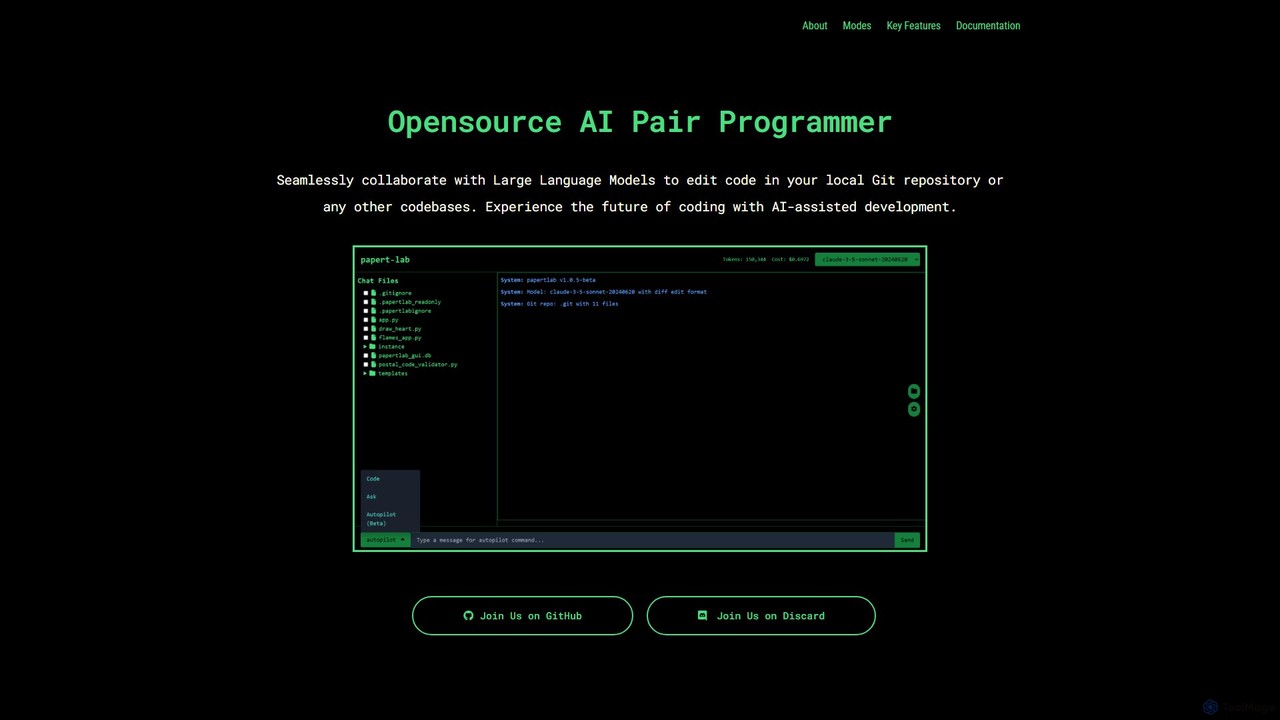
papert is an open-source AI pair programmer that integrates with your local Git repository. It allows developers to …
papert is an open-source AI pair programmer that integrates with your local Git repository. It allows developers to collaborate with LLMs like GPT-4o and Claude 3.5 Sonnet to ask questions, edit code across multiple files, refactor, debug, and automate routine coding tasks.
About Debugging
AI Debugging tools are a specialized category of code assistants that use machine learning to automate and accelerate the process of finding and fixing software bugs. They analyze code, logs, and runtime data to intelligently pinpoint root causes and suggest potential solutions. This approach significantly reduces the manual effort required in traditional debugging, helping developers resolve complex issues more efficiently. By identifying patterns and anomalies that are difficult for humans to spot, these tools enhance code quality and stability.
Core Features
- Automated Root Cause Analysis: Automatically analyzes stack traces, logs, and code context to identify the most likely source of an error.
- AI-Powered Fix Suggestions: Generates code snippets or patches to resolve identified bugs, based on the analysis of vast codebases.
- Intelligent Log Analysis: Sifts through large volumes of log data to detect error patterns, anomalies, and performance bottlenecks.
- Predictive Bug Detection: Proactively scans code to identify potential issues and vulnerabilities before they impact production environments.
- Natural Language Interaction: Allows developers to describe a problem in plain language to get debugging guidance and code insights.
Use Cases
These tools are particularly valuable in large-scale software development, especially for teams working on complex systems like microservices or cloud-native applications. They are frequently integrated into CI/CD pipelines to automate quality checks and are used by backend, mobile, and full-stack developers to diagnose and fix production issues faster.
How to Choose
When selecting an AI Debugging tool, consider its support for your programming languages and frameworks. Evaluate its integration capabilities with your existing IDE, version control, and CI/CD systems. Assess the accuracy and relevance of its bug detection and fix suggestions. Also, review the tool's data privacy and security policies, especially if it requires access to proprietary source code.
DebuggingUse Cases
Automated Crash Report Analysis
A mobile app developer receives a critical crash report from a user's device. Instead of manually parsing complex stack traces and device logs, they feed the report into an AI Debugging tool. The tool instantly analyzes the data, correlates it with the relevant source code, and pinpoints the exact line causing the crash. It further suggests a code snippet to handle the null pointer exception that was the root cause, reducing the diagnostic time from hours to minutes and enabling a rapid hotfix release.
Resolving Intermittent Production Bugs
A backend engineer is investigating an intermittent bug in a complex microservices architecture that only occurs under heavy load. Manually tracing requests across services is impractical. By using an AI Debugging tool integrated with their observability platform, the engineer can analyze distributed traces and logs from the time of the failure. The AI identifies a rare race condition between two services by detecting a specific pattern of log messages and latency spikes, a task that would be nearly impossible for a human to accomplish in a reasonable timeframe.
Proactive Bug Prevention in CI/CD
A DevOps team integrates an AI Debugging tool into their CI/CD pipeline. When a developer submits a pull request, the tool automatically scans the new code. It flags a potential memory leak in a newly added function by comparing its resource usage patterns against millions of open-source examples. The tool not only highlights the problematic code but also explains why it's a potential issue and suggests a more memory-efficient implementation. This prevents the bug from ever reaching the main branch, saving future debugging time and avoiding production incidents.
Guiding Junior Developers with Natural Language
A junior developer is struggling to understand a complex piece of legacy code that is causing an error. Instead of interrupting a senior developer, they describe the error message and their goal in plain English to an AI Debugging assistant. The AI explains the function of the legacy code block, identifies the logical flaw based on the developer's description, and provides a corrected version of the code with comments explaining the changes. This not only solves the immediate problem but also serves as a powerful, on-demand learning tool for the junior developer.
Optimizing Performance Bottlenecks
A data engineer notices that a daily data processing job is taking longer to complete. They use an AI Debugging tool with profiling capabilities to analyze the application's performance during execution. The tool visualizes the entire call stack and highlights a specific database query as the primary bottleneck, consuming 80% of the execution time. It then suggests optimizing the query by adding a specific index to the database table. After applying the suggested change, the job's runtime is reduced by 75%, significantly improving system efficiency.
Identifying Security Vulnerabilities
During a routine code review, a security engineer uses an AI-powered debugging and analysis tool to scan a new API endpoint. The tool identifies a subtle but critical SQL injection vulnerability that was missed by traditional static analysis tools. It explains how an attacker could exploit the vulnerability by providing a sample malicious payload. Furthermore, it generates a corrected, parameterized query that mitigates the risk entirely. This proactive security analysis helps the team patch vulnerabilities before they can be exploited in production.