Julius AI
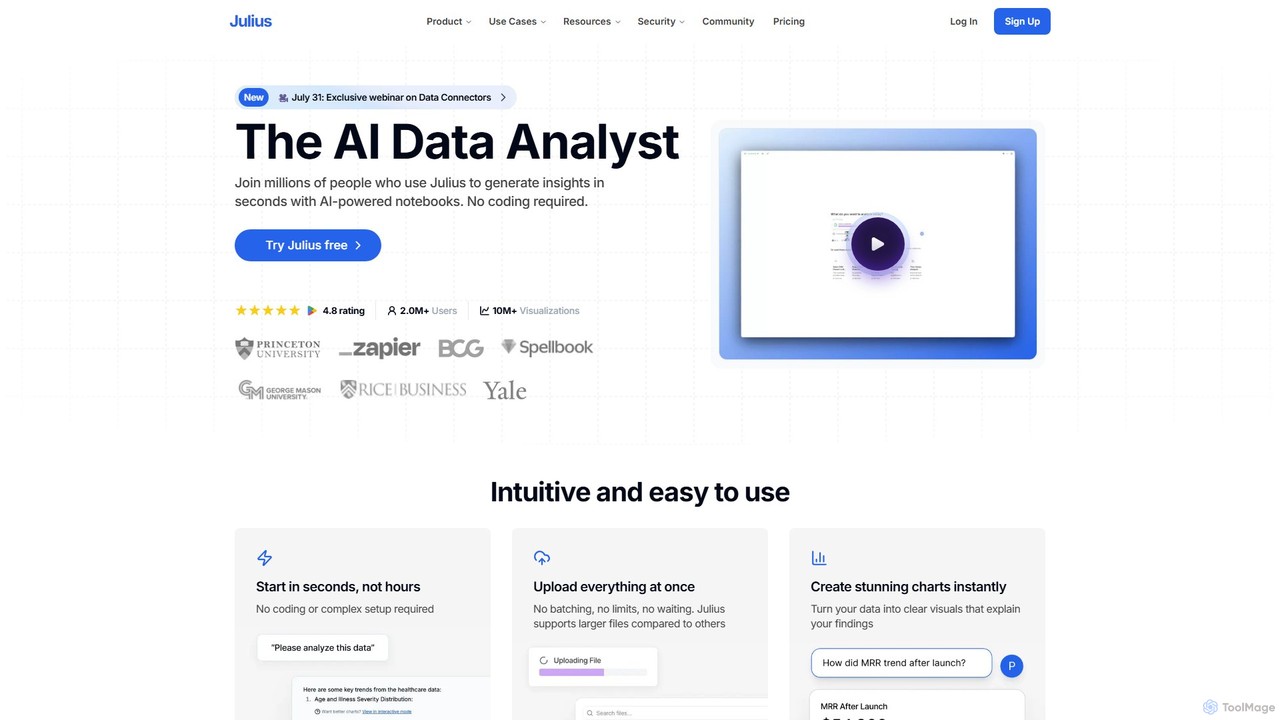
Julius AI is your AI Data Analyst, designed to interpret, analyze, and visualize complex data effortlessly. Connect your …
Julius AI is your AI Data Analyst, designed to interpret, analyze, and visualize complex data effortlessly. Connect your data from spreadsheets, databases, or PDFs, ask questions in natural language, and receive instant insights, charts, and reports. No coding is required, but it also supports Python, R, and SQL for advanced users, making data analysis accessible to everyone.
About Developer Tools
AI Developer Tools are a class of software that leverages artificial intelligence to assist, automate, and accelerate various stages of the software development lifecycle. These tools often utilize large language models (LLMs) and machine learning to understand code context, generate syntax, identify bugs, and suggest optimizations. Their primary value lies in boosting developer productivity, improving code quality, and reducing the time spent on repetitive coding tasks. By integrating directly into development environments, they act as intelligent assistants for programmers.
Core Features
- AI Code Completion & Generation: Suggests or writes entire code blocks, functions, and classes based on natural language prompts or existing code context.
- Automated Debugging & Error Analysis: Identifies potential bugs, analyzes runtime errors, and provides explanations or suggested fixes.
- Natural Language to Code Translation: Converts plain language descriptions of a desired functionality directly into executable code snippets.
- Automated Test Case Generation: Creates unit tests and integration tests by analyzing the codebase, helping to improve test coverage.
- Code Refactoring & Optimization: Recommends improvements to code structure, performance, and readability without changing its external behavior.
Use Cases
These tools are widely used by software engineers, data scientists, and DevOps professionals. They are particularly effective for rapid prototyping, maintaining legacy codebases, learning new programming languages, and automating the creation of documentation and test suites. Both individual developers and large enterprise teams integrate them into their daily workflows to streamline development.
How to Choose
When selecting an AI Developer Tool, consider its language and framework support to ensure compatibility with your tech stack. Evaluate the quality and depth of its IDE integration (e.g., for VS Code, JetBrains). Assess the accuracy of its suggestions and its impact on security, especially regarding how it handles your proprietary code. Finally, compare pricing models and features to find a solution that fits your team's budget and needs.
Developer ToolsUse Cases
Accelerating API Endpoint Development
A backend developer is tasked with creating a new set of REST API endpoints for a user management module. Instead of writing all the boilerplate code manually, they use an AI developer tool. By providing a simple prompt like 'Create a POST endpoint for user registration with email, password, and name fields', the tool generates the controller logic, data validation rules, and database model structure. This significantly reduces development time, allowing the developer to focus on more complex business logic and integration tasks.
Automated Unit Test Creation
A quality assurance (QA) engineer needs to increase the test coverage for a critical financial calculation module. Manually writing tests for every edge case is time-consuming. Using an AI developer tool, they can select a function and ask the tool to 'generate unit tests for this function, including edge cases for null inputs and large numbers'. The AI analyzes the code and produces a comprehensive test suite in seconds, which the engineer can then review and refine. This process ensures higher code quality and reliability without a significant time investment.
Debugging Complex Code Issues
A junior developer encounters a cryptic 'NullPointerException' deep within a large, unfamiliar codebase. Instead of spending hours tracing the code execution manually, they copy the stack trace and the relevant code snippet into an AI developer tool. The tool analyzes the context, identifies the exact line where a variable is not being initialized correctly, explains why the error occurs, and provides a corrected version of the code. This not only solves the immediate problem but also serves as a valuable learning experience.
Refactoring and Modernizing Legacy Code
A team is tasked with updating a legacy application written in an older version of a programming language. The code is difficult to read and maintain. They use an AI developer tool with refactoring capabilities. The tool scans the codebase and suggests improvements, such as converting old callback patterns to modern async/await syntax, simplifying complex conditional logic, and breaking down large functions into smaller, more manageable pieces. This automates a significant portion of the modernization effort, reduces the risk of introducing new bugs, and improves the long-term maintainability of the application.
Generating Code from Natural Language
A data analyst needs to write a Python script to process a CSV file, filter rows based on a specific condition, and plot a chart. While they understand the logic, they are not an expert in the specific plotting library's syntax. They open an AI developer tool and type: 'Write a Python script using pandas and matplotlib to read data.csv, filter for rows where 'sales' > 1000, and create a bar chart of sales by 'region''. The tool instantly generates a complete, working script that they can run immediately, saving them time from searching through documentation.
Automating Code Documentation
A development team follows a strict policy of documenting all public functions. This process can be tedious and is often neglected under tight deadlines. By integrating an AI developer tool into their workflow, documentation becomes automated. After a developer writes a new function, the tool can automatically generate a detailed docstring that explains the function's purpose, describes each parameter (including its type and purpose), and specifies the return value. This ensures the codebase remains consistently well-documented, making it easier for new team members to onboard and for existing members to maintain the code.