Customer Support Best in category 2 results Automated Responses AI Tool

Popular AI tools in the Automated Responses field of Customer Support include AmplifySMS、Conju, etc., helping you quickly improve efficiency.

AmplifySMS

AmplifySMS

AmplifySMS is an AI-powered SMS marketing platform designed to help businesses boost customer engagement and sales. It leverages …

3.0K
Conju

Conju

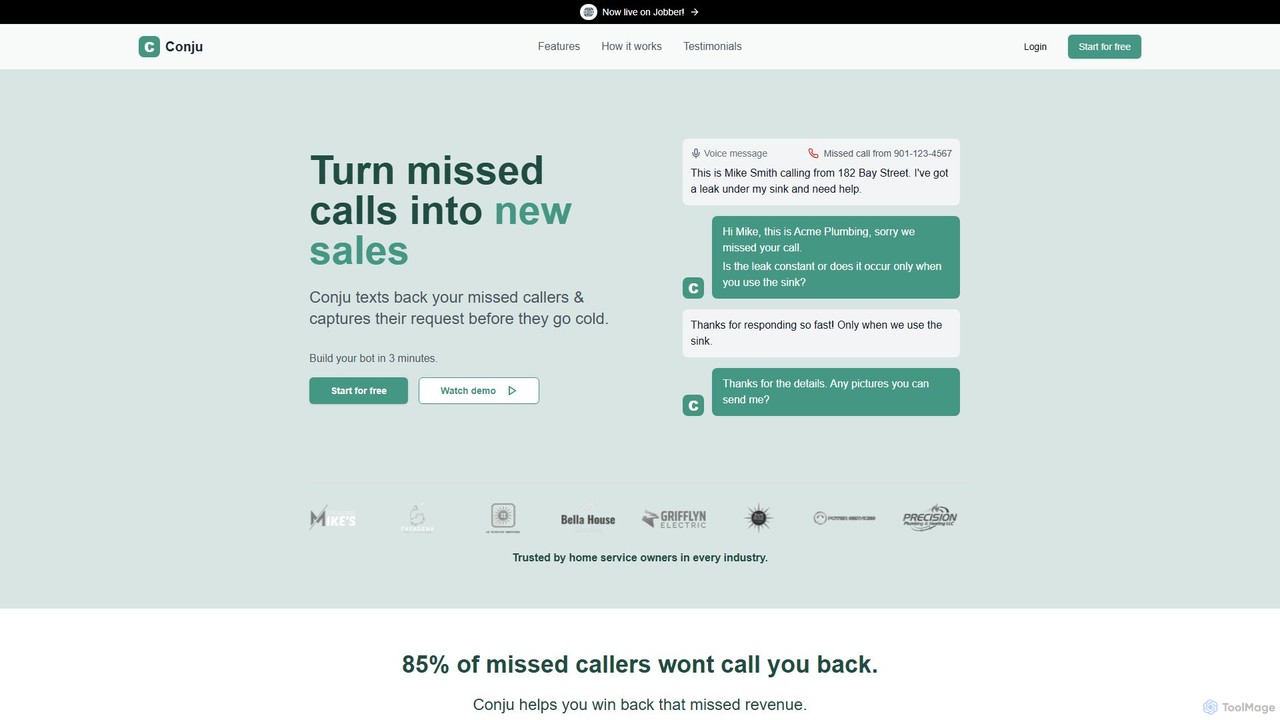
Conju is an AI-powered assistant that converts missed phone calls into sales opportunities. It automatically sends a text …

3.0K

About Automated Responses

Automated Responses are AI-powered tools designed to generate immediate, contextually relevant replies to user queries and interactions across various communication channels. Leveraging advanced Natural Language Processing (NLP) and Machine Learning (ML), these systems can understand user intent, retrieve information, and formulate human-like responses. They significantly enhance customer service efficiency, provide 24/7 support, and ensure consistent brand communication by handling routine inquiries and guiding users through self-service options.

Core Features

  • Intent Recognition: Accurately identifies the underlying purpose of a user's query to provide the most relevant response.
  • Natural Language Generation (NLG): Formulates coherent and grammatically correct responses that mimic human conversation style.
  • Multi-channel Integration: Seamlessly connects with platforms like websites, messaging apps, email, and social media.
  • Knowledge Base Integration: Accesses and utilizes information from internal databases or FAQs to answer questions.
  • Sentiment Analysis: Detects the emotional tone of user messages to adapt responses or escalate critical issues to human agents.

Use Cases

These tools are primarily used in customer service, sales, and internal support departments to manage high volumes of inquiries. They excel in scenarios requiring instant information retrieval, guided assistance, or preliminary qualification of leads. Businesses deploy them to reduce agent workload, improve response times, and offer continuous support outside business hours, ensuring a smooth and efficient user experience.

How to Choose

When selecting an automated response tool, consider its NLP capabilities for understanding complex queries, the ease of integration with existing CRM and communication platforms, and its scalability to handle varying volumes of interactions. Evaluate the customization options for tailoring responses to your brand voice, the availability of analytics for performance tracking, and the support for multiple languages to serve a diverse customer base.

Automated ResponsesUse Cases

1

Providing Instant Customer Support 24/7

E-commerce businesses can deploy automated response systems on their websites or messaging apps to answer common customer questions about order status, shipping policies, or product details at any time. This reduces the need for human agents to handle repetitive queries, allowing them to focus on complex issues and significantly improving customer satisfaction through immediate assistance.

2

Automating Lead Qualification and Nurturing

Sales teams utilize automated responses to engage website visitors, ask qualifying questions about their needs and budget, and gather contact information. The system can then provide relevant product information or schedule a demo with a sales representative, effectively streamlining the lead generation process and ensuring only qualified leads are passed to human sales staff.

3

Enhancing Internal IT Helpdesk Efficiency

Large organizations can implement automated responses within their internal communication platforms to address common IT issues like password resets, software installation guides, or network troubleshooting. Employees receive immediate solutions, reducing downtime and freeing up IT support staff to tackle more critical technical problems, thereby boosting overall workplace productivity.

4

Managing High-Volume Event Registrations

Event organizers can use automated response tools to guide attendees through the registration process, answer FAQs about event schedules, venues, or speaker information. The system can also send automated reminders and updates, ensuring a smooth experience for participants and significantly reducing the manual effort required for event management.

5

Personalizing Marketing Campaign Interactions

Marketing departments can leverage automated responses to interact with users who click on ads or engage with social media posts. The system can ask follow-up questions to understand user preferences, provide personalized content recommendations, or direct them to specific landing pages, leading to higher engagement rates and more effective campaign targeting.

6

Streamlining HR Onboarding and Employee Queries

Human Resources departments can deploy automated responses to assist new hires with onboarding questions about company policies, benefits, or payroll. Existing employees can also get instant answers to common HR queries, reducing the administrative burden on HR staff and ensuring employees have quick access to essential information.

Automated ResponsesFrequently Asked Questions