
Customer Support Best in category 1 results Inbox Management AI Tool

Popular AI tools in the Inbox Management field of Customer Support include inbox.dog, etc., helping you quickly improve efficiency.

inbox.dog

inbox.dog

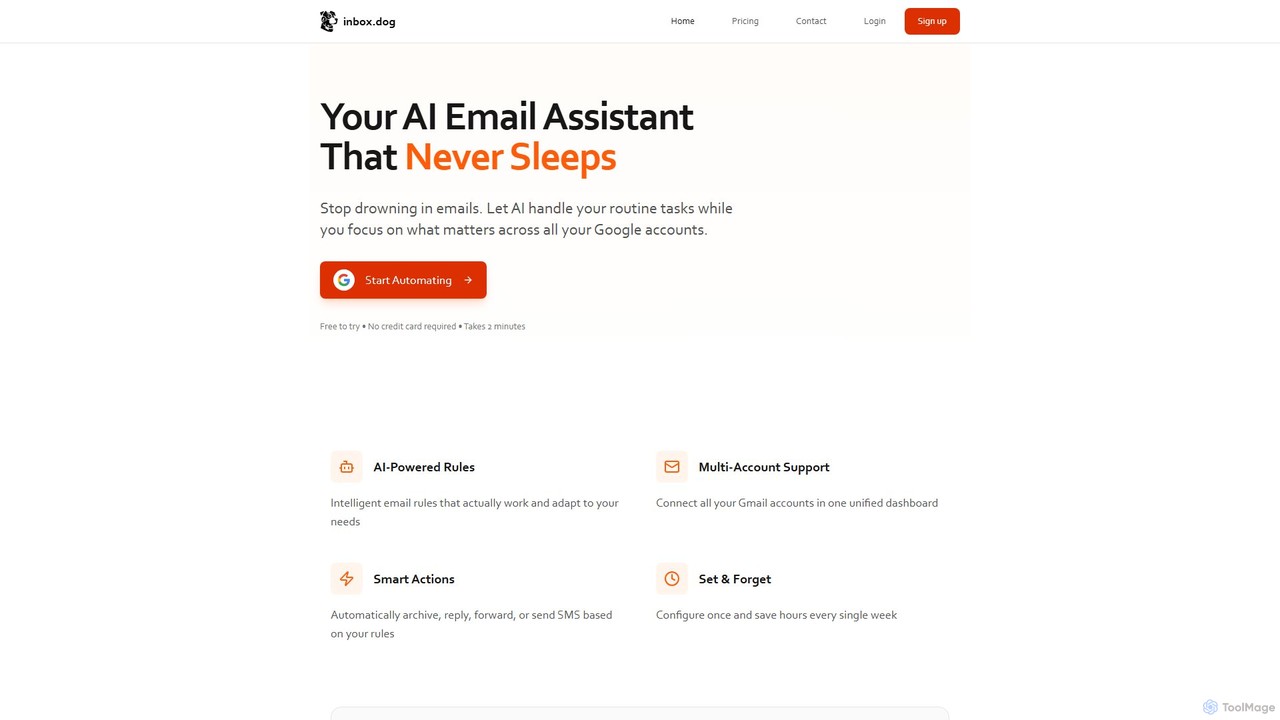
inbox.dog is an AI-powered email assistant for Gmail that automates your inbox. It uses intelligent rules to handle …

3.0K

About Inbox Management

AI Inbox Management tools are a class of software that uses artificial intelligence to automatically sort, prioritize, and process incoming messages. These tools leverage Natural Language Processing (NLP) to understand the content, context, and sentiment of emails and other communications. They are designed to streamline high-volume inboxes, reduce manual triage, and accelerate response times, serving as an intelligent layer within a customer support framework. This automation allows teams to focus on complex issues rather than administrative tasks.

Core Features

  • Intelligent Triage & Routing: Automatically categorizes messages by topic (e.g., sales, support, billing) and assigns them to the appropriate agent or department.
  • AI-Powered Response Suggestions: Generates context-aware draft replies for common inquiries, which agents can quickly edit and send.
  • Sentiment Analysis: Detects the emotional tone of a message to prioritize urgent or dissatisfied customer communications.
  • Automated Summarization: Condenses long email threads into concise summaries, allowing agents to quickly grasp the history of an issue.
  • Spam & Clutter Filtering: Advanced filtering that identifies and archives non-essential communications beyond standard spam detection.

Applicable Scenarios

These tools are particularly valuable for businesses with high communication volumes. E-commerce companies use them to manage order inquiries and returns. SaaS providers rely on them to handle technical support tickets and user feedback. IT helpdesks also benefit by automating the categorization of internal support requests, ensuring faster resolution.

Selection Criteria

When choosing an AI Inbox Management tool, consider its integration capabilities with your existing CRM or helpdesk software. Evaluate the sophistication of its automation rules and the accuracy of its AI models for intent and sentiment analysis. Also, assess its collaboration features, such as shared inboxes, internal notes, and collision detection for team environments.

Inbox ManagementUse Cases

1

Automating E-commerce Customer Support Triage

An e-commerce store's support team receives hundreds of emails daily regarding orders, returns, and product questions. By implementing an AI Inbox Management tool, incoming emails are automatically analyzed and tagged. For example, an email containing 'order number' and 'where is it?' is tagged as 'Order Status' and routed to the logistics team. An email with 'return policy' is sent to the returns department. This automation reduces manual sorting time by over 80%, allowing agents to resolve customer issues much faster.

2

Prioritizing Urgent Leads for Sales Teams

A B2B company's sales team uses a shared inbox for inbound inquiries. An AI tool monitors this inbox, using sentiment and keyword analysis to identify high-priority leads. Messages containing phrases like 'request a demo,' 'pricing information,' or expressing urgent need are automatically flagged and assigned to the next available sales representative. This ensures that the most promising leads are addressed within minutes, significantly increasing the conversion rate compared to manual review.

3

Managing High-Volume IT Helpdesk Tickets

A corporate IT department uses an AI inbox tool to manage support requests from employees. The tool integrates with their email and ticketing system. When an email arrives, the AI categorizes it based on the issue described, such as 'Password Reset,' 'Software Installation,' or 'Hardware Failure.' For common issues like password resets, it automatically replies with a link to the self-service portal. For more complex issues, it creates a ticket and assigns it to the relevant IT specialist, reducing manual ticket creation and routing.

4

Streamlining Social Media DMs for Brand Management

A marketing team connects their brand's social media inboxes (Instagram DMs, Facebook Messenger) to an AI inbox tool. The AI filters out spam and irrelevant messages automatically. It identifies customer complaints by detecting negative sentiment and keywords, then creates a priority task for the community manager. Positive feedback and user-generated content are tagged for later use in marketing campaigns. This allows a small team to manage a large volume of social interactions efficiently and maintain a positive brand image.

5

Consolidating Multi-Channel Communication

A SaaS company offers support through email, a website contact form, and in-app chat. An AI Inbox Management tool consolidates all these channels into a single, unified view. The AI can identify if a user who just sent an email also submitted a chat transcript an hour ago, merging the conversations to provide the support agent with full context. This prevents duplicate work and ensures agents have a complete history of the customer's interactions, leading to more informed and effective support.

6

Improving Response Quality with AI-Suggested Replies

A new support agent is handling a complex technical query. The AI inbox tool analyzes the customer's question and searches the company's knowledge base and past support tickets for similar issues. It then generates a draft reply that includes the correct technical steps for resolution, based on previously successful interactions. The agent can review, slightly personalize, and send the reply, ensuring accuracy and consistency in communication, while also learning on the job much faster.

Inbox ManagementFrequently Asked Questions