Customer Support Best in category 1 results Issue Tracking AI Tool

Popular AI tools in the Issue Tracking field of Customer Support include Lancey, etc., helping you quickly improve efficiency.

Lancey

Lancey

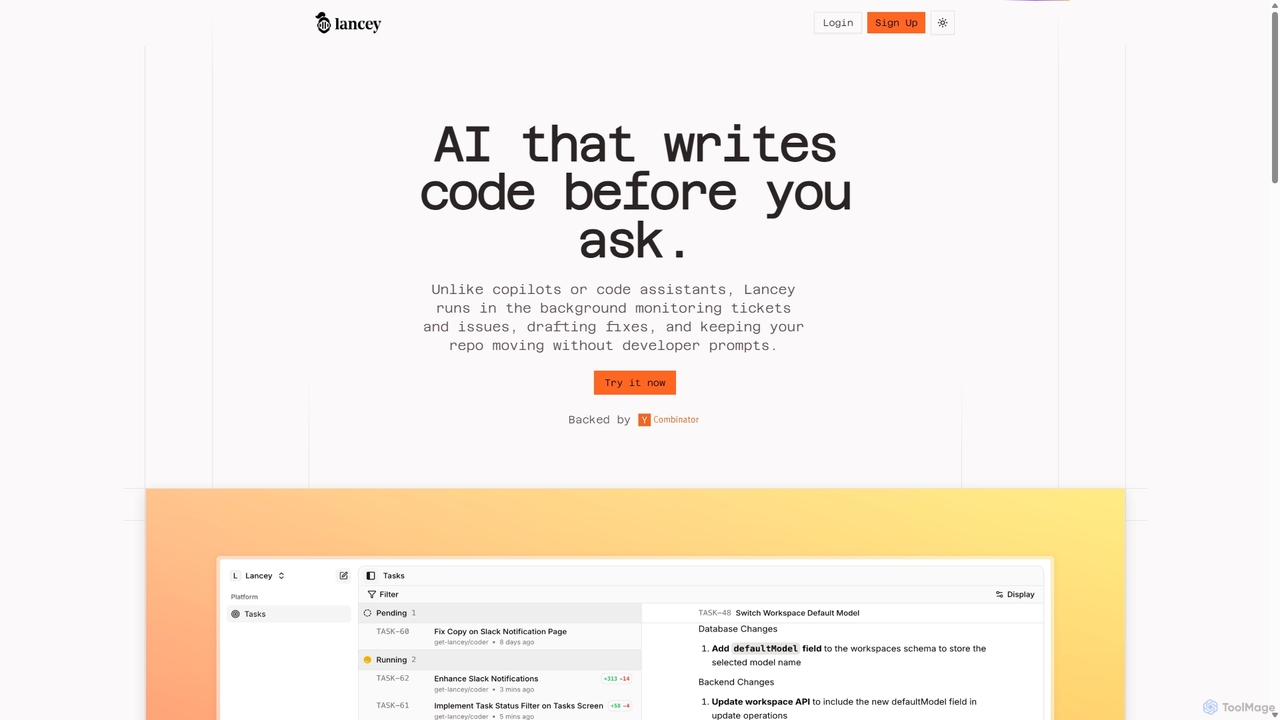
Lancey is an asynchronous AI agent that automates software development by monitoring support channels and issue trackers. It …

4.1K

About Issue Tracking

Issue Tracking tools are specialized platforms for systematically capturing, managing, and resolving user-reported problems, bugs, and feedback. As a key component of customer support, these systems use AI to automatically categorize tickets, identify duplicate reports, and prioritize tasks based on urgency and impact. This enables development and support teams to streamline their workflows, accelerate resolution times, and gain valuable insights from user feedback. AI-powered features transform reactive problem-solving into a more proactive and data-driven process.

Core Features

  • AI-Powered Triage: Automatically analyzes, categorizes, and assigns incoming issues to the appropriate team or individual based on content and historical data.
  • Duplicate Issue Detection: Uses Natural Language Processing (NLP) to identify and merge similar reports from different sources, reducing clutter.
  • Automated Workflows: Triggers actions, status updates, and notifications based on predefined rules, ensuring no issue is overlooked.
  • Sentiment Analysis: Gauges the user's sentiment within a report to help prioritize critical or high-frustration issues.
  • Predictive Analytics: Forecasts issue trends and potential future problems by analyzing patterns in historical data.

Use Cases

Primarily utilized by software development, IT operations, and quality assurance (QA) teams. For instance, a development team uses it to track bugs from initial report to final fix, while an IT help desk manages employee support requests. Product managers also leverage these tools to collect and organize feature requests from customers.

How to Choose

When selecting an Issue Tracking tool, consider its integration capabilities with your existing development stack (e.g., GitHub, Slack). Evaluate the sophistication of its workflow automation and customization options. Also, assess the tool's reporting and analytics features to ensure they provide the insights your team needs. Finally, consider the scalability of the platform to support your team's growth.

Issue TrackingUse Cases

1

Automating Software Bug Triage

A software development team receives dozens of bug reports daily from various channels. Using an AI-powered issue tracking tool, these reports are automatically analyzed. The AI categorizes each bug (e.g., 'UI Glitch', 'Backend Error'), sets a priority level based on keywords like 'crash' or 'data loss', and assigns it to the correct developer squad. It also identifies and merges duplicate reports, saving the triage lead several hours of manual work each week and allowing developers to start fixing critical bugs faster.

2

Streamlining IT Help Desk Operations

A corporate IT help desk manages hundreds of employee support requests weekly, ranging from password resets to hardware malfunctions. An issue tracking system with automated workflows routes tickets instantly. For example, a request containing 'VPN access' is automatically sent to the network security team. The system also provides employees with a self-service portal where they can check the status of their ticket, reducing follow-up emails and calls to the help desk by over 40%.

3

Managing Customer Feature Requests

A product manager for a SaaS company uses an issue tracking tool to centralize feature requests from customers. Instead of tracking scattered emails and support tickets, all suggestions are logged as 'issues' of a specific type. Other users can vote on these requests, providing clear data on which features are most in demand. The AI component can group similar requests, such as 'add dark mode' and 'night theme option', into a single, actionable item for the product roadmap, ensuring development efforts align with user needs.

4

Monitoring Service Level Agreements (SLAs)

A customer support team for an enterprise software product is bound by strict SLAs, such as a 1-hour response time for critical issues. Their issue tracking system is configured with these SLA policies. When a high-priority ticket is created, a timer starts. The system automatically sends reminders to the support agent as the deadline approaches. If the SLA is breached, the ticket is automatically escalated to a support manager and flagged in reports, ensuring accountability and helping to identify bottlenecks in the support process.

5

Coordinating Cross-Team Issue Resolution

A customer reports a performance issue with a web application. The initial support agent logs it in the issue tracker. The issue is then assigned to a backend developer who discovers the problem is related to a database query. Using the tool, they can reassign the issue to the database administrator (DBA) team, while keeping all original context, logs, and customer communication in one place. This seamless handoff prevents information loss and allows managers to track the issue's journey across different departments for a complete resolution.

6

Generating Insights from Issue Data

A Quality Assurance (QA) manager wants to understand recurring problems in their mobile app. Using the reporting features of their issue tracking tool, they generate a dashboard that visualizes key metrics. They discover that 20% of all bugs reported in the last quarter are related to the payment module. This data-driven insight allows them to allocate more testing resources to that specific module in the next development cycle, proactively reducing future bugs and improving the overall quality of the product.

Issue TrackingFrequently Asked Questions