DAGForge
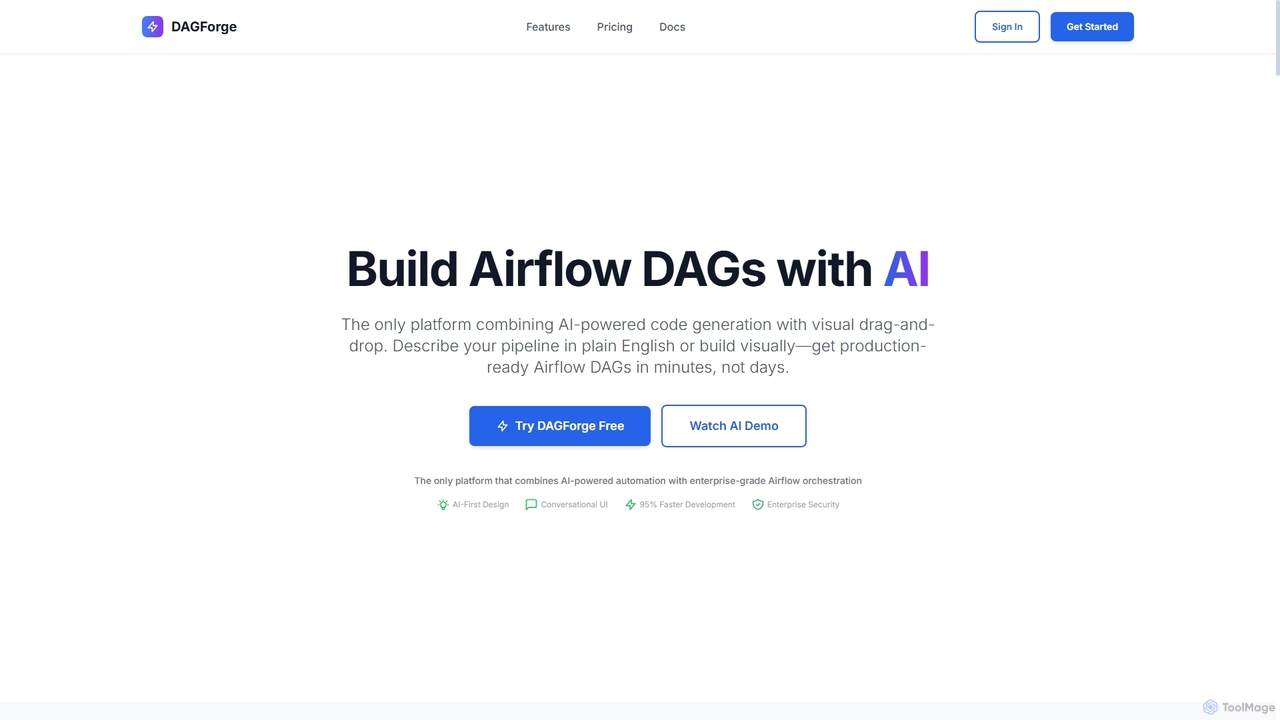
DAGForge is an AI-powered platform that combines conversational AI with a visual drag-and-drop interface to build production-ready Airflow …
DAGForge is an AI-powered platform that combines conversational AI with a visual drag-and-drop interface to build production-ready Airflow DAGs 10x faster. It enables data professionals to describe data pipelines in plain English and deploy them in minutes, not days, streamlining data orchestration and development.
About Workflow Automation
Workflow Automation tools are AI-powered solutions designed to streamline and optimize repetitive tasks and complex processes across various systems. Leveraging advanced algorithms, these tools orchestrate sequences of operations, significantly reducing manual effort and improving operational efficiency. They are crucial within the broader Data Engineering landscape for automating data pipelines, infrastructure management, and operational workflows, ensuring data consistency and timely processing.
Core Features
- Task Orchestration: Automatically sequences and executes tasks across different applications and platforms.
- Integration Capabilities: Connects with a wide array of third-party tools, APIs, and enterprise systems.
- Conditional Logic: Implements decision-making rules to adapt workflows based on specific data or events.
- Monitoring & Alerting: Provides real-time visibility into workflow status and sends notifications for errors or completion.
- Scalability & Resilience: Designed to handle varying workloads and recover from failures without manual intervention.
Applicable Scenarios
Workflow Automation tools are widely adopted by IT operations, marketing teams, finance departments, and HR professionals. They are essential for automating routine IT tasks like server provisioning, orchestrating complex marketing campaigns across multiple channels, streamlining financial report generation, and automating HR onboarding processes.
How to Choose
When selecting a Workflow Automation tool, consider its integration ecosystem with your existing tech stack, scalability to handle future growth, ease of use for non-technical users, and robust monitoring and error handling capabilities. Evaluate the flexibility of its conditional logic, customization options, and the pricing model based on your usage volume and feature requirements.

Workflow AutomationUse Cases
Automating Data Pipeline ETL
Data engineers utilize workflow automation tools to schedule, monitor, and execute complex Extract, Transform, Load (ETL) processes. This ensures timely and accurate data delivery from various sources to data warehouses or analytics platforms, significantly reducing manual oversight and potential delays in data availability.
Automating Data Pipeline Orchestration
Data engineers utilize Workflow Automation tools to schedule, monitor, and manage complex data ingestion, transformation, and loading (ETL/ELT) processes across various cloud platforms and on-premise systems. This ensures that data is consistently available, accurate, and up-to-date for analytics and business intelligence, reducing manual intervention and potential delays in data delivery.
Streamlining Customer Onboarding
Financial institutions and SaaS companies automate the collection, verification, and processing of new customer documents and information. This reduces manual effort, accelerates the onboarding journey from days to minutes, and ensures compliance with regulatory requirements by standardizing each step.
Streamlining IT Incident Response
IT operations teams configure automated workflows to detect system anomalies, trigger alerts in communication platforms (e.g., Slack, PagerDuty), create support tickets in ITSM systems (e.g., Jira, ServiceNow), and even initiate self-healing scripts. This drastically reduces incident resolution times, minimizes downtime, and ensures a consistent response to critical system events.
Automating Invoice Processing
Finance departments deploy AI-powered workflows to automatically extract data from invoices, match them with purchase orders, and initiate payment approvals. This minimizes manual data entry errors, accelerates processing time by up to 70%, and improves cash flow management.
Expediting Marketing Campaign Launches
Marketing professionals leverage Workflow Automation to automatically publish content across social media platforms, send personalized email sequences based on user behavior, update CRM records with lead scores, and trigger follow-up tasks for sales teams. This ensures consistent brand messaging, timely engagement with prospects, and a streamlined lead nurturing process, saving hours of manual coordination.
Managing IT Incident Response
IT operations teams use automation to detect system anomalies, trigger alerts, create incident tickets in service desk systems, and initiate diagnostic scripts. This ensures rapid response to critical issues, reduces mean time to resolution (MTTR), and minimizes service disruptions.
Automating Financial Report Generation
Finance departments use Workflow Automation to collect data from various accounting systems, ERPs, and spreadsheets, perform complex calculations, and automatically generate daily, weekly, or monthly financial reports. This reduces manual data entry errors, ensures compliance, and frees up financial analysts to focus on strategic insights rather than repetitive data compilation.
Automating Content Publishing Workflows
Marketing and content teams automate the review, approval, and scheduling of content across multiple platforms, from blog posts to social media updates. This ensures consistent brand messaging, timely delivery, and compliance with editorial guidelines, reducing the time spent on manual coordination.
Optimizing HR Onboarding Processes
HR teams automate new employee onboarding by triggering welcome emails, setting up access to internal systems (e.g., HRIS, collaboration tools), assigning mandatory training modules, and scheduling initial meetings with managers and team members. This ensures a smooth, consistent, and efficient start for new hires, improving their experience and reducing the administrative burden on HR staff.
Automating HR Onboarding and Offboarding
Human Resources departments automate tasks like sending welcome emails, setting up system access for new hires, or revoking access and archiving data for departing employees. This ensures compliance, reduces administrative burden, and provides a consistent, positive experience for employees throughout their lifecycle.
Managing Cloud Resource Provisioning
DevOps engineers utilize Workflow Automation to automatically provision and de-provision cloud resources (e.g., virtual machines, databases, storage buckets) based on demand, predefined schedules, or specific events. This optimizes infrastructure costs by ensuring resources are only active when needed, enhances scalability, and enforces compliance with cloud governance policies.