
Data Management Best in category 1 results Databases AI Tool

Popular AI tools in the Databases field of Data Management include DevBlogs, etc., helping you quickly improve efficiency.

DevBlogs

DevBlogs

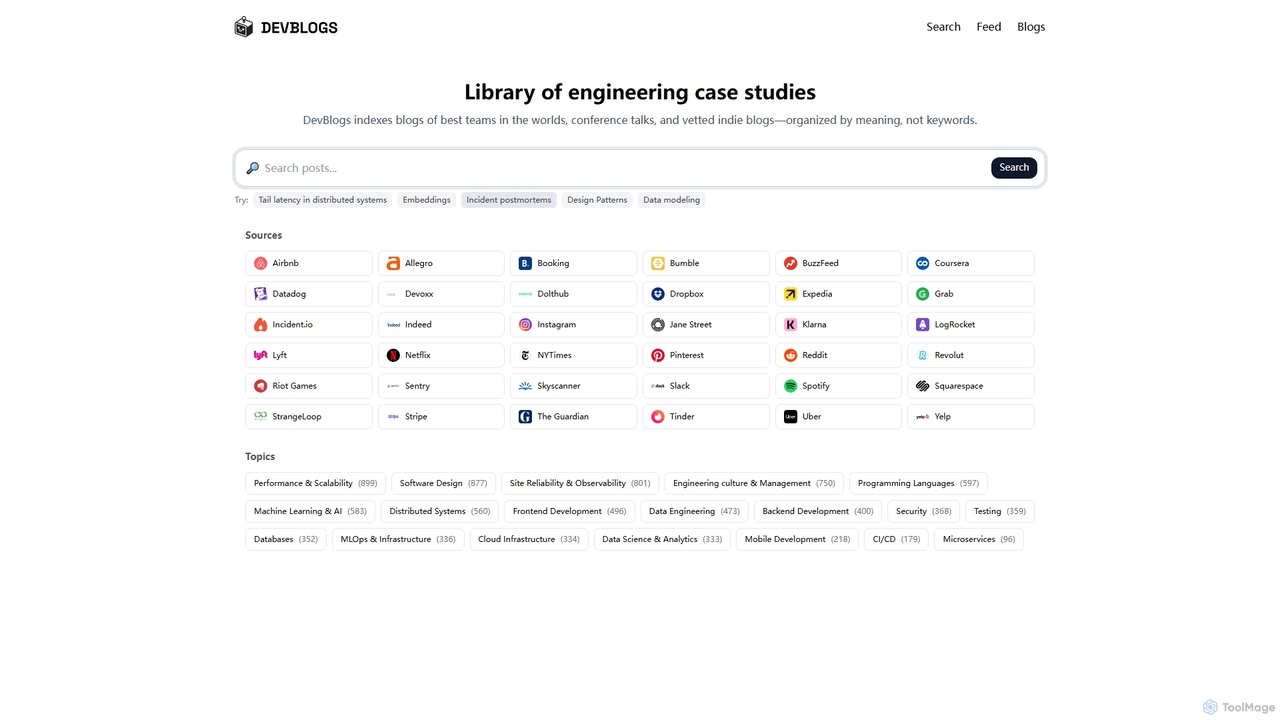
DevBlogs is a curated library indexing engineering case studies, tech blogs, and conference talks from leading global teams. …

53

About Databases

AI Databases are specialized data storage and retrieval systems designed to work with AI-native data formats and queries. Unlike traditional databases focused on structured data, these tools excel at managing unstructured data like text and images by converting them into numerical representations called vectors. This enables powerful capabilities such as semantic search, which finds results based on meaning and context rather than exact keyword matches. AI Databases are a crucial component within the Data Management landscape for building intelligent applications like recommendation engines and advanced search systems.

Core Features

  • Vector Storage & Indexing: Efficiently stores and indexes high-dimensional vector embeddings for fast similarity searches.
  • Semantic Search: Allows users to search using natural language queries to find conceptually similar results, not just keyword matches.
  • Natural Language Querying (NLQ): Translates human language questions into formal database queries, simplifying data access for non-technical users.
  • Scalability for AI Workloads: Designed to handle the massive datasets and high-throughput query loads typical of AI applications.
  • Integration with ML Frameworks: Provides seamless connectivity with popular machine learning libraries like TensorFlow and PyTorch.

Use Cases

AI Databases are primarily used by developers and data scientists building AI-powered applications. They are essential in industries like e-commerce for creating product recommendation systems, in tech for powering semantic search in knowledge bases, and in finance for real-time fraud detection by identifying anomalous patterns in transaction data.

How to Choose

When selecting an AI Database, consider the types of data you'll be working with (text, images, audio). Evaluate its query performance and scalability for your expected workload. Check its integration capabilities with your existing AI/ML stack. Also, consider the learning curve and community support, as well as the pricing model (open-source, managed service, etc.).

DatabasesUse Cases

1

Build a Semantic Search for a Knowledge Base

A customer support team manager needs to help agents find answers quickly in a vast internal knowledge base. They use an AI database to ingest all support articles, FAQs, and technical documents. The database converts this text into vector embeddings. Now, when an agent types a customer's question like 'my payment failed but I was still charged', the system searches for conceptual matches, instantly retrieving the most relevant troubleshooting guide, even if the exact keywords aren't present. This reduces search time from minutes to seconds.

2

Develop a Real-Time Product Recommendation Engine

An e-commerce company wants to provide personalized product recommendations. A data scientist uses a vector database to store vector representations of user browsing history and product descriptions. When a user views a product, the system queries the database to find other products with similar vector embeddings in real-time. This allows the platform to display a 'Customers who viewed this also viewed' section with highly relevant items, increasing user engagement and sales conversion rates.

3

Power a Natural Language Analytics Dashboard

A business intelligence team wants to empower non-technical stakeholders to explore company data themselves. They connect their data warehouse to an AI database with Natural Language Querying (NLQ) capabilities. Now, a marketing manager can simply type 'Show me sales trends for our top 3 products in Germany this year' into a dashboard. The AI database translates this into a complex SQL query, executes it, and returns the visualized data, removing the dependency on data analysts for routine reports.

4

Detect Anomalies in Financial Transactions

A fintech company needs to identify fraudulent transactions in real-time. They stream transaction data into an AI database capable of running machine learning models internally. The database maintains a model of normal transaction patterns. When a new transaction arrives, it's compared against this model. If it deviates significantly—for example, a large purchase from an unusual location—the database flags it as an anomaly instantly, allowing the company to block the transaction and alert the customer before any loss occurs.

5

Manage Multimodal Data for R&D

A pharmaceutical research lab works with diverse data types, including chemical formulas, research papers (text), and microscopic images. A researcher uses a multimodal AI database to store all these assets. They can then perform complex queries like 'Find all research papers mentioning proteins similar to this image that are associated with this chemical structure.' The database can search across text, image, and structural data simultaneously, accelerating the discovery process by revealing connections that would be difficult to find with separate systems.

6

Automate Image Tagging and Classification

A stock photography website needs to categorize millions of user-uploaded images. Instead of manual tagging, they use an AI database with integrated computer vision models. When an image is uploaded, it's automatically processed. The database identifies objects, scenes, and even concepts within the image (e.g., 'sunset', 'beach', 'celebration') and stores these as searchable vector tags. This automates the entire cataloging process, making assets discoverable within seconds of upload and saving thousands of hours of manual labor.

DatabasesFrequently Asked Questions