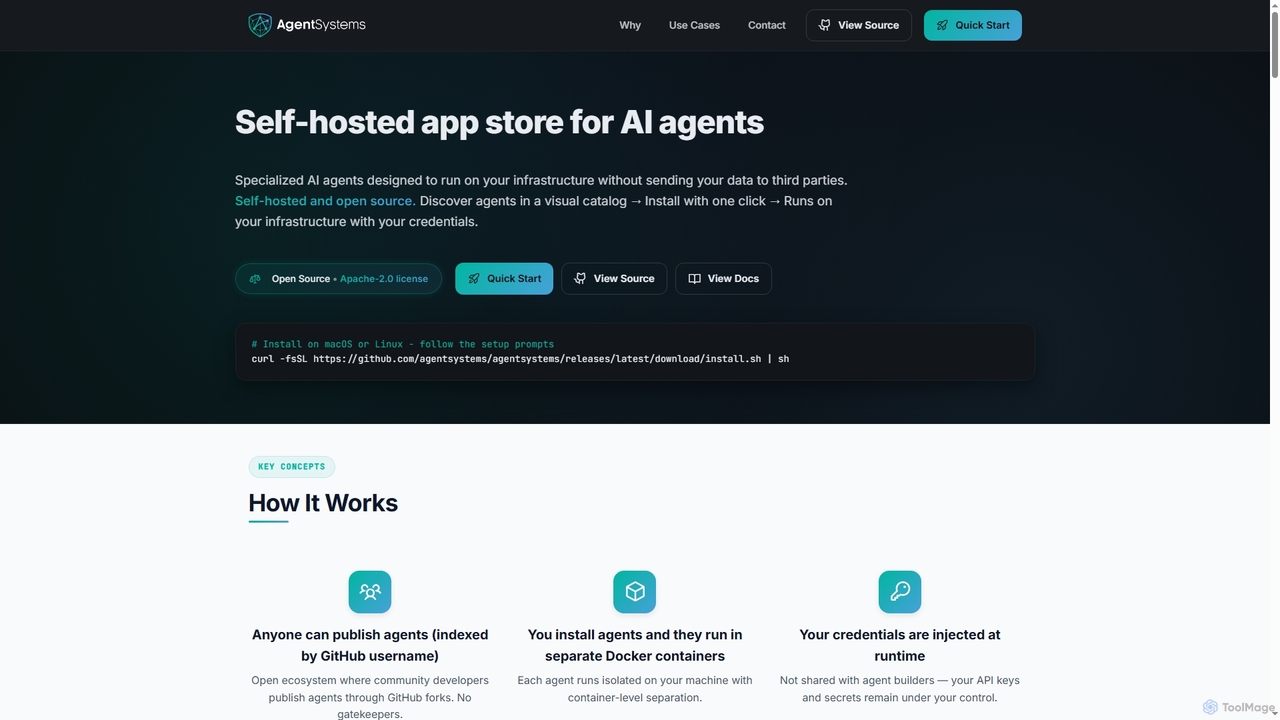
AgentSystems
An open-source, self-hosted platform for discovering, deploying, and managing specialized AI agents on your own infrastructure, ensuring complete …
An open-source, self-hosted platform for discovering, deploying, and managing specialized AI agents on your own infrastructure, ensuring complete data privacy and control.
About Self Hosted
Self-hosted AI tools are applications and models that you deploy and run on your own infrastructure, such as private servers or a local machine. This approach provides complete control over your data, ensuring it never leaves your secure environment, which is a key aspect of data security. These tools are ideal for organizations handling sensitive information, requiring deep model customization, or needing to comply with strict data privacy regulations. By self-hosting, you can also manage computational costs more predictably and operate independently of third-party service availability.
Core Features
- Data Sovereignty: Maintain full ownership and control over your data, processing it entirely within your own security perimeter.
- Deep Customization: Modify and fine-tune open-source models to fit specific needs, proprietary data, and unique workflows.
- Offline Capability: Many tools can operate without an active internet connection after initial setup, ensuring continuous operation.
- Cost Management: Avoid per-transaction API fees, leading to more predictable and potentially lower costs at scale, based on your hardware investment.
- Enhanced Security: Integrate the AI tool directly into your existing security protocols, reducing exposure to external threats.
Use Cases
Self-hosted AI tools are critical for sectors with stringent data confidentiality requirements, such as healthcare (for analyzing patient data under HIPAA), finance (for proprietary trading algorithms), and legal services (for confidential document review). They are also widely used by developers building custom applications that require unique AI functionalities and by researchers who need unrestricted access to experiment with model architectures.
How to Choose
When selecting a self-hosted AI tool, first assess your technical infrastructure and expertise, including available GPU resources and the ability to manage deployments. Evaluate the tool's compatibility with the specific open-source models you intend to use (e.g., Llama, Mistral). Consider the ease of installation and maintenance—whether it's a simple Docker container or a complex setup. Finally, review the available community or commercial support options for troubleshooting and updates.
Self HostedUse Cases
Analyze Sensitive Patient Data in Healthcare
A medical research institute needs to analyze thousands of electronic health records (EHRs) to identify disease patterns. Due to strict HIPAA regulations, this data cannot be uploaded to a third-party cloud. They deploy a self-hosted AI data analysis platform on their internal servers. This allows their researchers to run complex machine learning models directly on the data within their secure, compliant environment. The institute maintains complete data sovereignty, mitigates the risk of data breaches, and can customize the AI models to fit their specific research parameters without external dependencies.
Deploying a Private Corporate Knowledge Base
A financial services firm needs to provide its employees with instant access to internal documentation, compliance policies, and market analysis reports. To maintain strict data confidentiality, they use a self-hosted Large Language Model (LLM). The IT department deploys the model on an internal server, feeding it with terabytes of proprietary documents. Employees can now ask complex questions in natural language and receive accurate, context-aware answers without any sensitive information ever being transmitted to an external cloud service, ensuring compliance and protecting trade secrets.
Secure Internal Knowledge Base for Enterprises
An R&D department in a large corporation needs a powerful search and Q&A system for its proprietary documents and internal wikis. Sending this sensitive data to a third-party cloud is not an option due to security policies. By deploying a self-hosted Large Language Model (LLM) with a Retrieval-Augmented Generation (RAG) framework on their private cloud, they create a secure knowledge hub. Employees can ask complex questions about internal data, improving knowledge sharing while maintaining full data confidentiality and compliance.
Create an Internal Corporate Knowledge Base
A large enterprise wants to build a powerful internal search engine and chatbot using its proprietary documents, technical manuals, and internal wikis. Sending this sensitive intellectual property to a public AI service is not an option. By deploying a self-hosted Large Language Model (LLM), the company can train the AI exclusively on its own data. Employees can then ask complex questions and receive accurate, context-aware answers, all while the data remains securely within the company's firewall. This enhances productivity without compromising trade secrets.
Secure Medical Image Analysis for Research
A medical research institute is developing an AI to detect anomalies in patient MRI scans. Due to strict patient privacy regulations like HIPAA, they cannot use cloud-based AI services. They opt for a self-hosted image analysis framework installed on their secure, on-premise servers. Researchers can upload and process thousands of scans locally, train their custom detection models, and analyze results, all within a controlled environment. This ensures that sensitive patient health information remains completely isolated and secure throughout the entire research lifecycle.
Offline Code Completion for Secure Development
Software developers in a high-security sector like finance or defense often work in restricted network environments where cloud-based coding assistants are forbidden. To boost productivity without compromising security, they can install a self-hosted code completion model on a local server or their own machine. This allows them to receive AI-powered code suggestions and completions in real-time. The entire process runs offline, ensuring that no proprietary source code ever leaves the secure development environment.
On-Premise Code Generation for a Tech Firm
A software development company wants to leverage AI code assistants to accelerate development cycles. However, they are concerned about their proprietary source code being transmitted to and stored by a third-party service. They opt for a self-hosted code generation tool installed on their local network. Developers can use the AI to get code suggestions, debug, and write unit tests, with all interactions happening locally. This ensures that their valuable codebase and algorithms remain confidential, providing a secure way to boost developer efficiency.
Offline Content Creation for a Freelance Designer
A freelance graphic designer often works while traveling or in locations with unreliable internet. They use a self-hosted AI image generator on their powerful laptop. This allows them to generate concept art, textures, and marketing visuals without needing an internet connection. They can iterate on designs rapidly, experiment with hundreds of prompts, and generate high-resolution images for client projects, all locally. This setup provides creative freedom and ensures project deadlines are met, regardless of their connectivity status.
Private AI Chatbot for Healthcare Data Analysis
A medical research institution needs to analyze patient records to identify trends but is bound by strict HIPAA regulations. Using a public AI service would risk exposing Protected Health Information (PHI). They implement a self-hosted AI chatbot that runs entirely within the hospital's secure network. Clinicians and researchers can interact with the chatbot to query anonymized data, summarize patient histories, and identify patterns, all while ensuring patient privacy and full regulatory compliance are maintained.
Secure Customer Support Chatbot for a Bank
A financial institution aims to automate customer support for common queries like balance checks and transaction history. Using a cloud-based chatbot would mean processing sensitive personal and financial data on external servers, posing a security risk. Instead, they implement a self-hosted conversational AI platform within their own data center. The chatbot integrates directly with their core banking systems via secure internal APIs. This setup ensures that all customer interactions and financial data are protected by the bank's robust security infrastructure, maintaining customer trust and regulatory compliance.
Fine-Tuning a Code Assistant on a Proprietary Codebase
A software development company wants to build a coding assistant that understands its unique internal frameworks and coding standards. They deploy a self-hosted code generation model on a dedicated server. Their DevOps team fine-tunes the model by training it on their entire private Git repository. The result is a highly specialized AI assistant that provides relevant code completions, generates boilerplate code specific to their architecture, and helps new developers adhere to company standards, significantly accelerating development while keeping their source code secure.
Custom Image Generation for a Design Agency
A creative agency needs to generate unique visual assets based on its proprietary style guides and confidential client data. Public image generation services cannot be used as they might train on user inputs, violating NDAs. The agency deploys a self-hosted image generation model and fine-tunes it on their internal portfolio. This allows their design team to rapidly create on-brand, confidential visual content for projects, maintaining full creative control and protecting client intellectual property.
Offline Content Creation in a Secure Facility
A government agency needs to generate reports, summaries, and visual aids based on classified information. To prevent any potential leaks, their entire facility operates in an air-gapped environment with no external internet access. They install self-hosted generative AI tools (for text and images) on a secure local network. Analysts can use these tools to rapidly create necessary materials for internal briefings and documentation. The entire workflow, from data input to content generation, remains isolated from the outside world, ensuring maximum security for sensitive national security information.
Building a Private Customer Support Chatbot
An e-commerce company wants to automate customer support but is concerned about sharing customer data, such as order history and personal details, with a third-party chatbot provider. They implement a self-hosted chatbot solution on their own cloud infrastructure. The chatbot is connected directly to their internal order management system and customer database. This allows it to provide personalized support, like checking order statuses or processing returns, while ensuring all customer conversations and data remain within the company's secure environment, building customer trust.
On-Premise Document Processing for Legal Firms
A law firm needs to analyze thousands of confidential documents for e-discovery. Uploading these files to a cloud service poses a significant security risk and could violate attorney-client privilege. By using a self-hosted document intelligence tool on their local servers, they can perform OCR, entity extraction, and summarization in-house. This automates tedious document review tasks, speeds up case preparation, and guarantees that all sensitive client information remains securely within the firm's control.
Custom AI Model for Manufacturing Quality Control
A factory wants to use computer vision to detect defects on its production line in real-time. A generic cloud AI model isn't trained for their specific products and sending a live video feed externally raises latency and privacy concerns. They deploy a self-hosted computer vision platform on edge servers located within the factory. They train a custom model using their own dataset of product images. This allows for millisecond-level analysis for immediate defect detection and enables deep integration with their Manufacturing Execution System (MES) to automatically flag or remove faulty items, all without relying on an internet connection.
Academic Research on a Confidential Dataset
A university research team has access to a sensitive and confidential dataset for a social science study. To analyze this data with AI without risking a data breach, they set up a self-hosted data analysis environment on a dedicated, air-gapped server within the university. They can use AI tools for pattern recognition, sentiment analysis, and data visualization directly on the server. This approach allows them to leverage powerful AI capabilities for their research while adhering to strict data handling protocols and ensuring the complete confidentiality of the study's subjects.
Local AI Prototyping for Researchers and Hobbyists
An AI researcher wants to experiment with new open-source models without incurring high cloud API costs or being limited by service restrictions. By setting up a local environment using tools like Ollama or LM Studio, they can run various models directly on their personal computer. This self-hosted approach allows for rapid, cost-effective prototyping, full model customization, and offline access. It's an ideal solution for learning, research, and development where flexibility and low cost are more important than massive scale.