ToolMage
Sign in

Best 1 Creative Suite AI tools for Design Tools

Popular Creative Suite AI tools in Design Tools include Image to Image, helping you work more efficiently.

Image to Image
Freemium

Image to Image

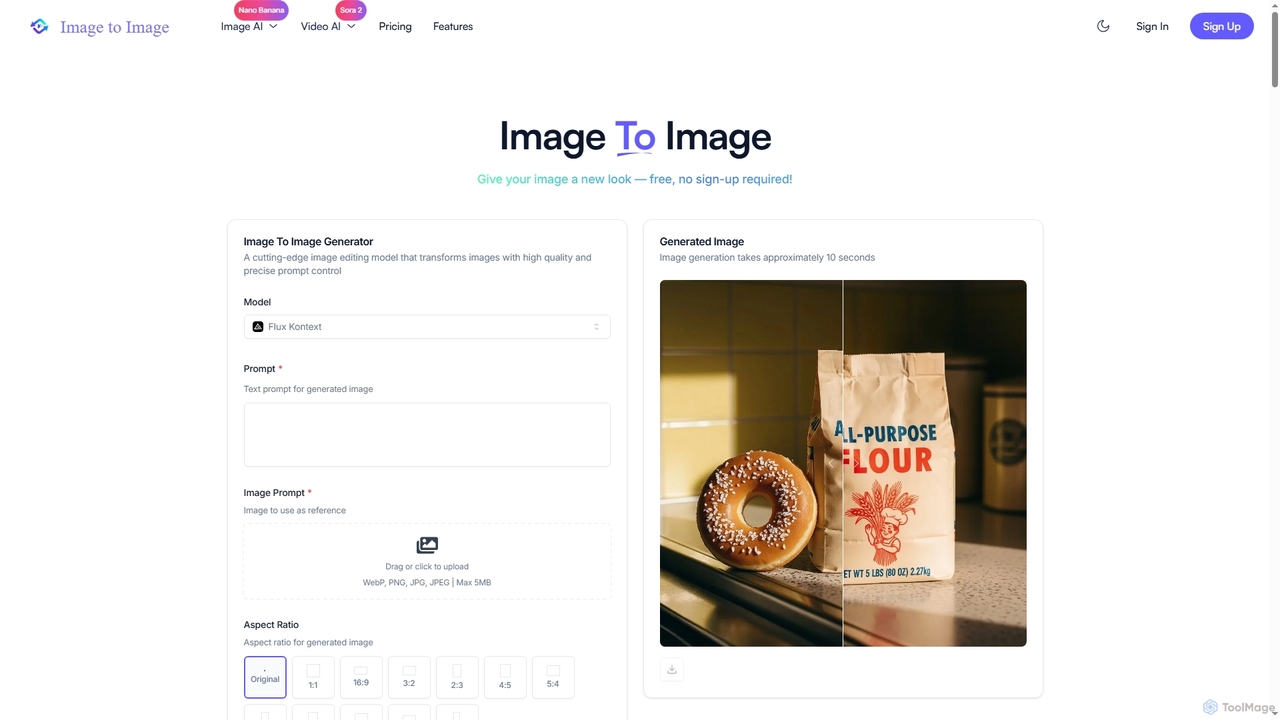
Image to Image is an all-in-one AI creative suite that transforms existing images, generates new visuals from text, and creates dynamic videos from both images and text. It offers high-fidelity outputs, multiple AI models, and a user-friendly interface for artists, designers, marketers, and content creators.

Creative Suite
Visits 22.6KFavorites 109Likes 103

About Creative Suite

An AI Creative Suite is an integrated collection of tools designed to handle various creative tasks within a single, unified platform. These suites leverage generative AI to produce content across different formats, including images, video, audio, and text, streamlining the entire creative workflow. Their primary value lies in the seamless interoperability between tools, allowing users to maintain brand consistency and accelerate content production from concept to final output. This integrated approach eliminates the need to switch between multiple disconnected applications.

Core Features

  • Multi-Modal Content Generation: Create and edit various media types like images, videos, voiceovers, and marketing copy in one place.
  • Integrated Workflow & Asset Management: Share assets, presets, and brand kits effortlessly between different tools within the suite.
  • Collaborative Environment: Provides features for teams to work together on projects, share feedback, and manage versions.
  • Template-Driven Creation: Offers extensive libraries of pre-designed templates to speed up the creation of social media posts, ads, and presentations.

Use Cases

AI Creative Suites are ideal for marketing teams, content creators, and small businesses that need to produce a high volume of diverse content. For example, a marketing team can generate ad visuals, write corresponding copy, and produce a promotional video using the same set of brand assets without leaving the platform. This is also valuable for freelancers who manage multiple aspects of content creation for clients.

How to Choose

When selecting an AI Creative Suite, first assess the range of tools offered and ensure they cover your primary content needs (e.g., video, image, audio). Evaluate the quality and depth of integration between the tools—true suites offer more than just a bundle of separate apps. Also, consider the collaboration features if you work in a team, and compare pricing models (subscriptions vs. credit-based) to find one that aligns with your usage volume.

Featured tool rankings

Creative Suite use cases

1

Integrated Social Media Campaign Creation

A marketing manager for a small e-commerce brand needs to launch a new product campaign across multiple social platforms. Using an AI Creative Suite, they start by generating a series of high-quality product images with different backgrounds. Next, within the same platform, they use the AI writer to draft compelling captions tailored for Instagram, Facebook, and Twitter. Finally, they use the video tool to create a short promotional clip, pulling in the previously generated images and adding an AI-generated voiceover and background music from the suite's library. This unified workflow saves hours of work and ensures brand consistency across all campaign assets.

2

Rapid Prototyping of Ad Creatives

An advertising agency needs to present multiple creative concepts to a client for a new campaign. The creative team uses an AI Creative Suite to quickly generate dozens of variations. They input a core concept and let the AI produce different visual styles, color palettes, and headline options. The video tool then assembles these elements into several short video ad mockups. This allows the team to present a wide range of tangible ideas in a fraction of the time it would take with traditional methods, facilitating faster client feedback and approval.

3

Content Creation for Online Courses

An independent educator is developing an online course and needs engaging visual and audio materials. They use an AI Creative Suite to generate custom illustrations for their presentation slides, ensuring a consistent visual theme. For video lessons, they use the suite's tools to record their screen, add an AI voiceover for narration, and edit the footage with transitions and background music. This all-in-one solution empowers them to produce a professional-quality course without needing to hire a separate designer, voice actor, and video editor, significantly reducing production costs and time.

4

Podcast and YouTube Channel Branding

A new podcaster wants to establish a strong brand identity for their channel. They use an AI Creative Suite to design a channel logo and banner art. Then, they use the audio tools to generate intro/outro music and enhance their voice recordings by removing background noise. For their YouTube version, they use the suite's video editor to combine the audio with a simple audiogram animation created from a template. All assets, including the logo, color scheme, and music, are saved in the suite's asset library for consistent use in future episodes, creating a polished and professional brand from day one.

5

Automated E-commerce Product Visualization

An online furniture store needs to showcase its products in various settings without expensive photoshoots. Using an AI Creative Suite, the marketing team uploads clean product images on a white background. They then use the image generation tool to place these products into diverse, AI-generated lifestyle scenes like a modern living room or a rustic bedroom. The suite's text tool helps write engaging product descriptions. This integrated process allows them to create a vast catalog of appealing product visuals and descriptions quickly, enhancing the online shopping experience and boosting conversion rates.

6

Collaborative Content Planning for Marketing Teams

A corporate marketing team uses an AI Creative Suite's collaborative features to plan their quarterly content calendar. They create a shared project space where they brainstorm ideas using an AI text generator. Team members can then assign tasks, such as 'generate visuals for blog post' or 'create a short video for LinkedIn'. As assets are created within the suite, they are automatically added to the shared project library. This centralized hub for ideation, creation, and asset management ensures everyone is aligned and streamlines the entire content production pipeline from start to finish.

Creative Suite FAQ

What is an AI Creative Suite?

An AI Creative Suite is an all-in-one platform that bundles multiple AI-powered creative tools together. Instead of using separate applications for image generation, video editing, and copywriting, a suite provides a single, integrated environment. The key benefit is a seamless workflow, where assets and brand styles can be easily shared across different tools, ensuring consistency and dramatically speeding up content creation.

How is an AI Creative Suite different from standalone design tools?

The main difference is integration. Standalone tools are specialized for one task (e.g., only generating images) and don't communicate with each other. An AI Creative Suite integrates multiple tools, allowing for a fluid workflow. For example, you can generate an image in one module and immediately use it in the video editor module of the same suite without exporting and importing files. This saves time, reduces friction, and makes maintaining brand consistency across different media types much easier.

Who should use an AI Creative Suite?

AI Creative Suites are particularly useful for:

  • Marketing Teams: To create diverse campaign materials (social posts, ads, videos) quickly and consistently.
  • Content Creators: For producing multimedia content for platforms like YouTube, TikTok, and podcasts without juggling multiple apps.
  • Small Business Owners: To handle all their creative needs in-house with a single, cost-effective subscription.
  • Creative Generalists: Individuals who work across different media and value an efficient, integrated workflow over the deep specialization of single-purpose tools.
What are the key features to look for in an AI Creative Suite?

When choosing a suite, look for these key features:

  • Breadth of Tools: Does it cover the core media types you work with (image, video, audio, text)?
  • Quality of Integration: How seamlessly can you move assets and information between tools? Look for features like a shared asset library or brand kit.
  • Collaboration Features: If you work in a team, check for capabilities like shared projects, commenting, and user roles.
  • Output Quality: Evaluate the quality of the AI-generated content. Does it meet your professional standards?
  • Ease of Use: A good suite should have a consistent and intuitive interface across all its tools, reducing the learning curve.
Can I use content from an AI Creative Suite for commercial purposes?

Generally, yes, most AI Creative Suites allow commercial use of the content you generate, especially on paid subscription plans. However, it is crucial to always check the specific terms of service for each tool. Some platforms may have restrictions on using generated content for certain purposes or may require attribution. Copyright law regarding AI-generated content is also evolving, so reviewing the platform's policy on ownership and licensing is a necessary step before using assets in commercial projects.