Design Tools Best in category 1 results Photoshop Plugins AI Tool

Popular AI tools in the Photoshop Plugins field of Design Tools include Nano Banana Photoshop Script, etc., helping you quickly improve efficiency.

Nano Banana Photoshop Script

Nano Banana Photoshop Script

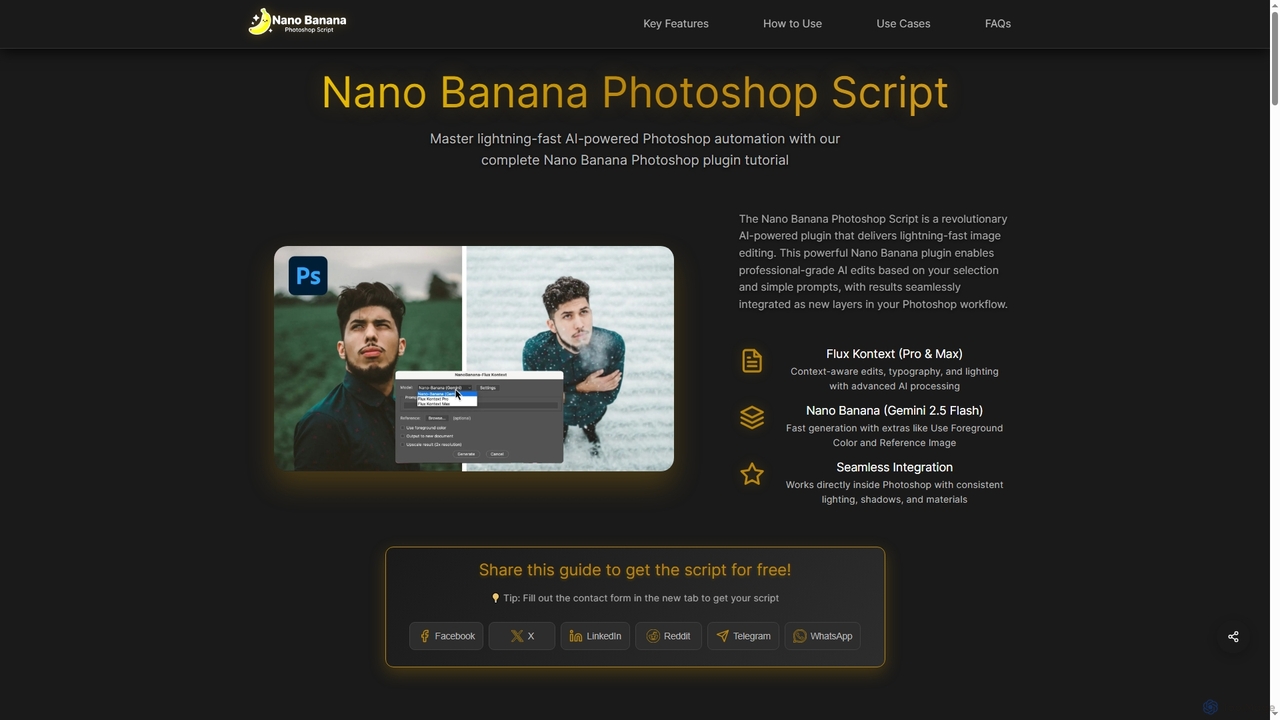
Nano Banana Photoshop Script is a revolutionary AI-powered plugin that integrates seamlessly with Adobe Photoshop, offering lightning-fast image …

4.0K

About Photoshop Plugins

AI Photoshop Plugins are specialized extensions that integrate artificial intelligence capabilities directly into the Adobe Photoshop workspace. These tools leverage advanced algorithms like machine learning and neural networks to automate complex editing tasks, generate new visual content, and enhance images with remarkable precision. They empower designers, photographers, and artists to streamline their workflows, achieve professional-grade results faster, and unlock new creative possibilities that were previously difficult or time-consuming. By operating within Photoshop, these plugins provide a seamless and powerful enhancement to a familiar industry-standard environment.

Core Features

  • Generative Content Creation: Create new objects, extend image backgrounds, or fill selections with context-aware content generated by AI.
  • Intelligent Selection & Masking: Automatically detect and isolate complex subjects like hair, fur, or transparent objects with a single click.
  • Automated Retouching & Enhancement: Instantly remove blemishes, smooth skin, sharpen details, and correct colors based on content analysis.
  • AI-Powered Noise Reduction & Upscaling: Clean up noisy images and increase resolution significantly while preserving textures and details.
  • Style Transfer & Effects: Apply artistic styles from famous paintings or create unique visual effects using neural filters.

Use Cases

These plugins are widely used by professional photographers for high-end retouching, digital artists for concept art and matte painting, and marketing teams for creating compelling ad visuals. E-commerce businesses also rely on them for batch processing product photos, ensuring consistency in background removal and lighting enhancement across thousands of images.

How to Choose

When selecting an AI Photoshop Plugin, consider its specific function—whether you need generative, restorative, or enhancement tools. Check for compatibility with your version of Photoshop and operating system. Evaluate the user interface for ease of use and integration into your existing workflow. Finally, compare pricing models, such as one-time purchases versus subscriptions, and check for free trials to test performance and output quality.

Photoshop PluginsUse Cases

1

Automated Portrait Retouching for Photographers

A professional portrait photographer needs to edit a large batch of photos from a recent shoot. Instead of spending hours manually removing blemishes, smoothing skin, and adjusting lighting for each image, they use an AI Photoshop plugin. The plugin automatically detects faces, applies natural-looking skin smoothing while preserving texture, whitens teeth, and enhances eyes. This process reduces the editing time per photo from 30 minutes to under 5 minutes, allowing the photographer to deliver the final gallery to their client 80% faster and take on more projects.

2

Generative Background Extension for Ad Creatives

A marketing designer is creating a social media ad but the product photo doesn't fit the required 9:16 aspect ratio. Instead of awkwardly cropping the image or trying to manually clone the background, they use a generative AI plugin. With the crop tool, they extend the canvas to the desired size, and the plugin intelligently fills the new empty space by generating a seamless, context-aware extension of the original background. This allows the designer to create perfectly formatted ads for any platform in seconds, maintaining a high-quality, professional look without needing a reshoot.

3

Intelligent Upscaling for Large-Format Printing

A graphic designer receives a low-resolution logo from a client to be used on a large banner. Standard resizing in Photoshop would result in a blurry, pixelated image. By using a specialized AI upscaling plugin, the designer can increase the image resolution by 400% or more. The AI analyzes the image and intelligently reconstructs details, edges, and textures, producing a sharp, clean, and print-ready vector-like file. This saves the project from being delayed or cancelled due to poor source material and ensures a high-quality final product for the client.

4

Complex Object Masking for Compositing

A digital artist is creating a fantasy scene that requires placing a character with long, flowing hair against a new, detailed background. Manually masking the hair strand by strand would be incredibly tedious and take hours. They use an AI plugin with advanced masking capabilities. The plugin analyzes the image, distinguishes the foreground subject from the background, and generates a precise mask that includes all the fine hair details. This allows the artist to complete the composite in minutes, freeing up their time to focus on creative aspects like lighting and color grading.

5

Restoring and Colorizing Old Family Photos

An individual is working on a genealogy project and has a collection of scanned, old black-and-white photos that are faded, scratched, and damaged. Using a specialized AI restoration plugin for Photoshop, they can process each image with a few clicks. The AI automatically repairs cracks and removes dust, sharpens faded details, and applies realistic, historically plausible colors to the monochrome image. What would have required a professional restoration artist weeks of work can now be accomplished in an afternoon, preserving precious family memories for future generations in vibrant detail.

6

AI-Powered Noise Reduction for Low-Light Photography

A wildlife photographer captures a rare shot of an animal at dusk, but the low-light conditions result in a photo with significant digital noise and grain. Traditional noise reduction methods often soften the image, losing critical details in the animal's fur. By using an advanced AI noise reduction plugin, the photographer can clean up the image effectively. The AI intelligently differentiates between noise and fine detail, removing the unwanted grain while simultaneously sharpening the subject's features. This salvages a potentially unusable shot and transforms it into a high-quality, professional photograph ready for publication.

Photoshop PluginsFrequently Asked Questions