shipflutter
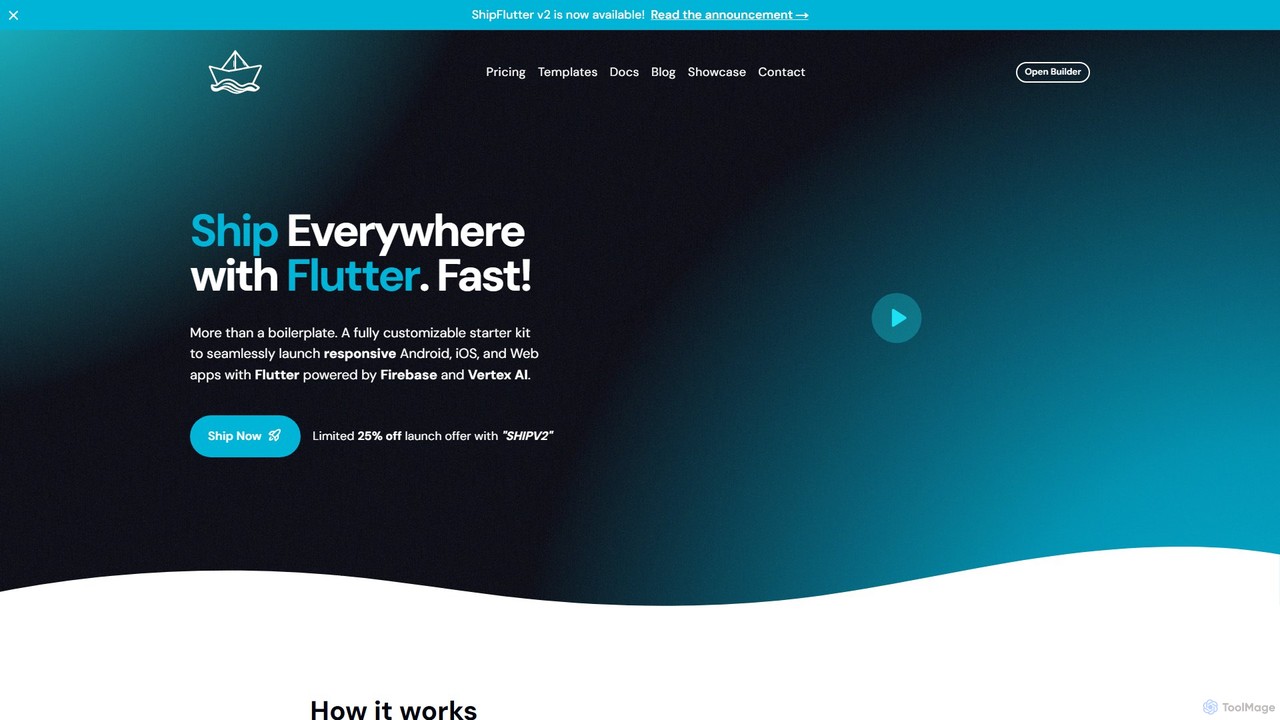
ShipFlutter is an AI-powered starter kit for developers to rapidly build and launch cross-platform applications. Using Flutter, Firebase, …
ShipFlutter is an AI-powered starter kit for developers to rapidly build and launch cross-platform applications. Using Flutter, Firebase, and Google's Vertex AI, it provides a fully customizable boilerplate with pre-built modules for authentication, payments, notifications, and more. The AI builder helps generate and configure project code, significantly reducing development time from months to days. It's designed for creating responsive Android, iOS, and web apps with production-ready features out of the box.
About Boilerplate & Starter Kits
Boilerplate & Starter Kits are pre-built code foundations designed to accelerate the software development process. These kits provide a structured starting point with essential configurations, libraries, and folder structures already in place. By handling the repetitive setup for frameworks, databases, and authentication, they allow developers to immediately focus on building unique application features. Many modern starter kits also include pre-configured integrations for AI services, streamlining the development of intelligent applications.
Core Features
- Pre-configured Tech Stack: Includes a complete, ready-to-use set of frameworks, libraries, and build tools.
- Project Scaffolding: Provides an organized folder structure and file layout based on best practices.
- Authentication & User Management: Offers built-in code for user sign-up, login, and profile management.
- Reusable UI Components: Contains a library of common interface elements like buttons, forms, and layouts.
- AI API Integration Examples: Includes sample code for connecting to popular AI services like OpenAI or Anthropic.
Use Cases
These tools are widely used by developers and teams to launch new projects efficiently. Common scenarios include building Minimum Viable Products (MVPs) for startups, rapidly prototyping ideas for hackathons, and creating new SaaS applications. They are also valuable for standardizing the development environment and coding practices across a large engineering team, ensuring consistency and quality.
How to Choose
When selecting a Boilerplate or Starter Kit, first consider the technology stack to ensure it aligns with your team's expertise (e.g., React, Python, Go). Evaluate the included feature set; look for kits that cover core needs like authentication, payments, or specific AI integrations. Assess the quality of documentation and the level of community support available. Finally, examine the code's architecture for scalability and maintainability to ensure it can support your project's future growth.

Boilerplate & Starter KitsUse Cases
Launch a New AI SaaS Product Quickly
A startup team aims to build a new SaaS application that uses AI to generate marketing copy. Instead of building from scratch, they use a Next.js starter kit. This kit provides them with pre-built user authentication, Stripe integration for subscriptions, and a database schema. It also includes example integrations with the OpenAI API. As a result, the team bypasses months of foundational work and launches their Minimum Viable Product (MVP) in just a few weeks, allowing them to gather user feedback much faster.
Rapid Prototyping for a Hackathon
A team of developers participating in a 48-hour hackathon needs to build a functional prototype. Their idea involves a mobile app that identifies plants from photos. To save precious time, they use a starter kit that includes a React Native frontend, a Firebase backend for data storage and user auth, and a pre-configured serverless function for calling a computer vision API. This allows them to skip the entire project setup and environment configuration, focusing all their energy on implementing the core image recognition feature and building the user interface.
Standardizing Internal Development Practices
A large corporation's IT department struggles with inconsistent code quality and technology stacks across its various internal applications. To solve this, they create a custom in-house starter kit based on a popular open-source boilerplate. This kit is tailored with the company's specific security protocols, branding guidelines, and API endpoints. Now, whenever a new internal tool is needed, developers start with this standardized foundation. This approach ensures all new applications are consistent, secure, and easier to maintain, significantly reducing long-term technical debt.
Building a Backend for a Mobile App
A mobile app developer is creating a new social networking app but lacks extensive backend development experience. They choose a starter kit built on Supabase, a backend-as-a-service platform. The kit provides a pre-configured PostgreSQL database, user authentication with social logins, and real-time data synchronization capabilities. By using this kit, the developer can focus on building the iOS and Android app's user interface and experience, while relying on the starter kit's robust and scalable backend infrastructure without writing complex server-side code.
Creating a High-Performance Personal Blog
A content creator wants to build a personal blog that is fast, SEO-friendly, and easy to manage. They choose a starter kit for a static site generator (SSG) like Astro or Eleventy. This kit comes with a pre-built blog layout, Markdown support for writing posts, and integrations for image optimization. Because the final output is static HTML files, the resulting website is incredibly fast and secure. The creator can focus entirely on writing content in simple Markdown files and pushing them to a Git repository, which automatically triggers a new build and deployment.
Developing a Custom GPT Wrapper Application
A developer wants to create a web application that provides a unique user interface for interacting with OpenAI's GPT models. They use a starter kit specifically designed for this purpose. The kit includes a pre-built chat interface with support for streaming responses, user session management, and a secure way to handle API keys on the backend. It also has example code for implementing features like prompt history and conversation exporting. This allows the developer to focus on designing the unique user experience and custom features rather than building the complex infrastructure for real-time chat.