openapps
A curated directory of high-quality, open-source software alternatives to popular SaaS products. Vetted by a seasoned technologist, openapps …
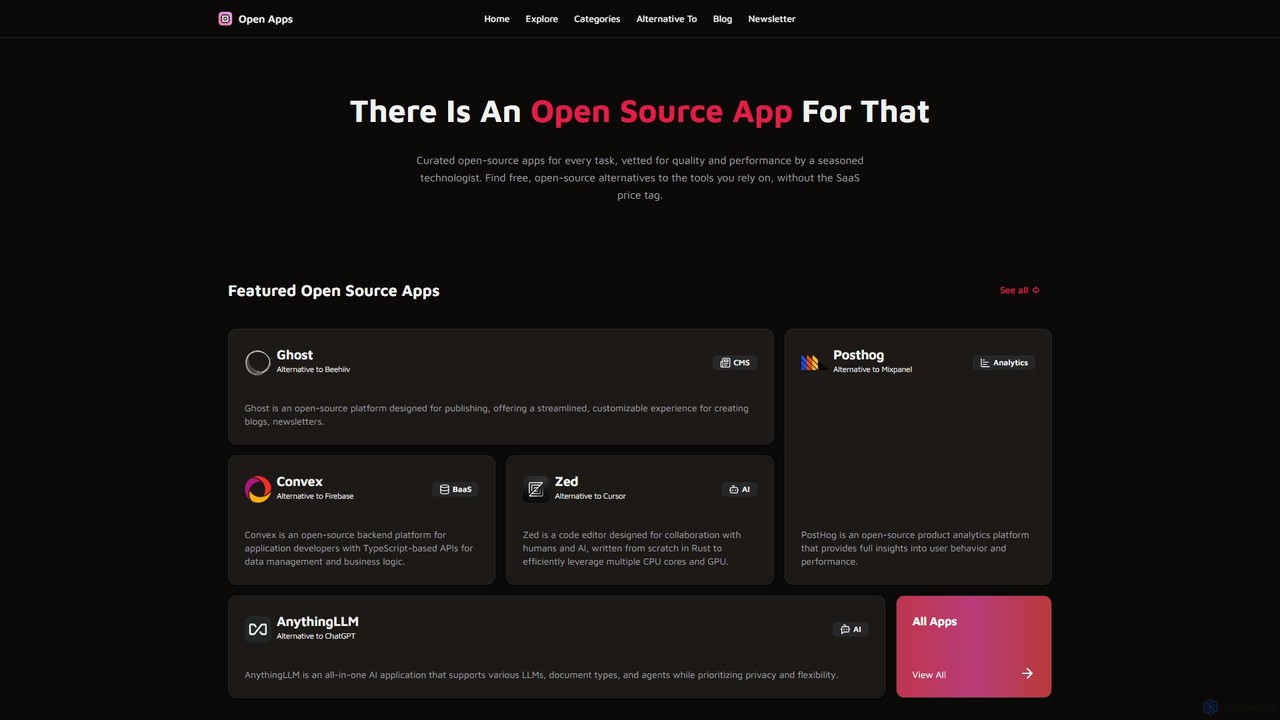
A curated directory of high-quality, open-source software alternatives to popular SaaS products. Vetted by a seasoned technologist, openapps helps developers, businesses, and individuals find free, reliable tools for every task, from development and analytics to productivity and content management.
About Software Directory
A Software Directory is a curated platform designed for developers to discover, evaluate, and integrate software components like APIs, SDKs, and libraries. These directories function as centralized, searchable databases, streamlining the process of finding pre-built solutions for specific programming tasks. By providing detailed documentation, usage examples, and community feedback, they accelerate the development lifecycle and promote code reuse. This is particularly valuable in AI development, where finding the right machine learning model or data processing library is crucial for project success.
Core Features
- Advanced Search & Filtering: Quickly locate components by programming language, license, functionality, or platform compatibility.
- Detailed Component Profiles: Access comprehensive information including documentation, version history, dependencies, and code snippets.
- Community Ratings & Reviews: Leverage user feedback and real-world experiences to assess the quality and reliability of software.
- Categorization & Taxonomies: Browse logically organized categories to explore available tools for specific domains like NLP or computer vision.
- Integration Guides: Find practical instructions and examples that simplify the process of incorporating a component into a project.
Applicable Scenarios
Software Directories are essential for developers building new applications, software architects designing technology stacks, and product managers researching third-party integrations. For instance, a mobile developer can use a directory to find the best push notification SDK, while a data scientist can discover a specialized library for time-series analysis. They are also invaluable for teams needing to ensure all integrated components comply with specific open-source licensing policies.
Selection Criteria
When choosing a Software Directory, evaluate the breadth and depth of its listings, especially within your required domain (e.g., AI/ML). Assess the quality of the search and filtering capabilities, as this directly impacts discovery efficiency. Also, consider the vibrancy of the community for reviews and support, and check for up-to-date documentation and clear licensing information for each component listed.
Software DirectoryUse Cases
Finding a Machine Learning Library for a Project
A data scientist is starting a new project that requires natural language processing (NLP). Instead of searching through generic web results, they use a Software Directory to find a suitable library. They filter by 'Python', 'Open Source License (MIT)', and 'NLP'. The directory returns a list of libraries like spaCy and NLTK with detailed profiles. They can compare features, read community reviews about performance on large datasets, and access links to official documentation and tutorials, ultimately selecting the best-fit library in a fraction of the time.
Selecting a Third-Party API for a Web Application
A web developer is building an e-commerce platform and needs to integrate a payment processing service. They consult a Software Directory focused on APIs. Using the filters, they narrow down the options to 'Payment Gateway APIs' that support 'Stripe' and 'PayPal' and have client libraries for 'Node.js'. The directory provides side-by-side comparisons of pricing models, transaction fees, and links to API documentation. Based on user reviews regarding ease of integration and customer support, the developer makes an informed decision without extensive individual research.
Evaluating SDKs for Mobile App Feature Development
A mobile development team wants to add a real-time chat feature to their iOS and Android apps. They use a Software Directory to discover and evaluate cross-platform chat SDKs. They can filter by supported platforms, pricing (e.g., free tier available), and key features like push notifications and message history. The directory allows them to compare SDKs on metrics like documentation quality, community support forum activity, and recent update frequency. This helps them choose a reliable and well-maintained SDK, reducing development risk and time-to-market.
Verifying Open-Source License Compliance
A software architect at a large enterprise is responsible for ensuring all new projects comply with the company's open-source software policy, which prohibits certain license types like GPL. Before a development team integrates a new library, the architect uses a Software Directory to look it up. The directory's detailed profile clearly states the library's license (e.g., MIT, Apache 2.0) and lists its dependencies and their respective licenses. This provides a quick and reliable way to vet components, preventing potential legal issues and ensuring corporate compliance without manual investigation.
Rapid Prototyping an AI-Powered Feature
A startup team wants to quickly build a proof-of-concept (PoC) for a new feature that automatically tags uploaded images. To save time, they use a Software Directory to find multiple AI APIs. They identify a high-rated image recognition API to generate tags and a separate content moderation API to filter inappropriate content. By finding pre-built, well-documented APIs, they can quickly connect these services and build a working prototype in days instead of months, allowing them to validate their idea with users and investors much faster.
Researching Technology Stacks for a New System
A solutions architect is tasked with designing a new microservices-based system. They use a Software Directory as a research tool to explore the landscape of available technologies. They browse categories like 'Message Queues', 'Container Orchestration', and 'API Gateways'. For each category, they can see the most popular and actively maintained tools, compare their core features, and understand their typical use cases from community discussions. This high-level overview helps the architect make informed decisions and propose a robust, modern, and well-supported technology stack for the new system.