Natic
Natic is a software studio dedicated to crafting innovative utility applications that enhance daily productivity, streamline development workflows, …
Natic is a software studio dedicated to crafting innovative utility applications that enhance daily productivity, streamline development workflows, and support various lifestyle needs. From robust code review tools for macOS to smart AI credit tracking and personal utility apps, Natic aims to make everyday tasks more efficient and effortless for developers and general users alike.
Rp1
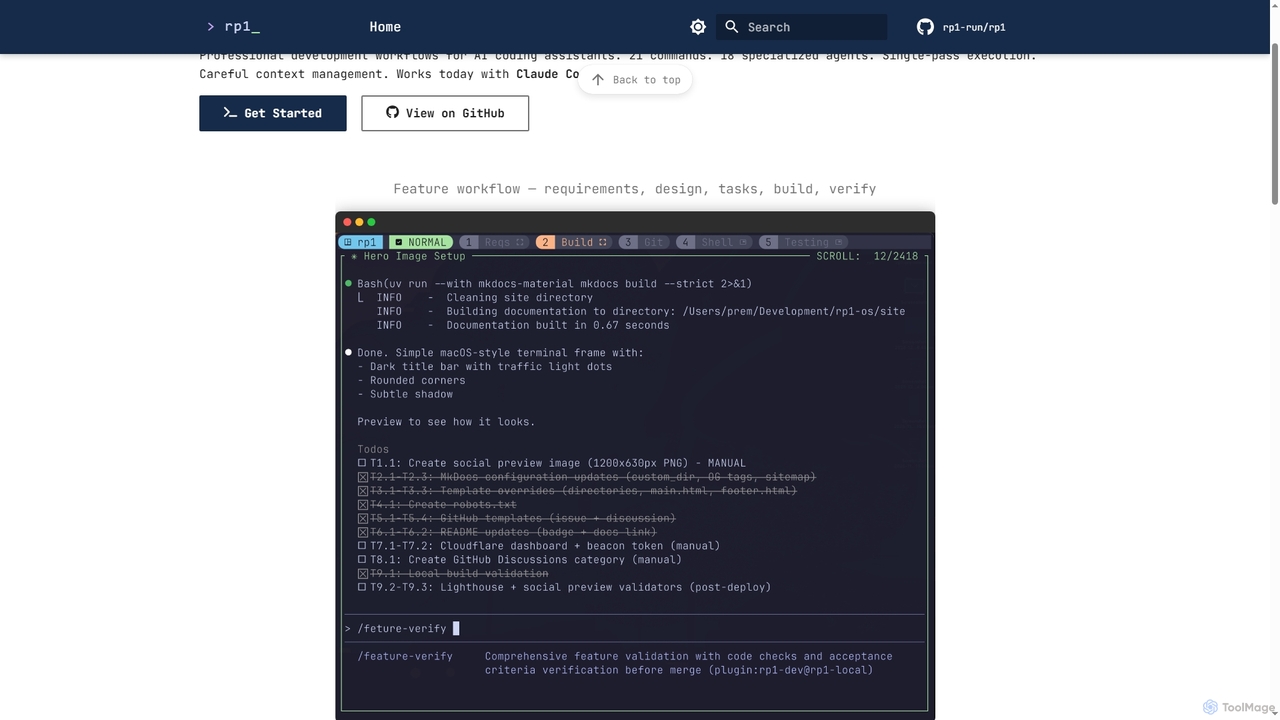
Rp1 is a professional development workflow tool for AI coding assistants, designed to streamline software creation from requirements …
Rp1 is a professional development workflow tool for AI coding assistants, designed to streamline software creation from requirements to deployment. It offers 21 commands and 18 specialized agents for efficient, single-pass execution of complex coding tasks, ensuring structured outputs and deep codebase awareness.
About Code Review
AI Code Review tools are intelligent assistants that automatically analyze source code to detect bugs, security vulnerabilities, and quality issues. Leveraging machine learning models trained on vast codebases, these tools go beyond traditional static analysis by understanding code context and identifying complex, non-obvious errors. They integrate seamlessly into development workflows, providing actionable feedback directly within pull requests or IDEs. This helps development teams improve code quality, accelerate review cycles, and build more secure and maintainable software.
Core Features
- Context-Aware Analysis: Identifies complex logical errors and bugs by understanding the code's intent, not just its syntax.
- Security Vulnerability Detection: Scans for common security flaws like SQL injection, XSS, and insecure dependencies.
- Performance Optimization Suggestions: Pinpoints inefficient code patterns and suggests improvements to enhance application speed.
- Automated Fix Recommendations: Provides code snippets or suggestions to resolve identified issues directly.
- Code Quality & Style Checks: Enforces coding standards and identifies "code smells" to improve maintainability and readability.
Use Cases
These tools are primarily used by software development teams, from startups to large enterprises. DevOps engineers integrate them into CI/CD pipelines for automated quality gates, while individual developers use them as an IDE plugin for real-time feedback. Security teams also leverage them for automated security audits, shifting security checks earlier in the development lifecycle.
How to Choose
When selecting an AI Code Review tool, consider the programming languages it supports and its integration capabilities with your existing tools (e.g., GitHub, GitLab, Jenkins). Evaluate the depth and accuracy of its analysis for different issue types (security, performance, bugs). Also, assess the quality of its recommendations and whether it offers automated fixes. Finally, consider the pricing model and its scalability for your team size.
Code ReviewUse Cases
Automating Pull Request Reviews
For a software development team, manually reviewing every line of code in a pull request (PR) is time-consuming and prone to human error. By integrating an AI Code Review tool with their version control system like GitHub, every PR is automatically scanned. The tool posts comments directly on the PR, highlighting potential bugs, security risks, and style violations. This provides developers with instant feedback, allowing them to fix issues before a human reviewer even looks at the code, significantly speeding up the development cycle and improving code quality from the start.
Enhancing Code Security Audits
A security engineer is tasked with auditing a large, legacy codebase for vulnerabilities. A manual audit would take weeks or months. By using an AI Code Review tool, they can perform a comprehensive scan of the entire repository in hours. The tool identifies and categorizes potential security flaws, such as outdated dependencies, injection risks, and improper error handling. It provides detailed reports with code snippets and remediation advice, allowing the engineer to prioritize the most critical vulnerabilities and efficiently secure the application.
Onboarding and Training New Developers
A junior developer joining a team needs to quickly learn the project's coding standards and best practices. Instead of relying solely on senior developers for feedback, they can use an AI Code Review tool integrated into their IDE. As they write code, the tool provides real-time suggestions on style, performance, and potential pitfalls. This acts as a personalized mentor, helping them understand and adopt the team's conventions faster, reducing the review burden on senior members and accelerating the new developer's productivity.
Refactoring Legacy Codebases
A tech lead is responsible for modernizing a large, aging application. The codebase is complex and poorly documented, making refactoring risky. The team uses an AI Code Review tool to analyze the entire system. The tool identifies areas with high cyclomatic complexity, duplicated code, and anti-patterns. It suggests specific refactoring opportunities, such as extracting methods or simplifying complex conditional logic. This data-driven approach allows the team to strategically tackle technical debt, improving the code's maintainability and performance with less risk of introducing new bugs.
Enforcing Consistent Coding Standards Across Teams
In a large organization with multiple development teams, maintaining a consistent coding style is challenging. An engineering manager configures an AI Code Review tool with the company's specific style guide and best practices. The tool is then deployed across all projects. It automatically flags any deviation from the established standards in every commit. This removes subjective arguments from code reviews and ensures all code, regardless of which team wrote it, adheres to the same quality and style guidelines, improving overall codebase coherence and readability.
Identifying Performance Bottlenecks Pre-Production
A performance engineer is concerned that a new feature might slow down the application. Instead of waiting for issues to appear in production, they use an AI Code Review tool to analyze the feature branch. The tool's context-aware analysis identifies inefficient algorithms, unnecessary database queries in loops, and memory-intensive operations that could become bottlenecks under load. By flagging these potential performance issues early, the developer can optimize the code before it's merged, ensuring the new feature is both functional and performant.