Plural
Plural is an AI-powered enterprise Kubernetes management platform designed to accelerate and simplify operations. It provides multi-cloud visibility, …
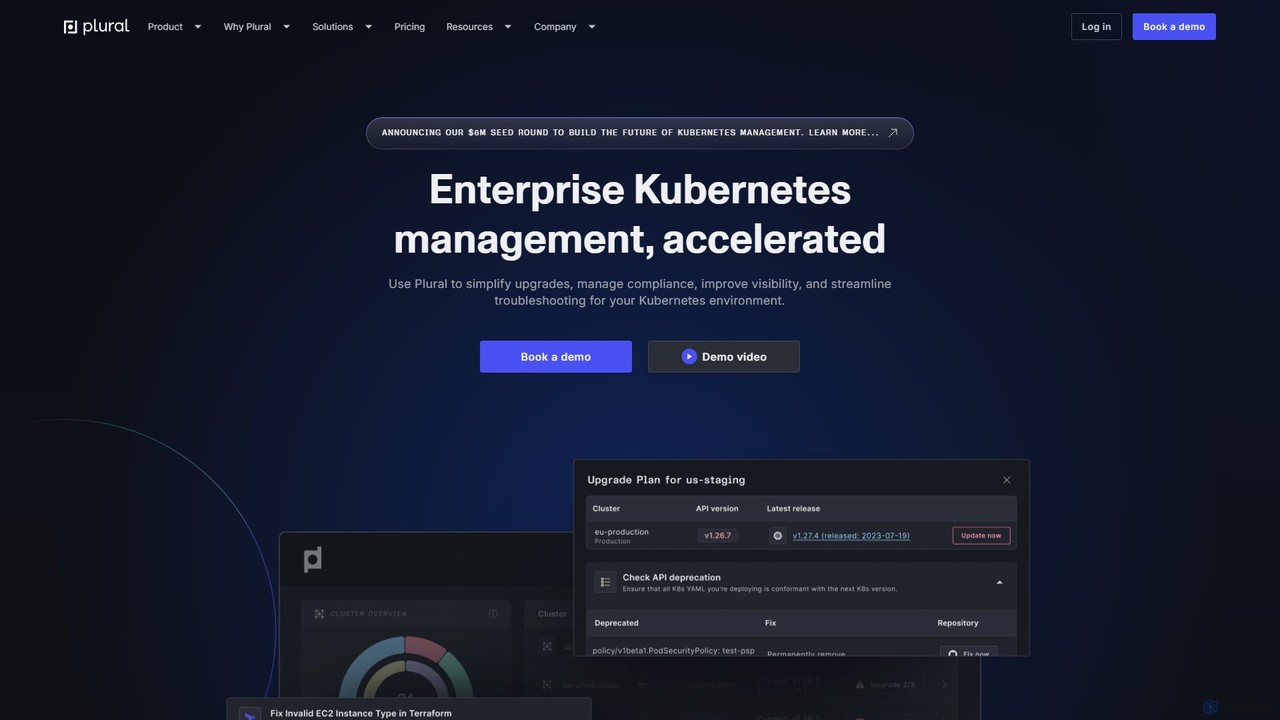
Plural is an AI-powered enterprise Kubernetes management platform designed to accelerate and simplify operations. It provides multi-cloud visibility, automates complex upgrades, offers AI-driven troubleshooting, and ensures robust security and compliance. Ideal for DevOps and platform engineering teams, Plural reduces operational costs and enhances developer velocity.
About Kubernetes Management
Kubernetes Management tools are platforms designed to simplify the deployment, scaling, and operation of containerized applications on Kubernetes clusters. These tools provide graphical user interfaces (GUIs), automation workflows, and integrated observability to abstract away the complexity of the underlying Kubernetes API. They enable DevOps and platform engineering teams to manage application lifecycles, enforce security policies, and monitor system health across multiple clusters and cloud environments. This streamlines the delivery of cloud-native applications, reduces operational overhead, and makes Kubernetes more accessible to developers.
Core Features
- Multi-Cluster Management: Centrally provision, configure, and manage Kubernetes clusters across various cloud providers and on-premises data centers from a single dashboard.
- Application Lifecycle Automation: Simplify application deployment, updates, and rollbacks using integrated CI/CD pipelines, Helm charts, or GitOps workflows.
- Integrated Observability: Provide unified logging, metrics, and tracing to monitor the health and performance of both clusters and the applications running on them.
- Security and Policy Enforcement: Manage role-based access control (RBAC), define network policies, and integrate security scanning to secure the container environment.
- Cost Management: Analyze resource utilization across clusters to identify inefficiencies and provide recommendations for optimizing cloud spending.
Use Cases
These tools are essential for organizations running microservices architectures at scale. They are primarily used by DevOps engineers, platform engineers, and Site Reliability Engineers (SREs) to build and maintain internal developer platforms. Companies adopting a multi-cloud or hybrid-cloud strategy also rely on these platforms to ensure consistent operations across different environments.
How to Choose
When selecting a Kubernetes Management tool, consider its compatibility with your infrastructure (public cloud, on-prem, hybrid). Evaluate its integration capabilities with your existing CI/CD, monitoring, and security tools. Assess the user experience and learning curve for your team, comparing options with rich GUIs versus those focused on GitOps and command-line interfaces. Finally, analyze the total cost of ownership, including licensing fees and operational resources required.
Kubernetes ManagementUse Cases
Automating Multi-Cloud Cluster Deployment
A platform engineering team is tasked with providing consistent development environments across AWS, Azure, and GCP. Using a Kubernetes Management tool, they define a standardized cluster template. With a single command or UI click, they can provision identical, production-ready clusters in any of the three clouds. This eliminates manual configuration drift, reduces setup time from days to minutes, and ensures that applications behave consistently regardless of the underlying cloud provider, significantly accelerating the development lifecycle.
Centralized Monitoring and Troubleshooting
A Site Reliability Engineer (SRE) receives an alert for high latency in a critical microservice. Instead of checking multiple disparate systems, they log into the Kubernetes Management platform. On a single dashboard, they can view the service's resource utilization (CPU, memory), inspect logs from all its pods, and check for recent deployment events. They quickly correlate a recent code push with a spike in memory usage, identify the faulty pod, and initiate a rollback, all from within the same unified interface, resolving the issue in minutes.
Enforcing Security Policies Across the Fleet
A security team needs to ensure that no container runs with root privileges across hundreds of microservices. Using the policy engine within their Kubernetes Management tool, they define a single policy that blocks any pod attempting to run as root. They apply this policy globally to all clusters, including development, staging, and production. The tool automatically enforces this rule, providing audit logs for compliance and preventing a major class of security vulnerabilities without requiring manual intervention on any individual service.
Developer Self-Service for Test Environments
A development team frequently needs isolated environments to test new features. The platform team uses the Kubernetes Management tool to create a self-service portal. Now, developers can, without any Kubernetes knowledge, select a branch from Git and click a button to deploy it to a new, temporary namespace. The tool automatically handles the creation of resources, networking, and secrets. This empowers developers to test independently and in parallel, drastically reducing their reliance on the operations team and shortening the feedback loop.
Optimizing Cloud Spend on Kubernetes
A FinOps team notices that the company's cloud bill for Kubernetes is steadily increasing. They use the cost management module of their Kubernetes Management tool to analyze resource allocation. The dashboard highlights several clusters that are significantly over-provisioned, with low average CPU utilization. It also identifies orphaned persistent volumes left over from deleted applications. Based on these actionable insights, the team downsizes the node pools and implements automated cleanup policies, resulting in an immediate 20% reduction in their monthly cloud costs.
Simplifying Application Rollouts with GitOps
A DevOps team wants to adopt GitOps for more reliable and auditable deployments. They configure their Kubernetes Management tool to monitor a specific Git repository. When a developer merges a pull request to update an application's container image tag in a YAML file, the tool automatically detects the change. It then triggers a deployment process, pulling the new image and applying the configuration to the production cluster. The entire rollout is declarative, version-controlled, and auditable through Git history, reducing human error and simplifying rollbacks.