Entertainment Best in category 1 results Audio AI Tool

Popular AI tools in the Audio field of Entertainment include Accha FM, etc., helping you quickly improve efficiency.

Free
Accha FM

Accha FM

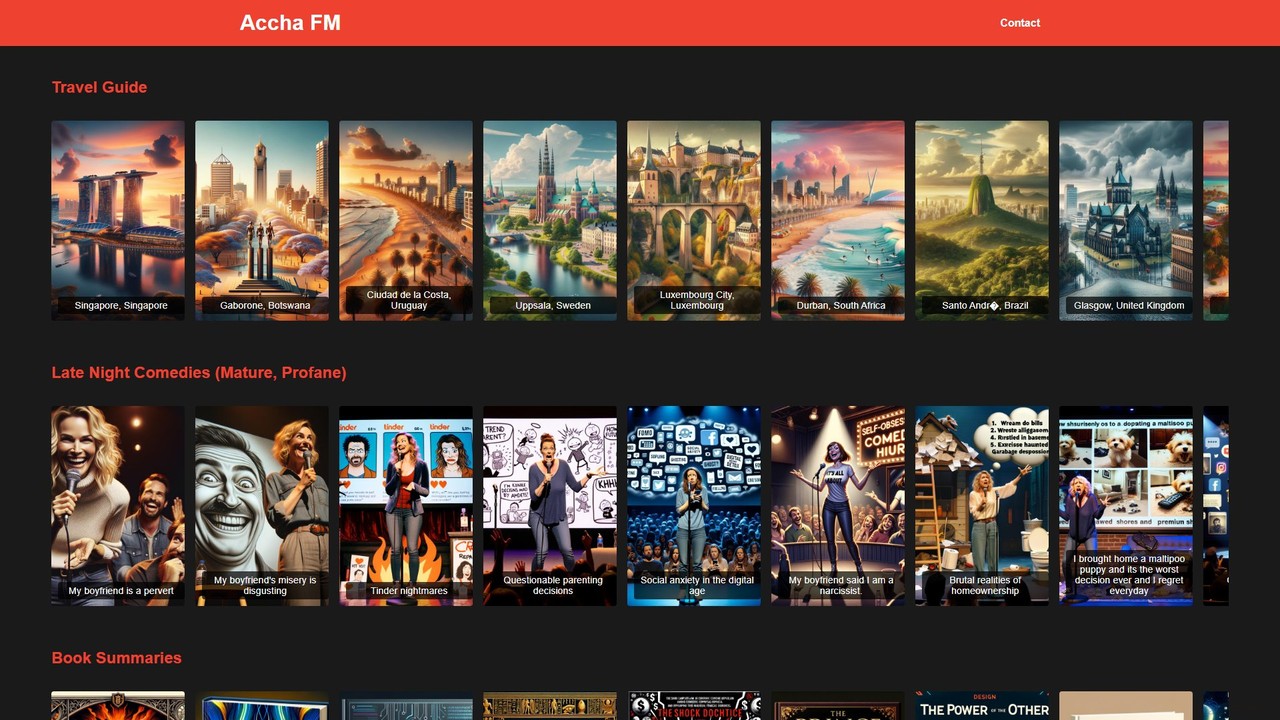
Accha FM is a revolutionary AI-powered audio entertainment super app. It offers a vast library of short-form, on-demand …

3.4K

About Audio

AI Audio tools are a class of software that use artificial intelligence to generate, edit, and analyze sound. These tools leverage deep learning models, such as generative adversarial networks (GANs) and transformers, to create novel music, synthesize realistic human speech, and restore poor-quality recordings. Their primary value lies in automating complex audio tasks, enabling creators to produce high-quality soundscapes, voiceovers, and musical compositions with unprecedented speed and creative flexibility. They serve a crucial role in the entertainment sector by lowering the barrier to professional audio production.

Core Features

  • Music Generation: Creates original, royalty-free music tracks from text prompts describing genre, mood, or instrumentation.
  • Text-to-Speech (TTS) & Voice Cloning: Converts written text into natural-sounding speech or replicates a specific voice from a short audio sample.
  • Audio Enhancement & Restoration: Automatically removes background noise, isolates vocals, and masters audio tracks for improved clarity and balance.
  • Speech-to-Text Transcription: Accurately converts spoken language from audio or video files into written text, often with speaker identification.
  • Sound Effect Generation: Produces unique sound effects based on descriptive text, ideal for film, gaming, and interactive media.

Use Cases

AI Audio tools are widely used by content creators, musicians, podcasters, and game developers. For instance, a YouTuber can generate custom background music that perfectly matches the tone of their video, while a podcaster can use AI to clean up interview recordings and remove distracting noises. In game development, these tools can create an endless variety of sound effects, enriching the player's immersive experience.

How to Choose

When selecting an AI Audio tool, consider your primary need: music composition, voiceover generation, or audio post-production. Evaluate the quality and realism of the audio output, as this varies significantly between tools. Also, consider the user interface's ease of use, available customization options (e.g., adjusting tempo, voice emotion), and the pricing model—whether it's a subscription or pay-per-use based on audio length.

AudioUse Cases

1

Enhancing Podcast Production Quality

A podcast host regularly records interviews remotely, often resulting in inconsistent audio quality and background noise from guests' environments. Using an AI Audio tool, they can upload the separate audio tracks and apply an 'Audio Enhancement' function. The AI automatically removes background hum, reduces echo, and balances the volume levels between the host and guest. This process, which previously took hours of manual editing, is now completed in minutes, resulting in a professional, clean-sounding episode that improves listener experience.

2

Generating Custom Music for Video Content

A social media manager needs unique, royalty-free background music for a series of short promotional videos. Instead of spending hours searching through stock music libraries, they use an AI music generator. They input prompts like 'upbeat, corporate, electronic track with a motivational feel' and specify the desired length (e.g., 30 seconds). The AI generates several unique options in seconds. They can then select the best fit and even request minor variations, ensuring every video has a distinct yet on-brand soundtrack, avoiding copyright issues and saving significant time.

3

Creating Voiceovers for E-Learning Modules

An instructional designer is developing an online course that needs to be available in multiple languages. Hiring voice actors for each language is costly and time-consuming. By using an AI Text-to-Speech (TTS) tool, they can paste the script for each module and generate a high-quality, clear voiceover. The tool offers various voices and accents, allowing them to choose one that fits the course's tone. If a script needs updating, they can simply edit the text and regenerate the audio instantly, ensuring consistency and dramatically reducing production costs and timelines.

4

Automating Transcription of Meetings and Interviews

A market researcher conducts dozens of hour-long customer interviews each week. Manually transcribing these recordings is tedious and expensive. They adopt an AI speech-to-text tool that can process audio files in bulk. The AI not only transcribes the conversations with high accuracy but also identifies different speakers and adds timestamps. The researcher receives a searchable text document within minutes of uploading the audio, allowing them to quickly find key insights, quotes, and themes, accelerating their analysis process by over 80%.

5

Cloning a Voice for a Personalized AI Assistant

A software developer is building a custom smart home assistant for a client who wants it to speak with their own voice for a more personal experience. Instead of complex voice synthesis programming, the developer uses an AI voice cloning tool. The client provides a few minutes of high-quality voice recording. The AI tool analyzes the vocal characteristics—pitch, tone, and cadence—and creates a realistic, synthetic version of the client's voice. The developer can then integrate this voice model into the assistant via an API, delivering a highly personalized product with minimal effort.

6

Creating Unique Sound Effects for Game Development

An indie game developer is creating a fantasy game and needs a wide range of unique sound effects, from a 'dragon's roar in a canyon' to 'magical energy crackling'. Sourcing these from sound libraries can be generic and limiting. Using an AI sound effect generator, the developer types in these detailed descriptions. The AI interprets the text and generates several distinct, high-fidelity audio clips for each prompt. This allows the developer to create a completely original and immersive soundscape for their game, enhancing player engagement without needing a dedicated sound designer.

AudioFrequently Asked Questions