ToolMage
Sign in

Best 1 Web Development AI tools for Frameworks

Popular Web Development AI tools in Frameworks include Craft, helping you work more efficiently.

Craft
Paid

Craft

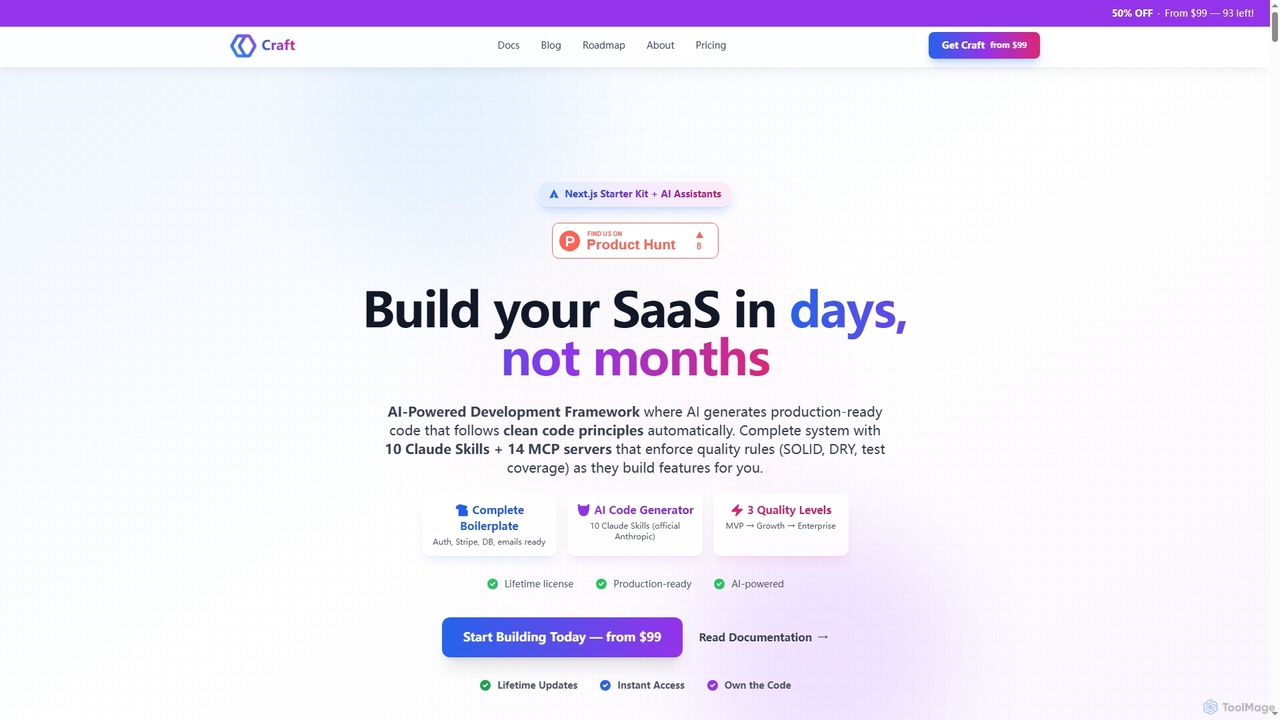
Craft is an AI-powered development framework and Next.js starter kit designed to accelerate SaaS product development. It leverages Anthropic's Claude AI with 10 specialized Skills and 14 pre-configured MCP servers to generate production-ready, clean code. Craft offers adaptive quality levels (Rapid, Balanced, Crafted) to match your product's stage, integrating essential boilerplate features like authentication, payments, and databases, enabling developers to ship features in days, not months.

Saas Development
Visits 7.3KFavorites 148Likes 142

About Web Development

AI Web Development tools are a specialized category of frameworks that use artificial intelligence to automate and accelerate the creation of websites and web applications. These tools interpret natural language prompts, design files, or user specifications to generate front-end and back-end code. Their primary value lies in significantly reducing manual coding, enabling rapid prototyping, and lowering the technical barrier for building digital products. They often produce code compatible with popular frameworks like React or Vue, or provide a complete AI-driven development environment.

Core Features

  • Code Generation: Automatically creates HTML, CSS, JavaScript, and back-end logic from text descriptions or visual inputs.
  • UI Component Creation: Generates reusable components like forms, navigation bars, and buttons based on user requirements.
  • Responsive Design: Intelligently adapts layouts and elements to ensure functionality across various screen sizes.
  • Database Schema Generation: Designs and generates database models and schemas from high-level descriptions of data requirements.
  • Automated Deployment: Simplifies the process of deploying applications to the cloud with AI-managed configurations.

Use Cases

These tools are ideal for developers seeking to boost productivity, startups needing to build Minimum Viable Products (MVPs) quickly, and designers wishing to convert their designs into functional code. They are also valuable for entrepreneurs and product managers who want to create functional prototypes without extensive coding knowledge. Common applications include building internal tools, marketing landing pages, and data dashboards.

How to Choose

When selecting an AI Web Development tool, consider the following: the specific programming languages and frameworks it supports, the quality and customizability of the generated code, and its integration capabilities with existing workflows (e.g., Figma, GitHub). Also, evaluate the learning curve, the pricing model (e.g., subscription vs. pay-per-use), and the level of control you retain over the final application.

Web Development use cases

1

Rapid Prototyping for Startups

A startup founder needs to build a functional prototype to validate a business idea and present it to potential investors. Instead of hiring a development team, they use an AI Web Development tool. By providing detailed text prompts describing the user flow, features, and desired UI, the tool generates a complete web application with a database backend in a matter of hours. This allows the founder to gather user feedback and iterate on the product at a fraction of the traditional time and cost.

2

Automating Internal Tool Development

A developer is tasked with creating an internal admin panel for the customer support team to manage user data. This typically involves repetitive boilerplate coding for CRUD (Create, Read, Update, Delete) operations. By using an AI Web Development tool, the developer describes the data model and the required interface elements. The AI generates the entire panel, including data tables, search functionality, and forms for editing records. This frees up the developer to focus on more complex, business-critical tasks, reducing development time for internal tools by over 70%.

3

Converting Figma Designs to Production-Ready Code

A UI/UX designer has finalized a high-fidelity website design in Figma. The next step is to hand it off to developers for implementation. Using an AI tool that integrates with Figma, the designer can directly convert their design into clean, responsive HTML, CSS, and React components. The tool accurately translates layout, styling, and assets, creating a solid foundation for developers. This process dramatically shortens the design-to-development cycle and ensures a higher fidelity translation of the original design vision into the final product.

4

Generating Marketing Landing Pages

A marketing team needs to launch several landing pages for a new campaign, each targeting a different audience segment. Instead of waiting for the development team's availability, a marketer uses an AI web builder. They input the campaign copy, select a visual style, and specify the call-to-action elements. The AI generates multiple page variations in minutes, allowing the team to A/B test different layouts and messaging immediately. This agility enables the marketing team to optimize campaigns much faster and respond to market feedback in real-time.

5

Generating Backend APIs from Descriptions

A front-end developer is building a mobile app and needs a simple backend to handle user authentication and data storage. Lacking deep backend expertise, they use an AI tool. They describe the required data models (e.g., 'User' with email and password fields) and the API endpoints (e.g., '/login', '/register') in natural language. The AI tool generates the complete backend code, including the database schema, server logic, and API documentation. This empowers front-end developers and full-stack teams to build full-featured applications more independently and quickly.

6

AI-Assisted Code Refactoring

A maintenance developer is working on a legacy codebase with inconsistent styling and inefficient functions. They use an AI Web Development tool with refactoring capabilities. By feeding snippets of old code into the tool, they receive suggestions for modernization, performance improvements, and adherence to best practices. The AI can automatically rewrite functions to be more readable, convert class-based components to functional ones in React, or optimize database queries. This accelerates the process of improving code quality and maintainability without requiring a complete rewrite.

Web Development FAQ

What are AI Web Development tools?

AI Web Development tools are applications that use artificial intelligence, particularly large language models and machine learning, to generate code and build websites or web applications. Unlike traditional development where every line of code is written manually, these tools can create functional front-end components, back-end logic, and even entire applications from natural language prompts, design files, or high-level specifications. They act as powerful assistants that automate repetitive coding tasks and accelerate the development lifecycle.

How do AI Web Development tools differ from traditional frameworks like React?

The key difference lies in their role. A traditional framework like React or Vue.js is a library or structure that developers manually use to build applications; it provides the rules and tools, but the developer writes the code. In contrast, an AI Web Development tool is a code generator or an automated builder. It takes high-level instructions and produces code that might be written *for* a framework like React, or it might build the application in a self-contained environment. Essentially, you code *in* a framework, whereas you direct an AI tool *to create* the code.

How should I choose the right AI Web Development tool?

Choosing the right tool depends on your specific needs. Consider these factors:

  • Output & Frameworks: Does it generate code for the language or framework you prefer (e.g., React, Vue, Python)? Or is it a proprietary, all-in-one platform?
  • Customization & Control: How much control do you have over the generated code? Can you export and modify it freely?
  • Input Method: Does it work best with text prompts, design files (like Figma), or a visual drag-and-drop interface?
  • Use Case: Is it better for prototyping, building full-stack applications, or creating simple landing pages?
  • Learning Curve: How easy is it to get started and achieve the desired results?
Can AI completely replace web developers?

Currently, AI tools are best viewed as powerful assistants or co-pilots, not replacements. They excel at automating well-defined, repetitive tasks like writing boilerplate code, converting designs, and creating standard components. However, they often struggle with complex business logic, novel architectural design, creative problem-solving, and understanding nuanced user requirements. Human developers are still essential for strategy, oversight, debugging complex issues, and ensuring the final product truly meets business goals and user needs.

What are the main benefits of using AI for web development?

The primary benefits of integrating AI into the web development workflow include:

  • Increased Speed: Drastically reduces the time required for prototyping, building MVPs, and completing repetitive coding tasks.
  • Enhanced Productivity: Allows developers to focus on high-level problem-solving by automating low-level code generation.
  • Lower Barrier to Entry: Enables individuals with less technical expertise, such as designers or product managers, to create functional applications or prototypes.
  • Improved Consistency: AI-generated code often adheres to consistent styling and best practices, improving the overall quality and maintainability of the codebase.