
ToolMage
Sign in

Best 1 Avatar And Face AI tools for Fun Tools

Popular Avatar And Face AI tools in Fun Tools include VibePicture, helping you work more efficiently.

VibePicture
Freemium

VibePicture

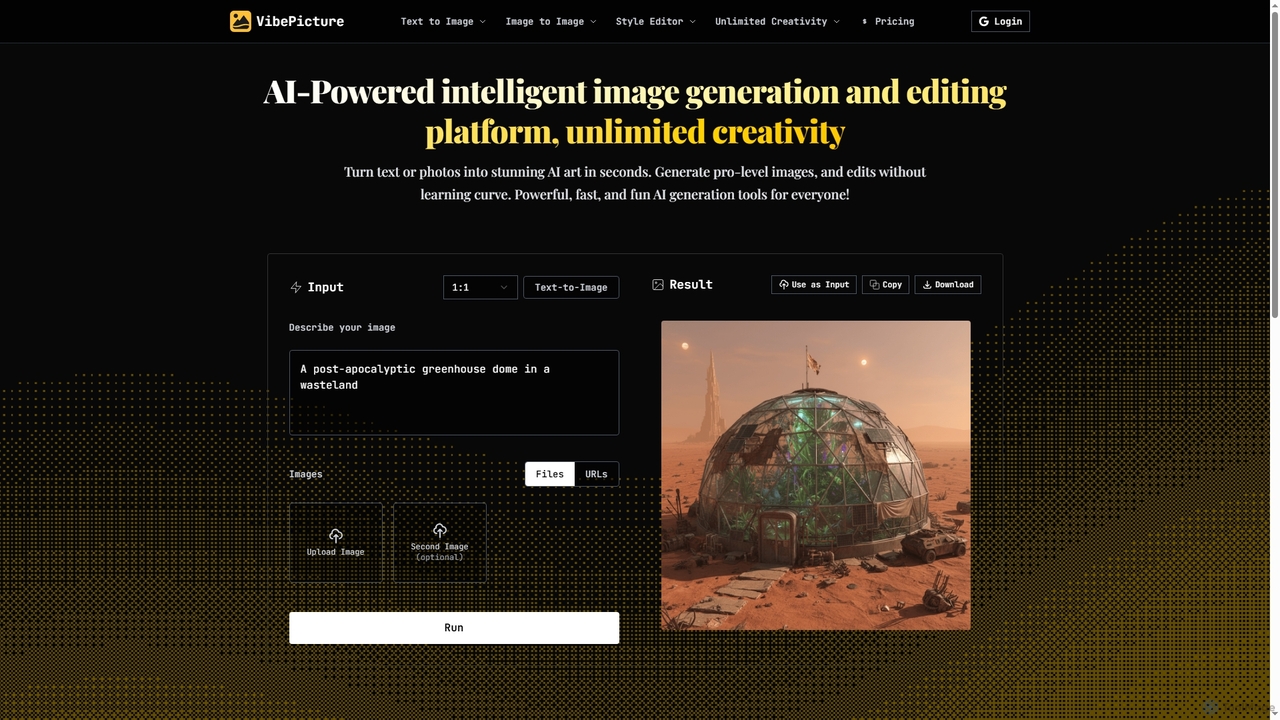
An AI-powered image generation and editing platform that transforms text or photos into high-quality art in seconds. It supports various models like Nano Banana and Qwen-Image, offering tools for text-to-image, image-to-image, style transfer, avatar creation, and unique features like Chinese idiom visualization.

Ai Art Generator
Visits 7.4KFavorites 134Likes 110

About Avatar And Face

AI Avatar and Face tools are a specialized category of applications that use generative AI to create, modify, and animate digital representations of human faces. Leveraging models like Generative Adversarial Networks (GANs) and diffusion models, these tools can generate unique avatars from text prompts, transform photos into various artistic styles, or even animate static images. They provide an accessible way for users to express digital identity, create engaging content, and protect their privacy online. As a fun yet practical subset of Fun Tools, they focus specifically on facial manipulation and character creation.

Core Features

  • Custom Avatar Generation: Create unique digital characters from text descriptions or by customizing templates.
  • Photo-to-Avatar Conversion: Transform your portrait photo into various styles like anime, cartoon, or 3D art.
  • Face Swapping & Animation: Seamlessly swap faces in images and videos or make a static photo talk and express emotions.
  • Style Transfer & Effects: Apply artistic filters, aging effects, or gender transformations to facial images.
  • Virtual Headshot Creation: Generate professional-looking, AI-powered headshots for profiles and corporate use.

Use Cases

These tools are widely used by social media users and content creators to produce unique profile pictures and viral video content. Gamers and metaverse enthusiasts use them to design personalized characters for virtual worlds. Additionally, marketers leverage them to create diverse virtual models for campaigns without the cost of photoshoots.

How to Choose

When selecting a tool, consider the desired output style (realistic vs. stylized) and the level of customization offered. Evaluate the input requirements—whether it works from text, photos, or both. Also, check the platform's policy on watermarks and commercial usage rights, especially if you plan to use the creations for business purposes.

Avatar And Face use cases

1

Create Unique Social Media Profile Pictures

Social media managers and individuals can use AI avatar tools to generate eye-catching profile pictures that stand out. By uploading a few photos, the AI can produce hundreds of variations in different styles, such as cyberpunk, fantasy art, or professional headshots. This process eliminates the need for expensive photoshoots and provides a consistent, high-quality brand image across platforms like Instagram, LinkedIn, and Twitter, helping to increase engagement and follower growth.

2

Design Custom Characters for Gaming and VR

Gamers and developers creating experiences for virtual worlds like VRChat or other metaverses can design highly personalized avatars. Instead of relying on limited in-game presets, they can use text prompts or reference images to generate a character that perfectly matches their vision. This allows for deeper immersion and self-expression, enabling users to create a unique digital identity that reflects their personality within the virtual environment.

3

Produce Engaging Video Content with Face Animation

Content creators on platforms like TikTok and YouTube can animate static images to produce humorous or informative videos. By uploading a photo of a historical figure, a pet, or even an inanimate object with a face, they can make it speak a pre-recorded audio script. This "talking head" effect is a powerful tool for storytelling, creating memes, and explaining complex topics in a visually engaging way that captures audience attention.

4

Generate Diverse Virtual Models for Marketing

Marketing teams and small businesses can create royalty-free virtual models for their advertising campaigns. This avoids the logistical challenges and costs associated with hiring human models, photographers, and studios. The AI can generate a wide range of faces with diverse ethnicities, ages, and styles, ensuring brand campaigns are inclusive and visually appealing while maintaining full commercial rights over the images.

5

Protect Online Privacy with AI Avatars

Privacy-conscious individuals can use these tools to create a realistic but entirely artificial avatar for use on forums, dating apps, or other online platforms where they prefer not to show their real face. This allows them to maintain a personal presence and interact authentically without exposing their actual identity, reducing the risk of doxxing, identity theft, or unwanted online tracking. The generated face is unique and not tied to any real person.

6

Animate Faces for Educational or Training Videos

Educators and corporate trainers can enhance their e-learning materials by creating an AI-powered virtual presenter. They can generate a professional-looking avatar and use text-to-speech technology to have it deliver the training content. This adds a human touch to digital courses without the need for filming a real person, making the content more engaging and accessible. It is particularly useful for standardizing training modules and easily updating content by simply changing the script.

Avatar And Face FAQ

What are AI Avatar and Face tools?

AI Avatar and Face tools are applications that use artificial intelligence to generate, edit, and animate digital faces and characters. They can create entirely new avatars from text or photos, swap faces in videos, apply artistic styles, or make static images talk. These tools are popular for creating personalized profile pictures, game characters, and entertaining social media content.

How do I choose the right AI avatar generator?

To choose the right tool, consider four key factors. First, define your desired output style (e.g., realistic, anime, cartoon). Second, check the customization options available for features like hair, eyes, and clothing. Third, understand the input method—does it require photos, text prompts, or both? Finally, review the tool's policy on watermarks and commercial use to ensure it aligns with your needs.

What's the difference between an AI Avatar Generator and a general AI Image Generator?

The main difference is focus. A general AI Image Generator (like Midjourney or DALL-E) can create any type of image from a text prompt. An AI Avatar Generator is specialized; it is fine-tuned specifically for creating and manipulating human faces and characters. This specialization often results in higher quality, more consistent facial features, and provides specific tools for style transfer or animation that general generators lack.

Can I use the generated avatars for commercial purposes?

This depends entirely on the specific tool's terms of service. Many free tools restrict commercial use or require a paid subscription to grant you the necessary rights. Always check the licensing agreement before using an AI-generated avatar for business, marketing, or any monetized content. Paid plans typically offer clear commercial licenses and remove watermarks.

How do these tools work and is my data safe?

Most of these tools use deep learning models like Generative Adversarial Networks (GANs) or diffusion models. When you upload photos, the AI learns your facial features to create a custom model, which it then uses to generate new images in various styles. Reputable services state in their privacy policies that they delete your uploaded photos and the trained model after a short period. However, it's always wise to review the privacy policy of any tool before uploading personal images.