Incerto
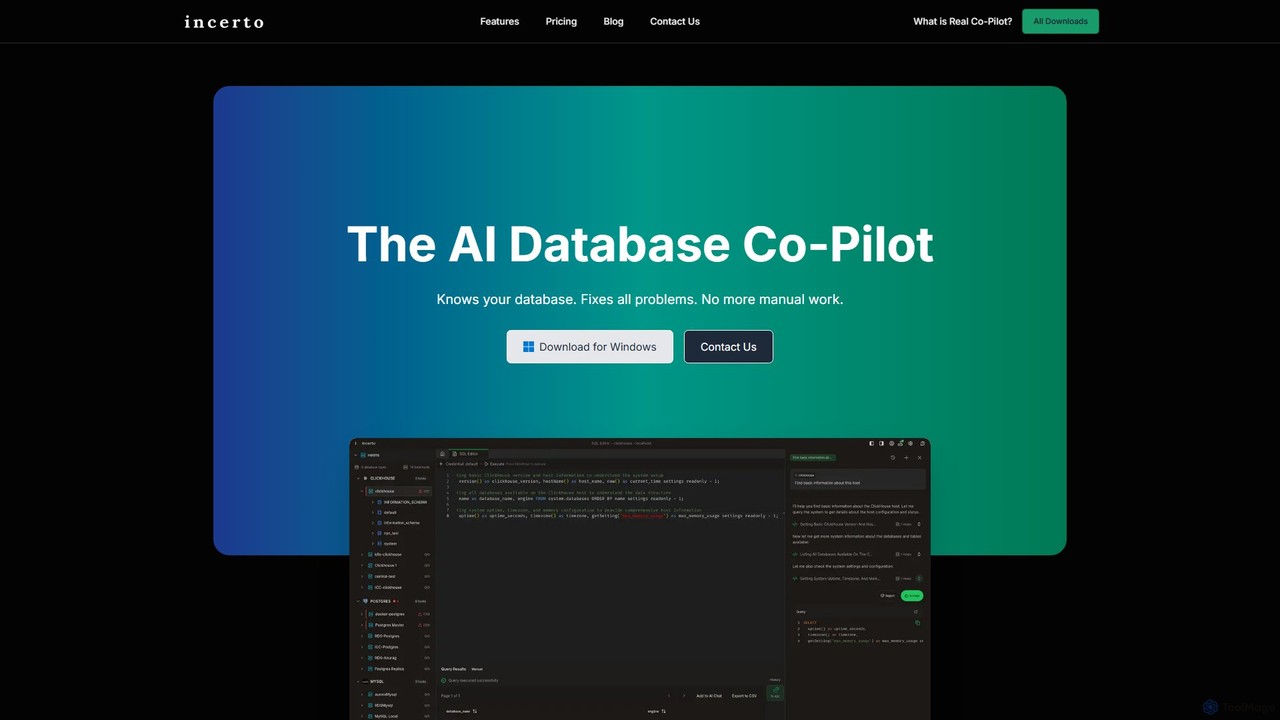
Incerto is an agentic AI co-pilot designed to solve all database problems. It proactively detects and resolves production …
Incerto is an agentic AI co-pilot designed to solve all database problems. It proactively detects and resolves production issues, optimizes query performance, and automates complex database management tasks. By leveraging a rich context engine and specialized AI agents, Incerto significantly reduces manual work, minimizes downtime, and enhances overall database efficiency and security for developers and DBAs.
About Observability
Observability tools are advanced platforms designed to provide deep, queryable insights into the internal state of complex IT systems. They work by collecting, correlating, and analyzing high-cardinality telemetry data—primarily logs, metrics, and traces. This allows engineering teams to move beyond simple monitoring to actively explore and understand system behavior, making it possible to debug novel problems in distributed environments. These tools are crucial for maintaining the reliability and performance of modern cloud-native applications.
Core Features
- Unified Telemetry Data: Ingests and correlates the three pillars of observability: logs, metrics, and distributed traces in a single platform.
- Distributed Tracing: Visualizes the end-to-end journey of requests as they travel across multiple microservices and components.
- High-Cardinality Analytics: Enables querying and filtering data based on arbitrary attributes, essential for debugging specific user sessions or requests.
- AI-Powered Anomaly Detection: Automatically identifies unusual patterns or deviations from baseline performance without pre-configured rules.
- Service Dependency Mapping: Generates real-time maps of how different services and infrastructure components interact with each other.
Use Cases
Observability tools are primarily used by DevOps engineers, Site Reliability Engineers (SREs), and software developers working on complex, distributed systems. They are essential for troubleshooting production incidents in microservices architectures, optimizing application performance by identifying bottlenecks, and understanding the impact of new code deployments in real-time. These platforms are also valuable for cloud infrastructure management and security analysis.
How to Choose
When selecting an Observability tool, consider its data source compatibility and the breadth of its integrations. Evaluate the power and usability of its query language for exploring data. Assess its scalability to handle your data volume and its pricing model (e.g., per-host, per-GB ingested). Finally, consider the effectiveness of its visualization tools, dashboards, and AI-driven alerting capabilities for your team's workflow.
ObservabilityUse Cases
Debug Microservice Failures in Production
A Site Reliability Engineer (SRE) receives an alert for high error rates in the checkout service. Using an observability platform, they access the distributed trace for a failed transaction. The trace visualizes the request's path across the authentication, inventory, and payment microservices. They quickly identify that the payment service is timing out when calling a third-party API. By inspecting the logs associated with that specific trace ID, they find the exact error message, enabling them to resolve the issue in minutes instead of hours.
Proactively Optimize Application Performance
A DevOps team notices a gradual increase in API response times. They use an observability tool to analyze metrics from their application servers, databases, and caches. By creating a dashboard that correlates CPU usage, database query latency, and cache hit rates, they discover a specific database query that has become inefficient as data has grown. The distributed tracing feature confirms this query is the primary bottleneck. The team optimizes the query and deploys the fix, successfully reducing the average API response time by 40% before it impacts end-users.
Understand the Impact of New Code Deployments
A software developer deploys a new feature that refactors a core part of the application. Immediately after deployment, they use an observability platform to compare key business metrics (like user sign-ups) and performance metrics (like latency and error rates) before and after the change. The platform's dashboards show a slight increase in latency but a significant drop in memory usage. This data-driven approach allows the team to validate that the refactoring was successful and had the intended positive impact on resource consumption without negatively affecting the user experience.
Monitor Cloud Resource Utilization and Costs
A cloud engineer is tasked with optimizing infrastructure costs. They use an observability tool to collect detailed metrics from their Kubernetes cluster, including CPU/memory usage per pod, network traffic, and persistent volume claims. By visualizing this data, they identify several over-provisioned services that consistently use less than 20% of their allocated resources. They also spot a memory leak in a specific application container. Based on these insights, they adjust the resource requests and limits for the services and fix the leak, resulting in a 25% reduction in their monthly cloud bill.
Correlate System Health with Business KPIs
A product manager for an e-commerce site wants to understand why cart abandonment rates are high. Using an observability tool that integrates with business analytics, they create a dashboard overlaying technical metrics (page load time, API errors) with business metrics (items added to cart, checkout completions). They discover a strong correlation: whenever the 'payment processing' API latency exceeds 2 seconds, the cart abandonment rate spikes by 50%. This direct link between technical performance and business outcomes provides clear justification for prioritizing engineering resources to optimize the payment API.
Enhance Security with Anomaly Detection
A security operations (SecOps) team uses an observability platform to ingest authentication logs from all services. They configure an AI-powered monitor to detect anomalies in login patterns. The system automatically flags a sudden spike in failed login attempts from a previously unseen IP range, followed by a successful login. This triggers an immediate alert. The security analyst investigates the associated traces and logs, confirms it's a credential stuffing attack, and quickly blocks the malicious IP range and forces a password reset for the compromised account, preventing a larger breach.