
Macos Best in category 1 results Utilities AI Tool

Popular AI tools in the Utilities field of Macos include IntelliBar, etc., helping you quickly improve efficiency.

IntelliBar

IntelliBar

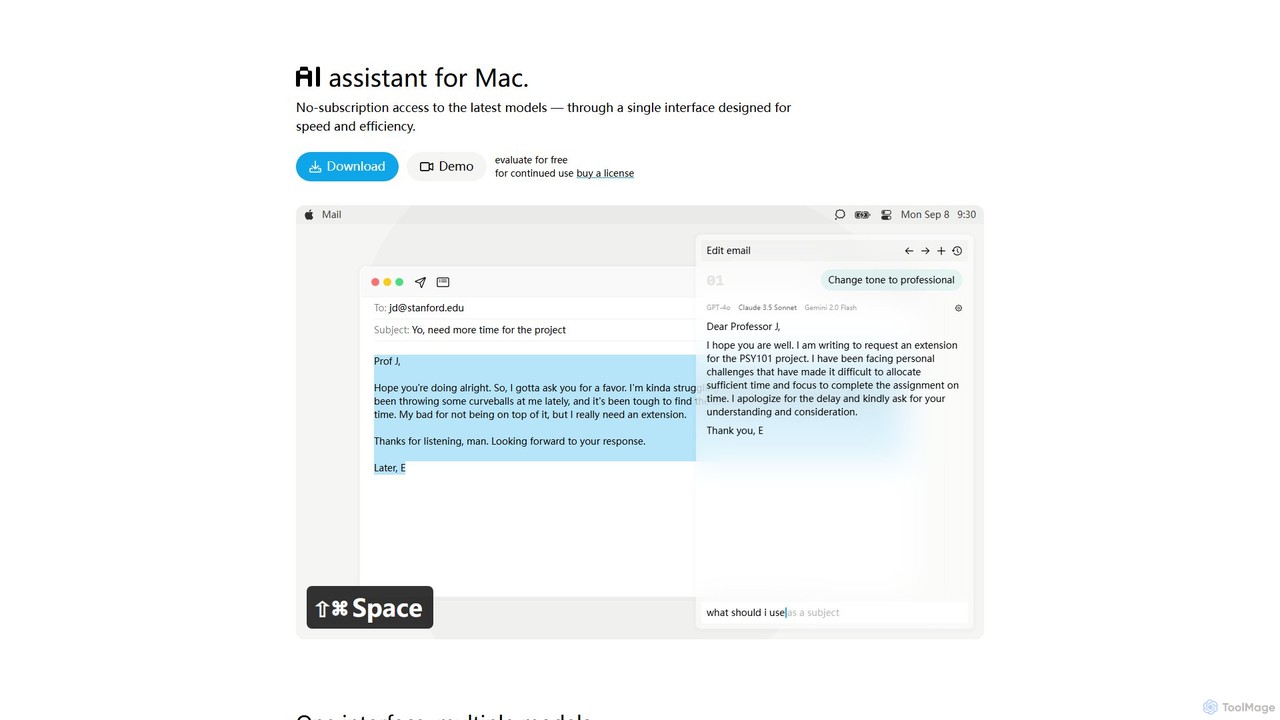
IntelliBar is a native AI assistant for Mac, providing a unified interface to access the latest large language …

3.6K

About Utilities

AI Utilities for macOS are applications that enhance system-level operations and user productivity through artificial intelligence. These tools integrate deeply with the operating system to provide features like intelligent search, context-aware automation, and advanced clipboard management. They analyze user behavior and on-screen context to proactively suggest actions, streamline repetitive tasks, and provide faster access to information. This transforms the standard Mac experience into a more predictive and efficient environment.

Core Features

  • Intelligent Search: Use natural language to find files, apps, and information across your system and the web.
  • Context-Aware Automation: Automatically suggests or executes workflows based on the current application or task.
  • AI-Powered Clipboard Manager: Organizes and allows semantic search through your copy history, understanding content type.
  • Predictive Text & Command Execution: Anticipates commands and text snippets to accelerate typing and system navigation.
  • System Optimization: Intelligently analyzes system usage to recommend performance improvements and clean-up actions.

Use Cases

These utilities are widely used by developers, writers, designers, and power users who want to minimize manual effort on their Mac. For instance, a developer can use natural language to find a specific code snippet from their clipboard history, while a writer can automate the process of formatting and citing research materials. They are ideal for anyone looking to create custom, intelligent workflows that go beyond the standard capabilities of macOS.

How to Choose

When selecting an AI Utility for macOS, consider its integration capabilities with your existing apps and services. Evaluate the depth of its AI features—does it offer true context-awareness or just simple keyword matching? Assess the level of customization available for creating personal workflows and commands. Finally, review the tool's performance impact on your system and its privacy policy, especially regarding how it processes your data.

UtilitiesUse Cases

1

Accelerating Developer Coding Workflows

A software developer frequently needs to reuse code snippets, API keys, and terminal commands. Using an AI utility on their Mac, they can access their entire clipboard history with a natural language query like "find the database connection string from last week." The tool semantically searches the history, understands the intent, and instantly provides the correct snippet. This eliminates the need to manually search through old files or notes, significantly speeding up the development cycle and reducing context switching.

2

Streamlining Academic Research and Writing

A researcher is gathering information from various PDFs, websites, and documents. An AI utility automatically captures every piece of copied text and its source. Later, when writing a paper, the researcher can use the utility's smart search to find all notes related to a specific topic, such as "studies on cognitive bias." The tool can also help format citations or create summaries from the collected snippets, transforming a fragmented research process into a cohesive and efficient workflow directly on their Mac.

3

Automating Repetitive Marketing Tasks

A marketing manager needs to resize a batch of images for different social media platforms, extract text from them, and post them with relevant hashtags. They create a custom workflow in their AI utility. By simply selecting the images and triggering the workflow with a keyboard shortcut, the tool automatically resizes each image to preset dimensions, uses OCR to extract any text, and even suggests relevant hashtags based on the image content. This automates a multi-step, time-consuming process into a single action.

4

Managing Daily Tasks with Intelligent Commands

A project manager starts their day by opening multiple apps: their calendar, email, and task manager. Instead of clicking through each one, they use an AI utility's command bar and type a single command: "prep my morning." This custom command triggers a sequence that opens all necessary apps, arranges them on the screen, opens a specific project board in their task manager, and even drafts a daily summary email based on their calendar events. This context-aware command turns a 5-minute routine into a 5-second action.

5

Instant Information Retrieval for Customer Support

A customer support agent on a Mac needs to quickly find answers in a large knowledge base while on a call. Using an AI utility's universal search, they can type a customer's question in natural language, like "how to reset password for enterprise account." The tool instantly searches across local documents, a web-based knowledge base, and past support tickets simultaneously. It presents the most relevant answer directly, saving the agent from having to manually search multiple systems and improving customer response time.

6

Enhancing Personal Productivity for Power Users

A power user wants to create a shortcut to clean up their cluttered desktop. They use an AI utility to build a workflow that identifies all screenshots and files older than 30 days, moves them to an archive folder, and then empties the trash. The AI component can even categorize the files based on content before archiving. They assign this complex workflow to a simple voice command or a gesture on their trackpad, turning a tedious manual organization task into an effortless, intelligent background process.

UtilitiesFrequently Asked Questions