
ToolMage
Sign in

Best 1 Web Analytics AI tools for Marketing

Popular Web Analytics AI tools in Marketing include Queryinside, helping you work more efficiently.

Queryinside
Freemium

Queryinside

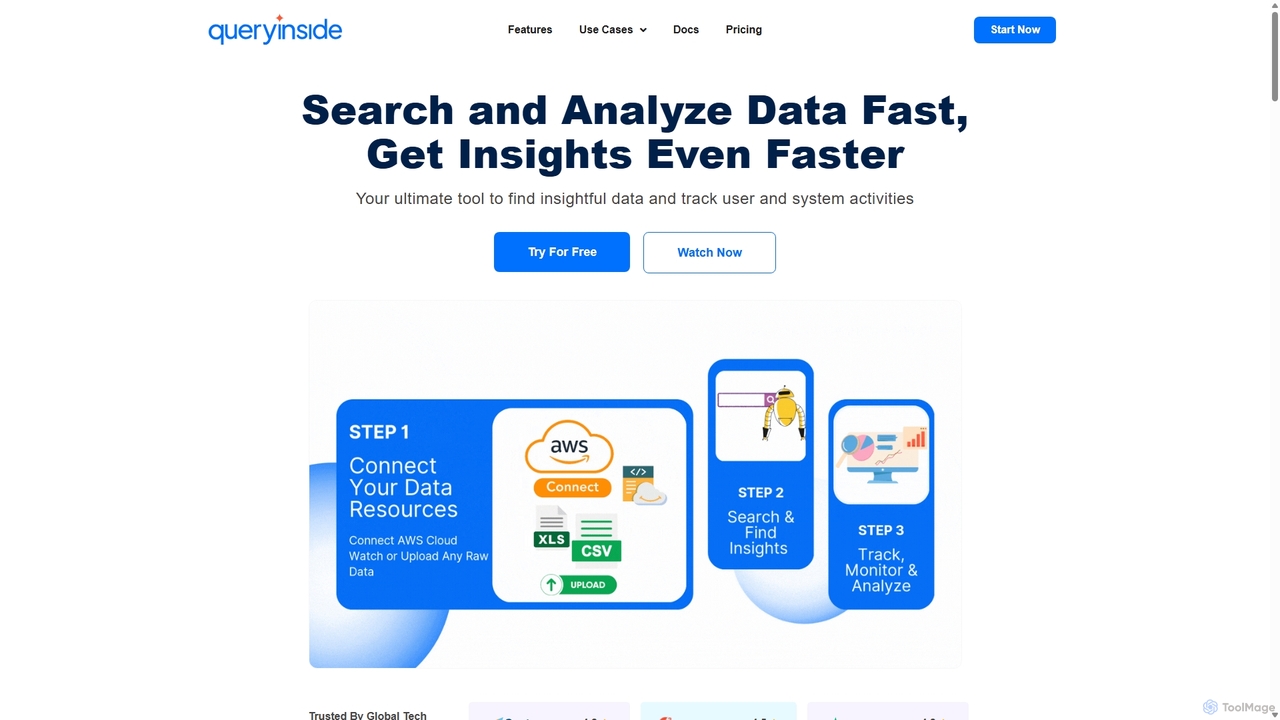
Queryinside is an AI-powered data search and monitoring platform that transforms chaotic log data into actionable insights. It offers advanced search (keyword, semantic, hybrid), real-time system and web analytics, and seamless integrations with cloud services like AWS, helping teams reduce log monitoring time and accelerate root cause detection.

Log Management
Visits 4.7KFavorites 122Likes 113

About Web Analytics

AI Web Analytics tools are a class of software that uses artificial intelligence to analyze website traffic and user behavior. They go beyond traditional metrics by employing machine learning to automatically uncover insights, predict trends, and identify conversion opportunities. These tools help marketers and product managers understand the 'why' behind user actions, enabling them to optimize the customer journey and improve website performance. Key capabilities often include predictive forecasting, automated anomaly detection, and natural language querying for data exploration.

Core Features

  • Predictive Analytics: Forecasts future traffic, user behavior, and conversion rates based on historical data patterns.
  • Automated Anomaly Detection: Automatically identifies and alerts users to significant, unexpected changes in key metrics.
  • Behavioral Pattern Recognition: Uncovers complex user segments and journey paths that lead to conversion or drop-off.
  • Natural Language Querying: Allows users to ask complex data questions in plain language, without needing to write code.
  • AI-Powered Session Replays: Intelligently surfaces the most critical or problematic user sessions for review and analysis.

Use Cases

These tools are widely used in e-commerce to optimize checkout funnels, by SaaS companies to improve user onboarding and feature adoption, and by content publishers to understand which topics drive the highest engagement and subscriptions. They are essential for any data-driven business looking to move from reactive reporting to proactive optimization.

How to Choose

When selecting an AI Web Analytics tool, consider its integration capabilities with your existing marketing stack (e.g., CRM, ad platforms). Evaluate the depth of its automated insights and predictive features. Also, assess its scalability to handle your traffic volume and ensure it complies with privacy regulations like GDPR and CCPA. Finally, consider the user interface and whether it's designed for marketers or requires a dedicated data analyst.

Web Analytics use cases

1

Optimizing E-commerce Conversion Funnels

An e-commerce manager notices a high cart abandonment rate but is unsure of the cause. By using an AI Web Analytics tool, they can automatically identify the exact step in the checkout process where most users drop off. The tool's AI-powered session replay feature highlights user frustration signals, such as 'rage clicks' on a non-responsive payment button or excessive time spent on the shipping address form. This pinpoints a specific usability issue or technical bug, allowing the development team to address the problem directly. As a result, the friction is removed, leading to a measurable decrease in cart abandonment and an increase in completed sales.

2

Improving User Onboarding in a SaaS Application

A product manager for a SaaS company wants to increase the user activation rate. The AI analytics tool is configured to track the entire onboarding funnel. The system automatically identifies patterns among users who fail to complete the setup. It might discover that users from non-technical backgrounds consistently drop off when asked to configure an API integration. Instead of just providing numbers, the tool provides a qualitative insight: 'Users who watch the tutorial video for less than 30 seconds are 80% more likely to churn.' Based on this, the team can redesign the onboarding flow, perhaps making the video more engaging or offering a simpler, non-API setup option, thereby improving activation rates.

3

Detecting Critical Website Performance Issues

An IT operations team is responsible for maintaining a high-traffic news website. A sudden, unexplained drop in user engagement is reported. Instead of manually sifting through server logs, the team consults their AI Web Analytics tool. Its anomaly detection feature has already flagged a critical issue: 'Page load time for users on mobile devices in Southeast Asia has increased by 300% in the last hour.' This immediately narrows down the problem. Further investigation reveals a misconfigured Content Delivery Network (CDN) node affecting that specific region. The team can fix the issue proactively, restoring performance before it impacts a wider audience and preventing significant ad revenue loss.

4

Identifying High-Value Content for Publishers

A content strategist for a digital media outlet needs to decide which topics to invest in for the next quarter. Traditional analytics show page views, but not which content leads to valuable actions like newsletter sign-ups. Using an AI Web Analytics tool, they can analyze the full user journey. The AI identifies that articles about 'sustainable finance' have a lower view count but a 5x higher conversion rate to paid subscriptions compared to viral 'celebrity news'. The tool's predictive feature also suggests that a related topic, 'impact investing', is trending and likely to perform well. This allows the strategist to build a data-driven content plan focused on ROI, not just traffic volume.

5

Personalizing User Experience in Real-Time

A marketer for an online travel agency wants to increase bookings by showing more relevant offers. Their AI Web Analytics tool analyzes a visitor's real-time behavior, such as pages viewed (family resorts vs. business hotels) and searches performed ('cheap flights to Orlando'). The AI creates a dynamic user profile and predicts their travel intent, for example, 'family vacation planner'. This data is instantly fed to the website's personalization engine. As a result, the visitor is shown tailored banners for 'Family Vacation Packages' and kid-friendly hotel deals instead of generic offers, significantly increasing the click-through rate and likelihood of a booking.

6

Answering Complex Business Questions with NLQ

A chief marketing officer (CMO) needs a quick answer for a board meeting: 'Which marketing channel brought in the most users who converted within their first week last quarter?' Traditionally, this would require a data analyst to write a complex SQL query and join multiple data tables, taking hours or days. With an AI Web Analytics tool featuring Natural Language Querying (NLQ), the CMO can simply type this question into a search bar. The AI parses the request, queries the underlying data, and returns a clear chart and summary in seconds. This empowers non-technical executives to self-serve their data needs and make faster, more informed decisions without creating a bottleneck for the analytics team.

Web Analytics FAQ

What are AI Web Analytics tools?

AI Web Analytics tools are advanced software platforms that use artificial intelligence and machine learning to analyze website data. Unlike traditional analytics tools that primarily report historical data (the 'what'), AI tools focus on uncovering the 'why' and predicting the 'what's next'. They automatically detect significant patterns, identify anomalies in data, forecast future trends, and provide actionable insights to help businesses optimize user experiences and increase conversions. Essentially, they move beyond simple data reporting to become an intelligent analysis partner.

How do AI Web Analytics tools differ from Google Analytics?

While Google Analytics (GA) is a powerful tool for reporting on what happened on your site, AI Web Analytics tools focus on why it happened and what might happen next. Here are the key differences:

  • Insight Generation: GA requires users to manually analyze data to find insights. AI tools automatically surface anomalies, trends, and opportunities you might have missed.
  • Predictive Capabilities: Standard GA is primarily retrospective. AI tools use machine learning to forecast future traffic, conversions, and user behavior.
  • User Experience Analysis: Many AI tools offer more advanced, integrated features like AI-powered heatmaps and session replays that automatically identify points of user friction.
  • Data Accessibility: AI tools often include Natural Language Querying, allowing non-analysts to ask complex questions without needing to navigate complex reports.

In short, GA tells you the score of the game; AI analytics tools act as a coach, telling you why you're winning or losing and suggesting the next play.

Who should use AI Web Analytics tools?

AI Web Analytics tools are valuable for a wide range of roles within a data-driven organization. Key users include:

  • Digital Marketers: To understand campaign performance beyond clicks, optimize conversion funnels, and identify high-value customer segments.
  • Product Managers: To analyze feature adoption, improve user onboarding, and identify pain points in the user journey to inform the product roadmap.
  • E-commerce Managers: To reduce cart abandonment, understand purchasing behavior, and personalize the shopping experience to increase sales.
  • Data Analysts: To accelerate their workflow by automating the discovery of insights and focusing their time on deeper strategic analysis rather than manual data exploration.
  • Business Executives: To get quick, high-level answers to complex business questions through features like natural language querying.
How do I choose the right AI Web Analytics tool?

Choosing the right tool depends on your specific needs. Consider these key factors:

  • Primary Business Goal: Are you focused on conversion rate optimization (CRO), user retention, or content engagement? Different tools specialize in different areas.
  • Integration Capabilities: Ensure the tool can connect seamlessly with your existing technology stack, such as your CRM, A/B testing platform, and marketing automation software.
  • Ease of Use vs. Power: Evaluate the user interface. Is it designed for marketers to get quick insights, or is it a more complex platform that requires a dedicated data analyst to operate?
  • Data Privacy and Compliance: Verify that the tool complies with regulations like GDPR and CCPA. Look for features like cookieless tracking and data anonymization if privacy is a top concern.
  • Scalability and Pricing: Consider your website's traffic volume and choose a tool with a pricing model that can scale with your growth without becoming prohibitively expensive.
What are the key features to look for in AI Web Analytics?

When evaluating AI Web Analytics tools, look for these core features that differentiate them from traditional platforms:

  • Predictive Analytics: The ability to forecast future outcomes, such as which user segments are likely to convert or churn, based on historical behavior.
  • Automated Anomaly Detection: The system should automatically flag statistically significant spikes or dips in your data, saving you from manually searching for problems.
  • Behavioral Insights: Look for features like AI-powered heatmaps, session replays, and funnel analysis that don't just show data but also interpret user intent and frustration.
  • Natural Language Query (NLQ): The capability to ask questions in plain English (e.g., 'Show me top landing pages by conversion rate for mobile users in Canada') and get immediate answers.
  • Automated Segmentation: The tool should be able to automatically identify and create meaningful user segments based on behavior, not just demographics.