ToolMage
Sign in

Best 1 Log Management AI tools for Developer Tools

Popular Log Management AI tools in Developer Tools include Queryinside, helping you work more efficiently.

Freemium

Queryinside

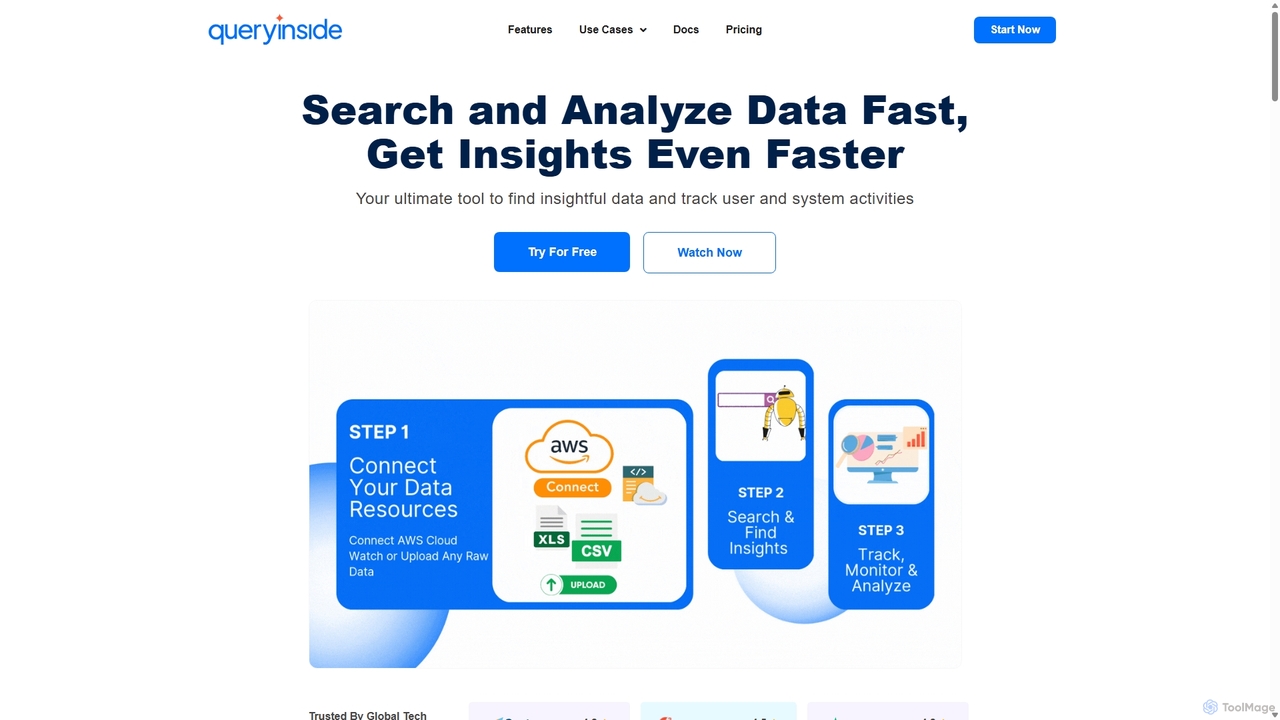
Queryinside is an AI-powered data search and monitoring platform that transforms chaotic log data into actionable insights. It offers advanced search (keyword, semantic, hybrid), real-time system and web analytics, and seamless integrations with cloud services like AWS, helping teams reduce log monitoring time and accelerate root cause detection.

Log Management
Visits 3.3KFavorites 114Likes 105

About Log Management

Log Management tools are a specialized category within developer tools designed to collect, centralize, and analyze log data generated by applications, systems, and infrastructure. These tools provide a unified platform for processing vast volumes of logs, enabling developers and operations teams to quickly identify issues, monitor system health, and ensure security compliance. By transforming raw log entries into actionable insights, Log Management solutions are crucial for maintaining robust and high-performing software environments.

Core Features

  • Log Aggregation: Centralizes logs from diverse sources (servers, applications, containers) into a single repository.
  • Real-time Monitoring: Provides immediate alerts and dashboards for critical events, errors, and performance anomalies.
  • Advanced Search & Filtering: Enables rapid investigation of specific log entries using powerful query languages and filters.
  • Data Visualization: Transforms complex log data into intuitive graphs and charts for easier trend analysis and reporting.
  • Retention & Archiving: Manages log storage policies, ensuring compliance and historical data availability for auditing.

Use Cases

Log Management tools are indispensable for various scenarios, from debugging complex software issues to ensuring operational stability. They are widely used by DevOps engineers for proactive system health checks, by security analysts for detecting suspicious activities, and by developers for understanding application behavior in production environments. These tools streamline troubleshooting, reduce downtime, and provide critical insights into system performance and security posture.

How to Choose

When selecting a Log Management solution, consider its scalability to handle your log volume, integration capabilities with existing infrastructure (e.g., cloud platforms, CI/CD pipelines), and the richness of its analytical features. Evaluate the pricing model based on data ingestion and retention, and assess the ease of use for your team. Security features, compliance certifications, and support for various log formats are also critical factors.

Featured tool rankings

Log Management use cases

1

Real-time Error Debugging in Production

For a DevOps engineer, quickly diagnosing a critical application error in a production environment is paramount. Log Management tools aggregate logs from all microservices and infrastructure components, allowing the engineer to search, filter, and correlate events across the entire stack in real-time. This enables rapid identification of the root cause, significantly reducing mean time to recovery (MTTR) and minimizing service disruption.

2

Performance Monitoring and Optimization

A software development team needs to understand how their application performs under load and identify bottlenecks. By analyzing application logs for latency, resource utilization, and transaction times, Log Management platforms provide insights into performance trends. Developers can visualize these metrics, pinpoint inefficient code sections or database queries, and optimize their application for better user experience.

3

Security Incident Detection and Response

Security analysts rely on Log Management to detect and respond to potential threats. These tools collect security logs from firewalls, intrusion detection systems, and authentication services. Automated alerts for suspicious login attempts, unauthorized access, or unusual network traffic patterns allow analysts to investigate incidents promptly, contain breaches, and strengthen the overall security posture.

4

Compliance Auditing and Reporting

Organizations operating in regulated industries (e.g., finance, healthcare) must maintain detailed audit trails. Log Management solutions provide immutable storage and robust search capabilities for historical logs, making it easy to generate compliance reports for regulations like GDPR, HIPAA, or PCI DSS. This ensures accountability and simplifies the auditing process by providing verifiable records of system activities.

5

Proactive System Health Monitoring

IT operations teams use Log Management to proactively monitor the health of their entire infrastructure. By setting up dashboards that display key metrics from server logs, network device logs, and container logs, they can observe trends in resource consumption, error rates, and service availability. This allows them to anticipate potential issues before they impact users and perform preventative maintenance.

6

Customer Support and Troubleshooting

Customer support teams can leverage Log Management to troubleshoot user-reported issues more effectively. When a customer reports a problem, support agents can search relevant application logs using user IDs or transaction IDs to understand the sequence of events leading to the issue. This provides concrete data to diagnose problems, offer precise solutions, and improve customer satisfaction.

Log Management FAQ

What are Log Management tools?

Log Management tools are specialized software solutions that help developers and IT operations teams collect, centralize, store, analyze, and monitor log data generated by applications, servers, and network devices. They transform raw log entries into actionable insights, crucial for debugging, performance optimization, and security auditing within the broader category of developer tools.

How do Log Management tools differ from general monitoring tools?

While general monitoring tools often focus on metrics and traces, Log Management tools specifically deal with unstructured or semi-structured log data. They excel at deep-diving into individual events, correlating disparate log entries, and providing detailed contextual information for troubleshooting, whereas general monitoring offers a high-level overview of system health.

What are the key benefits of using Log Management tools?

The primary benefits include faster troubleshooting and reduced downtime by quickly pinpointing root causes of issues. They enhance security by enabling real-time threat detection and forensic analysis. Additionally, these tools improve operational efficiency through centralized visibility, aid in performance optimization, and ensure compliance with regulatory requirements by maintaining comprehensive audit trails.

What types of logs can Log Management tools handle?

Log Management tools are designed to handle a wide variety of log types, including application logs (e.g., from web servers, databases, custom applications), system logs (e.g., Linux syslog, Windows Event Logs), network device logs (e.g., firewalls, routers), and cloud infrastructure logs (e.g., AWS CloudWatch, Azure Monitor). They often support various formats like JSON, plain text, Syslog, and more.

How do I choose the right Log Management solution for my team?

To choose the right solution, consider your team's specific needs regarding log volume and velocity, required retention periods, and budget. Evaluate features like real-time alerting, advanced search capabilities, integration with your existing tech stack, and data visualization options. Also, assess the vendor's support, security certifications, and compliance offerings to ensure it meets your organizational requirements.