ToolMage
Sign in

Best 1 Transcription AI tools for Meeting

Popular Transcription AI tools in Meeting include Rewind, helping you work more efficiently.

Rewind
Freemium

Rewind

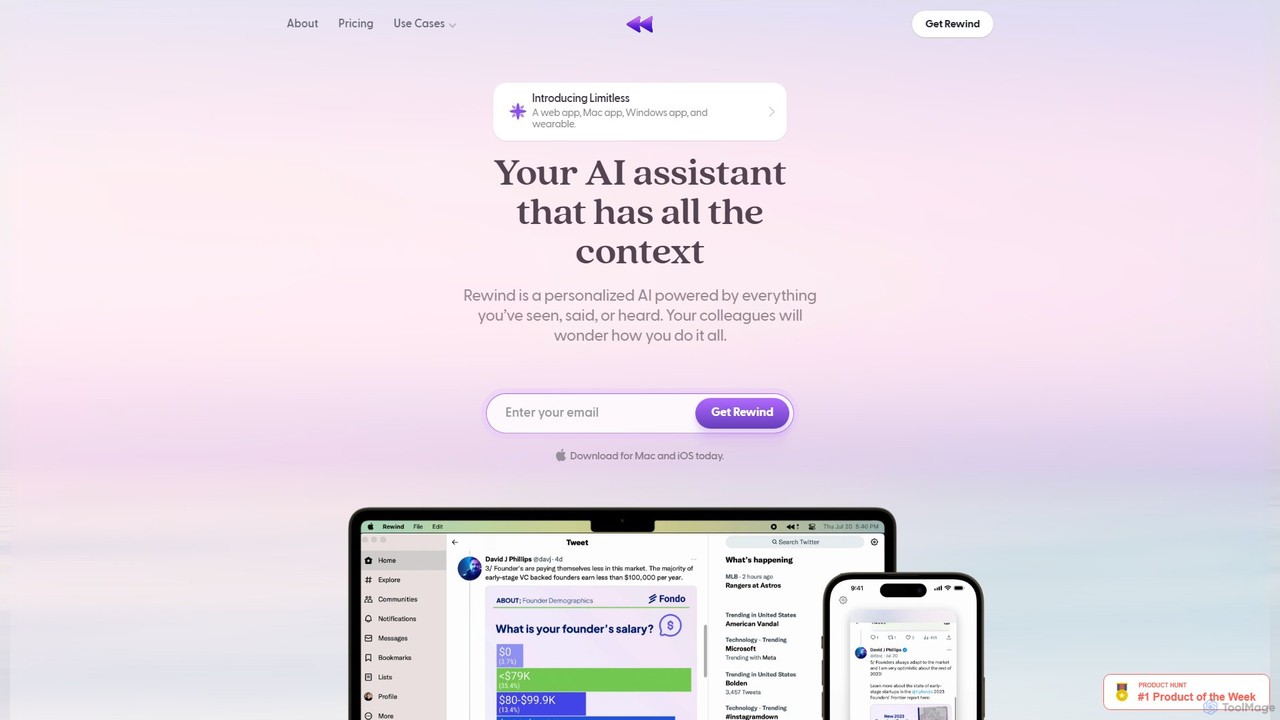
Rewind is a personalized AI assistant that acts as a search engine for your life. It securely captures everything you've seen, said, or heard on your device and makes it instantly searchable. Boost your productivity with automated meeting summaries, a perfect memory of your work, and an AI that understands your personal context, all while keeping your data private and local.

Transcription
Visits 33.9KFavorites 130Likes 118

About Transcription

Transcription tools are AI-powered solutions that convert spoken language from audio and video recordings into written text. Leveraging advanced Automatic Speech Recognition (ASR) technology, these tools accurately process diverse vocal inputs, making information searchable and editable. They are invaluable for documenting discussions, creating accessible content, and streamlining information retrieval. Within the broader context of meeting management, transcription tools provide a crucial, detailed record of discussions, decisions, and action items.

Core Features

  • Automatic Speech Recognition (ASR): Converts spoken words into text with high accuracy, supporting various accents and languages.
  • Speaker Diarization: Automatically identifies and labels different speakers in a conversation, making transcripts easier to follow.
  • Timestamping: Links specific sections of the transcribed text to their corresponding points in the original audio or video.
  • Multi-language Support: Offers transcription capabilities for a wide range of languages and dialects, catering to global communication needs.
  • Editing & Export Options: Provides an interface for reviewing and correcting transcripts, with flexible export formats like TXT, DOCX, SRT, and VTT.

Applicable Scenarios

Transcription tools are widely used across various sectors. Business professionals utilize them for generating accurate meeting minutes and summarizing discussions. Researchers rely on them to analyze qualitative data from interviews and focus groups. Content creators leverage these tools to produce subtitles, captions, and show notes for podcasts and videos, enhancing accessibility and SEO.

How to Choose

When selecting an AI transcription tool, consider its accuracy for your specific audio quality and accents, the speed of transcription, and the range of supported languages. Evaluate the quality of speaker diarization and timestamping, as well as the available editing features. Finally, assess the pricing model, integration capabilities with existing workflows, and data security measures to ensure it meets your operational needs.

Transcription use cases

1

Automated Meeting Minutes Generation

Business professionals and team leaders use transcription tools to automatically convert recorded meetings into detailed text minutes. This saves significant time compared to manual note-taking, ensuring all discussion points, decisions, and assigned actions are accurately captured and easily searchable for future reference and compliance.

2

Interview Content Analysis for Researchers

Academics, market researchers, and journalists utilize transcription tools to transcribe interviews, focus groups, and qualitative data. This allows for efficient textual analysis, theme identification, and direct quotation extraction, streamlining the research process and enhancing the rigor of their findings.

3

Podcast & Video Subtitle Creation

Content creators, podcasters, and YouTubers employ transcription services to generate accurate subtitles, captions, and show notes for their audio and video content. This not only improves accessibility for hearing-impaired audiences but also boosts SEO, making content more discoverable across platforms.

4

Legal & Compliance Documentation

Legal professionals, paralegals, and compliance officers use transcription tools to document court proceedings, depositions, client consultations, and regulatory compliance calls. The precise, timestamped transcripts serve as critical evidence, official records, and ensure adherence to legal and industry standards.

5

Lecture & Seminar Note-Taking for Students

Students and lifelong learners record lectures, seminars, and online courses, then use transcription tools to convert them into searchable text notes. This enables easy review of complex topics, quick retrieval of specific information, and better preparation for exams or assignments, enhancing learning efficiency.

6

Customer Service Call Analysis

Customer service departments and call centers transcribe customer interaction calls to analyze common issues, agent performance, and customer sentiment. This data helps in identifying training needs, improving service quality, and refining product offerings based on direct customer feedback, leading to better customer satisfaction.

Transcription FAQ

What are AI Transcription tools?

AI Transcription tools are software applications that use artificial intelligence, specifically Automatic Speech Recognition (ASR), to convert spoken audio from recordings or live feeds into written text. They are designed to automate the laborious process of manual transcription, offering features like speaker identification, timestamping, and multi-language support. These tools are particularly valuable in contexts like meeting documentation, content creation, and research, where accurate and searchable text records are essential.

How accurate are AI Transcription tools?

The accuracy of AI transcription tools varies significantly based on audio quality, speaker clarity, background noise, accents, and the complexity of the vocabulary. Modern AI models can achieve high accuracy rates, often exceeding 90-95% under optimal conditions. However, for highly critical applications, human review and editing are often recommended to ensure perfect fidelity. Many tools provide an editing interface to correct any errors post-transcription.

What's the difference between AI Transcription and manual transcription?

AI transcription offers speed and cost-effectiveness, converting hours of audio into text in minutes, often at a fraction of the cost of human transcribers. Its primary limitation is occasional accuracy issues, especially with poor audio or complex terminology. Manual transcription, performed by humans, typically offers superior accuracy and nuance, especially for challenging audio, but is significantly slower and more expensive. AI tools are ideal for large volumes and quick drafts, while manual is preferred for absolute precision.

Can AI Transcription tools identify different speakers?

Yes, most advanced AI transcription tools incorporate "speaker diarization" technology. This feature automatically detects and labels different speakers in an audio recording, assigning a unique identifier (e.g., "Speaker 1," "Speaker 2") to each person's dialogue. While generally effective, its accuracy can be influenced by the number of speakers, overlapping speech, and audio quality. This capability is crucial for generating clear and readable meeting minutes or interview transcripts.

What file formats do AI Transcription tools support for input and output?

For input, AI transcription tools typically support a wide range of audio formats like MP3, WAV, M4A, AAC, and sometimes video formats such as MP4, MOV, and AVI. For output, common text formats include plain text (TXT), Microsoft Word documents (DOCX), and subtitle formats like SubRip (SRT) and WebVTT (VTT). The availability of specific formats can vary between tools, so it's important to check compatibility with your workflow needs.