FreeTTS
FreeTTS is a versatile AI-powered audio toolkit offering a suite of free and premium services. It excels in …
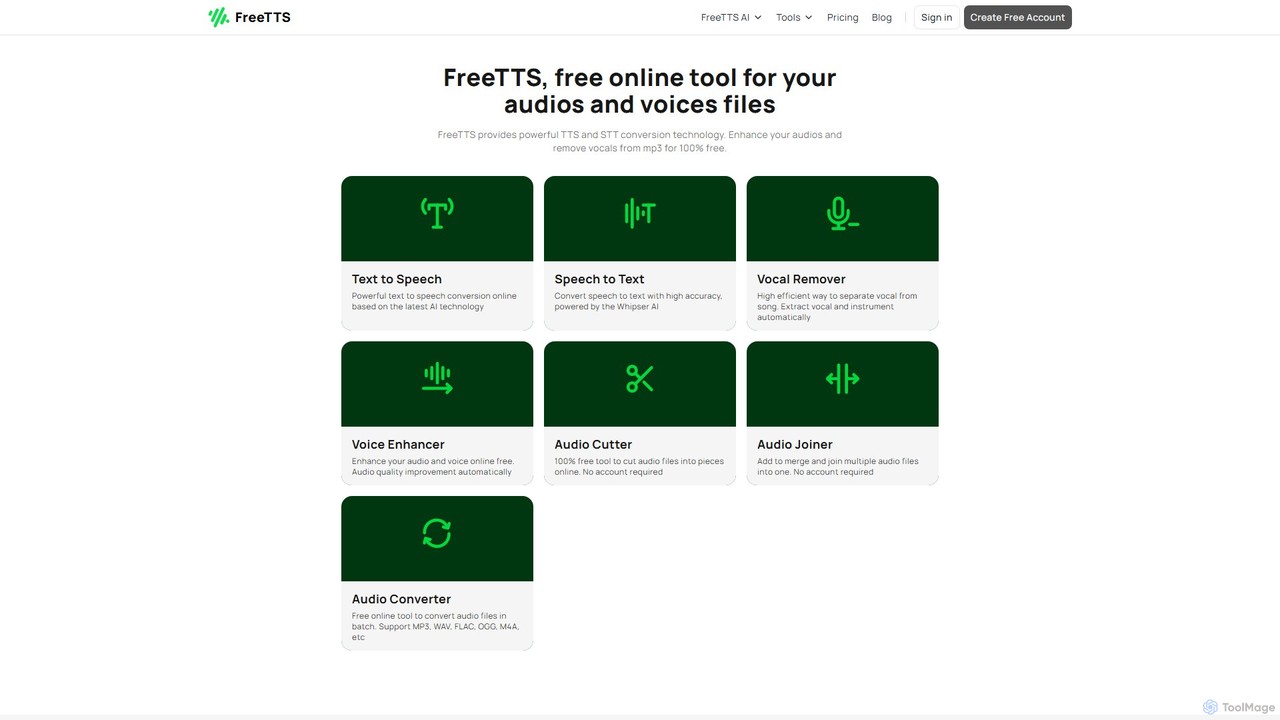
FreeTTS is a versatile AI-powered audio toolkit offering a suite of free and premium services. It excels in converting text to natural-sounding speech with a wide range of human-like voices. Beyond TTS, it provides high-accuracy speech-to-text transcription, an AI vocal remover, a voice enhancer, and various audio editing tools like a converter, cutter, and joiner. It's an all-in-one solution for content creators, musicians, and anyone needing high-quality audio processing.
About Vocal Remover
AI Vocal Removers are specialized tools that use deep learning algorithms to isolate and extract vocal tracks from a mixed audio source. These tools analyze the frequency and pattern characteristics of a song to differentiate vocals from instruments like drums, bass, and guitar. This allows users to create clean instrumental versions (karaoke tracks) or isolated vocal tracks (acapellas) with high fidelity. The technology has become essential for music production, remixing, and content creation, offering a level of precision that was previously difficult and time-consuming to achieve.
Core Features
- Vocal & Instrumental Separation: The primary function to split a song into two main tracks: vocals and background music.
- Multi-Stem Separation: Advanced tools can further separate instrumentals into individual stems like drums, bass, piano, and others.
- Audio Quality Control: Options to adjust the separation model or post-processing to minimize artifacts and preserve audio quality.
- Batch Processing: The ability to upload and process multiple audio files simultaneously, saving significant time for large projects.
- Format Flexibility: Support for various input and output audio formats, such as MP3, WAV, FLAC, and others.
Use Cases
These tools are widely used by music producers and DJs for creating remixes and mashups by isolating acapellas. Karaoke enthusiasts and cover artists use them to generate high-quality backing tracks for practice and performance. Audio engineers and forensic analysts may use them to clean up dialogue or analyze specific vocal performances within a complex audio mix.
How to Choose
When selecting an AI Vocal Remover, consider the separation quality and the presence of audio artifacts. Evaluate the number of stems it can separate—some only offer vocals/instrumentals, while others provide drums, bass, etc. Also, check processing speed, supported file formats, and whether the tool operates online or as downloadable software. Finally, compare pricing models, from free tools with limitations to subscription-based professional services.
Vocal RemoverUse Cases
Creating Karaoke and Backing Tracks
A cover artist or karaoke enthusiast wants to perform a popular song but needs a high-quality instrumental version. They upload the original MP3 or WAV file to an AI Vocal Remover. The tool processes the audio and provides a downloadable instrumental track, with the lead vocals cleanly removed. This allows them to practice their singing, record their own cover version for YouTube, or host a karaoke night without being limited by officially available tracks.
Producing Music Remixes and Mashups
A DJ or music producer wants to create a remix by layering the vocals of a classic pop song over a new electronic beat. Using an AI Vocal Remover, they isolate the acapella (vocal-only track) from the original song. The tool separates the vocals with minimal instrumental bleed. They can then import this clean acapella into their Digital Audio Workstation (DAW), time-stretch it to fit the new tempo, and mix it with their own instrumental arrangement to create a unique and professional-sounding remix.
Language Learning and Transcription
A language student is trying to improve their listening comprehension and pronunciation by studying a song in a foreign language. The singer's voice is often obscured by loud instruments. By using an AI Vocal Remover, the student can generate a vocals-only track. This allows them to hear every word and nuance of the pronunciation clearly, making it much easier to follow along with lyrics, practice mimicking the accent, and accurately transcribe the words for study.
Audio Analysis for Music Education
A music theory teacher wants to demonstrate vocal harmony techniques to their students using a famous song. Instead of just playing the full mix, the teacher uses an AI tool to separate the lead vocals, backing vocals, and instrumental tracks. They can then play each vocal part in isolation, allowing students to clearly hear the different harmony lines and how they interact. This provides a much more effective and engaging learning experience than trying to pick out parts from a dense musical arrangement.
Sampling Vocals for Beat Making
A hip-hop producer finds an old soul record with a powerful but short vocal phrase they want to sample. The phrase is buried under drums and a bassline. They use an AI Vocal Remover to extract a clean acapella of the phrase. This isolated sample can then be chopped, pitched, and rearranged in their sampler or DAW without the clutter of the original instruments. This process gives them creative freedom to build an entirely new beat around the vocal sample, a cornerstone technique in modern music production.
Audio Cleanup for Post-Production
A podcast editor is working on an interview recorded in a noisy environment where background music was playing. The speaker's voice is clear, but the music is distracting. Instead of manually trying to EQ out the music, which could degrade the voice quality, the editor uses an AI Vocal Remover. The tool effectively isolates the dialogue track from the background music. The editor can then slightly mix the cleaned music back in at a much lower volume or replace it entirely, resulting in a professional and easy-to-listen-to final podcast episode.