Superapp
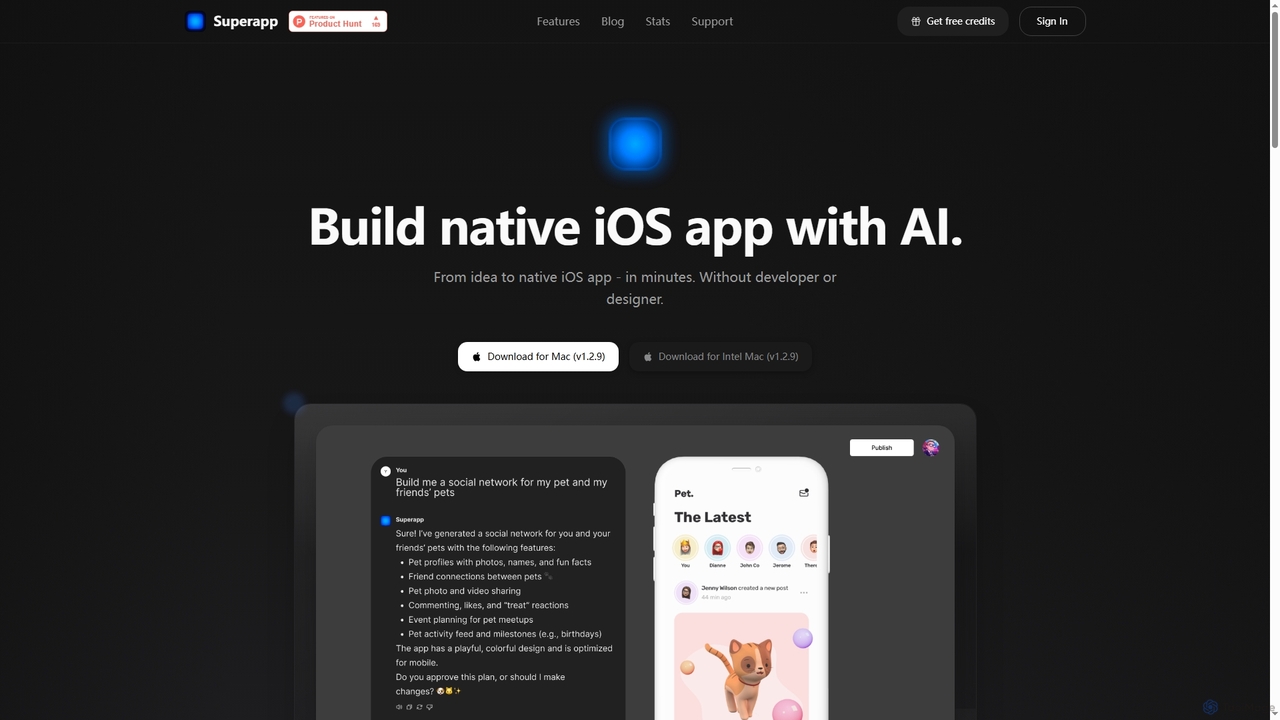
Superapp is an AI-powered desktop application for Mac that enables anyone, regardless of technical skill, to build native …
Superapp is an AI-powered desktop application for Mac that enables anyone, regardless of technical skill, to build native iOS applications from an idea to a fully functional app in minutes. It generates high-quality Swift code, integrates with Supabase for backend, and includes a built-in design system, making app development accessible and efficient for founders and non-developers.
ScrapeComfort
ScrapeComfort is an AI-powered, no-code desktop application for effortless web scraping. It leverages ChatGPT to let you extract …
ScrapeComfort is an AI-powered, no-code desktop application for effortless web scraping. It leverages ChatGPT to let you extract data from any website using simple plain-text commands, eliminating the need for technical skills like CSS selectors or XPaths. It's designed for users of all levels to automate data collection for market research, lead generation, and data analysis.
About No Code
No Code tools are platforms that enable users to build applications, websites, and automate workflows without writing traditional programming code. These tools leverage visual development interfaces, often featuring drag-and-drop functionality and pre-built components, to empower individuals and businesses to create digital solutions rapidly. They democratize technology by making app and web development accessible to non-technical users, significantly accelerating innovation and digital transformation.
Core Features
- Visual Development Interface: Provides intuitive drag-and-drop editors for designing user interfaces and logic flows.
- Pre-built Templates & Components: Offers a library of ready-to-use elements and templates for common functionalities and designs.
- Workflow Automation: Enables the creation of automated processes by connecting different applications and services.
- Data Management & Integration: Facilitates the handling of databases, user data, and integration with external APIs and services.
- Scalability & Deployment: Supports deploying applications to various environments and scaling them as user needs grow.
Applicable Scenarios
No Code tools are ideal for entrepreneurs launching new ventures, small to medium-sized businesses developing internal tools, and marketing teams automating campaigns. They are also widely used by individuals creating personal websites or portfolios, and by product managers for rapid prototyping and validating new ideas without extensive technical resources.
How to Choose
When selecting a No Code platform, consider the complexity and scalability requirements of your project, the range of integrations with other services, and the platform's learning curve. Evaluate the pricing model, community support, and the level of customization offered to ensure it aligns with your specific business needs and future growth plans.
No CodeUse Cases
Building a Custom CRM or Project Management Tool
Small businesses or teams often struggle with generic software that doesn't fit their unique workflows. No Code platforms allow a business analyst or team lead to design and deploy a tailored CRM or project management system, integrating specific data fields, custom dashboards, and automated task assignments, saving significant development costs and time.
Launching an E-commerce Store or Online Marketplace
Entrepreneurs can quickly establish an online presence without needing to hire developers. Using No Code tools, they can build a fully functional e-commerce store with product listings, shopping carts, secure payment gateways, and inventory management. This enables rapid market entry and testing of business models with minimal upfront investment.
Automating Marketing and Sales Workflows
Marketing and sales teams can leverage No Code tools to streamline repetitive tasks. This includes setting up automated lead capture forms, integrating them with email marketing platforms for drip campaigns, and updating CRM records based on customer interactions. This frees up personnel to focus on strategy and customer engagement, improving efficiency by up to 60%.
Creating Interactive Web Applications or Customer Portals
Departments or non-technical founders can develop interactive web applications, such as customer self-service portals, internal dashboards, or event registration sites. These tools allow for visual design and logic building, enabling users to access information, submit requests, or manage their accounts without requiring custom coding, enhancing user experience and operational efficiency.
Developing Mobile Apps for Events or Internal Use
Event organizers or HR departments can quickly create simple mobile applications for specific purposes, like event schedules, internal communication hubs, or employee directories. No Code mobile app builders provide templates and visual editors to design interfaces and integrate features, allowing for rapid deployment and updates without complex native development.
Rapid Prototyping and Minimum Viable Product (MVP) Development
Startups and product managers can use No Code platforms to quickly build and test prototypes or MVPs. This allows them to validate business ideas, gather user feedback, and iterate on features without significant investment in traditional development. The speed of development enables faster market validation and reduces the risk associated with new product launches.