ToolMage
Sign in

Best 1 Developer Tools for Open Source

Popular Developer Tools in Open Source include Shakespeare, helping you work more efficiently.

Shakespeare

Shakespeare

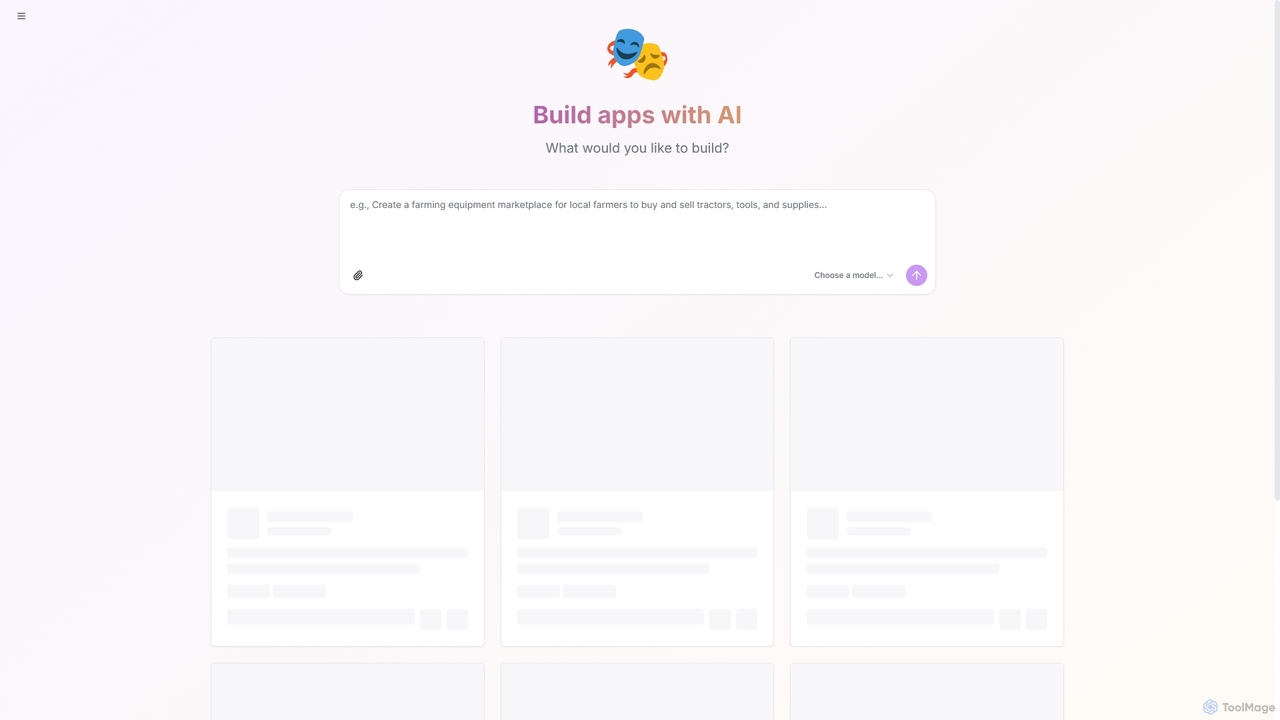
Shakespeare is an open-source AI builder designed for developers to create custom AI applications. It provides a platform to select and utilize various AI models, enabling the rapid development and deployment of intelligent solutions.

Ai Development
Visits 3.5KFavorites 97Likes 91

About Developer Tools

AI Developer Tools are a class of open-source software designed to help programmers build, test, and deploy applications with integrated artificial intelligence. These tools leverage transparent, community-driven codebases to provide libraries, frameworks, and APIs for tasks like machine learning model integration, AI-powered code generation, and automated debugging. Their open nature accelerates development cycles, fosters innovation, and reduces vendor lock-in for developers creating intelligent software, setting them apart within the broader Open Source category.

Core Features

  • Transparent Codebase: Allows for full inspection, modification, and security auditing of the tool's source code.
  • Community-Driven Extensibility: Enables developers to contribute plugins, fix bugs, and adapt tools to new platforms and languages.
  • AI-Powered Code Assistance: Includes features like intelligent code completion, automated refactoring, and natural language to code translation.
  • Integrated MLOps Pipelines: Provides tools for managing the machine learning lifecycle, from data preparation to model deployment and monitoring.

Use Cases

These tools are primarily for software developers, data scientists, and DevOps engineers in tech companies, startups, and research institutions. They are used for building AI-native applications, integrating ML models into existing software, and automating complex development workflows with greater control and transparency.

How to Choose

When selecting an open-source AI Developer Tool, evaluate the community activity and support channels. Ensure compatibility with your existing tech stack (languages, frameworks) and verify that the open-source license aligns with your project's distribution requirements. Finally, assess the maturity and stability of its core AI features.

Featured tool rankings

Developer Tools use cases

1

Automating Unit Test Generation

A backend developer uses an open-source AI tool to analyze new functions and automatically generate comprehensive unit tests. The tool examines the code logic, identifies edge cases, and produces test scripts in the project's required framework, such as Jest or PyTest. This process ensures high code coverage and significantly reduces the manual, repetitive effort of writing tests, allowing the developer to focus on feature development while maintaining code quality.

2

Building a Custom Code Linter

A development team forks an open-source AI linting engine to create custom rules specific to their company's coding standards and security policies. By modifying the source code, they can teach the linter to detect domain-specific anti-patterns or enforce unique formatting rules that standard linters cannot. This custom tool is then integrated into their CI/CD pipeline, automatically ensuring code quality and security compliance across all projects without relying on a third-party service.

3

Integrating a Local LLM for Code Completion

A developer concerned with data privacy uses an open-source AI developer tool to host a local large language model (LLM) for advanced, context-aware code completion. By running the model on their own machine, all code and context remain on-premises, eliminating the risk of sending proprietary code to a third-party cloud service. This setup provides powerful AI assistance while maintaining full control over data security and intellectual property, a critical requirement for many organizations.

4

Optimizing Database Queries with AI

A database administrator employs an open-source AI tool that connects to their production database. The tool analyzes query patterns and execution plans, then suggests index optimizations and rewrites inefficient SQL code. Because the tool is open-source, the administrator can inspect its analysis algorithms for transparency and even customize them to better suit their specific database schema and workload, directly improving application performance and reducing server costs.

5

Streamlining CI/CD with AI-driven Insights

A DevOps engineer integrates an open-source AI monitoring tool into their CI/CD pipeline. The tool analyzes historical build data to predict potential build failures based on new code commits. It can also identify performance bottlenecks in the testing phase before deployment. By providing these predictive insights, the tool helps the team proactively address issues, reduce deployment risks, and maintain a faster, more reliable release cycle without being locked into a proprietary platform's ecosystem.

6

Developing a Natural Language API Interface

A startup team uses an open-source AI framework to build a natural language interface for their application's API. This allows non-technical users to interact with complex features using simple text commands. Because the framework is open-source, they can fine-tune the underlying language model on their own domain-specific data, achieving higher accuracy than a generic proprietary solution. This customization enables them to create a unique and powerful user experience that sets their product apart.

Developer Tools FAQ

What are AI Developer Tools in the context of open source?

Open-source AI Developer Tools are software applications whose source code is publicly available, designed to assist with the software development lifecycle. Unlike proprietary tools, they offer transparency, allowing anyone to inspect, modify, and distribute the code. They typically provide AI-powered features like code completion, automated testing, and debugging, while fostering a collaborative environment where a community of developers contributes to their improvement.

How do I choose the right open-source AI Developer Tool?

To choose the right tool, consider these factors:

  • Community and Documentation: A strong, active community and comprehensive documentation are crucial for support and troubleshooting.
  • Tech Stack Compatibility: Ensure the tool integrates well with your programming languages, frameworks, and existing development environment.
  • License: Check the open-source license (e.g., MIT, Apache 2.0, GPL) to ensure it's compatible with your project's intended use, especially for commercial applications.
  • Feature Set: Evaluate if the tool's specific AI capabilities (e.g., code generation, debugging, security scanning) match your primary needs.
What's the main difference between open-source and proprietary AI developer tools?

The primary difference is access to the source code. Open-source tools provide full transparency, allowing developers to customize the tool, fix bugs, and verify its security. They are often free and community-supported. Proprietary tools, on the other hand, have closed source code, typically come with dedicated customer support and a more polished user experience, but can lead to vendor lock-in and involve licensing fees. The choice depends on your need for control, budget, and support requirements.

What key features should I look for in an open-source AI Developer Tool?

Look for a combination of core development aids and AI-specific functionalities. Key features include AI-powered code completion and suggestion, natural language to code translation, automated unit test generation, and intelligent debugging that can identify root causes of errors. Additionally, consider tools with features for code refactoring, security vulnerability detection, and integration with MLOps pipelines for managing machine learning models within your applications.

Who benefits most from using open-source AI Developer Tools?

A wide range of technical professionals benefit, but especially:

  • Startups and Small Businesses: They gain access to powerful AI capabilities without the high cost of proprietary software licenses.
  • Individual Developers and Researchers: They can freely experiment with, modify, and extend cutting-edge tools for personal projects or academic work.
  • Large Enterprises: They can avoid vendor lock-in, customize tools for internal workflows, and ensure full control over data security and intellectual property by hosting tools on-premises.