ToolMage
Sign in

Best 1 Second Brain AI tools for Organization

Popular Second Brain AI tools in Organization include Capacities, helping you work more efficiently.

Capacities
Freemium

Capacities

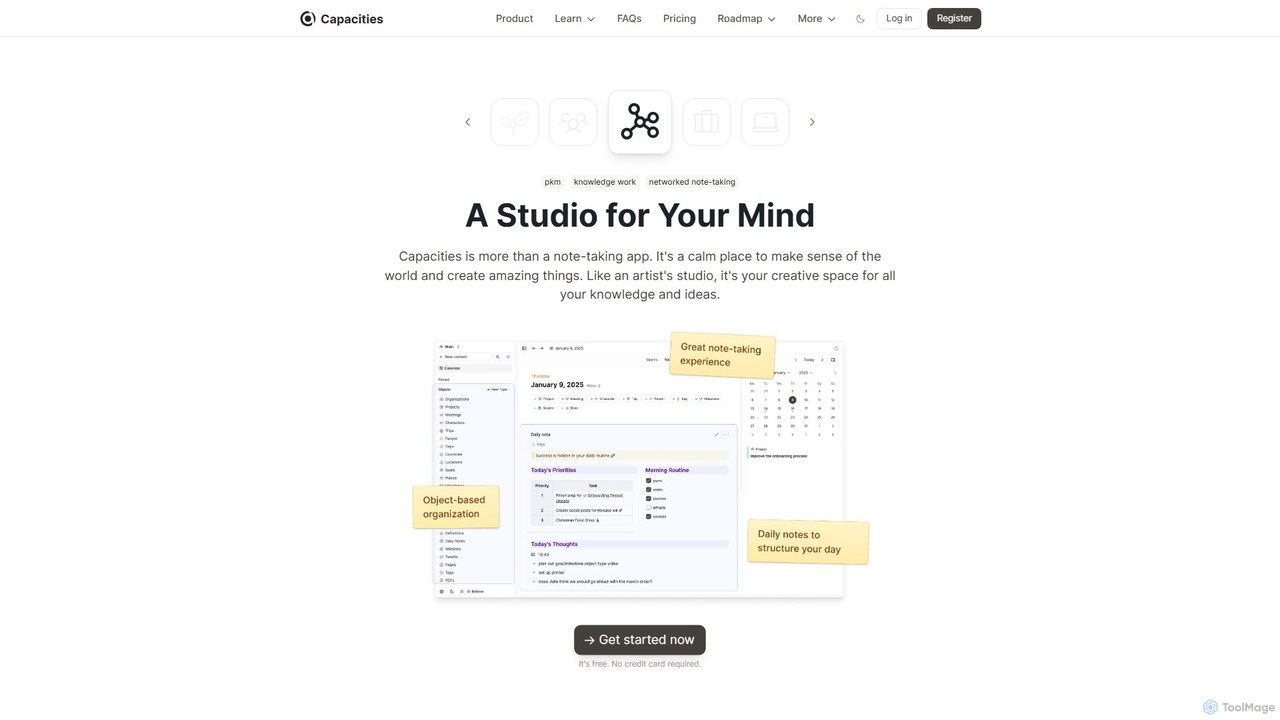
Capacities is a next-generation note-taking and knowledge management tool designed as a "studio for your mind." It replaces traditional folders with a flexible, object-based network, allowing you to connect ideas naturally. Features include an integrated AI assistant, powerful linking, custom content types, and cross-platform availability, making it ideal for building a personal knowledge base or "second brain."

Second Brain
Visits 470.4KFavorites 92Likes 105

About Second Brain

Second Brain tools are AI-powered platforms designed to capture, organize, and connect your digital information, acting as an external extension of your memory and intellect. They leverage AI for features like intelligent tagging, semantic search, and automated summarization, allowing you to find and synthesize knowledge effortlessly. This approach helps users combat information overload, foster creative connections between ideas, and build a personal knowledge base that grows over time. Unlike simple note-taking apps, Second Brain systems focus on creating a networked web of knowledge rather than isolated files.

Core Features

  • Networked Thought: Connect notes and ideas using bi-directional links to create a personal knowledge graph.
  • AI-Powered Search: Utilize natural language processing to find concepts and related information, not just keywords.
  • Automated Organization: AI automatically suggests tags, categories, and links to structure your information as it's captured.
  • Universal Capture: Seamlessly save articles, tweets, PDFs, and personal notes from various sources into one central hub.
  • AI Synthesis & Summarization: Generate concise summaries of long documents or synthesize key themes from a collection of notes.

Use Cases

These tools are ideal for researchers, academics, and students building an interconnected library of sources. Content creators, writers, and strategists use them to organize ideas, track inspiration, and discover novel connections. They also serve as powerful personal knowledge management (PKM) systems for lifelong learners aiming to retain and build upon what they learn.

How to Choose

When selecting a Second Brain tool, evaluate its data capture capabilities, such as web clippers and mobile integration. Assess the sophistication of its AI features, particularly semantic search and auto-linking. Consider its integration with other applications in your workflow and ensure it offers robust data export options (e.g., Markdown) to maintain ownership of your knowledge.

Featured tool rankings

Second Brain use cases

1

Academic Research and Thesis Writing

A PhD student manages hundreds of academic papers and notes for their dissertation. Using a Second Brain tool, they clip articles from online journals, and the AI automatically summarizes key findings and suggests relevant tags. They create bi-directional links between related theories, author notes, and experimental data. This process builds a dynamic knowledge graph, revealing unforeseen connections between different research areas and significantly speeding up the literature review and writing process by having all relevant information interconnected and instantly accessible.

2

Content Creation and Idea Curation

A content creator uses a Second Brain to capture inspiration from various sources like articles, podcasts, and social media. When planning a new video, they use the AI-powered search to ask, "What are some interesting statistics about productivity?" The tool instantly surfaces all related notes and clippings saved over months. By visualizing these connections in the graph view, they can easily structure a compelling narrative, combining different ideas into a unique piece of content, thus overcoming writer's block and enhancing creativity.

3

Building a Personal Knowledge Management (PKM) System

A lifelong learner wants to retain knowledge from books, online courses, and documentaries. They use a Second Brain tool to create summaries and capture key insights. Over time, the AI begins to surface connections between seemingly unrelated topics, for example, linking a concept from behavioral economics to a principle in software design they learned years ago. This fosters interdisciplinary thinking and transforms passive consumption of information into an active, growing repository of personal wisdom that can be queried and explored at any time.

4

Strategic Planning for Entrepreneurs

An entrepreneur uses their Second Brain to track market trends, competitor analysis, customer feedback, and internal meeting notes. When developing a new quarterly strategy, they can query their knowledge base with questions like "What were the main customer complaints in Q2?" and "Show me notes related to our competitor's latest launch." The AI connects these disparate data points, helping the entrepreneur synthesize a strategy that is directly informed by market realities and customer needs, rather than relying on fragmented memory or scattered documents.

5

Managing a Team Knowledge Base

A project manager establishes a shared Second Brain for their team to centralize all project documentation, meeting minutes, and standard operating procedures. A new team member can quickly get up to speed by asking the system natural language questions like, "What is our process for deploying a new feature?" The AI searches across all documents and provides a synthesized answer with links to the original sources. This reduces onboarding time and ensures the entire team operates from a single, consistent source of truth, eliminating information silos.

6

Personal Journaling and Self-Reflection

An individual uses a Second Brain for daily journaling, tagging entries with moods, activities, and key themes like gratitude or challenge. After several months, they can use the AI to analyze patterns, asking questions like "Show me all entries where I mentioned feeling anxious and also discussed work." The tool can reveal correlations between certain activities and emotional states, providing powerful insights for personal growth and well-being. The networked structure helps them see how past experiences connect to their present mindset, fostering deeper self-awareness.

Second Brain FAQ

What is a Second Brain tool?

A Second Brain tool is a digital system for capturing, organizing, and connecting your knowledge to function as an external memory. It uses AI features like semantic search and automated linking to help you find and synthesize information, transforming scattered notes into a cohesive, searchable, and interconnected knowledge network. Its primary goal is to help you think better and manage information overload.

How is a Second Brain different from a simple note-taking app?

The key difference is connection versus collection. Simple note-taking apps (like Google Keep) are excellent for collecting isolated pieces of information. A Second Brain tool focuses on creating a network of interconnected ideas. Features like bi-directional linking and knowledge graphs are central to Second Brains, allowing you to discover relationships between your thoughts, which is a capability most standard note-taking apps lack.

What are the key features to look for in a Second Brain tool?

When choosing a Second Brain tool, prioritize these features:

  • Bi-directional Linking: To create a non-linear network of your notes.
  • AI-Powered Search: To find information based on concepts and meaning, not just exact keywords.
  • Versatile Content Capture: A robust web clipper, email forwarding, and mobile app support are essential.
  • Data Portability and Ownership: Ensure you can easily export your data in a standard format like Markdown.
  • Graph View: A visual representation of how your notes are connected, which helps in discovering new insights.
Who can benefit from using a Second Brain?

Anyone dealing with information overload can benefit. This includes students and researchers managing academic sources, writers and creators organizing ideas, professionals tracking project details and industry knowledge, and lifelong learners building a personal library of insights. It's for anyone who wants to turn information into actionable knowledge and think more clearly.

Is it difficult to start using a Second Brain system?

Starting can be simple. Begin by capturing anything you find interesting or important without worrying too much about organization. Modern tools with AI can help automatically categorize and link your notes later. The key is to build the habit of capturing first. Over time, you can develop a more structured system that fits your needs. Many tools offer templates and guides to help new users get started effectively.