ToolMage
Sign in

Best 1 Kids AI tools for Parenting

Popular Kids AI tools in Parenting include AI Math Coach, helping you work more efficiently.

AI Math Coach
Freemium

AI Math Coach

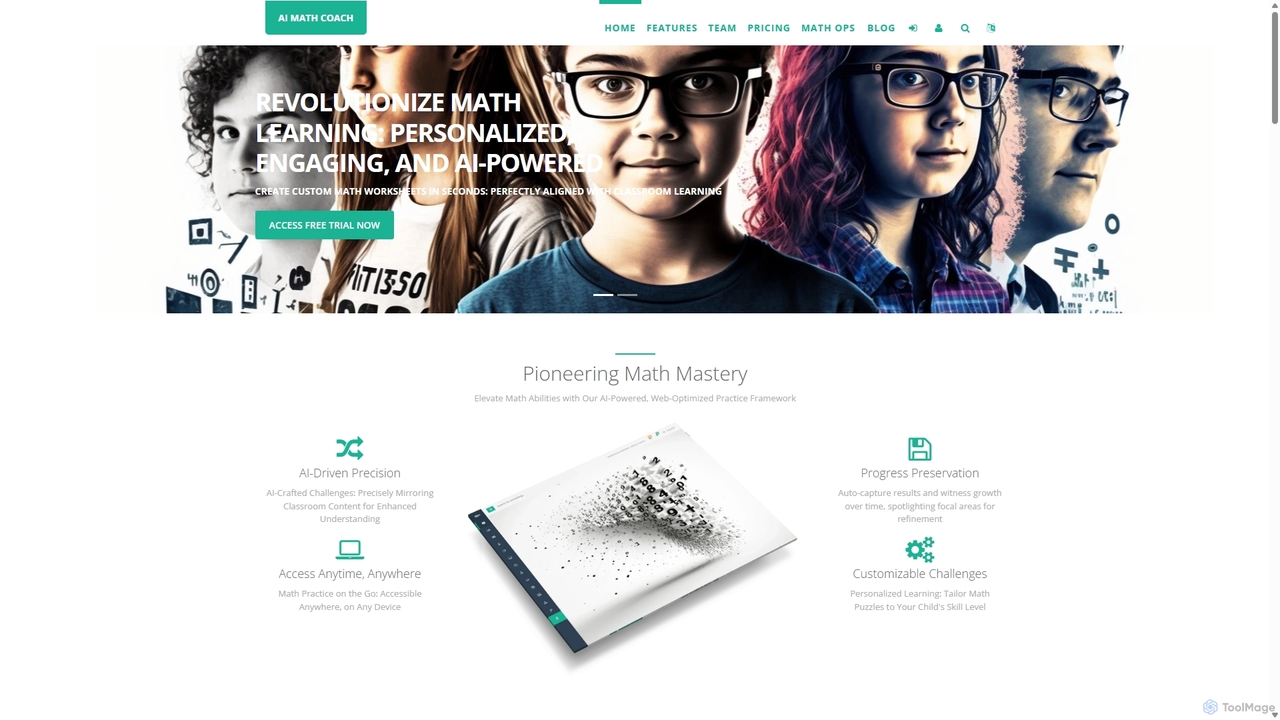
AI Math Coach is an AI-powered platform for parents and educators to effortlessly generate personalized math exercises. Transform images or text from school materials into ready-to-print worksheets tailored to specific age groups and topics. It saves time, enhances learning, and makes math practice more engaging and effective for children.

Tutoring
Visits 6.3KFavorites 107Likes 126

About Kids

AI Kids tools are applications that use artificial intelligence to create personalized, interactive, and educational experiences for children. These tools employ technologies like machine learning and natural language processing to adapt content to a child's unique learning pace and interests. They are designed to make learning engaging, foster creativity, and provide a safe digital environment for exploration and play, distinguishing them within the broader Parenting category by focusing on child-centric interaction.

Core Features

  • Adaptive Learning Paths: The AI assesses a child's performance and automatically adjusts the difficulty of lessons and activities.
  • Interactive Storytelling: AI generates dynamic narratives, characters, and game challenges based on a child's choices and inputs.
  • Safe Content Moderation: Utilizes AI algorithms to filter and block inappropriate content, ensuring an age-appropriate experience.
  • Creative Assistance: Provides smart guidance for drawing, music composition, or coding, helping children realize their creative ideas.
  • Conversational Practice: Employs conversational AI to help children practice pronunciation and vocabulary in a new language through interactive dialogue.

Use Cases

These tools are widely used in home learning environments, as supplemental resources for school curricula, and in homeschooling programs. They are particularly effective for subjects requiring practice and personalization, such as mathematics, language arts, and coding, as well as for developing creative skills in a guided manner.

How to Choose

When selecting an AI tool for kids, prioritize age-appropriateness and clear educational goals. Scrutinize the tool's safety features, including its data privacy policy (e.g., COPPA compliance) and the effectiveness of its content filters. Also, evaluate the user interface's simplicity for children and the availability of robust parental controls.

Kids use cases

1

AI-Powered Math Tutoring

A primary school student uses an AI math app to prepare for an exam. The app identifies that the student struggles with fractions. It then generates a series of interactive games and visual puzzles focused specifically on fractions, gradually increasing in difficulty. The AI provides instant feedback and hints, helping the student master the concept without the pressure of a traditional classroom setting, turning study time into an engaging challenge.

2

Interactive Story Creation

A child who loves fantasy stories uses an AI tool to create their own adventure. They choose a hero, a magical creature, and a setting. The AI then weaves these elements into a unique, illustrated story, generating new plot twists based on the child's decisions at key moments. This process not only provides endless entertainment but also develops the child's narrative skills, creativity, and reading comprehension.

3

Language Practice with a Chatbot

A child learning Spanish practices conversation with an AI tutor. The chatbot engages the child in dialogues about everyday topics like school or hobbies. It provides gentle corrections for grammar and pronunciation in real-time, using voice recognition. Unlike a static app, the AI can ask and answer a wide variety of questions, making each practice session unique and helping the child build conversational confidence in a low-pressure environment.

4

Beginner Coding with AI Guidance

A young learner uses a platform where an AI assistant helps debug their code. When the child's program has an error, the AI doesn't just give the answer. Instead, it asks guiding questions like 'What do you think this error message means?' or 'Have you checked if your loop has an end condition?'. This Socratic method of teaching helps the child develop problem-solving skills and a deeper understanding of coding logic, making the learning process less frustrating and more rewarding.

5

Creative Drawing Assistant

An AI drawing tool helps a child turn their simple doodles into more detailed artwork. The child draws a rough shape of a cat, and the AI suggests different artistic styles (like cartoon, watercolor, or sketch) to apply. It can also help complete lines or suggest color palettes that work well together. This acts as a creative partner, encouraging experimentation and teaching basic art concepts without taking away the child's original creative input.

6

Personalized Reading Companion

An AI-powered reading app listens to a child read aloud. Using speech recognition, it provides real-time, positive feedback on pronunciation and fluency. If the child struggles with a word, the AI can pronounce it for them or provide a simple, visual definition. The app tracks progress and gradually introduces more complex vocabulary and sentence structures, ensuring the reading material is always challenging but never overwhelming, fostering a love for reading.

Kids FAQ

What are AI tools for kids?

AI tools for kids are software applications designed specifically for children that use artificial intelligence to deliver adaptive and interactive content. Unlike static apps, they can personalize learning paths, understand spoken commands, generate creative content, and provide real-time feedback. Their primary goal is to make education and creative play more engaging, effective, and safe for young users.

How do I choose a safe AI tool for my child?

To choose a safe tool, consider these factors:

  • Privacy Policy: Look for a clear policy that is compliant with regulations like COPPA (Children's Online Privacy Protection Act).
  • Parental Controls: Ensure the tool offers robust controls to monitor activity, set time limits, and manage features.
  • Content Filtering: Check if it uses effective, AI-powered moderation to prevent exposure to inappropriate material.
  • Data Usage: Understand what data is collected and how it is used. Prefer tools that minimize data collection.
What's the difference between AI Kids tools and general educational apps?

The key difference is adaptivity. General educational apps often provide a static, one-size-fits-all curriculum. AI Kids tools, however, use artificial intelligence to create a dynamic experience. They can analyze a child's responses to personalize the difficulty, offer tailored feedback, and generate new content on the fly. This makes the learning process more individualized and responsive to the child's specific needs and progress.

What are the main benefits of using AI tools for children's learning?

The primary benefits include personalized learning, increased engagement, and immediate feedback. AI can tailor activities to a child's skill level, preventing boredom or frustration. The interactive nature of these tools, such as conversational tutors or creative assistants, makes learning more like play, boosting motivation. Furthermore, instant corrections and guidance help children learn from mistakes in real-time without waiting for a teacher or parent.

At what age are AI tools appropriate for children?

This varies significantly by tool, as they are often designed for specific age ranges (e.g., preschool, elementary, or middle school). It is crucial for parents to check the developer's recommended age for each specific app. For younger children (preschoolers), tools should focus on simple, play-based learning with high levels of parental supervision. For older children, tools can introduce more complex concepts like coding or advanced problem-solving, but parental guidance on screen time and online safety remains important.