TTcare
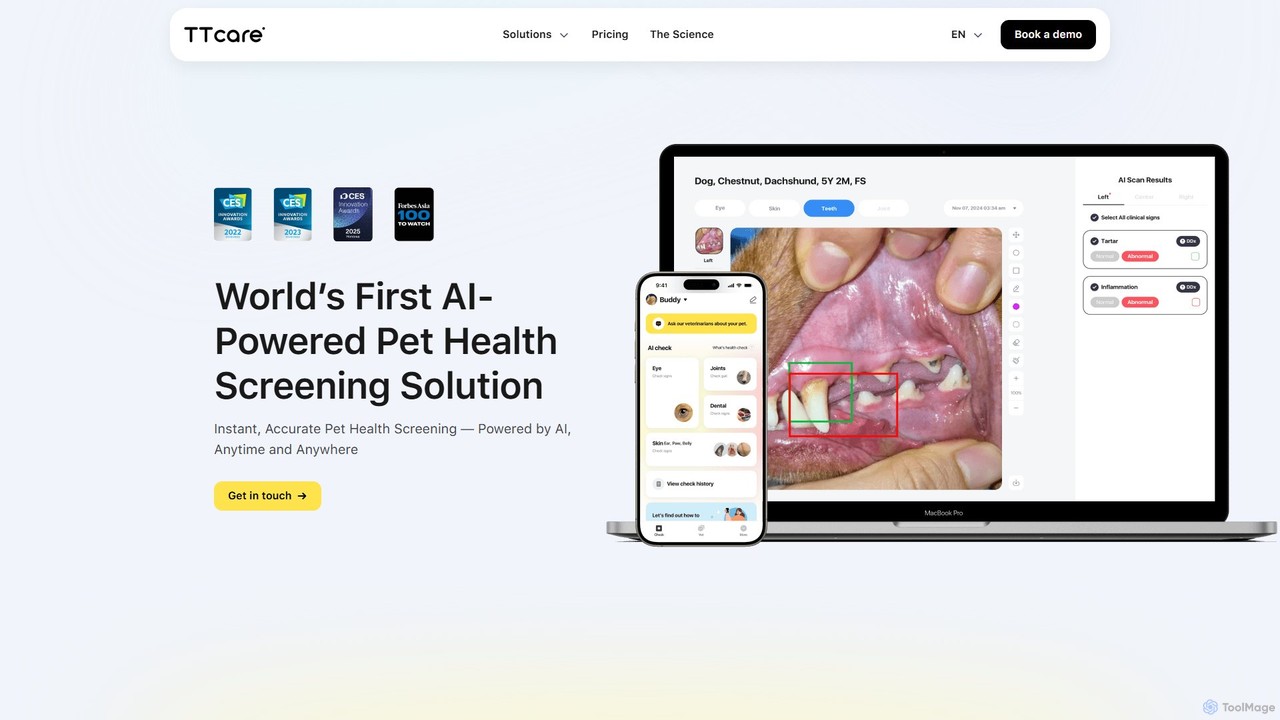
TTcare is an AI-powered pet health screening solution that allows pet owners and veterinarians to detect early signs …
TTcare is an AI-powered pet health screening solution that allows pet owners and veterinarians to detect early signs of health issues in pets. By analyzing a simple photo of a pet's eyes, skin, or teeth, or a video of a horse's gait, TTcare provides instant, accurate health insights and personalized recommendations with 95% accuracy.
About Diagnostic
AI Diagnostic tools are a specialized category of productivity software that use machine learning to automatically identify issues, anomalies, and inefficiencies within systems, code, or processes. They analyze vast amounts of data to pinpoint root causes of problems that are often difficult for humans to detect. By providing precise insights and actionable reports, these tools help teams proactively resolve bottlenecks and prevent future errors, significantly enhancing operational efficiency. Their core strength lies in transforming complex data into clear, understandable diagnostic information.
Core Features
- Automated Anomaly Detection: Identifies unusual patterns or outliers in data streams and system logs.
- Root Cause Analysis (RCA): Traces back from a symptom to uncover the fundamental cause of an issue.
- Predictive Issue Identification: Forecasts potential problems based on historical data and current trends.
- Performance Bottleneck Pinpointing: Analyzes workflows or application performance to find specific points of slowdown.
- Code & Security Vulnerability Scanning: Scans source code or applications to detect bugs, anti-patterns, and security risks.
Use Cases
Primarily used in software development, IT operations (ITOps), and business process management. For instance, DevOps teams use them to monitor application performance in real-time, while business analysts leverage them to optimize supply chain workflows by identifying delays. They are crucial for maintaining system health and operational continuity.
How to Choose
When selecting a tool, consider its integration capabilities with your existing tech stack (e.g., Jira, GitHub, AWS). Evaluate the specificity of its analysis—does it support your programming language or business software? Also, assess the clarity of its reporting and the actionability of its recommendations. Finally, consider the balance between automated analysis and the need for manual configuration.

DiagnosticUse Cases
Real-Time Application Performance Monitoring
A DevOps engineer managing a high-traffic e-commerce platform uses an AI diagnostic tool to continuously analyze server logs, user interaction data, and transaction times. When the tool detects a sudden spike in page load times, it automatically traces the issue back to a specific inefficient database query. This allows the team to fix the problem before it significantly impacts sales, reducing mean time to resolution (MTTR) by up to 40%.
Identifying Bottlenecks in Business Workflows
A business process manager in a financial institution uses a diagnostic tool to analyze the loan approval process. By feeding process logs into the AI, the tool creates a visual map of the workflow and highlights that the 'manual document verification' stage is causing an average delay of 48 hours. This insight allows the manager to allocate more resources or explore automation for that specific stage, improving the overall process speed.
Automated Code Quality and Security Audits
A software development team integrates an AI diagnostic tool into their CI/CD pipeline. Before any new code is merged, the tool automatically scans it for logical errors, security vulnerabilities like SQL injection, and deviations from coding standards. It provides instant feedback to developers within their code editor, reducing the number of bugs that reach production and improving overall code maintainability and security posture.
Network Traffic Anomaly Detection for Security
An IT security analyst for a corporate network employs a diagnostic tool to monitor network traffic. The AI learns the baseline of normal activity over time. When it detects an unusual data transfer pattern—such as a large upload to an unknown external server late at night—it flags it as a potential data breach or malware activity. This enables a rapid response, allowing the security team to investigate and contain the threat before significant damage occurs.
Optimizing Manufacturing Production Lines
A factory manager uses an AI diagnostic tool connected to IoT sensors on an assembly line. The system analyzes sensor data like temperature, vibration, and speed to predict when a machine is likely to fail. It alerts the maintenance team to perform preventative maintenance during scheduled downtime, avoiding costly unplanned shutdowns and optimizing the production schedule for maximum output.
Analyzing Customer Support Ticket Trends
A customer support lead uses a diagnostic tool to analyze thousands of incoming support tickets. The AI clusters tickets by topic and identifies a recurring issue related to a recent software update that isn't immediately obvious from individual reports. This allows the product team to prioritize a bug fix, reducing ticket volume for that specific issue by 70% and improving customer satisfaction.