ToolMage
Sign in

Best 1 Code Analysis AI tools for Programming

Popular Code Analysis AI tools in Programming include Documatic, helping you work more efficiently.

Documatic
Freemium

Documatic

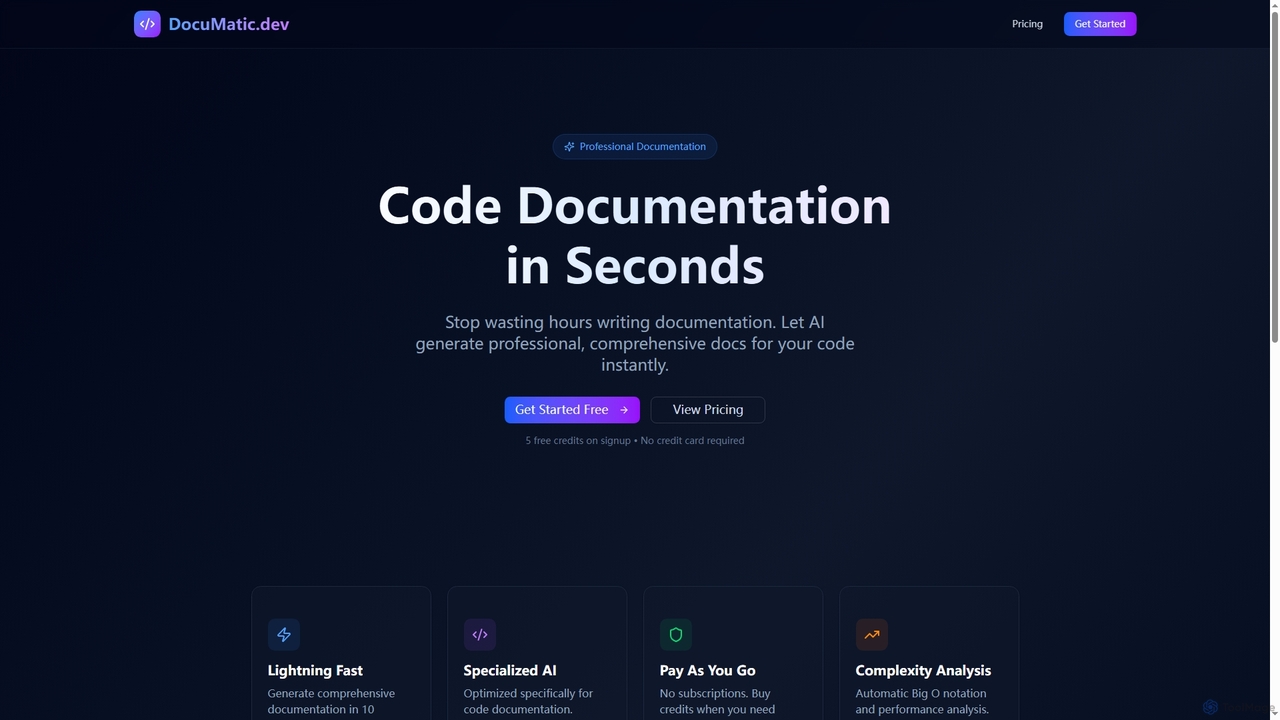
Documatic is an AI-powered tool that generates professional, comprehensive code documentation in seconds. Designed specifically for developers, it eliminates hours of manual writing by providing instant, high-quality documentation, including complexity analysis, for any programming language. It operates on a flexible pay-as-you-go credit system.

Code Documentation
Visits 6.2KFavorites 117Likes 113

About Code Analysis

Code Analysis tools are AI-powered solutions that automatically examine source code to identify potential issues, vulnerabilities, and areas for improvement. Leveraging advanced algorithms, these tools go beyond static rule-based checks to detect complex patterns, enforce coding standards, and suggest intelligent refactorings. They enhance code quality, security, and maintainability across the entire software development lifecycle, empowering developers to write cleaner, more robust, and secure applications.

Core Features

  • Static Code Analysis: Examines code without executing it to find bugs, security flaws, and style violations.
  • Dynamic Code Analysis: Analyzes code during execution to detect runtime errors, memory leaks, and performance bottlenecks.
  • Vulnerability Detection: Identifies common security weaknesses like SQL injection, XSS, and insecure configurations.
  • Code Quality Metrics: Calculates metrics such as cyclomatic complexity, duplication, and maintainability index.
  • Refactoring Suggestions: Provides intelligent recommendations for improving code structure and readability.

Use Cases

Code Analysis tools are indispensable for development teams aiming to proactively improve their software. They are used for pre-commit checks to catch issues early, integrated into CI/CD pipelines for continuous quality assurance, and employed in security audits to ensure compliance and mitigate risks. These tools also assist in modernizing legacy codebases by highlighting areas for optimization and simplification.

How to Choose

When selecting a Code Analysis tool, consider its support for your programming languages, integration capabilities with your existing IDEs and CI/CD systems, and the types of analysis offered (static, dynamic, security). Evaluate its reporting features, customization options for rulesets, and the accuracy of its findings to minimize false positives. Scalability for large projects and community support are also crucial factors.

Code Analysis use cases

1

Automated Security Vulnerability Detection

Security-conscious development teams integrate AI-powered Code Analysis tools into their CI/CD pipelines to automatically scan new code for common vulnerabilities like SQL injection, cross-site scripting (XSS), and insecure API usage. This proactive approach helps identify and fix security flaws early in the development cycle, significantly reducing the risk of costly breaches and ensuring compliance with security standards before deployment.

2

Enforcing Coding Standards and Best Practices

Large organizations and open-source projects utilize Code Analysis to ensure consistent code quality and adherence to internal coding standards or industry best practices (e.g., MISRA C, OWASP). The tools automatically flag deviations, enforce style guides, and identify anti-patterns, helping maintain a uniform codebase, improve readability, and simplify collaboration among diverse development teams, especially during code reviews.

3

Optimizing Performance in Critical Applications

Performance engineers and developers working on high-throughput or low-latency applications leverage dynamic Code Analysis to pinpoint performance bottlenecks, memory leaks, and inefficient algorithms. By analyzing runtime behavior, these tools provide insights into resource consumption and execution paths, enabling targeted optimizations that significantly improve application speed, responsiveness, and overall efficiency in production environments.

4

Refactoring and Modernizing Legacy Codebases

Teams tasked with maintaining or modernizing extensive legacy systems use Code Analysis to gain a comprehensive understanding of complex, undocumented code. The tools identify dead code, duplicated logic, overly complex functions, and potential architectural smells. This analysis provides a clear roadmap for refactoring efforts, reducing technical debt, improving maintainability, and facilitating the migration to newer technologies or paradigms.

5

Streamlining Code Reviews and Onboarding

Development teams employ Code Analysis to automate the initial pass of code reviews, allowing human reviewers to focus on architectural decisions and business logic rather than syntax or common errors. For new developers, analysis reports offer a quick way to understand a project's codebase, identify areas needing attention, and learn established coding patterns, accelerating their onboarding process and productivity.

6

Ensuring Regulatory Compliance and Audit Readiness

Companies operating in regulated industries (e.g., finance, healthcare) use Code Analysis to ensure their software complies with specific regulatory requirements like GDPR, HIPAA, or industry-specific safety standards. These tools can be configured to check for data privacy violations, insecure data handling, or adherence to certified coding guidelines, providing auditable reports that demonstrate due diligence and reduce legal risks.

Code Analysis FAQ

What is Code Analysis?

Code Analysis is the process of automatically examining source code to discover potential bugs, security vulnerabilities, and areas for improvement without manual inspection. AI-powered Code Analysis tools leverage machine learning to identify complex patterns, predict issues, and provide intelligent suggestions, enhancing code quality, security, and maintainability throughout the software development lifecycle.

How do AI-powered Code Analysis tools differ from traditional ones?

Traditional Code Analysis tools primarily rely on predefined rules and patterns. AI-powered tools, however, use machine learning and natural language processing to understand code context, learn from vast datasets, and detect more subtle, complex issues that rule-based systems might miss. This often leads to fewer false positives, more accurate findings, and more intelligent, context-aware recommendations for developers.

What are the main benefits of using Code Analysis in software development?

The primary benefits include improved code quality by enforcing standards and catching bugs early, enhanced security through automated vulnerability detection, and increased maintainability by identifying complex or duplicated code. It also accelerates code reviews, reduces technical debt, and helps ensure compliance with regulatory standards, ultimately leading to more reliable and secure software products.

Can Code Analysis tools be integrated into existing development workflows?

Yes, most modern Code Analysis tools are designed for seamless integration into various development workflows. They can be incorporated into Integrated Development Environments (IDEs) for real-time feedback, hooked into version control systems (e.g., Git) for pre-commit checks, and fully automated within Continuous Integration/Continuous Deployment (CI/CD) pipelines to provide continuous quality and security feedback with every build.

What's the difference between Static and Dynamic Code Analysis?

Static Code Analysis examines source code without executing it, focusing on potential issues like syntax errors, coding standard violations, and security flaws based on code structure. Dynamic Code Analysis, conversely, analyzes code during its execution, identifying runtime issues such as memory leaks, performance bottlenecks, and unhandled exceptions. Both are complementary and crucial for comprehensive code quality and security assurance.