DevBlogs
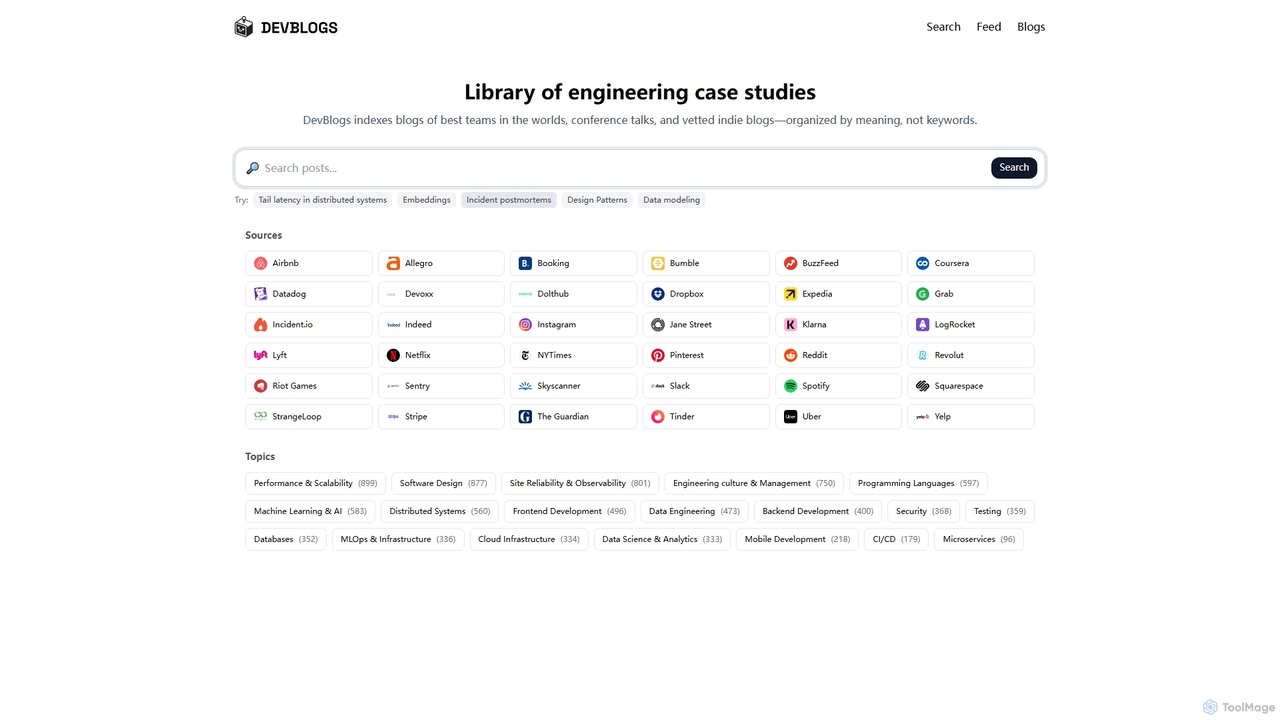
DevBlogs is a curated library indexing engineering case studies, tech blogs, and conference talks from leading global teams. …
DevBlogs is a curated library indexing engineering case studies, tech blogs, and conference talks from leading global teams. It organizes content by meaning and specific technical topics, providing a valuable resource for developers and engineers to discover insights and best practices.
About Languages
AI Programming Language tools are a class of software that uses artificial intelligence to assist developers in writing, analyzing, and managing code. These tools leverage large language models (LLMs) trained on vast code repositories to understand context, syntax, and programming patterns. They significantly accelerate the development lifecycle by automating repetitive tasks, reducing human error, and improving overall code quality. This enables developers to focus more on complex problem-solving and architectural design.
Core Features
- Intelligent Code Completion: Suggests entire functions or blocks of code based on context, going far beyond single-word autocompletion.
- Natural Language to Code Generation: Translates plain English descriptions or comments into functional code snippets in various languages.
- Cross-Language Code Translation: Converts source code from one programming language to another, aiding in system migration and modernization.
- Automated Code Review & Refactoring: Identifies bugs, security vulnerabilities, and performance bottlenecks, then suggests or applies improvements.
- AI-Powered Debugging: Analyzes error messages and code context to explain the root cause of bugs and propose potential fixes.
Use Cases
These tools are widely used by software developers, data scientists, and DevOps engineers. Common applications include rapidly building prototypes, modernizing legacy systems by translating old code, enforcing consistent coding standards across teams, and generating complex data queries from simple text prompts.
How to Choose
When selecting an AI Programming Language tool, consider its support for your primary programming languages (e.g., Python, JavaScript, Go). Evaluate its integration capabilities with your preferred IDE (like VS Code or JetBrains). Also, assess the accuracy of its suggestions, its performance speed, and whether its feature set aligns with your main tasks, such as debugging, testing, or documentation.

LanguagesUse Cases
Accelerate Prototyping with Natural Language Prompts
A startup developer needs to build a quick API prototype for a new feature. Instead of writing boilerplate code from scratch, they use an AI programming tool. They type a prompt like, "Create a Node.js Express server with a POST endpoint '/users' that accepts a name and email and saves it to a mock database." The tool instantly generates the server setup, routing, and validation logic, allowing the developer to have a functional prototype in minutes instead of hours, significantly speeding up the iteration cycle.
Modernize Legacy Codebases with Automated Translation
A large enterprise is migrating a legacy application written in COBOL to Java to improve maintainability. Manually rewriting thousands of lines of code is slow and error-prone. The development team uses an AI code translation tool. The tool analyzes the COBOL source code, understands its logic and data structures, and generates equivalent, modern Java code. While human oversight is still needed, the tool automates over 80% of the conversion process, saving months of development time and reducing migration risks.
Enhance Code Quality with AI-Powered Reviews
A remote development team uses an AI tool integrated into their CI/CD pipeline. Before any human review, the AI automatically scans pull requests. It identifies potential bugs, such as null pointer exceptions, flags security vulnerabilities like SQL injection risks, and suggests performance optimizations. For example, it might recommend replacing an inefficient loop with a more performant library function. This pre-screening process ensures that human reviewers can focus on architectural and logical issues, leading to higher-quality code and a more efficient review cycle.
Generate Complex SQL Queries from Plain English
A business analyst needs to analyze sales trends but is not an expert in SQL. Instead of waiting for a developer, they use an AI tool with a natural language interface. They type a request like, "Show me the total monthly revenue from customers in California for the last 6 months, broken down by product category." The AI tool translates this into a complex SQL query with joins, filters, and grouping. This empowers non-technical users to perform their own data analysis, freeing up developer resources for other tasks.
Automate Unit Test Generation for New Features
A software engineer has just finished implementing a new function for calculating shipping costs. To ensure its reliability, they need to write comprehensive unit tests. Using an AI programming assistant, they highlight the function and request it to generate tests. The AI analyzes the function's logic, identifies edge cases (like zero, negative values, or large numbers), and produces a suite of unit tests in the project's testing framework (e.g., Jest or pytest). This automates a tedious but critical part of development, improving test coverage and code quality.
Simplify Debugging with AI-Assisted Error Analysis
A developer encounters a cryptic runtime error in their Python application. Instead of spending hours searching online forums, they paste the error message and the relevant code snippet into an AI debugging tool. The tool not only explains the error in plain language ("This error means you are trying to access a method on a 'None' object") but also analyzes the code to pinpoint the exact line where the variable likely became 'None'. It then suggests a specific fix, such as adding a null check before accessing the object, turning a frustrating debugging session into a quick fix.