Bookmark
Bookmark is an AI-powered knowledge management platform that helps you save, organize, and rediscover digital content. It uses …
Bookmark is an AI-powered knowledge management platform that helps you save, organize, and rediscover digital content. It uses AI to automatically summarize articles, tag content, and enable powerful semantic search, transforming your collection of links into a personal knowledge base or a collaborative team hub.
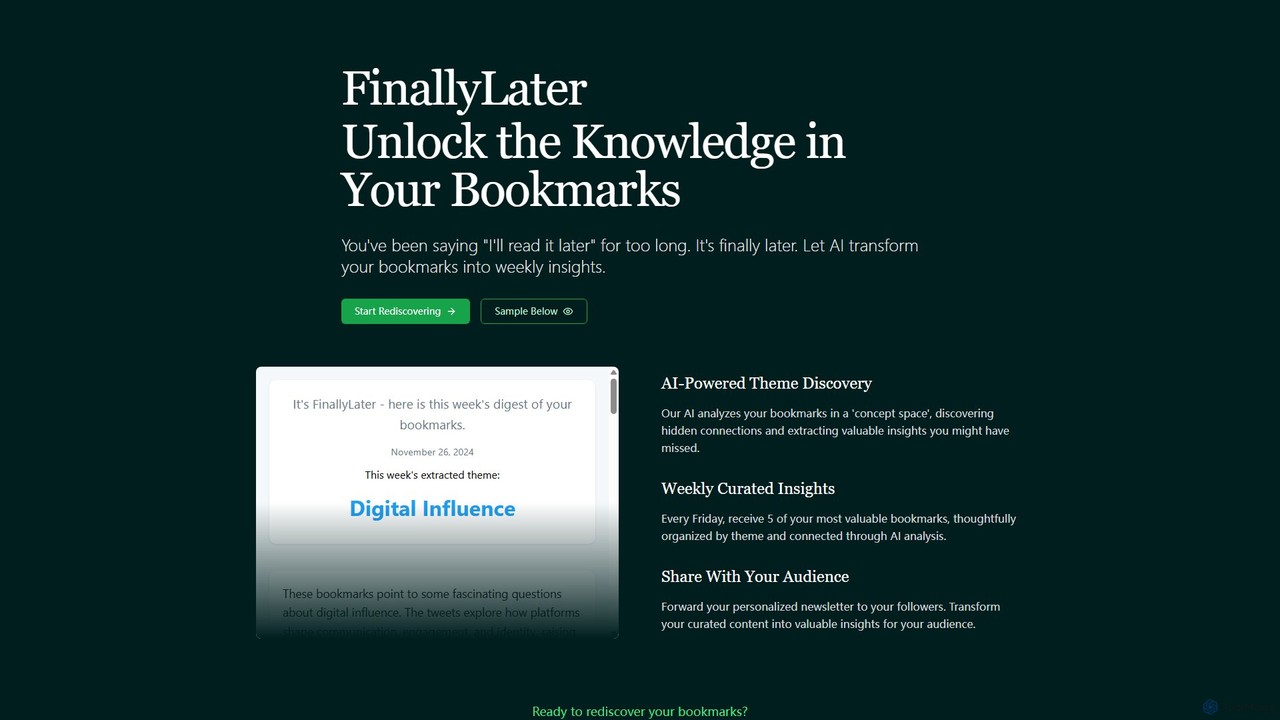
FinallyLater
FinallyLater is an AI-powered service that transforms your cluttered bookmarks into a weekly, curated newsletter. It analyzes your …
FinallyLater is an AI-powered service that transforms your cluttered bookmarks into a weekly, curated newsletter. It analyzes your saved links, discovers hidden themes and connections, and delivers five of your most valuable bookmarks as organized insights every Friday, helping you combat information overload and rediscover knowledge.
About Curation
AI Curation tools are specialized applications designed to intelligently discover, organize, and share relevant content from a vast sea of information. As a key component of the research process, they use AI algorithms to automate the aggregation and filtering of articles, social media posts, and other digital assets. These tools empower users to build focused collections, add contextual insights, and distribute valuable knowledge efficiently. This transforms the manual task of sifting through data into a streamlined workflow for creating high-quality, themed content collections.
Core Features
- Automated Content Sourcing: Connects to RSS feeds, social media, and websites to automatically pull in new content.
- AI-Powered Filtering: Uses natural language processing to categorize and rank content based on relevance and quality.
- Annotation and Enrichment: Allows users to add notes, tags, and commentary to individual pieces of content.
- Collection Building: Provides intuitive interfaces like boards or timelines to organize content into thematic collections.
- Multi-format Publishing: Enables sharing curated collections as newsletters, web pages, or social media updates.
Use Cases
Content marketers, market researchers, educators, and knowledge managers are primary users. They are used for creating industry newsletters, building competitive intelligence reports, compiling course materials, or managing a team's internal knowledge base. For example, a marketing team might curate the best user-generated content to showcase on their social media channels.
How to Choose
When selecting an AI Curation tool, consider the range of content sources it supports. Evaluate its AI filtering and recommendation capabilities to ensure relevance. Assess the flexibility of its organization and annotation features, and check its publishing options (e.g., newsletter integrations, embedding). Finally, consider the user interface and collaboration features if working with a team.
CurationUse Cases
Creating Industry Intelligence Newsletters
A market analyst for a tech firm needs to keep their executive team informed about industry trends, competitor moves, and new technologies. They use an AI curation tool to monitor hundreds of news sites, tech blogs, and social media accounts. The tool's AI automatically filters out irrelevant noise and surfaces the most significant articles. The analyst then selects the top 10-15 items, adds their own summary and analysis for each, and organizes them into a polished weekly newsletter that is automatically distributed to stakeholders, saving over 8 hours of manual work each week.
Building a Personal Knowledge Management System
A lifelong learner wants to create a centralized, searchable repository of all the interesting articles, videos, and podcasts they encounter online. They use an AI curation tool with a browser extension to easily save content with a single click. The tool automatically tags content based on its topic (e.g., 'AI', 'productivity', 'finance'). Over time, they build a rich personal knowledge base. When they need to recall information on a specific subject, they can quickly search their curated library by keyword or tag, instead of trying to remember where they originally saw the content.
Powering Social Media Content Strategy
A social media manager for a B2B brand is tasked with sharing valuable third-party content to engage their audience. Instead of manually browsing dozens of blogs each day, they set up an AI curation tool to monitor specific keywords and industry influencers. The tool aggregates relevant articles and identifies trending topics. The manager can then quickly review the suggestions, select the most insightful pieces, and schedule them to be shared across LinkedIn and Twitter, complete with pre-written commentary. This ensures a consistent stream of high-quality, relevant content for their followers with minimal daily effort.
Compiling Academic Literature Reviews
A PhD student is working on their dissertation and needs to conduct a comprehensive literature review. They use an AI curation tool to aggregate papers from multiple academic databases like JSTOR, PubMed, and Google Scholar. The tool helps identify seminal papers and thematic clusters within the research field. The student can then organize these papers into different collections based on their research questions, annotate PDFs directly within the platform, and add notes connecting different theories. This structured approach significantly speeds up the synthesis process and helps in building a coherent theoretical framework.
Managing Team Knowledge and Collaboration
A product design team needs a central place to gather inspiration, technical articles, and user feedback. They use a collaborative AI curation platform. Each team member can add resources they find to a shared collection or 'board'. The tool's AI suggests relevant tags, making the content easily discoverable by others. Team members can comment on curated items, sparking discussions and fostering a shared understanding. This replaces scattered links in chat channels and email threads with an organized, living repository of project-related knowledge, ensuring everyone stays aligned and informed.
Curating Content for Online Courses and Training
An instructional designer is creating an online course on digital marketing. To supplement their original content, they want to include a curated list of the best articles, case studies, and videos from around the web. Using an AI curation tool, they quickly gather and vet dozens of high-quality resources. They organize this content into modules that align with their course structure. Finally, they embed these curated collections directly into their learning management system (LMS) as a 'Further Reading' section, providing students with rich, up-to-date, and diverse learning materials without having to create everything from scratch.