ToolMage
Sign in

Best 1 Video Search AI tools for Search

Popular Video Search AI tools in Search include explore ai, helping you work more efficiently.

explore ai
Free

explore ai

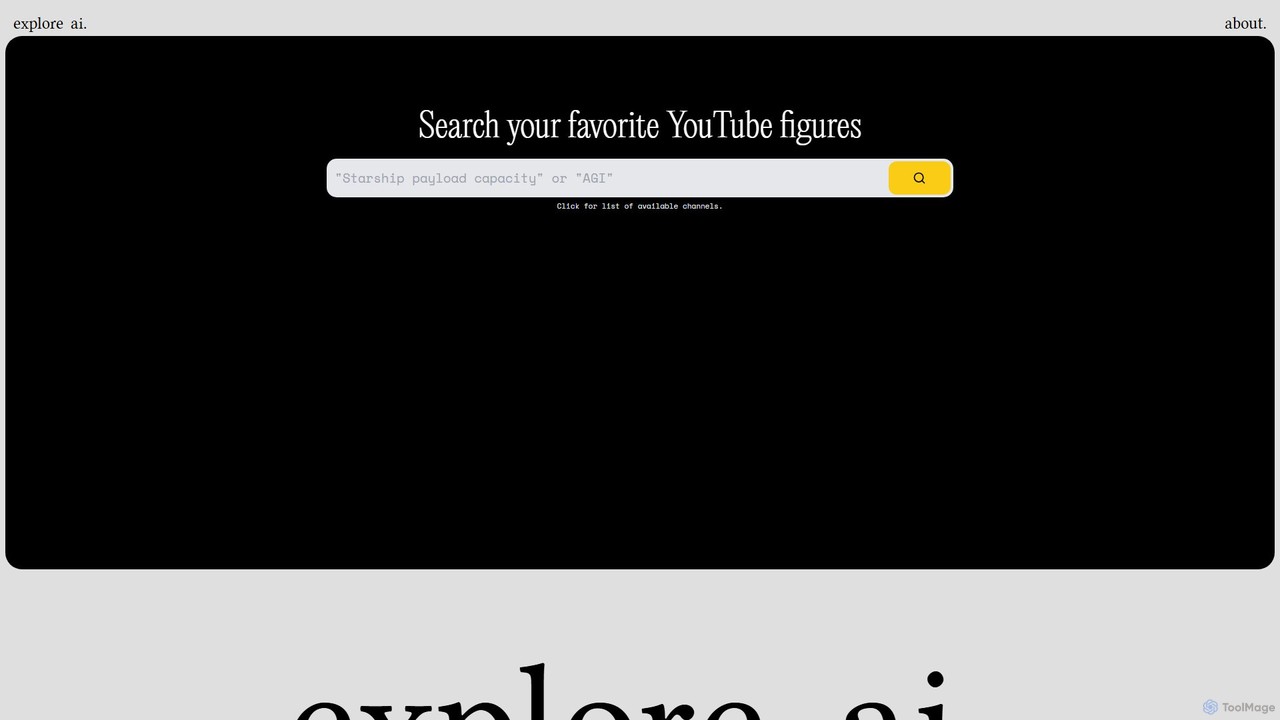
explore ai is an AI-powered semantic search engine designed to find specific topics and moments within a curated list of YouTube videos. Instead of simple keyword matching, it understands the context of your query to deliver precise, timestamped results from influential creators.

Learning
Visits 7.7KFavorites 117Likes 119

About Video Search

AI Video Search tools are a specialized class of search engines that analyze the actual content within video files, not just their titles or tags. By leveraging technologies like speech-to-text, computer vision, and object recognition, these tools make every spoken word, visual object, and on-screen text searchable. This enables users to pinpoint specific moments, phrases, or scenes within vast video libraries instantly. Consequently, they dramatically enhance the efficiency of video analysis for research, content creation, and compliance monitoring.

Core Features

  • In-Video Content Analysis: Automatically transcribes audio, identifies visual objects, recognizes faces, and extracts on-screen text.
  • Semantic Search: Understands natural language queries to find concepts and context, not just exact keyword matches.
  • Timestamped Results: Provides direct links to the precise moments in a video where the search query is found.
  • Visual & Scene Detection: Enables searching for specific objects, logos, or scenes (e.g., "a sunset over a beach") across multiple videos.

Use Cases

These tools are invaluable for media organizations, academic researchers, legal professionals, and marketing teams. For instance, a journalist can instantly find every mention of a specific topic across hours of news footage, or a marketing team can locate all customer testimonial clips where a particular feature is praised.

How to Choose

When selecting an AI Video Search tool, consider its transcription accuracy, especially for various accents and technical jargon. Evaluate its object recognition capabilities, the range of supported languages, integration with your existing Media Asset Management (MAM) systems, and its pricing model, which is often based on the volume of video hours processed.

Video Search use cases

1

Pinpointing Key Moments in Archival Footage

A journalist is working on an investigative report and needs to find every instance a specific public figure mentioned the phrase "environmental policy" across 200 hours of press conference recordings. Instead of manually watching each video, they use an AI Video Search tool. The tool processes the entire archive, transcribing all spoken words and indexing them. The journalist simply types the phrase into the search bar and instantly receives a list of all videos containing the phrase, complete with timestamps that link directly to the exact moments, saving days of manual labor.

2

Finding Reusable B-Roll Clips for Content Creation

A video editor for a travel channel needs to create a montage of "sunsets over water". Their media library contains thousands of unorganized video files from various trips. Using an AI Video Search tool with visual recognition, they can search for the concept "sunset on the ocean" or "beach sunset". The AI analyzes the visual content of every video and presents a collection of clips that match the description, regardless of the file names or tags. This allows the editor to quickly find diverse and relevant B-roll footage, accelerating the creative process significantly.

3

Auditing Corporate Training and Compliance Videos

A compliance officer at a large corporation needs to ensure all employee training videos are updated to reflect new company policies. Specifically, they need to find any mention of an outdated procedure called "Alpha Protocol". Using an AI Video Search tool, they can search the entire library of training materials for both spoken mentions of "Alpha Protocol" and any on-screen text or slides that contain the phrase. The tool returns a precise list of videos and timestamps, allowing the compliance team to efficiently identify and update all non-compliant content without manual review.

4

Accelerating Legal eDiscovery for Video Evidence

A paralegal is tasked with reviewing 50 hours of video depositions for a complex legal case. They need to identify every moment the defendant's name, "John Smith," is mentioned. Manually, this would take several days. By uploading the videos to an AI Video Search platform, the entire 50 hours are transcribed and indexed within a short period. The paralegal can then search for "John Smith" and instantly get a clickable list of every mention, linked to the exact second in the videos. This drastically reduces review time and ensures no mention is missed, strengthening the case preparation process.

5

Analyzing Customer Feedback from Video Testimonials

A marketing team has collected dozens of video testimonials from satisfied customers. To extract actionable insights, they use an AI Video Search tool to analyze the content. They can search for keywords like "easy to use," "customer support," or a competitor's name. The tool identifies all segments where these terms are mentioned. This allows the team to quickly quantify feedback, identify common themes, and create powerful highlight reels for marketing campaigns by compiling the most impactful customer quotes without watching every video in its entirety.

6

Creating Study Guides from Lecture Recordings

A university makes its entire semester of lecture recordings available to students online. To help with exam preparation, a student uses an AI Video Search tool integrated into the university's portal. They can search for complex terms like "mitochondrial respiration" or "Keynesian economics" across all lectures. The search results provide direct links to the exact moments in each lecture video where the professor discusses these topics. This allows students to create personalized study guides, quickly review specific concepts, and learn more efficiently without scrubbing through hours of footage.

Video Search FAQ

What is AI Video Search?

AI Video Search is a technology that allows users to search for content *within* video files, not just their titles or descriptions. It uses artificial intelligence, including computer vision and speech recognition, to analyze and index the audio and visual elements of a video. This means you can search for spoken words, specific objects, on-screen text, or even scenes, and the tool will point you to the exact moment in the video where they appear.

How is AI Video Search different from searching on YouTube?

The primary difference lies in what is being searched. Standard video platforms like YouTube primarily search metadata: the title, description, tags, and channel information provided by the creator. AI Video Search, on the other hand, analyzes the video's actual content. It 'watches' and 'listens' to the video to index spoken words, objects, and scenes. This allows for much more granular and powerful searches, such as finding every time a specific product logo appears on screen, which is not possible with metadata-based search alone.

Who can benefit from using AI Video Search tools?

A wide range of professionals and organizations can benefit from these tools. Key users include:

  • Media and Entertainment: Journalists, editors, and producers who need to quickly find specific clips in large archives.
  • Legal Professionals: Lawyers and paralegals performing eDiscovery on video evidence like depositions.
  • Marketing Teams: Marketers analyzing customer testimonials or monitoring brand mentions in user-generated content.
  • Educational Institutions: Students and researchers searching for specific topics within recorded lectures or academic presentations.
  • Corporations: Compliance and training departments auditing internal video communications and materials.
What are the key features to look for in an AI Video Search tool?

When choosing a tool, focus on these critical features:

  • Accuracy of Transcription: How well does it convert speech to text, especially with different accents, background noise, or technical jargon?
  • Object and Scene Recognition: Can it reliably identify specific objects, logos, faces, and general scenes (e.g., "office meeting")?
  • Language Support: Does it support the languages present in your video content?
  • Integration Capabilities: Can it connect with your existing cloud storage (like Google Drive, Dropbox) or Media Asset Management (MAM) systems?
  • Search Speed and Scalability: How quickly can it process and index large volumes of video, and can it handle your library's size?
How do I choose the right AI Video Search tool for my needs?

Choosing the right tool depends on your specific use case. First, define your primary goal: are you searching for spoken words, visual objects, or both? Then, consider the scale of your video library and your budget, as pricing is often based on hours processed. It's highly recommended to test a few options with your own video content to evaluate their real-world accuracy and ease of use. Finally, check for integrations with tools you already use to ensure a smooth workflow.