ToolMage
Sign in

Best 1 Identity And Access Management AI tools for Security

Popular Identity And Access Management AI tools in Security include goteleport, helping you work more efficiently.

goteleport
Freemium

goteleport

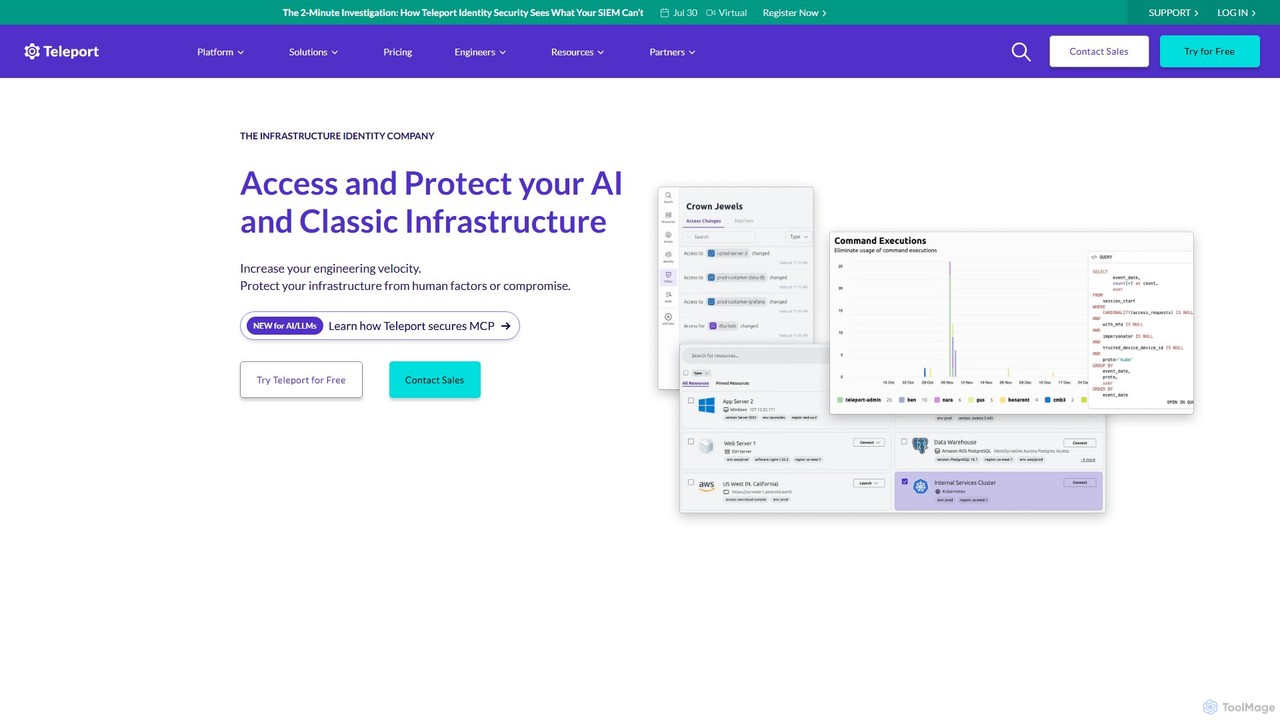
goteleport is an identity-native infrastructure access platform that provides secure, zero-trust access to servers, applications, and data. It unifies identity, access, and policy for humans, machines, and AI agents, eliminating credentials and reducing the attack surface while improving engineering productivity.

Infrastructure
Visits 216KFavorites 122Likes 128

About Identity And Access Management

Identity and Access Management (IAM) tools are a specialized category of security solutions designed to ensure that the right individuals have the appropriate access to technology resources. These systems operate on the principle of least privilege, using policies and rules to manage user identities and control their access rights across various applications and networks. By centralizing authentication and authorization, IAM tools significantly reduce the risk of unauthorized access and data breaches. They are fundamental for maintaining a secure and compliant IT environment, especially in complex, multi-cloud infrastructures.

Core Features

  • Single Sign-On (SSO): Allows users to log in with a single set of credentials to access multiple applications and services.
  • Multi-Factor Authentication (MFA): Adds a layer of security by requiring two or more verification methods to grant access.
  • User Provisioning & Deprovisioning: Automates the creation, modification, and deletion of user accounts and their access rights across systems.
  • Access Control Policies: Enables administrators to define granular permissions based on user roles, attributes, and context (e.g., location, device).
  • Identity Lifecycle Management: Manages the entire lifecycle of a digital identity, from onboarding to offboarding.

Use Cases

IAM tools are essential for organizations of all sizes. In corporate environments, they streamline employee onboarding and offboarding processes. For businesses using cloud services like AWS or Azure, they provide centralized control over access to critical infrastructure. They are also used in customer-facing applications (CIAM) to manage user registration, login, and consent, enhancing both security and user experience.

How to Choose

When selecting an IAM tool, consider its integration capabilities (support for SAML, OAuth, OpenID Connect), scalability to handle your user base, and the strength of its security features, such as available MFA methods. Also, evaluate its compliance and reporting features to ensure it meets industry regulations (like GDPR or HIPAA) and assess the ease of administration for your IT team.

Identity And Access Management use cases

1

Automate Secure Employee Onboarding

An IT administrator for a growing tech company uses an IAM platform to streamline new hire onboarding. Instead of manually creating accounts in a dozen different applications, the admin defines a 'Software Developer' role in the IAM system. When a new developer joins, their identity is created once, and the system automatically provisions access to essential tools like GitHub, Jira, Slack, and the company's cloud environment based on the pre-defined role. This reduces setup time from hours to minutes, minimizes human error, and ensures new hires have exactly the access they need from day one, adhering to the principle of least privilege.

2

Implement Zero Trust Security Framework

A security team at a financial institution implements a Zero Trust model using their IAM solution. They configure policies that require Multi-Factor Authentication (MFA) for every login attempt, regardless of whether the user is inside or outside the corporate network. The IAM tool continuously assesses contextual signals like device health, user location, and time of day to grant or deny access to sensitive financial applications. This approach ensures that every access request is verified, significantly strengthening the security posture against sophisticated threats like credential theft and lateral movement within the network.

3

Centralize Access for Hybrid Cloud Environments

A manufacturing company operates with a mix of on-premise legacy systems and modern cloud applications on AWS and Azure. Their IT team uses an IAM solution to create a unified access portal. Employees now use Single Sign-On (SSO) to access all their required applications, whether they are hosted in the cloud or in the local data center. The IAM platform acts as a central control plane, allowing administrators to manage permissions, enforce security policies, and monitor access logs for all resources from a single dashboard, simplifying management and improving visibility across their entire hybrid IT landscape.

4

Enhance Customer Experience with CIAM

An e-commerce platform integrates a Customer Identity and Access Management (CIAM) solution to improve user experience and security. The CIAM tool enables seamless customer registration through social logins (e.g., Google, Facebook) and provides self-service options for password resets and profile management. It also securely stores customer data and manages consent for marketing communications, helping the business comply with privacy regulations like GDPR. By offering a frictionless and secure login process, the platform increases customer retention and builds trust, while offloading identity management tasks from their core development team.

5

Secure and Automate Employee Offboarding

When an employee resigns from a healthcare organization, the HR manager updates their status in the HR system. This action triggers an automated workflow in the IAM platform. The IAM tool immediately revokes the employee's access to all systems, including email, patient record databases, and internal applications. This instant deprovisioning process eliminates the risk of unauthorized access by former employees, which is critical for maintaining data security and complying with HIPAA regulations. The entire process is logged for auditing purposes, providing a clear record that all access rights were terminated promptly.

6

Enforce Compliance and Simplify Auditing

A compliance officer at a publicly traded company uses the IAM system to prepare for a SOX audit. The platform provides a centralized audit trail, logging every access request, authentication attempt, and permission change across all connected applications. The officer can easily generate reports showing who has access to critical financial systems and a history of their access activities. This simplifies the process of demonstrating compliance to auditors, reduces the manual effort required to gather evidence, and provides continuous visibility into access controls, helping to proactively identify and mitigate potential compliance risks.

Identity And Access Management FAQ

What is Identity and Access Management (IAM)?

Identity and Access Management (IAM) is a security framework that includes the policies and technologies for ensuring the right users have the appropriate access to technology resources. It is designed to manage user identities and regulate their access to systems and data. The core objective of IAM is to provide a single, consistent way to manage the entire identity lifecycle, from creation to deletion, while enforcing security policies like Single Sign-On (SSO) and Multi-Factor Authentication (MFA). Essentially, IAM answers the questions: 'Who is this user?', 'What can they access?', and 'Under what conditions?'.

How to choose the right IAM tool?

Choosing the right IAM tool requires evaluating several key factors based on your organization's needs. Consider the following:

  • Integration Capabilities: Ensure the tool supports standard protocols like SAML, OAuth, and OpenID Connect, and has pre-built connectors for your critical applications (e.g., Microsoft 365, Salesforce, AWS).
  • Scalability: The solution should be able to handle your current and future number of users, applications, and authentication requests without performance degradation.
  • Security Features: Look for robust MFA options, adaptive authentication (context-aware access), and strong policy enforcement capabilities.
  • Compliance and Reporting: The tool should help you meet industry regulations (like GDPR, HIPAA, SOX) with detailed logging, auditing, and reporting features.
  • User Experience: A good IAM solution should provide a seamless experience for end-users (e.g., via SSO) and be intuitive for administrators to manage.
What is the difference between IAM and Privileged Access Management (PAM)?

While both are critical security disciplines, IAM and Privileged Access Management (PAM) serve different purposes. IAM focuses on managing access for all users (employees, customers, partners) to a wide range of applications and resources. Its primary goal is to ensure the right people have the right access. In contrast, PAM is a subset of IAM that focuses specifically on securing, controlling, and monitoring access for highly privileged accounts, such as system administrators or root users. PAM solutions provide more granular control and auditing for these powerful accounts to prevent misuse and mitigate the risk of significant data breaches. In short, IAM is broad (for everyone), while PAM is deep and targeted (for privileged users).

What are the key benefits of using an IAM solution?

Implementing an IAM solution offers significant benefits for security, operations, and user productivity. Key advantages include:

  • Enhanced Security: By enforcing strong authentication (MFA) and granular access policies, IAM reduces the risk of data breaches and unauthorized access.
  • Improved User Productivity: Single Sign-On (SSO) allows users to access all their applications with one login, eliminating password fatigue and saving time.
  • Streamlined IT Operations: Automating user provisioning and deprovisioning reduces the manual workload on IT staff, minimizes errors, and ensures access is removed promptly when employees leave.
  • Simplified Compliance: Centralized logging and reporting make it easier to demonstrate compliance with regulations like SOX, HIPAA, and GDPR by providing a clear audit trail of access activities.
Who needs an Identity and Access Management system?

Virtually any organization that manages digital identities and access to multiple applications or systems can benefit from an IAM system. It is particularly crucial for:

  • Enterprises: Large organizations with thousands of employees, complex IT environments, and strict compliance requirements rely on IAM for security and operational efficiency.
  • Small and Medium-sized Businesses (SMBs): As SMBs adopt more cloud applications (SaaS), IAM helps them securely manage access without a large IT team.
  • Companies in Regulated Industries: Organizations in finance, healthcare, and government need IAM to enforce access controls and provide audit trails to meet compliance mandates.
  • Businesses with Remote Workforces: IAM is essential for securely managing access for employees working from various locations and devices outside the traditional corporate network.