ToolMage
Sign in

Best 1 Frontend Development AI tools for Software Engineering

Popular Frontend Development AI tools in Software Engineering include Middlerok, helping you work more efficiently.

Middlerok
Paid

Middlerok

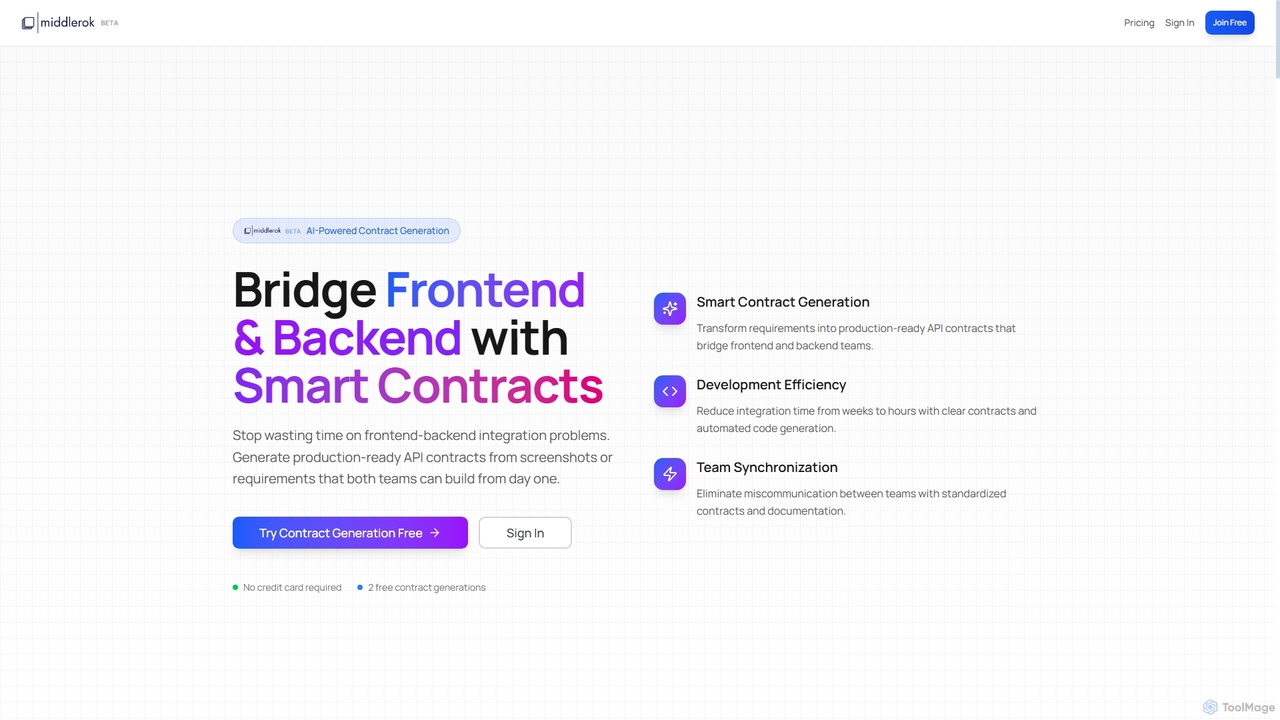
Middlerok is an AI-powered platform that generates production-ready API contracts and code, bridging frontend and backend development teams. It transforms requirements, screenshots, or wireframes into OpenAPI specifications, TypeScript types, and implementation guides, significantly reducing integration time and improving team synchronization.

Api Development
Visits 7.3KFavorites 160Likes 190

About Frontend Development

Frontend Development AI tools are designed to automate and enhance various aspects of building user interfaces and experiences. These tools leverage machine learning to streamline tasks from code generation to UI/UX optimization, significantly boosting developer productivity and design quality. They integrate seamlessly into existing workflows, enabling faster iteration and more robust web and mobile applications, making them a crucial part of modern software engineering.

Core Features

  • AI Code Generation: Automatically generates code snippets, components, or even entire UI sections from design inputs or natural language prompts.
  • UI/UX Optimization: Analyzes user interface designs for usability, accessibility, and performance, suggesting improvements.
  • Automated Testing: Creates and executes unit, integration, and end-to-end tests for frontend code, identifying bugs early.
  • Design System Integration: Helps maintain consistency by generating components aligned with established design systems and style guides.
  • Performance Analysis: Identifies bottlenecks in frontend code and suggests optimizations for faster loading times and smoother interactions.

Use Cases

Frontend Development AI tools are invaluable for web developers, UI/UX designers, and product teams aiming to accelerate their development cycles. They are used for rapid prototyping, ensuring design consistency across large projects, and automating repetitive coding tasks, allowing human experts to focus on complex logic and creative problem-solving.

How to Choose

When selecting Frontend Development AI tools, consider their compatibility with your existing tech stack (e.g., React, Vue, Angular), the accuracy and quality of their code generation, and their integration capabilities with design tools like Figma or Sketch. Evaluate the level of customization offered, the learning curve for your team, and the tool's ability to adapt to evolving design systems and coding standards.

Frontend Development use cases

1

Automated UI Component Generation from Design Mockups

Frontend developers can use AI tools to automatically generate reusable UI components based on design specifications or wireframes. By inputting design mockups (e.g., from Figma or Sketch), the AI can produce clean, semantic code for buttons, forms, and navigation elements in frameworks like React or Vue. This drastically reduces manual coding time, ensures consistency across projects, and allows developers to focus on complex logic rather than repetitive UI coding.

2

Intelligent Code Refactoring and Optimization

For existing codebases, AI-powered frontend tools analyze code for inefficiencies, potential bugs, and areas for performance improvement. Developers can leverage these tools to suggest refactoring patterns, optimize CSS and JavaScript, and identify redundant code. This leads to cleaner, faster-loading applications and reduces technical debt, enhancing maintainability and user experience for web and mobile platforms.

3

Automated Accessibility and Usability Audits

UI/UX designers and accessibility specialists can employ AI tools to conduct automated audits of frontend interfaces. These tools scan web pages and applications to identify potential accessibility issues (e.g., insufficient color contrast, missing alt text, keyboard navigation problems) and usability bottlenecks. They provide actionable recommendations, helping teams ensure their products are inclusive and user-friendly without extensive manual review.

4

Cross-Browser and Device Compatibility Testing

Quality assurance engineers and frontend developers can utilize AI tools to automate the testing of web applications across various browsers, operating systems, and device types. These tools simulate user interactions and identify rendering inconsistencies or functional bugs that might arise due to different environments. This ensures a consistent user experience for all visitors, significantly reducing the manual effort and time required for comprehensive compatibility checks.

5

Personalized User Experience with AI-driven UI

Product managers and UI/UX designers can leverage AI to create dynamic frontend experiences that adapt to individual user behavior. AI tools can analyze user interactions, preferences, and historical data to personalize content, layout, and feature recommendations in real-time. This enhances user engagement, improves conversion rates, and provides a more tailored and intuitive journey for each visitor on web and mobile applications.

6

Automating Design System Maintenance and Updates

Design system managers and frontend architects can use AI tools to automate the maintenance and evolution of their design systems. These tools can monitor changes in design tokens, component libraries, and style guides, automatically generating corresponding code updates or flagging inconsistencies. This ensures that all frontend projects remain aligned with the latest design standards, reducing manual overhead and preventing design drift across an organization's digital products.

Frontend Development FAQ

What are Frontend Development AI tools?

Frontend Development AI tools are software applications that leverage artificial intelligence and machine learning to assist in building user interfaces and experiences. They automate repetitive coding tasks, optimize UI/UX designs, and enhance various stages of the frontend development lifecycle. These tools aim to boost developer productivity, improve code quality, and accelerate project delivery for web and mobile applications.

How do AI tools enhance frontend development workflows?

AI tools significantly enhance frontend development workflows by automating time-consuming tasks like code generation from designs, writing boilerplate code, and performing routine tests. They provide intelligent suggestions for code refactoring, performance optimization, and accessibility improvements. This allows developers to focus on more complex problem-solving, creative design challenges, and delivering higher-quality, more robust applications faster.

What's the difference between AI-powered frontend tools and traditional IDE features?

Traditional IDE features primarily offer syntax highlighting, auto-completion, and basic debugging. AI-powered frontend tools go beyond this by providing generative capabilities, such as creating UI components from designs or text prompts, and predictive suggestions for complex code structures. They also perform deeper analysis for performance bottlenecks, accessibility issues, and code quality, offering more proactive and intelligent assistance than conventional IDE functionalities.

Can AI tools replace frontend developers?

No, AI tools are designed to augment, not replace, frontend developers. They automate repetitive and tedious tasks, freeing up developers to focus on higher-level strategic thinking, complex problem-solving, creative design implementation, and ensuring the overall architecture and user experience are robust. AI acts as a powerful assistant, enhancing efficiency and quality, but human expertise remains essential for critical decision-making and innovation.

What should I consider when integrating AI into my frontend stack?

When integrating AI into your frontend stack, consider several key factors. First, assess compatibility with your existing frameworks (e.g., React, Vue) and design tools. Evaluate the AI tool's learning curve for your team and its ability to customize generated code or suggestions. Data privacy and security are also crucial, especially if the tool processes sensitive design or user data. Finally, look for robust community support and clear documentation to ensure smooth adoption and long-term maintainability.