ToolMage
Sign in

Best 1 Document Management AI tools for Team Collaboration

Popular Document Management AI tools in Team Collaboration include Keymate.AI, helping you work more efficiently.

Keymate.AI
Freemium

Keymate.AI

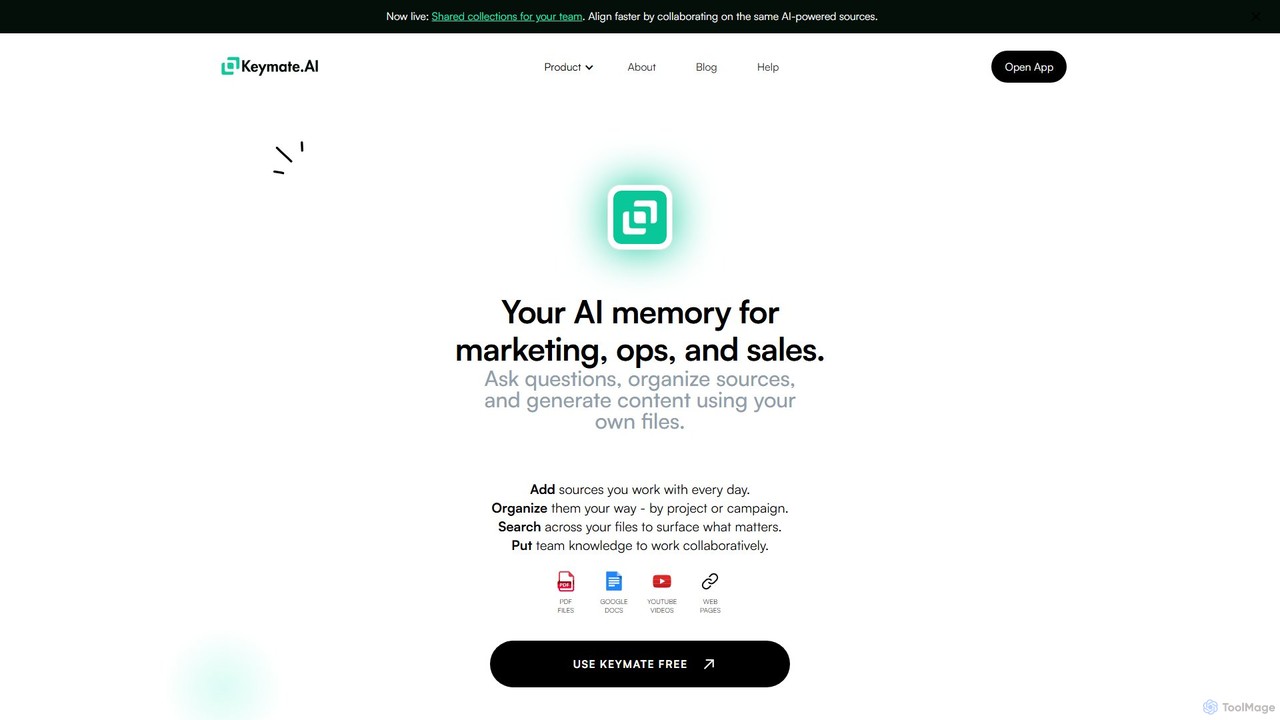
Keymate.AI is an AI-powered workspace that acts as your personal and team memory. It allows you to upload, organize, and search across various sources like PDFs, Google Docs, and web pages. Ask questions and get accurate, source-based answers, enhancing productivity for marketing, operations, and sales teams.

Content Creation
Visits 5.7KFavorites 108Likes 111

About Document Management

Document Management AI tools are specialized platforms that leverage artificial intelligence to automate and enhance the organization, processing, security, and retrieval of digital documents. These tools utilize advanced capabilities like natural language processing (NLP), machine learning, and computer vision to intelligently classify content, extract key information, and facilitate efficient search. They are crucial for streamlining workflows, improving data accessibility, ensuring compliance, and fostering seamless information exchange within team collaboration environments.

Core Features

  • Intelligent Classification & Tagging: Automatically categorizes documents and applies relevant tags based on content analysis.
  • Automated Data Extraction: Extracts specific information (e.g., dates, names, amounts) from unstructured documents like invoices or contracts.
  • Advanced Search & Retrieval: Enables quick and precise searching across vast document repositories using semantic understanding.
  • Version Control & Collaboration: Manages document revisions, tracks changes, and supports real-time co-editing for teams.
  • Security & Access Management: Implements robust security protocols and granular access controls to protect sensitive information.

Applicable Scenarios

AI-powered document management is vital for organizations handling large volumes of digital information. Legal firms use it to manage contracts and case files, HR departments automate employee record processing, and project teams rely on it for shared design documents and project plans, ensuring all stakeholders have access to the latest, relevant information.

How to Choose

When selecting an AI document management tool, consider its integration capabilities with existing systems, scalability for future growth, and robust security features to meet compliance standards. Evaluate the accuracy of its AI for tasks like OCR and NLP, and assess the user interface for ease of adoption and overall user experience.

Featured tool rankings

Document Management use cases

1

Automated Contract Review and Analysis

Legal professionals and business development teams can leverage AI document management to automatically review large volumes of contracts. The AI identifies key clauses, obligations, and potential risks, flagging discrepancies or missing information. This significantly reduces manual review time, ensures compliance with legal standards, and accelerates negotiation processes, allowing teams to focus on strategic aspects rather than tedious document scrutiny.

2

Intelligent Invoice and Receipt Processing

Finance departments and small business owners can use these tools to automate the processing of incoming invoices, receipts, and expense reports. AI extracts critical data such as vendor names, dates, amounts, and line items, then automatically categorizes and routes them for approval. This eliminates manual data entry errors, speeds up payment cycles, and provides real-time financial insights, enhancing overall financial management efficiency.

3

HR Employee Onboarding and Record Management

Human Resources teams can streamline the entire employee onboarding process by using AI document management. New hire documents, such as contracts, tax forms, and policy acknowledgements, are automatically collected, classified, and stored securely. The system ensures all necessary paperwork is completed, tracks compliance, and provides easy, secure access to employee records throughout their tenure, reducing administrative burden and improving data accuracy.

4

Research Paper Organization and Semantic Search

Academics, researchers, and R&D teams often deal with vast libraries of scientific papers, articles, and reports. AI document management tools can automatically index, summarize, and semantically tag these documents. This enables researchers to perform highly specific searches, discover connections between disparate topics, and quickly retrieve relevant information, accelerating literature reviews and knowledge discovery processes.

5

Customer Support Knowledge Base Optimization

Customer service teams can utilize AI document management to build and maintain highly effective knowledge bases. The AI analyzes support tickets and customer queries to identify common issues and automatically suggests or generates relevant articles. It also helps in organizing existing FAQs, user manuals, and troubleshooting guides, ensuring agents and customers can quickly find accurate solutions, thereby improving response times and customer satisfaction.

6

Project Documentation and Collaborative Version Control

Project managers and engineering teams can use AI document management to centralize all project-related documentation, from design specifications to meeting minutes and progress reports. The tools offer robust version control, tracking every change and allowing seamless collaboration among team members. AI can also identify outdated documents or suggest relevant updates, ensuring everyone works with the most current information, minimizing errors and improving project efficiency.

Document Management FAQ

What are AI Document Management tools?

AI Document Management tools are software solutions that use artificial intelligence, including machine learning and natural language processing, to automate and optimize the lifecycle of digital documents. They go beyond basic storage by intelligently organizing, processing, securing, and enabling advanced retrieval of information. These tools are designed to enhance efficiency, accuracy, and collaboration in handling vast amounts of digital content.

How to choose the right AI Document Management system?

Choosing the right system involves evaluating several factors. Prioritize tools with strong AI capabilities for tasks like intelligent classification, data extraction, and semantic search. Consider integration with your existing business applications (CRM, ERP), scalability to handle future document growth, and robust security features for data protection and compliance. User-friendliness and customer support are also crucial for successful adoption.

What are the key AI features in document management?

Key AI features include intelligent document classification, where AI automatically categorizes documents based on content; automated data extraction, which pulls specific information from unstructured text; and advanced semantic search, allowing users to find documents based on meaning rather than just keywords. Other features often include smart tagging, content summarization, and anomaly detection for security or compliance.

How do AI Document Management tools differ from traditional DMS?

Traditional Document Management Systems (DMS) primarily focus on storage, basic organization, and version control. AI Document Management tools, however, add an intelligent layer. They can *understand* document content, automate complex processing tasks, extract data, and provide deeper insights without manual intervention. This leads to significantly higher efficiency, accuracy, and better utilization of information compared to traditional systems.

Can AI Document Management ensure data security and compliance?

Yes, AI Document Management tools are designed with robust security and compliance features. They typically offer granular access controls, encryption, audit trails, and automated retention policies to meet regulatory requirements like GDPR or HIPAA. AI can also assist in identifying sensitive information and potential compliance risks within documents, enhancing overall data governance and reducing the likelihood of breaches.