
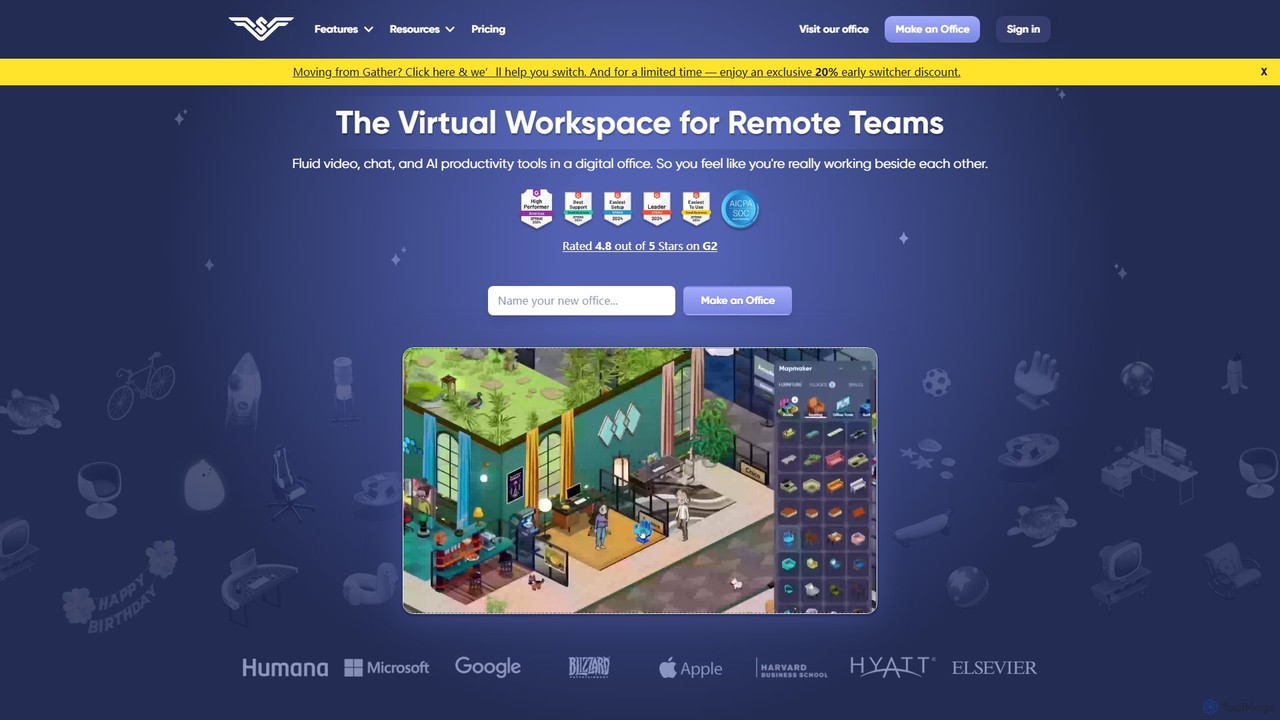
Team Management Best in category 1 results Virtual Office AI Tool

Popular AI tools in the Virtual Office field of Team Management include SoWork, etc., helping you quickly improve efficiency.

SoWork

SoWork

SoWork is an AI-powered virtual workspace for remote teams, combining fluid video, chat, and productivity tools in a …

64.7K

About Virtual Office

Virtual Office tools are platforms that create persistent, interactive digital workspaces to simulate the presence and spontaneous interactions of a physical office. These tools utilize spatial audio and video within a customizable 2D or 3D map, allowing users to move their avatars and engage in conversations naturally by proximity. They are designed to combat remote work isolation and restore the informal communication, collaboration, and culture that are often lost in distributed teams. This approach goes beyond scheduled meetings, fostering a connected and dynamic team environment.

Core Features

  • Spatial Audio & Video: Engage in conversations that mimic real life; you only hear and see those whose avatars are near yours.
  • Customizable Spaces: Design your office layout with dedicated desks, meeting rooms, focus zones, and social areas to reflect company culture.
  • Presence Indicators: Instantly see who is online, available, in a meeting, or in a focus session, improving awareness and accessibility.
  • Integrated Collaboration Tools: Utilize built-in whiteboards, screen sharing, and document embedding directly within the virtual space for seamless teamwork.
  • Persistent Rooms: Create dedicated project rooms or team areas that remain open, allowing for asynchronous collaboration and easy access to shared resources.

Use Cases

Virtual Office platforms are ideal for remote-first companies seeking to build a strong culture and improve team cohesion. Hybrid organizations use them to bridge the gap between in-office and remote employees, ensuring everyone feels included. They are also used for hosting engaging online events, interactive workshops, and virtual co-working spaces for freelancers and small businesses.

How to Choose

When selecting a Virtual Office tool, consider its scalability and the maximum number of concurrent users it supports. Evaluate the level of customization available for the office layout and branding. Check for essential integrations with your existing workflow tools like Slack, Google Workspace, or Jira. Finally, assess the platform's performance, resource consumption, and cross-device compatibility to ensure a smooth experience for all team members.

Virtual OfficeUse Cases

1

Enhancing Daily Stand-ups for Remote Teams

A remote software development team uses a virtual office to conduct their daily stand-up meetings. Instead of scheduling a formal video call, team members simply move their avatars to a designated 'stand-up area' on the virtual map at the scheduled time. The spatial audio allows for a more natural flow of conversation, where side-chats can happen in smaller groups without disrupting the main discussion. This setup reduces meeting fatigue, encourages punctuality, and makes the daily check-in feel more like a quick, informal gathering rather than a rigid, structured call, fostering a stronger sense of team presence.

2

Creating a Virtual Co-working Space for Freelancers

A group of independent graphic designers and writers creates a shared virtual office to combat the isolation of freelancing. Each member has a personalized 'desk' where they can work in 'focus mode'. They also have common areas like a 'lounge' for casual chats and a 'critique room' with integrated whiteboards for feedback sessions. This setup provides the social and collaborative benefits of a co-working space without the cost or commute. It allows for spontaneous collaboration, knowledge sharing, and a sense of community, improving both productivity and well-being.

3

Facilitating Hybrid Team Collaboration

A company with a hybrid work model uses a virtual office to bridge the gap between in-office and remote employees. The physical office layout is mirrored in the virtual space. In-office employees can log in from their desks, making them visible and accessible to their remote colleagues. When a meeting happens in a physical conference room, remote workers can join the same virtual room to participate. This creates a single, unified environment, preventing remote team members from feeling disconnected and ensuring that spontaneous 'water cooler' conversations can include everyone, regardless of their physical location.

4

Hosting Interactive Virtual Workshops and Training

A corporate trainer hosts an interactive leadership workshop using a virtual office platform. The main session is held in a 'virtual auditorium'. For group activities, participants are split into smaller 'breakout rooms' where they can collaborate on integrated digital whiteboards. The trainer can easily 'walk' between rooms to observe progress and offer guidance. This dynamic environment encourages active participation and collaboration far more effectively than a standard webinar format, leading to better knowledge retention and a more engaging learning experience for all attendees.

5

Virtual Onboarding for New Employees

An HR department designs a week-long virtual onboarding experience. New hires get their own virtual desk and are introduced to their team in a dedicated 'team neighborhood'. The schedule includes one-on-one meetings with managers by 'walking over' to their desk, group training sessions in a virtual classroom, and informal 'coffee chats' in the social lounge. This approach helps new employees feel connected to the company culture and their colleagues from day one, making the remote onboarding process less isolating and more personal than a series of video calls and emails.

6

Fostering Company Culture with Virtual Social Events

To maintain team morale, a fully remote company organizes weekly social events in their virtual office. These events range from casual 'happy hours' in the virtual lounge to more structured activities like trivia nights or virtual escape rooms hosted in specially designed spaces. Employees can move freely between different conversation groups, just as they would at a physical event. This use of the platform for non-work activities is crucial for building personal connections, reducing burnout, and reinforcing a positive and cohesive company culture across geographical boundaries.

Virtual OfficeFrequently Asked Questions