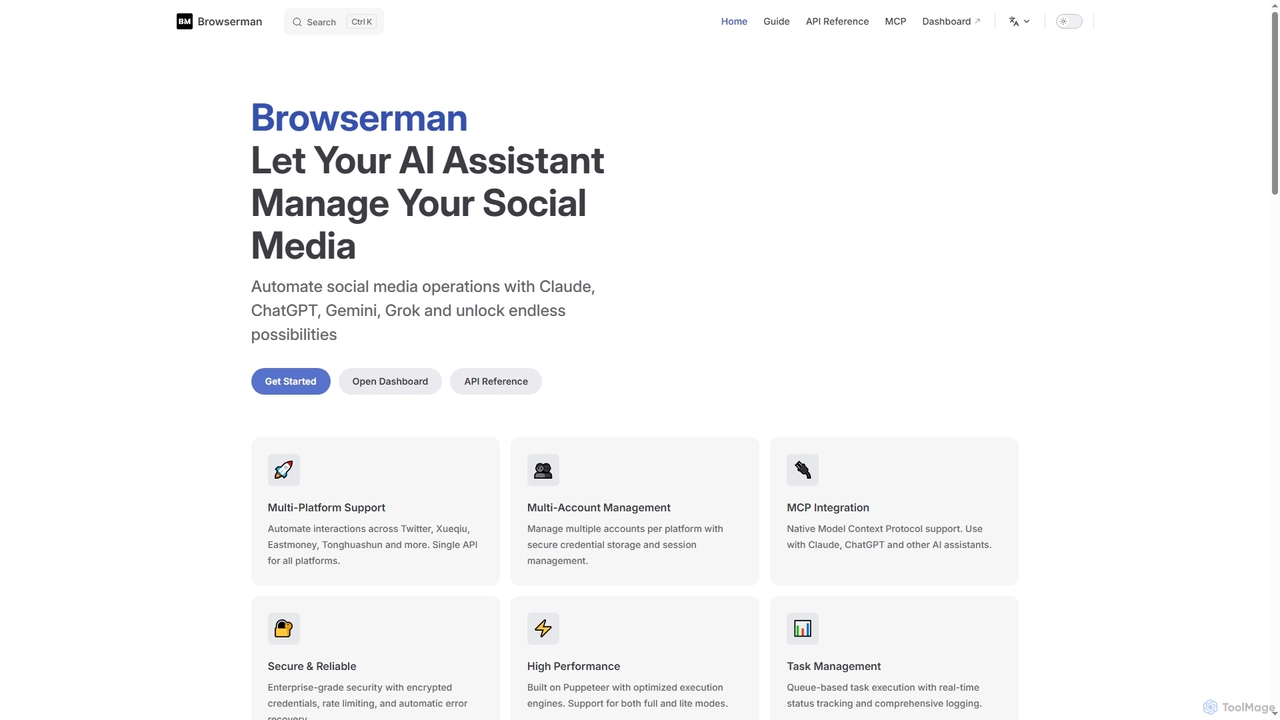
Browserman
Browserman is an advanced browser automation platform designed to empower AI assistants like Claude, ChatGPT, Gemini, and Grok …
Browserman is an advanced browser automation platform designed to empower AI assistants like Claude, ChatGPT, Gemini, and Grok to manage social media operations. It offers multi-platform and multi-account support, a robust REST API, and native Model Context Protocol (MCP) integration for seamless, scalable, and secure automation workflows.
About Web Testing
Web Testing tools are AI-powered solutions designed to automate and enhance the quality assurance process for web applications. These tools leverage artificial intelligence and machine learning to generate intelligent test cases, identify defects, and analyze user behavior patterns. They significantly accelerate the testing lifecycle, improve test coverage, and ensure a robust, high-performing user experience across various browsers and devices.
Core Features
- Automated Test Case Generation: AI algorithms analyze application code and user flows to automatically create comprehensive test scripts, reducing manual effort.
- Self-Healing Tests: Tools adapt to UI changes, automatically updating test scripts to prevent frequent test failures due to minor modifications.
- Visual Regression Testing: AI compares current UI screenshots with baseline versions, detecting subtle visual discrepancies that human eyes might miss.
- Performance Bottleneck Identification: AI analyzes load test results to pinpoint performance issues and suggest optimization strategies.
- Predictive Defect Analytics: Machine learning models predict potential areas of failure based on historical data, allowing proactive bug fixing.
Use Cases
These tools are invaluable for software development teams, QA engineers, and product managers seeking to deliver high-quality web applications efficiently. They are particularly useful in agile development environments where continuous integration and continuous delivery (CI/CD) pipelines require rapid and reliable testing.
How to Choose
When selecting a Web Testing tool, consider its compatibility with your existing tech stack, the level of AI-driven automation offered, ease of integration into CI/CD pipelines, and reporting capabilities. Evaluate its support for different browsers and devices, scalability for growing projects, and the clarity of its defect reporting and analytics.
Web TestingUse Cases
Automating Regression Tests in CI/CD
Development teams integrate AI Web Testing tools into their Continuous Integration/Continuous Deployment (CI/CD) pipelines. With every code commit, the AI automatically triggers a suite of regression tests across the web application. This ensures that new features or bug fixes do not introduce unintended side effects or break existing functionalities, allowing for rapid and confident deployments without manual intervention.
Automating End-to-End UI Testing
QA engineers in a fast-paced agile team use AI-powered web testing tools to automatically generate and execute end-to-end UI tests for new features. The AI learns user interaction patterns, identifies critical paths, and creates robust test scripts that self-heal when minor UI changes occur, reducing manual script maintenance by up to 70% and accelerating release cycles.
Cross-Browser and Device Compatibility Testing
QA engineers utilize AI Web Testing tools to verify the responsiveness and functionality of web applications across a multitude of browsers (Chrome, Firefox, Edge, Safari) and devices (desktops, tablets, smartphones). The AI can simulate various screen sizes, operating systems, and browser versions, automatically identifying layout issues, broken elements, or inconsistent behavior, ensuring a consistent user experience for all visitors.
Detecting Visual Regressions Across Devices
A web development agency needs to ensure pixel-perfect consistency of client websites across various browsers and mobile devices. They employ AI visual testing tools to automatically capture screenshots, compare them against approved baselines, and highlight any visual discrepancies, ensuring brand integrity and a consistent user experience without extensive manual checks.
Validating Complex User Journeys and Workflows
Product managers and business analysts employ AI Web Testing tools to validate critical user journeys, such as e-commerce checkout flows, account registration processes, or complex data entry forms. The AI can simulate realistic user interactions, navigate through multi-step workflows, and verify data integrity and system responses at each stage, ensuring a smooth and error-free path for end-users.
Optimizing Web Application Performance
E-commerce platforms experience high traffic during peak seasons, requiring robust performance. DevOps teams utilize AI web testing tools to simulate high user loads, identify performance bottlenecks in real-time, and receive AI-driven recommendations for code optimization or infrastructure scaling, preventing downtime and ensuring smooth transactions.
Performance and Load Testing for Scalability
DevOps engineers and performance testers leverage AI Web Testing tools to conduct performance and load tests. The AI can simulate thousands or even millions of concurrent users accessing the web application, identifying bottlenecks, slow response times, and potential scalability issues under heavy traffic. This proactive testing helps ensure the application remains stable and responsive even during peak usage periods.
Enhancing Security Vulnerability Scanning
Financial institutions developing online banking portals require stringent security. AI-enhanced web testing tools perform dynamic application security testing (DAST) by intelligently crawling the application, identifying potential vulnerabilities like SQL injection or cross-site scripting, and prioritizing critical flaws for developers to address before deployment.
Detecting Visual UI Inconsistencies
UI/UX designers and front-end developers use AI Web Testing tools for visual regression testing. The AI automatically captures screenshots of web pages across different environments or builds and compares them pixel by pixel. It highlights subtle visual discrepancies, such as misaligned elements, incorrect fonts, or color changes, ensuring that the application's user interface remains consistent with design specifications and brand guidelines after updates.
Accelerating Cross-Browser Compatibility Testing
A SaaS company launches a new feature that must work flawlessly on Chrome, Firefox, Edge, and Safari. AI web testing platforms automatically execute the same test suite across multiple browser versions and operating systems simultaneously, quickly pinpointing compatibility issues and providing detailed reports, drastically reducing the time spent on manual cross-browser checks.
Automated Security Vulnerability Scanning
Security engineers and developers employ AI Web Testing tools to proactively scan web applications for common security vulnerabilities. The AI can identify potential threats like SQL injection, cross-site scripting (XSS), insecure direct object references (IDOR), and misconfigurations. By automating these scans, teams can integrate security checks early into the development lifecycle, reducing the risk of exploitable weaknesses in production.
Predictive Maintenance for Production Websites
Site reliability engineers (SREs) monitor live web applications for potential issues. AI web testing tools continuously run synthetic monitoring tests against the production environment, learning normal behavior patterns. When anomalies are detected, the AI predicts potential outages or performance degradations before they impact users, enabling proactive intervention.