
ToolMage
Sign in

Best 1 Online Anonymity AI tools for Utility

Popular Online Anonymity AI tools in Utility include TempMail4U, helping you work more efficiently.

TempMail4U
Free

TempMail4U

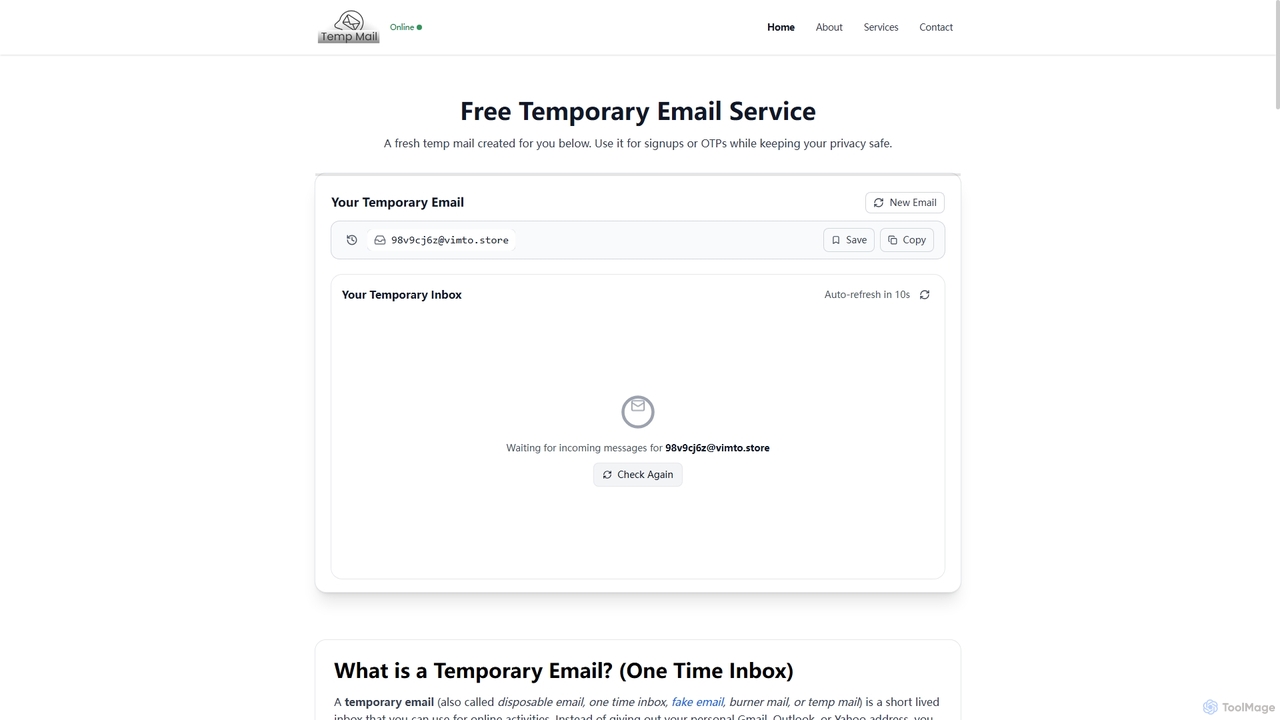
TempMail4U is a free, privacy-focused temporary email service that provides instant, disposable email addresses. It allows users to receive verification codes and messages without exposing their personal inbox to spam, ads, or potential data leaks, offering various durations from 10 minutes to 7 days.

Testing Tools
Visits 14.7KFavorites 162Likes 150

About Online Anonymity

Online Anonymity tools are a class of AI-powered applications designed to protect a user's digital identity and online activities from being tracked or identified. These tools utilize advanced techniques like dynamic IP rotation, browser fingerprint masking, and encrypted tunneling to create a shield between the user and the public internet. Their primary value lies in safeguarding personal data, enabling secure communication, and preventing targeted surveillance by advertisers or other third parties. AI enhances these tools by intelligently adapting to new tracking methods and optimizing anonymity pathways for better performance.

Core Features

  • AI-Powered IP Rotation: Automatically and intelligently switches IP addresses and server locations to prevent location tracking and IP-based blocking.
  • Browser Fingerprint Masking: Alters or randomizes unique browser and device characteristics (e.g., screen resolution, fonts, plugins) to prevent user identification.
  • Encrypted Data Tunnels: Secures all internet traffic through strong encryption, making data unreadable to unauthorized parties like ISPs or network administrators.
  • Anti-Tracking & Script Blocking: Proactively identifies and blocks tracking scripts, cookies, and malicious ads that collect user data across websites.

Use Cases

These tools are crucial for journalists, researchers, and activists who need to protect their identity and sources. They are also widely used by security professionals for penetration testing and by businesses for anonymous market research. Everyday users leverage them to shield their personal browsing habits from invasive data collection by tech companies and advertisers.

How to Choose

When selecting an Online Anonymity tool, consider the logging policy (a strict no-logs policy is essential), the strength of encryption standards used, and the effectiveness of its browser fingerprinting technology. Also, evaluate the impact on connection speed, the number and distribution of available servers, and its compatibility with your operating systems and devices.

Online Anonymity use cases

1

Conducting Anonymous Market Research

A competitive intelligence analyst needs to gather data on competitors' websites, pricing strategies, and product features without revealing their company's identity. Using an Online Anonymity tool, the analyst can mask their IP address and browser fingerprint. This prevents competitors from detecting their activity, blocking access, or serving misleading information. The analyst can freely navigate rival sites, test user funnels, and collect accurate data from multiple geographic regions by switching server locations, ensuring the integrity and secrecy of their research.

2

Protecting Journalistic Sources and Communications

An investigative journalist needs to communicate securely with a confidential source in a high-risk region. Using an Online Anonymity tool with strong encryption and a no-logs policy is critical. It encrypts all communications, such as emails and messages, and masks the IP addresses of both the journalist and the source. This makes it extremely difficult for third parties to intercept the communication or identify the participants. This layer of security protects the source from potential retaliation and allows the journalist to pursue sensitive stories safely.

3

Avoiding Targeted Advertising and Price Discrimination

An everyday user is tired of seeing hyper-targeted ads based on their browsing history and experiencing price discrimination on e-commerce and travel sites. By using an Online Anonymity tool, their real IP address and digital fingerprint are masked. This prevents ad networks from building a detailed profile of their interests and stops websites from adjusting prices based on their location or past browsing behavior. The user can browse for products and book flights with the confidence that they are seeing neutral, non-personalized pricing, saving money and reclaiming their privacy.

4

Securely Accessing Public Wi-Fi Networks

A business traveler frequently connects to public Wi-Fi networks in airports, cafes, and hotels, which are often unsecured and prone to snooping. To protect sensitive company data, they activate an Online Anonymity tool before connecting. The tool creates an encrypted tunnel for all their internet traffic, making it unreadable to anyone on the same network. It also masks their device's identity, preventing targeted attacks. This ensures that even on a compromised network, their emails, login credentials, and confidential files remain secure and private.

5

Verifying Global Ad Campaigns and SEO

A digital marketing manager needs to verify how their company's ads and website appear to users in different countries. Many platforms and search engines show localized content. By using an Online Anonymity tool, the manager can select a server in a specific country (e.g., Japan, Brazil, Germany) and view the internet as if they were physically there. This allows them to accurately check localized ad copy, verify SEO rankings for regional keywords, and ensure that geo-targeted campaigns are running correctly, all from their home office.

6

Testing Web Application Security

A penetration tester or security engineer is tasked with assessing a web application's defenses against various types of attacks. They use an Online Anonymity tool to simulate traffic from multiple, geographically diverse IP addresses. This helps test the effectiveness of firewalls, IP-based access rules, and intrusion detection systems. By masking their true origin, they can mimic the behavior of real-world attackers without being easily blocked, allowing for a more thorough and realistic security audit of the application's resilience.

Online Anonymity FAQ

What are AI-powered Online Anonymity tools?

AI-powered Online Anonymity tools are applications that use artificial intelligence to help users hide their digital identity and online activities. Unlike basic tools, they use AI to intelligently rotate IP addresses, create more convincing and dynamic browser fingerprints, and adapt to new online tracking techniques in real-time. This provides a more robust and harder-to-detect layer of privacy for activities like secure browsing, communication, and research.

How do Online Anonymity tools differ from standard VPNs?

While both enhance privacy, they have key differences. A standard VPN (Virtual Private Network) primarily encrypts your connection and routes it through a single server, changing your IP address. Online Anonymity tools often go further by:

  • Masking Browser Fingerprints: They alter unique identifiers of your browser and device, which VPNs typically don't do.
  • Dynamic Routing: Some use multi-hop connections (like Tor) or AI-driven IP rotation for enhanced untraceability.
  • Broader Focus: Their goal is identity masking, while a VPN's primary goal is creating a secure, encrypted connection.
In essence, a VPN is like a private tunnel, while a comprehensive anonymity tool is like wearing a disguise within that tunnel.

Who should use Online Anonymity tools?

These tools are valuable for a wide range of users. Journalists, activists, and researchers use them to protect themselves and their sources. Businesses use them for competitive analysis and market research without alerting competitors. Security professionals use them for penetration testing. For everyday users, they are effective for preventing tracking by advertisers, avoiding price discrimination on e-commerce sites, and securing connections on public Wi-Fi.

What are the key features to look for in an Online Anonymity tool?

When choosing a tool, prioritize these features:

  • Strict No-Logs Policy: The provider should not record any of your online activity. This is non-negotiable for true privacy.
  • Strong Encryption: Look for industry-standard encryption like AES-256 to ensure your data is unreadable.
  • Effective Fingerprint Masking: The tool should be able to convincingly alter your browser and device fingerprint to prevent identification.
  • Good Performance: Anonymity shouldn't come at the cost of an unusable internet connection. Check for tools known for their speed.
  • Kill Switch: A feature that automatically cuts your internet connection if the anonymity protection fails, preventing data leaks.

Can these tools guarantee 100% anonymity?

No tool can guarantee absolute 100% anonymity. While high-quality Online Anonymity tools provide a very strong layer of protection, true anonymity also depends on user behavior. For example, logging into your personal Google or Facebook account while using an anonymity tool will immediately link your activity to your real identity. These tools significantly reduce your digital footprint and make you a much harder target to track, but they should be combined with cautious online habits for maximum effectiveness.