ToolMage
Sign in

Best 1 Specialized Photo Tools for Utility

Popular Specialized Photo Tools in Utility include TinyArt, helping you work more efficiently.

TinyArt
Freemium

TinyArt

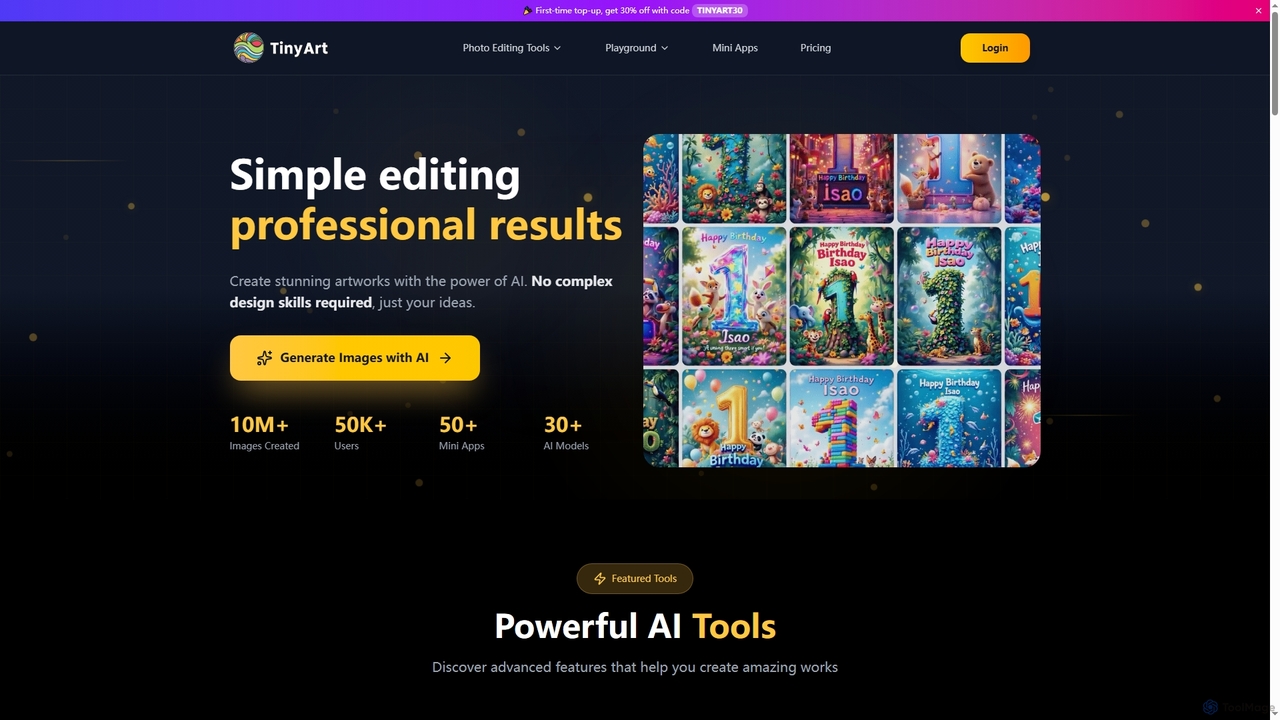
TinyArt is an AI-powered photo editing and image generation platform designed for professional results without complex design skills. It offers a suite of tools including background removal, image upscaling, watermark removal, object cleanup, and text-to-image generation, alongside specialized mini-apps for ID photos, face swaps, and photo restoration.

Creative Tools
Visits 6.1KFavorites 126Likes 160

About Specialized Photo Tools

Specialized Photo Tools are AI-powered applications designed to perform specific, high-precision image manipulation tasks. Unlike general-purpose editors, these tools leverage targeted algorithms to automate complex processes like photo restoration, object removal, or high-resolution upscaling. They provide highly efficient solutions for singular challenges, transforming time-consuming manual work into a streamlined, often one-click, operation. This focus allows for superior results in their designated function without the steep learning curve of comprehensive software suites.

Core Features

  • AI Photo Restoration: Automatically repairs scratches, removes dust, and corrects fading in old or damaged photographs.
  • Intelligent Object Removal: Seamlessly erases unwanted people, text, or objects from an image, intelligently filling in the background.
  • High-Resolution Upscaling: Increases image resolution and enhances detail without introducing artifacts, ideal for printing or high-quality displays.
  • Precise Background Manipulation: Offers one-click background removal, replacement, or generation with clean edge detection.
  • AI Colorization: Adds realistic color to black-and-white photos by analyzing object and texture data.

Use Cases

These tools are invaluable for e-commerce managers needing to batch-process product images, photographers seeking to quickly clean up portraits or landscapes, and archivists or genealogists restoring historical photos. Marketers also use them to quickly adapt imagery for campaigns by removing distracting elements or changing backgrounds to fit branding guidelines.

How to Choose

When selecting a Specialized Photo Tool, first identify your primary task (e.g., upscaling, object removal). Evaluate the tool's output quality and processing speed for that specific function. Consider whether it supports batch processing for efficiency, its integration with your existing workflow, and if its pricing model (subscription vs. one-time purchase) aligns with your usage frequency.

Specialized Photo Tools use cases

1

Batch Background Removal for E-commerce

An e-commerce store manager needs to prepare hundreds of new product photos for a website launch. Instead of manually tracing each product in complex software, they use a specialized AI tool. They upload the entire folder of images, and the tool automatically detects the product in each photo and removes the background with high precision in minutes. This ensures a clean, consistent, and professional look across all product listings, significantly reducing post-production time and costs.

2

Restoring and Colorizing Old Family Photos

A genealogist is working with a client's collection of faded, scratched, and black-and-white family portraits from the early 20th century. Using a specialized photo restoration tool, they first upload a scanned image. The AI automatically repairs cracks, removes dust spots, and enhances facial details. Next, they use the integrated colorization feature. The AI analyzes the context of the image—clothing, environment—to apply historically plausible and natural-looking colors, bringing cherished memories back to life for the family.

3

Upscaling Low-Resolution Images for Print

A graphic designer receives a low-resolution logo file from a client for a large-format banner. The image would appear pixelated if printed as is. The designer uses an AI upscaling tool to increase the image's resolution by 400%. The tool's algorithm intelligently adds detail and sharpens edges without creating the typical blurriness of traditional resizing methods. The result is a crisp, high-resolution file ready for professional printing, saving the designer from having to recreate the logo from scratch.

4

Removing Distractions from Travel Photography

A travel blogger captures a stunning photo of a landmark but there are several tourists and a distracting trash can in the frame. To create a cleaner, more impactful image for their blog and social media, they use an AI object removal tool. They simply brush over the unwanted people and the trash can. The AI analyzes the surrounding pixels and seamlessly reconstructs the background, making it appear as if the objects were never there. This process takes seconds, compared to the complex cloning and patching required in traditional software.

5

Automating Skin Retouching for Portrait Photographers

A portrait photographer has a photoshoot with 50 final images that require skin retouching. Manually editing each photo to remove blemishes and even out skin tone would take hours. Instead, they use a specialized AI retouching tool. The tool automatically detects faces, identifies blemishes, and applies subtle, natural-looking corrections while preserving skin texture. The photographer can apply these settings across the entire batch of photos, completing the bulk of the work in minutes and freeing up time for more creative edits.

6

Cleaning Up Real Estate Photography

A real estate agent takes photos of a property, but the exterior shots are cluttered with power lines, a parked car, and a garden hose left on the lawn. To present the property in its best light, they use a specialized photo tool. With a few clicks, they remove the car and the hose. They then use a sky replacement feature to swap a dull, overcast sky with a bright, sunny one. The final images are clean, appealing, and professional, helping to attract more potential buyers to the online listing.

Specialized Photo Tools FAQ

What are AI Specialized Photo Tools?

AI Specialized Photo Tools are applications designed to excel at one or a few specific photo editing tasks, such as background removal, object deletion, image upscaling, or photo restoration. Unlike comprehensive editors, they use highly trained AI models to automate these complex processes, delivering fast, high-quality results with minimal user input. They are ideal for users who need to perform a specific task repeatedly and efficiently without learning a complex software suite.

How do Specialized Photo Tools differ from general editors like Photoshop?

The main difference lies in focus and workflow. General editors like Photoshop are powerful toolkits with hundreds of features, requiring significant skill and time for tasks like object removal. Specialized Photo Tools focus on a single outcome and automate the process.

  • Focus: Specialized tools do one thing exceptionally well (e.g., upscaling), while general editors do many things moderately well without specific plugins.
  • Workflow: A task might take many steps and manual adjustments in Photoshop, whereas a specialized tool often achieves a comparable or better result in one click.
  • Learning Curve: Specialized tools are typically very intuitive and require little to no training, unlike general editors which have a steep learning curve.

Who are the primary users of Specialized Photo Tools?

These tools cater to a wide range of users who need specific results quickly. Key user groups include:

  • E-commerce Professionals: For batch background removal and creating clean product images.
  • Photographers: For rapid retouching, noise reduction, and cleaning up distracting elements.
  • Marketers and Content Creators: For quickly adapting images for campaigns and social media.
  • Archivists and Genealogists: For restoring and colorizing historical photographs.
  • Real Estate Agents: For enhancing property photos by removing clutter or replacing skies.
Essentially, anyone who values speed and high-quality results for a recurring, specific photo task can benefit.

What are the key features to look for in a Specialized Photo Tool?

When choosing a tool, focus on aspects directly related to its specialized function. Key features to consider are:

  • Output Quality: Does the tool produce clean, artifact-free results? For upscalers, check for sharpness. For removal tools, check for seamless background blending.
  • Processing Speed: How quickly can it process a single image or a batch of images? This is crucial for high-volume work.
  • Batch Processing: The ability to apply the same action to hundreds of images at once is a major time-saver.
  • Ease of Use: A good specialized tool should have a simple, intuitive interface that requires minimal instruction.
  • Format Support: Ensure it supports the file formats you commonly use (e.g., RAW, PNG, JPG) and can export in the required format and resolution.

Can these tools handle high-resolution or RAW files?

Many professional-grade specialized photo tools are designed to work with high-resolution images and RAW files. However, capabilities vary significantly between tools. Free or web-based versions might have limitations on input resolution or only support common formats like JPG and PNG. Professional desktop applications are more likely to offer full support for various RAW formats from different camera manufacturers and allow for high-resolution exports suitable for printing. Always check the technical specifications of a tool before committing, especially if you work in a professional photography workflow.