
Skyglass
Skyglass is an AI-powered mobile VFX studio that transforms your iPhone into a Hollywood-grade filmmaking tool. It enables …
Skyglass is an AI-powered mobile VFX studio that transforms your iPhone into a Hollywood-grade filmmaking tool. It enables content creators to produce stunning visual effects in real-time, including 3D background replacement, motion capture, and AI-driven relighting, all without expensive equipment.
Movavi
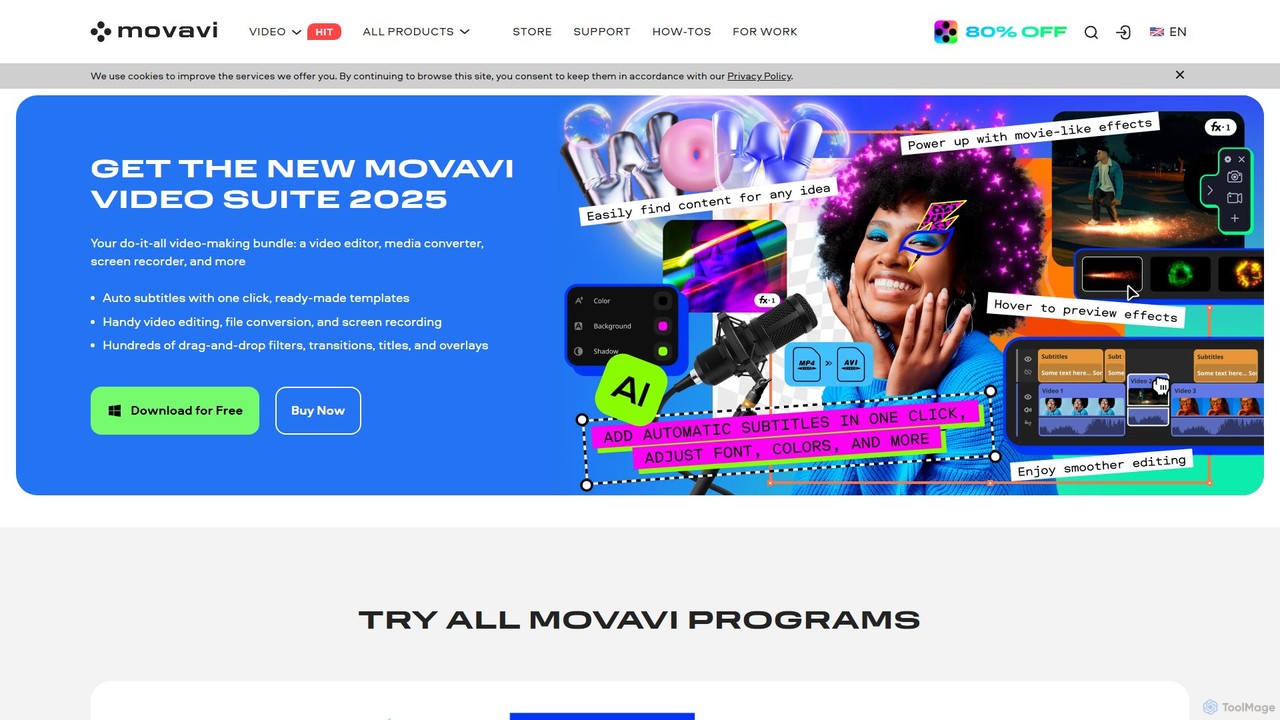
Movavi is a comprehensive suite of multimedia programs, featuring a powerful yet user-friendly AI video editor, photo editor, …
Movavi is a comprehensive suite of multimedia programs, featuring a powerful yet user-friendly AI video editor, photo editor, screen recorder, and file converter. It's designed for everyone from beginners to seasoned creators, offering AI-driven features like background removal, motion tracking, and audio denoising to simplify the creative process. Create stunning videos, edit photos, and capture your screen with an intuitive drag-and-drop interface and a vast library of effects.
About Generative Video
Generative Video tools are a class of AI applications that create new video content from text descriptions, images, or existing video clips. These tools utilize complex deep learning models, such as diffusion or transformers, to synthesize original motion sequences that did not previously exist. Their primary value lies in rapidly producing visual content for marketing, entertainment, and conceptualization, drastically reducing traditional production timelines and costs. Unlike standard video editors that manipulate existing footage, generative video platforms create visuals from the ground up.
Core Features
- Text-to-Video Generation: Creates video clips directly from written descriptions or prompts.
- Image-to-Video Animation: Animates a static image by adding motion, camera effects, or dynamic elements.
- Video-to-Video Transformation: Alters the style, characters, or environment of an existing video based on a prompt.
- Motion and Camera Control: Provides parameters to direct camera movements (pan, zoom, tilt) and object motion within the generated scene.
- Style Consistency: Maintains a consistent visual style, character appearance, and aesthetic across multiple generated shots.
Use Cases
Generative video tools are widely used by marketing teams for creating engaging social media ads and product showcases. Filmmakers and animators use them for pre-visualization and storyboarding complex scenes. Additionally, individual creators and artists leverage these tools to produce unique digital art, music videos, and short-form content without needing extensive filming equipment.
How to Choose
When selecting a Generative Video tool, evaluate the output quality, including resolution, coherence, and motion realism. Consider the level of control offered over camera angles, character movement, and style. Also, assess the generation speed, pricing model (e.g., per-video or subscription), and whether it provides an API for integration into custom workflows. The variety of pre-set styles and the ease of use are also important factors.
Generative VideoUse Cases
Creating Short-Form Social Media Ads
A marketing manager needs to produce multiple video ads for a new product campaign on a tight deadline. Instead of arranging a costly photoshoot, they use a generative video tool. By inputting text prompts like 'a cinematic slow-motion shot of a sports drink on a mountain peak at sunrise,' they can generate dozens of high-quality video variations in minutes. This allows for rapid A/B testing of different visual concepts to find the most effective ad, saving significant time and budget.
Prototyping Animated Storyboards
An animation director or filmmaker needs to visualize a scene from a script before committing to full production. They use a generative video tool to turn script lines into rough animated clips. For example, a prompt 'a wide shot of a spaceship landing in a futuristic city, raining' instantly creates a visual reference. This process allows the creative team to quickly iterate on camera angles, pacing, and mood, facilitating better planning and communication long before the expensive animation or filming process begins.
Generating Abstract Visuals for Events
A VJ (video jockey) or event organizer needs dynamic background visuals for a music concert or corporate event. Using an image-to-video tool, they can upload a static event logo or abstract artwork and generate looping videos with subtle motion, particle effects, or fluid dynamics. This provides a constant stream of unique, on-brand visual content without the need for complex motion graphics software. The ability to generate variations quickly allows them to tailor the visuals to different songs or presentation segments.
Creating Educational Explainer Videos
An educator or corporate trainer wants to create a short animated video to explain a complex concept, like photosynthesis or a new software workflow. Instead of hiring an animator, they can use a text-to-video tool. They input a simple script, and the AI generates corresponding visuals and animations. For example, 'A sunbeam hits a green leaf, showing water and CO2 entering, and oxygen being released.' This approach democratizes video creation, allowing subject matter experts to produce engaging educational content quickly and affordably.
Stylizing Existing Video Footage
A content creator has a simple video of them walking down a street but wants to transform it into a unique piece of art. Using a video-to-video feature, they can apply a new style based on a text prompt. For instance, they upload their video and apply the prompt 'in the style of a vintage comic book' or 'animated with a watercolor effect.' The tool re-renders each frame of the original video in the new artistic style, creating a visually striking result that would typically require specialized skills and hours of manual work in post-production.
Developing Unique Website Backgrounds
A web designer wants to create a captivating hero section for a client's website. Instead of using a static image or a stock video, they use a generative video tool to create a subtle, looping background video. A prompt like 'abstract slow-moving geometric shapes with a soft pastel color palette' can produce a unique and professional-looking visual that enhances the site's aesthetic. This allows for highly customized and dynamic web design elements that load quickly and set a specific mood for visitors upon arrival.